writhziden
Closed by request.
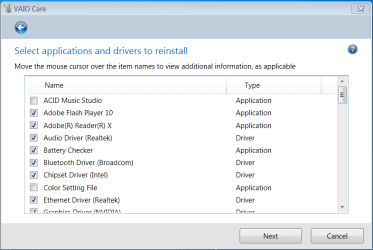
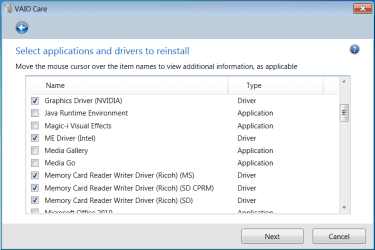
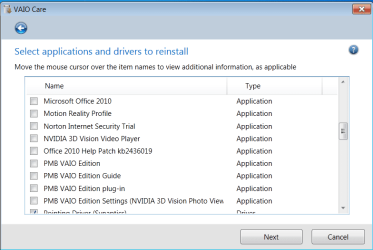
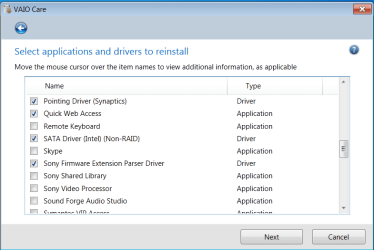
I noted earlier that gregrocker mentioned tech savy members tend to do clean installs of their systems. I am having some difficulty doing a clean install of my Sony VAIO due to a backlit keyboard issue and was wondering if someone might be able to help.
I tried to do a clean install when I first got the system (after making the recovery discs, of course). Unfortunately, I ended up with a backlit keyboard that would randomly turn on and then off with no apparent reason like it was on a time cycle (not a huge deal breaker for a clean install, but rather annoying and worrisome for someone who is a power conservation user). I went to the support site for my laptop and tried to install the drivers and VAIO Control Center for the keyboard light management, but that just resulted in even stranger issues. The VAIO Control Center software removed my UAC settings and left my system in a state where I would get access denied trying to access anything that required administrator privileges. VAIO Control Center also did not have the options it is supposed to for changing the settings for the backlit keyboard (I like to be able to turn it off, or at least have it set to only turn on when lighting is low).
My question is: if I were to try to do a clean install again, would someone help me to iron out these issues?
I tried to do a clean install when I first got the system (after making the recovery discs, of course). Unfortunately, I ended up with a backlit keyboard that would randomly turn on and then off with no apparent reason like it was on a time cycle (not a huge deal breaker for a clean install, but rather annoying and worrisome for someone who is a power conservation user). I went to the support site for my laptop and tried to install the drivers and VAIO Control Center for the keyboard light management, but that just resulted in even stranger issues. The VAIO Control Center software removed my UAC settings and left my system in a state where I would get access denied trying to access anything that required administrator privileges. VAIO Control Center also did not have the options it is supposed to for changing the settings for the backlit keyboard (I like to be able to turn it off, or at least have it set to only turn on when lighting is low).
My question is: if I were to try to do a clean install again, would someone help me to iron out these issues?
My Computer
At a glance
Windows 7 Home Premium 64 BitIntel(R) Core(TM)2 Quad CPU Q9550 @ 2.83GHz6.00 GB Hundai HMT125U6BFR8C-H9ATI Radeon HD 4850
- Computer Manufacturer/Model Number
- HP Pavilion e9110t
- OS
- Windows 7 Home Premium 64 Bit
- CPU
- Intel(R) Core(TM)2 Quad CPU Q9550 @ 2.83GHz
- Motherboard
- Pegatron IPIEL-LA3
- Memory
- 6.00 GB Hundai HMT125U6BFR8C-H9
- Graphics Card(s)
- ATI Radeon HD 4850
- Sound Card
- Realtek High Definition Audio/ATI High Definition Audio
- Monitor(s) Displays
- Acer AL2216W
- Screen Resolution
- 1680x1050
- Hard Drives
- Hitachi HDP725050GLA360 ATA Device 500 GB
- PSU
- Unknown/installed by HP
- Case
- HP generic case
- Cooling
- Intel Stock Cooling
- Keyboard
- HP Keyboard
- Mouse
- HP Mouse
- Internet Speed
- Download: 19.15 Mbps Upload: 1.67 Mbps
- Other Info
- Network Adapter Realtek RTL8168D/8111D Family PCI-E Gigabit Ethernet NIC (NDIS 6.20)
Network Adapter 802.11n Wireless PCI Express Card LAN Adapter