Okay i tryed to install the latest flash and disable hardware acceleration but nothing of them seems to work. I notice i litte diffrent if i disabled hardware acceleration. i get about 5% less. But i found a kinda intresting thing my chrome seems to be running on 32bit when i have 64bit. Could it be that my cpu needs to work more because it is 32 bit and it only allows 3 gb Ram ?. I dont know
willwarrior we are trying to help resolve this but as we went through some steps were not followed through. Go back through the thread please and post all the info
theveterans asked
Can you check your power plan setting? Maybe Windows is running in Power Saver mode thus making your CPU run at minimum frequency and having a very high CPU usage while doing CPU intensive tasks.
Britton30 asked
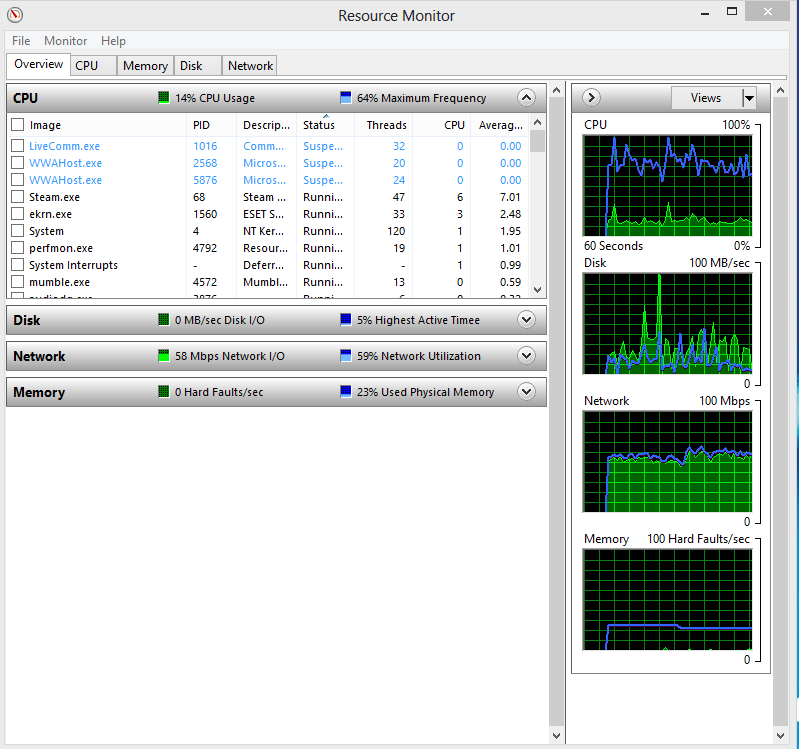
Typing resmon in the start search, hit enter, and going to the CPU tab will get a clearer idea of what is running, also how the RAM is being used in Memory tab.
You have done these ss but they all showed low usage, do it while you have the 5 youtube vids running. Show us the cpu and the memory tab.
I ask again that you fill in the specs of your new sysytem, use this tool
http://www.sevenforums.com/tutorials/180324-system-info-see-your-system-specs.html
Chrome doesn't have a 64 bit yet. Try this link, disable the chrome plugings, then install the flash for other browsers.
Adobe Flash Player plug-in - Google Chrome Help
Flash Player with Google Chrome



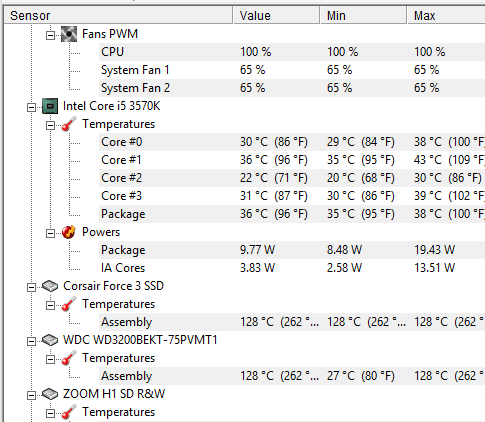

 Yeah some users have problems with Chrome, it's a software thing. I would continue to use the other browser then try chrome again after the next update.


