How often should you empty your recycle bin

I am just enquring as to whether or not too permantely delete the contents in my recycle bin and if it is affecting the performance of my machine.

I had the Norton team delete the back up of the previous version of their software and I went for assistance online and they decided to go along with my idea of removing all the items in the %temp% and temp folder.

I gather that the other files - I am not too sure if I may require them down the track.

I did not know that there was that much in the recycle bin and have not been advised on the best action.

Mel

I empty my Recycle Bin several times per day, because I need the HD space.

About once a month I search my entire C:\Program Partition for: *temp*. Everything that Windows Exploder finds, gets pitched in the Bin!!!!

Also all the Backup's that windows makes before installing Mickeysoft Updates, Hit the Bin!!!!

MLStrand56

MLStrand56
 

My Computer My Computer

Computer Manufacturer/Model Number
Custom
OS
Win7 64bit Ultimate
CPU
E8600
Motherboard
Asus P5GC
Memory
4 Gig
Graphics Card(s)
1Gig PCI-E
Sound Card
Audigy 2ZS Platinum
Monitor(s) Displays
24" LCD
Screen Resolution
1680 x 1050
Hard Drives
C:\ = 500Gig IDE Western Digital
D:\ = 1TB SATA, RAID 1, Western Digital
PSU
860W PC Power
Case
Lian
Cooling
9 Fans
Keyboard
Logitech G11
Mouse
Kensington K64325
Internet Speed
220kbs down
Other Info
Philippines
MalwareBytes is an Anti-malware program and is highly thought of by a lot of the experts. I see from your screen shots that you have it installed and yes I did mean doing the clean up after first turning on the machine.

You do seem to have quite a lot of programs installed and I notice you have Adobe Reader, I use Foxit Reader which isn't as bloated as Adobe plus I use Microsoft Security Essentials as my anti-virus program and have had no problems with it, it's something else that is built into your Windows 7 so that's another expense saved.

You also have a built in backup program that you can use to make a system image, that is something you want to put onto an external drive for safety.

:)

I am not able to utilise the built in back up program - Memeo if that is the program that you are referring to. It was a trail version - I then had the external hard drive had a fatal error. Been told bad sectors. There went 500GB.

I will take on board what the regular users are saying.

I guess I do stress a bit too much about my computer - but at the moment - it is the only link to the outside world. Stuck in hospital - perhaps for a long, long time.

I purchased a three year subscription to Norton -- until I went online and complained - I did not know I was operating an old version that had issues. Bad choice. But you live an you learn.

I received the Adobe with my friend that said I may require it to operate MS Word suites.

I guess everyone is entitled to their opinion. But I choose to reach out - learn and been told off or been told to upload software that I do not know how to use.

Thanks -

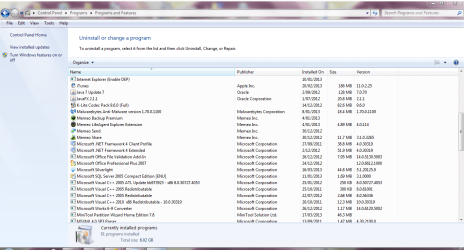
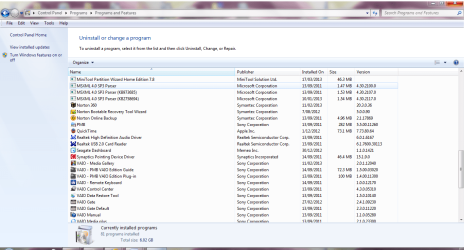
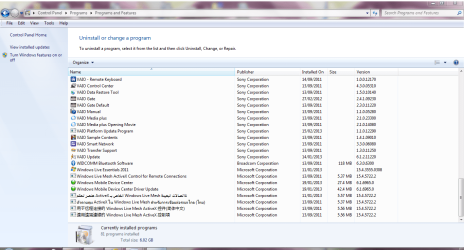
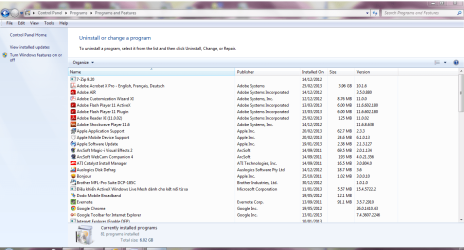
This is a better shot in alpha order of all my control panel - noticed out of the 88 programs that I had it in date order. I am trying to operate with pain killers. And chemo.
 

Attachments

  • CONTROL PANEL ALPHA - I - M.PNG
    CONTROL PANEL ALPHA - I - M.PNG
    72.3 KB · Views: 9
  • CONTROL PANEL ALPHA -M - V.PNG
    CONTROL PANEL ALPHA -M - V.PNG
    72.9 KB · Views: 8
  • CONTROL PANEL ALPHA -V - W.PNG
    CONTROL PANEL ALPHA -V - W.PNG
    71.1 KB · Views: 8
  • CONTROL PANEL ALPHA.PNG
    CONTROL PANEL ALPHA.PNG
    71.9 KB · Views: 7

My Computer My Computer

Computer type
Laptop
Computer Manufacturer/Model Number
Sony VAIO / E Series VPCEB46FG
OS
Windows 7 Home Premium 64bit
CPU
Windows 7 Service Pack 1 x86 NTFS
Motherboard
AMD E-350 Processor
Memory
4 GB
Hard Drives
500GB
Other Info
1.6GHz
I am just enquring as to whether or not too permantely delete the contents in my recycle bin and if it is affecting the performance of my machine.

I had the Norton team delete the back up of the previous version of their software and I went for assistance online and they decided to go along with my idea of removing all the items in the %temp% and temp folder.

I gather that the other files - I am not too sure if I may require them down the track.

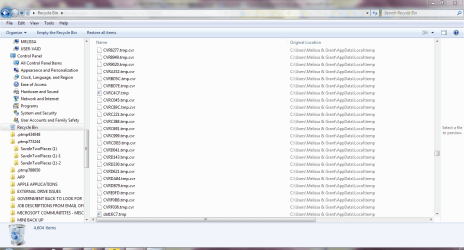
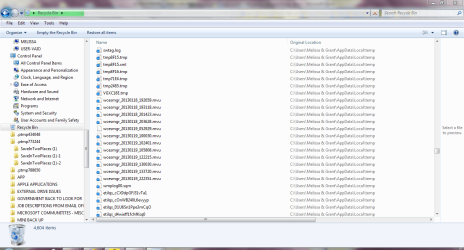
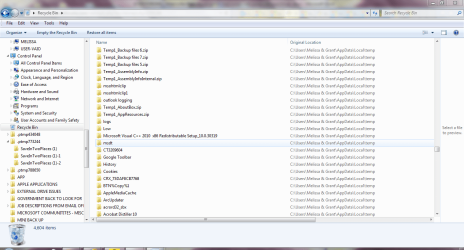
I did not know that there was that much in the recycle bin and have not been advised on the best action.

Mel

I empty my Recycle Bin several times per day, because I need the HD space.

About once a month I search my entire C:\Program Partition for: *temp*. Everything that Windows Exploder finds, gets pitched in the Bin!!!!

Also all the Backup's that windows makes before installing Mickeysoft Updates, Hit the Bin!!!!

MLStrand56

MLStrand56

I am only new to computers -

I know that you may know much more than me.

How do you know the backups that windows makes - before installing the Updates?

Thanks for looking at my posts and giving me feedback
 

Attachments

  • recycle bin 1.PNG
    recycle bin 1.PNG
    55.2 KB · Views: 5
  • recycle bin 2.PNG
    recycle bin 2.PNG
    57.6 KB · Views: 5
  • recycle bin 3.PNG
    recycle bin 3.PNG
    60.5 KB · Views: 4

My Computer My Computer

Computer type
Laptop
Computer Manufacturer/Model Number
Sony VAIO / E Series VPCEB46FG
OS
Windows 7 Home Premium 64bit
CPU
Windows 7 Service Pack 1 x86 NTFS
Motherboard
AMD E-350 Processor
Memory
4 GB
Hard Drives
500GB
Other Info
1.6GHz
If you don`t use it, there`s no reason to have it. Adobe will just keep bugging you to update it every other week.


Adobe AIR
Deliver engaging applications beyond the browser across screens

The Adobe® AIR® 3 runtime enables developers to use HTML, JavaScript, Adobe Flash® software, and ActionScript® to build web applications that run as standalone client applications without the constraints of a browser.

For more information, visit the Product page

Adobe AIR | Adobe AIR 3 | Deploy applications

Thanks you so much for this information - some more space on my computer for me. I guess I thought I required it for the operation of web pages and converting Word pages into Adobe format.

Thanks you again

You are a legend :):)
 

My Computer My Computer

Computer type
Laptop
Computer Manufacturer/Model Number
Sony VAIO / E Series VPCEB46FG
OS
Windows 7 Home Premium 64bit
CPU
Windows 7 Service Pack 1 x86 NTFS
Motherboard
AMD E-350 Processor
Memory
4 GB
Hard Drives
500GB
Other Info
1.6GHz
:D;)
 

My Computer My Computer

Computer type
PC/Desktop
Computer Manufacturer/Model Number
Skylake Special #666
OS
Windows 10 Pro x64
CPU
Intel Core i7 6700K
Motherboard
Asus Sabertooth Z170 Mark 1
Memory
GSkill TridentZ RGB 16GB 3600 16-16-16-36
Graphics Card(s)
EVGA GTX 980 Ti SC x2
Sound Card
Realtek High Definition
Monitor(s) Displays
AOC G2460PG
Screen Resolution
1920 x 1080 144Hz
Hard Drives
Samsung 860 Pro 256GB, Seagate Barracuda 4TB x2
PSU
EVGA 1000 P2, EVGA White Custom Braided Cables
Case
Corsair Vengeance C70 Gunmetal Black
Cooling
Corsair H100i v2, Corsair ML120 x2, Thermal Grizzly Kryonaut
Keyboard
Logitech G910 Orion Spectrum
Mouse
Logitech G700s
Internet Speed
Verizon Fios Quantum Gateway 75/75
Antivirus
Windows Defender, Malwarebytes Free 3.8.3
Browser
Chrome
Other Info
Corsair SP120 x4, LG Blu-ray Drive, Durabrand HT-395 100 Watt Dolby Digital Amp, Corsair H2100 Wireless 7.1 Headset
I empty my recycle bin at least once a day. I'm fairly "stingy" about what I delete so once something gets to the bin..... I hardly even look anymore. BUT thats me, you and others may be more comfortable with keeping things in there a bit. In the end, thats what the whole computing experience is all about, what YOU feel comfortable with.

I too recommend Ccleaner, if you haven't gotten it already. I have never had one single problem with it and have used it for years on a daily basis.
 

My Computer My Computer

Computer type
Laptop
Computer Manufacturer/Model Number
MSI GE72VR Apache Pro-416
OS
Windows 10x64 Build 1709
CPU
Intel i7 7700HQ Kaby Lake
Motherboard
Micro-Star Intl. MS-179B (U3C1)
Memory
16 GB DDR4 @2400
Graphics Card(s)
Nvidia Geforce GTX 1060
Screen Resolution
1920x1080 120Hz
Hard Drives
256 GB Nvme M.2 SSD

1TB HDD@7200
Cooling
Cooler Blast 4
Keyboard
Steel Series
Antivirus
Bit Defender Free
Browser
Edge
:ditto: about Ccleaner
 

My Computer My Computer

Computer type
PC/Desktop
Computer Manufacturer/Model Number
Skylake Special #666
OS
Windows 10 Pro x64
CPU
Intel Core i7 6700K
Motherboard
Asus Sabertooth Z170 Mark 1
Memory
GSkill TridentZ RGB 16GB 3600 16-16-16-36
Graphics Card(s)
EVGA GTX 980 Ti SC x2
Sound Card
Realtek High Definition
Monitor(s) Displays
AOC G2460PG
Screen Resolution
1920 x 1080 144Hz
Hard Drives
Samsung 860 Pro 256GB, Seagate Barracuda 4TB x2
PSU
EVGA 1000 P2, EVGA White Custom Braided Cables
Case
Corsair Vengeance C70 Gunmetal Black
Cooling
Corsair H100i v2, Corsair ML120 x2, Thermal Grizzly Kryonaut
Keyboard
Logitech G910 Orion Spectrum
Mouse
Logitech G700s
Internet Speed
Verizon Fios Quantum Gateway 75/75
Antivirus
Windows Defender, Malwarebytes Free 3.8.3
Browser
Chrome
Other Info
Corsair SP120 x4, LG Blu-ray Drive, Durabrand HT-395 100 Watt Dolby Digital Amp, Corsair H2100 Wireless 7.1 Headset
Are there certain modules that a person with limited brain cells should look out for and not touch.

I have managed to upload the current version after a reboot. I just do not want to delete something and regret it. I guess I could use some other program to ensure that I keep a back up. Still trying to find the right one.

I keep forgetting what I saved them as.

Thanks again.

The joys of computers .

My computer is running rather slow and I am now having trouble after loading Skydrive.

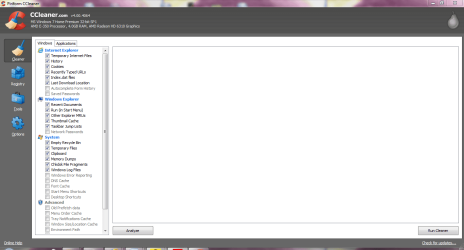
Here is what options are default on CCleaner - anything - like registry like I have been warned about.
 

Attachments

  • cc cleaner new module.PNG
    cc cleaner new module.PNG
    39.3 KB · Views: 8

My Computer My Computer

Computer type
Laptop
Computer Manufacturer/Model Number
Sony VAIO / E Series VPCEB46FG
OS
Windows 7 Home Premium 64bit
CPU
Windows 7 Service Pack 1 x86 NTFS
Motherboard
AMD E-350 Processor
Memory
4 GB
Hard Drives
500GB
Other Info
1.6GHz
Close you browser (Internet Explorer or FireFox or .....)

Click on the button named Analyze.
CCleaner will show you what it found and what it wants to delete.

Click on the button named Run Cleaner.
A popup should appear telling you that it is going to delete files.
Click on the button named OK.

After CCleaner finishes; close CCleaner.
You are done.
 

My Computer My Computer

Computer type
Laptop
Computer Manufacturer/Model Number
Employer provided Dell Latitude
OS
W7 Pro SP1 64bit
CPU
i7
Memory
8GB
Graphics Card(s)
Intel HD Graphics
Hard Drives
crappy SSD
Antivirus
Employer mandated Symantec Endpoint Protection
Browser
Pale Moon 64bit, IE11 64bit & Chrome 64bit
I simply advise setting Recycle Bin to a max size that big enough to catch errors that you make on deleting and catch of course as it happens or soon after.

So right click the Recycle Bin on the desktop, click properties and you will see/select the drive letter you want to use and then can custom size it, once it hits that threshold it should delete the oldest stuff to make room.

I myself have it set for 4.5gigs (45xx MEGS) and not on a partition on the same HD as \Windows\!

4.5gigs is enough for me at least, in case I somehow accidentally delete what fits on a DVD blank media, that is my strategy and I clear it manually often and I have never seen it full.

If you are unsure what partitions are sharing the Windows hard drive, Computer Management has that info, can get there typing Computer Management in the Start|Search box.

Then click Disk Management under the Storage Heading on the left list inside Computer Management.
 

My Computer My Computer

Computer type
PC/Desktop
Computer Manufacturer/Model Number
Self Built Custom
OS
Windows 7 Ultimate Retail Box (64-bit installed) + Service Pack 1
CPU
AMD FX-8350 CPU v1.15 (or 1.0F) BIOS was required!
Motherboard
MSI 890FXA-GD70
Memory
8G CAS-7 G-Skill DDR3 @1333 (2 fours) [mobo nonOC max rec'd]
Graphics Card(s)
Radeon HD 7950 [3 gigs of GDDR5] MSI Twin Frozr model
Sound Card
Realtek High Definition Audio (onboard mobo, ALC-889 chip)
Monitor(s) Displays
2 WS LED Monitors: One LG One Viewsonic
Screen Resolution
1920 by 1080
Hard Drives
SSD for OS: Samsung 840 Pro
SSD for VM and utilities: Adata SX900
7200 RPM SATA HDs for the rest: Hitachi and Seagate
PSU
Corsair TX850 - 850W max, in service since August 2010.
Case
Thermaltake Armor A90
Cooling
Thermaltake Spin Q CPU Cooler, in service since August 2010
Keyboard
Logitech G11
Mouse
Logitech M310 Wireless
Internet Speed
100 Megabit broadband supposedly upgraded from 50 (Cable)
Antivirus
Bitdefender Internet Security 2014 suite
Browser
Pale Moon 64-bit main, also IceDragon, Opera, and Maxthon.
Other Info
CompTIA A+ certified (220-800 series) in July 2013.
Back
Top