Can't open system recovery?

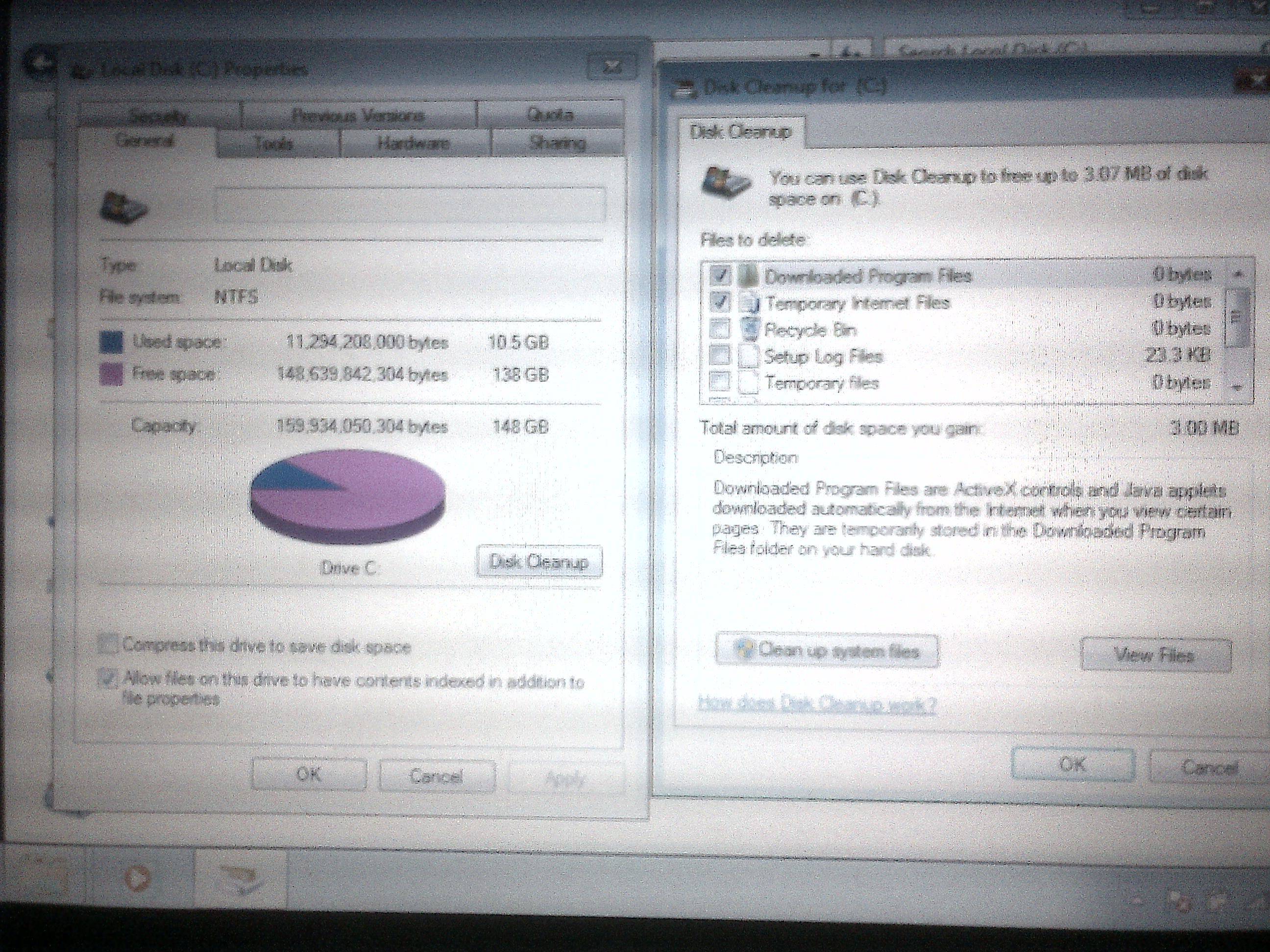
I was running the disk cleanup, when it asked what I wanted to delete.
Z1OuIOU.jpg


There are 2 more options below, not shown in the image:
[✓] Thumbnails 3.00 MB
[ ] Per user queued Windows Error Repor... 54.6 KB

What should I check? It says it permanently deleted them after I click ok.
 

My Computer My Computer

At a glance

Windows 7 Home Premium 64bit
OS
Windows 7 Home Premium 64bit
yep, tick the box for any items showing > 0 KB / MB

edit: please click on the "clean up system files" button - that will clean up more stuff.
Same rule > 0 KB/ MB - mark it and delete it.
 

My Computer My Computer

At a glance

x64 (6.3.9600) Win8.1 Pro & soon dual boot x6...AMD A6-3420M APU with Radeon(tm) HD Graphics6.00 GBAMD Radeon(TM) HD 6520G
Computer type
Laptop
Computer Manufacturer/Model Number
HP Pavilion dv6-6c10us
OS
x64 (6.3.9600) Win8.1 Pro & soon dual boot x64 (6.1.7601) Win7_SP1 HomePrem
CPU
AMD A6-3420M APU with Radeon(tm) HD Graphics
Motherboard
Hewlett-Packard 1805
Memory
6.00 GB
Graphics Card(s)
AMD Radeon(TM) HD 6520G
Sound Card
(1) AMD High Definition Audio Device (2) IDT High Definiti
Monitor(s) Displays
HP W2072a 20" LCD (1600 x 900) @ 60 Hz
Screen Resolution
1366 x 768 x 32 bits (4294967296 colors) @ 60 Hz
Hard Drives
ST640LM0 00 HM641JI SATA Disk Device
Keyboard
Logitech k520 wireless KB
Mouse
Logitech m320 wireless mouse (bundled with KB)
Internet Speed
15/5 | 54 MB Wireless 'n'
Antivirus
Realtime: Defender or Avast | On-demand: Malwarebytes, ESET
Browser
IE 11 on Win8, IE 10 on win 7
Other Info
Media: [Gimp, Audacity, VLC] || Comm: [WEmail 2012, Skype] || Productivity: [OpenOffice,| Textpad] || Utils: [Sysinternals, cCleaner, Speccy, Defraggler]
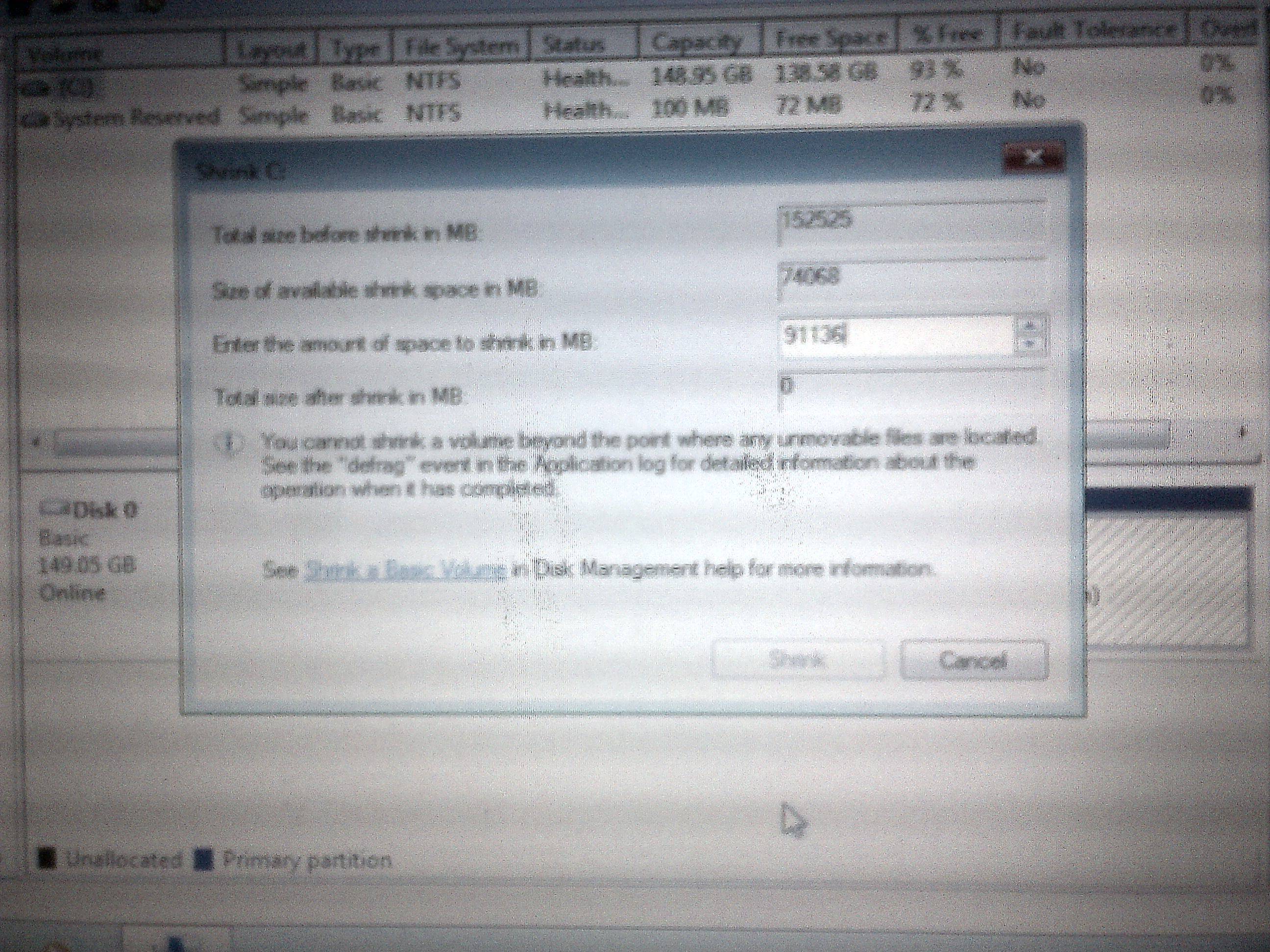
Ok, followed all the cleanup techniques, but still no luck.
GoOdFQ6.jpg
 

My Computer My Computer

At a glance

Windows 7 Home Premium 64bit
OS
Windows 7 Home Premium 64bit
Ok, we'll just take what's available 74068, a difference of 20000 (20 GB)
so your C: part will be 80 GB and the extended 70 GB

You have to use diskpart to create the extended part

Launch an Elevated Command Prompt
enter Diskpart
sel dis 0
cre par ext
exit
exit

Then you can go back to Disk Mgmnt and create two logical drives

to make this easier (and quicker) just make two logical drives in the extended part
1) 69972 MB -NTFS, label can be anything you like...
2) 4096 (or what ever remains) - FAT32, label HP_TOOLS
 
Last edited:

My Computer My Computer

At a glance

x64 (6.3.9600) Win8.1 Pro & soon dual boot x6...AMD A6-3420M APU with Radeon(tm) HD Graphics6.00 GBAMD Radeon(TM) HD 6520G
Computer type
Laptop
Computer Manufacturer/Model Number
HP Pavilion dv6-6c10us
OS
x64 (6.3.9600) Win8.1 Pro & soon dual boot x64 (6.1.7601) Win7_SP1 HomePrem
CPU
AMD A6-3420M APU with Radeon(tm) HD Graphics
Motherboard
Hewlett-Packard 1805
Memory
6.00 GB
Graphics Card(s)
AMD Radeon(TM) HD 6520G
Sound Card
(1) AMD High Definition Audio Device (2) IDT High Definiti
Monitor(s) Displays
HP W2072a 20" LCD (1600 x 900) @ 60 Hz
Screen Resolution
1366 x 768 x 32 bits (4294967296 colors) @ 60 Hz
Hard Drives
ST640LM0 00 HM641JI SATA Disk Device
Keyboard
Logitech k520 wireless KB
Mouse
Logitech m320 wireless mouse (bundled with KB)
Internet Speed
15/5 | 54 MB Wireless 'n'
Antivirus
Realtime: Defender or Avast | On-demand: Malwarebytes, ESET
Browser
IE 11 on Win8, IE 10 on win 7
Other Info
Media: [Gimp, Audacity, VLC] || Comm: [WEmail 2012, Skype] || Productivity: [OpenOffice,| Textpad] || Utils: [Sysinternals, cCleaner, Speccy, Defraggler]
Alright, new partitions are created. HP_TOOLS is installed.

Is this all? If so, what do I use the 69972 MB for?
 

My Computer My Computer

At a glance

Windows 7 Home Premium 64bit
OS
Windows 7 Home Premium 64bit
Cool.... now what do you use the 69972 MB part for?

What ever you wish to store there. Documents, Music, Pictures, Videos... downloads

I use libraries to make it easier to store stuff off the c: drive.
For instance, I have a folder called Storage and under that DocStore, MusicStore, PixStore, VideoStore, DownStore
Names of the folders can be whatever you want.

Then for each of the subfolders
Right click on the folder
select -> Include in library
select corresponding library (DocStore-> Documents, PixStore->pictures, ....)

There much more about libraries in the link I provided before.


But there's more to be done:
On one of your other machines, download Microsoft Update Catalog and move it to your 1071
Note: you might need to install Microsoft Update Catalog if you've never visited. It will prompt you, say sure. If you only see the main page (not sure how the link will work if you're 1st time visit) - search for 2775511 and seelct the correct bitwise for your 1071
32 bit: Update for Windows 7 (KB2775511) Windows 7 Updates
64 bit: Update for Windows 7 for x64-based Systems (KB2775511)

This contains a lot of WU fixes and will cut down on teh WU updates.


Install a Malware program (MSE, avast, AVG are mentioned around here - everyone has brand loyalty ;) )

The install your network drivers

Then run WU manuallyy installing everything offered
Note: you can hide anything Bing or Silverlight. There are 4 or 5 versions offered, so untick any that show up

When there are no more updates offered
defrag your machine
increase your page file (let windows manage it)
set System Recovery back to monitoring C: drive.

Check device manager and grab any drivers marked :warn: from HP dowload site.
Don't grab any of the bloatware
I think that's all that's left to do.

 

My Computer My Computer

At a glance

x64 (6.3.9600) Win8.1 Pro & soon dual boot x6...AMD A6-3420M APU with Radeon(tm) HD Graphics6.00 GBAMD Radeon(TM) HD 6520G
Computer type
Laptop
Computer Manufacturer/Model Number
HP Pavilion dv6-6c10us
OS
x64 (6.3.9600) Win8.1 Pro & soon dual boot x64 (6.1.7601) Win7_SP1 HomePrem
CPU
AMD A6-3420M APU with Radeon(tm) HD Graphics
Motherboard
Hewlett-Packard 1805
Memory
6.00 GB
Graphics Card(s)
AMD Radeon(TM) HD 6520G
Sound Card
(1) AMD High Definition Audio Device (2) IDT High Definiti
Monitor(s) Displays
HP W2072a 20" LCD (1600 x 900) @ 60 Hz
Screen Resolution
1366 x 768 x 32 bits (4294967296 colors) @ 60 Hz
Hard Drives
ST640LM0 00 HM641JI SATA Disk Device
Keyboard
Logitech k520 wireless KB
Mouse
Logitech m320 wireless mouse (bundled with KB)
Internet Speed
15/5 | 54 MB Wireless 'n'
Antivirus
Realtime: Defender or Avast | On-demand: Malwarebytes, ESET
Browser
IE 11 on Win8, IE 10 on win 7
Other Info
Media: [Gimp, Audacity, VLC] || Comm: [WEmail 2012, Skype] || Productivity: [OpenOffice,| Textpad] || Utils: [Sysinternals, cCleaner, Speccy, Defraggler]
Wonderful! Thankyou so much along with Anak and ICit2lol for helping me restore my mini :)
 

My Computer My Computer

At a glance

Windows 7 Home Premium 64bit
OS
Windows 7 Home Premium 64bit
Forgot one:
turn on hibernation if you want
elevated command prompt
powercfg-h on
exit

Amplification on WU.... keep checking for updates until no more updates are offered.

If you run into diffficulties, post a question specific to the problem. This is a huge thread an most people won't read all the things.

I might not have Internet access in the next few days, so if you do have a question, either make it clear
How do I turn on System Recovery?
How do I turn on Hibernation?
How do I change page file size?
or open a new thread for that issue/question.

Ahhhh yes, once everything is up to date and things are organized to your liking
Make a backup image and store it on your 1TB.
There are a few ways to make an image - which is an easy way to put the backup on a new drive if necessary.

http://www.sevenforums.com/tutorials/663-backup-complete-computer-create-image-backup.html

Bill
 

My Computer My Computer

At a glance

x64 (6.3.9600) Win8.1 Pro & soon dual boot x6...AMD A6-3420M APU with Radeon(tm) HD Graphics6.00 GBAMD Radeon(TM) HD 6520G
Computer type
Laptop
Computer Manufacturer/Model Number
HP Pavilion dv6-6c10us
OS
x64 (6.3.9600) Win8.1 Pro & soon dual boot x64 (6.1.7601) Win7_SP1 HomePrem
CPU
AMD A6-3420M APU with Radeon(tm) HD Graphics
Motherboard
Hewlett-Packard 1805
Memory
6.00 GB
Graphics Card(s)
AMD Radeon(TM) HD 6520G
Sound Card
(1) AMD High Definition Audio Device (2) IDT High Definiti
Monitor(s) Displays
HP W2072a 20" LCD (1600 x 900) @ 60 Hz
Screen Resolution
1366 x 768 x 32 bits (4294967296 colors) @ 60 Hz
Hard Drives
ST640LM0 00 HM641JI SATA Disk Device
Keyboard
Logitech k520 wireless KB
Mouse
Logitech m320 wireless mouse (bundled with KB)
Internet Speed
15/5 | 54 MB Wireless 'n'
Antivirus
Realtime: Defender or Avast | On-demand: Malwarebytes, ESET
Browser
IE 11 on Win8, IE 10 on win 7
Other Info
Media: [Gimp, Audacity, VLC] || Comm: [WEmail 2012, Skype] || Productivity: [OpenOffice,| Textpad] || Utils: [Sysinternals, cCleaner, Speccy, Defraggler]
Forgot one:
turn on hibernation if you want
elevated command prompt
powercfg-h on
exit

Amplification on WU.... keep checking for updates until no more updates are offered.

If you run into diffficulties, post a question specific to the problem. This is a huge thread an most people won't read all the things.

I might not have Internet access in the next few days, so if you do have a question, either make it clear
How do I turn on System Recovery?
How do I turn on Hibernation?
How do I change page file size?
or open a new thread for that issue/question.

Ahhhh yes, once everything is up to date and things are organized to your liking
Make a backup image and store it on your 1TB.
There are a few ways to make an image - which is an easy way to put the backup on a new drive if necessary.

http://www.sevenforums.com/tutorials/663-backup-complete-computer-create-image-backup.html

Bill
I'll keep the eyes peeled mate just in case and I was going to suggest Ty set updates to notify and then let him choose what do yo think of that?
 

My Computer My Computer

At a glance

Desk1 7 Home Prem / Desk2 10 Pro / Main lap A...Desk1 i5 3750K / Laptop i7 GTX 860M / Desk2 i...Desk1 8GB (1866) / Desk2 16GB (1333) / Laptop...Desk 1& 2NVidia GTX 650 & Laptops on board Intel
Computer type
PC/Desktop
Computer Manufacturer/Model Number
Own build (new) Desk1 / Asus ROG Win 7 / Desk2 1st build
OS
Desk1 7 Home Prem / Desk2 10 Pro / Main lap Asus ROG 10 Pro 2 laptop Toshiba 7 Pro Asus P2520 7 & 10
CPU
Desk1 i5 3750K / Laptop i7 GTX 860M / Desk2 i5 2500
Motherboard
Desk1 Asus P877-V / Desk2 Gigabyte H67 UD3H / Laptop ?
Memory
Desk1 8GB (1866) / Desk2 16GB (1333) / Laptop 8Gb DDR3
Graphics Card(s)
Desk 1& 2NVidia GTX 650 & Laptops on board Intel
Sound Card
Desk 1 & 2 -XONAR DG Realtek High Def audio Laptop
Monitor(s) Displays
Desk 1 Benq HD 2450 / Desk2 Philips 24" / Laptop 17.5"
Screen Resolution
1920x1080 D1 & D2 & Laptop 1
Hard Drives
Desk1 Samsung 120GB 830 SSD
Asus ROG 256GB 850 Pro SSD
Desk2 Samsung 840 256 SSD
Toshiba 120GB EVO
PSU
Desk 1 Corsair HX 1050/ Laptop ? / Desk 2 Corsair HX 650
Case
Desk 1 Cooler HAF XM ? Toshiba laptop / Desk2 Coolermaster
Cooling
Fans on all Desk1 -2 Desk2 - all Coolermasters 5 Laptop ?
Keyboard
Desk 1 MS Sidewinder X6 Desk 2 MS Sidewinder X 4
Mouse
Desk 1&2 - Gigabyte MS 900 gamer - laptop - Logitec wireless
Internet Speed
ADSL2+
Other Info
One other Desktop (tester) and spare Toshba laptop both with SSD's
Running Kaspersky 2016 ISS on all machines config'd identically
Logitec audio stereo systems on each machine (x3)
Canon MG5250MFC
Router/modem TP-Link running WPA2SK
Thanks John,

That's the way I do WU, but automatic updates are ok too as long as the option to download recommended updates is ticked.

Bill
 

My Computer My Computer

At a glance

x64 (6.3.9600) Win8.1 Pro & soon dual boot x6...AMD A6-3420M APU with Radeon(tm) HD Graphics6.00 GBAMD Radeon(TM) HD 6520G
Computer type
Laptop
Computer Manufacturer/Model Number
HP Pavilion dv6-6c10us
OS
x64 (6.3.9600) Win8.1 Pro & soon dual boot x64 (6.1.7601) Win7_SP1 HomePrem
CPU
AMD A6-3420M APU with Radeon(tm) HD Graphics
Motherboard
Hewlett-Packard 1805
Memory
6.00 GB
Graphics Card(s)
AMD Radeon(TM) HD 6520G
Sound Card
(1) AMD High Definition Audio Device (2) IDT High Definiti
Monitor(s) Displays
HP W2072a 20" LCD (1600 x 900) @ 60 Hz
Screen Resolution
1366 x 768 x 32 bits (4294967296 colors) @ 60 Hz
Hard Drives
ST640LM0 00 HM641JI SATA Disk Device
Keyboard
Logitech k520 wireless KB
Mouse
Logitech m320 wireless mouse (bundled with KB)
Internet Speed
15/5 | 54 MB Wireless 'n'
Antivirus
Realtime: Defender or Avast | On-demand: Malwarebytes, ESET
Browser
IE 11 on Win8, IE 10 on win 7
Other Info
Media: [Gimp, Audacity, VLC] || Comm: [WEmail 2012, Skype] || Productivity: [OpenOffice,| Textpad] || Utils: [Sysinternals, cCleaner, Speccy, Defraggler]
Quotes have been modified to show pertinent information and brevity.....

Forgot one:.............


  • .......Amplification on WU.... keep checking for updates until no more updates are offered.

  • If you run into diffficulties, post a question specific to the problem. This is a huge thread an most people won't read all the things.

  • I might not have Internet access in the next few days, so if you do have a question, either make it clear
  • How do I turn on System Recovery?
    How do I turn on Hibernation?
    How do I change page file size?
  • or open a new thread for that issue/question.......

.....Bill
Great work Bill, great work! :thumbsup:

I'll keep the eyes peeled mate just in case and I was going to suggest Ty set updates to notify and then let him choose what do yo think of that?
I'll be here also, just in case. Even though I'm under the weather I try to check my email notifications once a day.

I think that would be okay John. There could be some things Ty wouldn't necessarily want to use like Silverlight, and the Bing toolbar.

Ty you could follow this: http://www.sevenforums.com/tutorials/2797-windows-update-settings-change.html the first and second screenshot in step #3 will show you how to change it to "Check for Updates, but let me choose", and then make any added modifications you want in the steps that follow.

Wonderful! Thankyou so much along with Anak and ICit2lol for helping me restore my mini :)
From my corner Ty, your welcome.
My apologies for bowing out at the beginning of this past week, I overextended myself here at home the week before and it lead me to coming down with a bugger of a cold, almost like the flu. I'm really woosey, and couldn't concentrate.

Ty, I want to commend you on your computer skills, there were a lot of complex instructions to follow and you performed admirably, I repped you for it. Bill and John will also see a little something in their stockings to.

I agree with Bill, this is a very long thread and it took a while to try different things to troubleshoot until Bill finally decided to try Partition Wizard in Post #57, and it started to go your way from there.

If the 1071 continues to work okay for the next few days and you're content with it you could mark this/your thread solved, there should be a green "Solved" button next to the orange "Post Reply" button you can click on, down in the lower left corner. It will help other members that may have similar problems with their Mini's.


Steve
 

My Computer My Computer

At a glance

Originally Win 7 Hm Prem x64 Ver 6.1.7600 Bui...Intel i3 530 2.93GHz, 2933MHz 2 Cores 4 Logic...6GB of 1,333MHz DDR3 SDRAM32MB Intel Graphics Media Accelerator HD IGChip
Computer type
PC/Desktop
Computer Manufacturer/Model Number
Gateway DX4831-01e (Mid-Tower Desktop)
OS
Originally Win 7 Hm Prem x64 Ver 6.1.7600 Build 7601-SP1 | Upgraded to Windows 10 December 14, 2019
CPU
Intel i3 530 2.93GHz, 2933MHz 2 Cores 4 Logical Processors
Motherboard
Gateway H57M01 133 megahertz
Memory
6GB of 1,333MHz DDR3 SDRAM
Graphics Card(s)
32MB Intel Graphics Media Accelerator HD IGChip
Sound Card
Realtek High Definition Audio
Monitor(s) Displays
Gateway HX2000 20inch TFT active matrix TN
Screen Resolution
1600 x 900 x 59 hertz
Hard Drives
WDC WD10EADS-00M2B0 [HDD] (1000.20 GB) -- drive 0,
HL-DT-ST DVDRAM GH41N [CD-ROM dr]
Four card readers, and Four USB 2.0
PSU
300watts.
Case
Mid-Tower Desktop
Cooling
Stock from Gateway
Keyboard
Natural Ergonomic Keyboard 4000, see Other Info
Mouse
Orig. Gateway wore out now using Insignia USB wired optical
Internet Speed
Vz FIOS 10ms png 57.64Mbps down 65.53Mbps up Speedtest.org
Antivirus
Zamana Anti-logger with Anti-malware, MSE, Windows Firewall,
Browser
IE11.0.9600.19399-Upd ver11.0.135, Firefox 68.0.1 x64
Other Info
System Specs by Belarc.

BIOS: American Megatrends Inc. P01-A0 11/17/2009

Replaced the MS 'Natural' Standard PS/2 Enhanced 101-102 Keyboard with a new Natural Ergonomic Keyboard 4000 on August 1st 2014.

Canon Pixma MG3222 Printer.

Updated to IE11 on 12102015 | Fios Quantum Router g1100

Additional AV: SpywareBlaster, manual Mbam, SAS
Back
Top