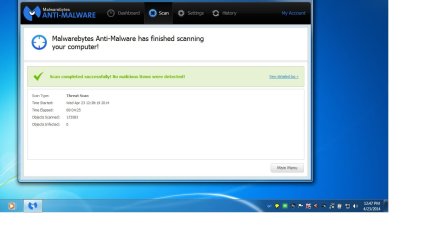
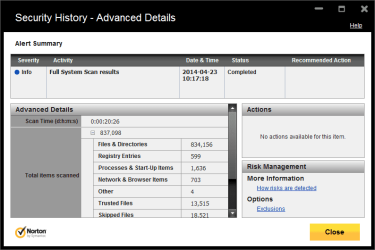
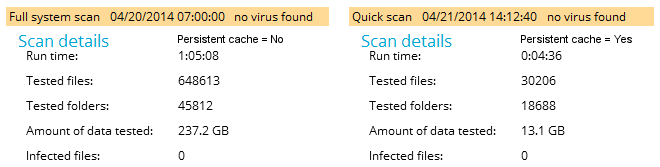
Very rough notes on my "tests" with 2.0.2
Previous version (2.0.1) presented a no scan + fix button afterit was installed
has that been removed? or is this becasue 2.0.2 recognized the last 2.0.1 scan
2.0.1 Lands on Dashboard with an orange Scan has never been run
2.0.1 Fix button
2.0.2 Lands on Dashboard with green Malwarebytes Antimalware (Free)
2.0.2 Scan Now Button (instead of Fix now?)
Check for update window flashes - then scan window
If connected, window stays visible for a few seconds
If not connected, just a flash (only knew the flash was from check for updates because I saw the window when connected)
(scan times) Fresh install over 2.0.1, no settings changed from what installed set
(12:08) scan time improved (v 2.0.1 = 29 mins) same options (Heur, Root, Arch), same machine
Note: the scan has not been performed warning was not displayed
(11:06) Scanned without Rootkits - 11 mins (most time spent in Heuristics)
(09:56) Scanned without Rootkits, without Heuristics
-- Still reports Heuristics Analysis: Working in the left pane of the Scan main window
-- About 50% of the scan time was Hueristic Analysis
(08:42) Scanned without Rootkits, without Heuristics, without Archives
-- I'm a little confused by the options. Mbam scans for active threats - why the archive option? Custom scan would be the only reason I can think of.
Recap 12 - 11 - 9 - 8 mins. I would expect better
(07:44) Scan with no options checked - changed PUP & PUM to ignore - 7:44
preScan: @0:00 -> 0 mins 11 secs
MemObj: @0:24 -> 0 mins 13 secs
StartUp: @0:42 -> 0 mins 28 secs
FS: @4:03 -> 3 mins 35 secs
Heur: @7:44 -> 4 mins 41 secs
(07:08) Scan with no options checked - changed PUP & PUM to warn
As a resource comparison I ran an avast quick scan and found that Mbam is chewing up 2-3 times the memory. I grabbed a screen shot of ResfMon
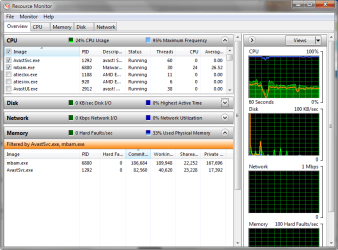
I was about to exit when I went to Dashboard and saw that there was a database alert and Scan progress = Not running
Fair enough - I checked for updates and .06 replaced .05
I'd rather see a last scan completed on date instead of Not Running
-> the data is displayed under the scan now button.
This will be a common complaint - there's too much marketing.
Menu bar: Activate
Menu bar: Buy Premium
Dashboard License: Buy Premium
Dashboard License: Start Free Trial
A lot of real estate is used on your screens that don't help the end user. Why have a scheduler option on the free version (under Scan Now on Dashboard) - just ticks me off when I click only to find I can't use it.
Even the scan adverts bug me - but as long as the product works and works faster, I guess I'll take what the development team delivers.
Bill
As installed scan - no settings changed
Code:
Scan Date: 04/21/2014
Scan Time: 14:08:45
Logfile: mbam-log-2014-21-14 [2.0.2 beta].txt
Administrator: Yes
Version: 2.00.2.1007
Malware Database: v2014.04.21.05
Rootkit Database: v2014.03.27.01
License: Free
Malware Protection: Disabled
Malicious Website Protection: Disabled
Self-protection: Disabled
OS: Windows 7 Service Pack 1
CPU: x64
File System: NTFS
User: Slartybart
Scan Type: Threat Scan
Result: Completed
Objects Scanned: 246151
Time Elapsed: 12 min, 8 sec
Memory: Enabled
Startup: Enabled
Filesystem: Enabled
Archives: Enabled
Rootkits: Enabled
Heuristics: Enabled
PUP: Enabled
PUM: Enabled
Processes: 0 (No malicious items detected)
Modules: 0 (No malicious items detected)
Registry Keys: 0 (No malicious items detected)
Registry Values: 0 (No malicious items detected)
Registry Data: 0 (No malicious items detected)
Folders: 0 (No malicious items detected)
Files: 0 (No malicious items detected)
Physical Sectors: 0 (No malicious items detected)
(end)
No root option log
Code:
Scan Date: 04/21/2014
Scan Time: 14:31:21
Logfile: mbam-log-2014-04-21 [2.0.2 beta NoRoot].txt
Administrator: Yes
Version: 2.00.2.1007
Malware Database: v2014.04.21.05
Rootkit Database: v2014.03.27.01
License: Free
Malware Protection: Disabled
Malicious Website Protection: Disabled
Self-protection: Disabled
OS: Windows 7 Service Pack 1
CPU: x64
File System: NTFS
User: Slartybart
Scan Type: Threat Scan
Result: Completed
Objects Scanned: 245509
Time Elapsed: 11 min, 6 sec
Memory: Enabled
Startup: Enabled
Filesystem: Enabled
Archives: Enabled
Rootkits: Disabled
Heuristics: Enabled
PUP: Enabled
PUM: Enabled
Processes: 0 (No malicious items detected)
Modules: 0 (No malicious items detected)
Registry Keys: 0 (No malicious items detected)
Registry Values: 0 (No malicious items detected)
Registry Data: 0 (No malicious items detected)
Folders: 0 (No malicious items detected)
Files: 0 (No malicious items detected)
Physical Sectors: 0 (No malicious items detected)
(end)
No Root, no Heur scan log
Code:
Scan Date: 04/21/2014
Scan Time: 14:44:18
Logfile: mbam-log-2014-04-21 [2.0.2 beta NoRoot, NoHeur].txt
Administrator: Yes
Version: 2.00.2.1007
Malware Database: v2014.04.21.05
Rootkit Database: v2014.03.27.01
License: Free
Malware Protection: Disabled
Malicious Website Protection: Disabled
Self-protection: Disabled
OS: Windows 7 Service Pack 1
CPU: x64
File System: NTFS
User: Slartybart
Scan Type: Threat Scan
Result: Completed
Objects Scanned: 245342
Time Elapsed: 9 min, 56 sec
Memory: Enabled
Startup: Enabled
Filesystem: Enabled
Archives: Enabled
Rootkits: Disabled
Heuristics: Disabled
PUP: Enabled
PUM: Enabled
Processes: 0 (No malicious items detected)
Modules: 0 (No malicious items detected)
Registry Keys: 0 (No malicious items detected)
Registry Values: 0 (No malicious items detected)
Registry Data: 0 (No malicious items detected)
Folders: 0 (No malicious items detected)
Files: 0 (No malicious items detected)
Physical Sectors: 0 (No malicious items detected)
(end)
conclusion - Malwarebytes is making headway the next release will hoepfully go through a short beta before being finalized and released. I've offered a few hours to test the next release, but can't commit more time to this release.
Bill