Not Just IE 11, It's a Feature In IE 9 and IE 10 Too!
Found this thread looking for the cause of the IE 10 Back Button not working. Was hoping it had been fixed in IE 11. Like others I discovered this has been a "feature" of Internet Exploder since IE 9. Reason I'd never noted it before is the nearly exclusive use of Firefox. Apparently IE 8 was the last version that didn’t suffer this, the IE supplied with the initial release of Windows 7. You’d think MicroSloth would have fixed it by now, two full release versions after it appeared!
Hadn’t used Internet Exploder in eons, but had kept it installed and ultimately updated it on all my Win7 machines to version 10 (four of them). Was in the process of finally updating desktop #1, my primary PC, from Windows XP Pro /x64 to Windows 7 Ultimate /x64, a task that should have been done months ago. It was the final holdout, but the other four don't have nearly the volume of legacy data or applications found on my primary.
In the process of putting Win 7 Ultimate onto an outboard alternate boot drive I updated the IE 8 it comes with to IE 10 to match the versions on all the other machines. Had not installed Firefox and transferred all the settings from the XP drive to it yet. Used IE 10 for a variety of online tasks getting utility software (e.g. Acrobat Reader, 7Zip, Firefox, Thunderbird, etc.) and that's when I noted the seemingly non-functional back button, a major annoyance.
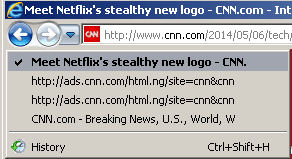
Quickly discovered in actuality the IE back button is functional. It's fully functional. As already mentioned, the loading of various banner ads and other web page features (such as social media links) gets heaped into the browser history as it relates to the back button, requiring you to wade back through a half-dozen or more elements loaded onto the web page to get to the real previous page. That's if you can click fast enough before all those elements reload and get added back to the history list. I even tried using the little known “No Add-ons” Internet Exploder (found under Start --> Accessories --> System Tools), the “Safe Mode” equivalent of IE, to see if any add-ons or browser helper objects were responsible without success. Even a bare-bones IE suffers it.
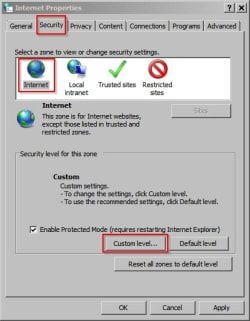
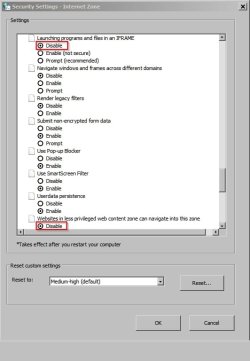
One of the oft-touted solutions of adding ad-serving domains to the restricted list (to block them) doesn't work well. I tried this with the doubleclick.net domain, only to discover I needed to add more domains, and yet more domains, to a growing list of them. In addition, as one already observed, you could end up inadvertently blocking a domain that you do not want to, or perhaps should not, block.This IS NOT a proper solution.
I’ve verified this doesn’t occur with the latest versions of Firefox (31) or Opera (23). Although I’ve not tested Chrome or Safari, remarks by others in other forums and threads lead me to believe it doesn’t afflict them either. It’s a feature exclusive to Internet Exploder, through three full versions now. It’s truly amazing how all the other browsers haven’t managed to incorporate it yet. Yet M$ wonders, to the extent of having recently held an online event as a prelude to IE 12 development, why their browser has lost enormous “market share” in just a few years since IE 6, from nearly 90% to just barely over 50%. Notwithstanding its cumbersome GUI, it’s features like this that drives people from the default included with every Windoze distro to other browsers. M$ might just fix this in IE 12, but I'm not holding out much hope for it, as they've successfully ignored an enormous number of queries on the Internet about the "broken back button," including in their own forums, since the roll out of IE 9.
I do NOT recommend dialing back to IE 8, the last version not afflicted, as it’s been abandoned by M$ with no future security updates and would pose a potential security issue (a problem for XP holdouts), not to mention rapidly becoming incompatible with current web development. The real solution to Internet Exploder’s defective “back button” is abandoning it for Firefox, Opera, Chrome, or Safari. Take your pick.
John