Hi there.
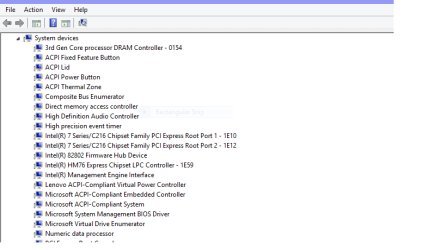
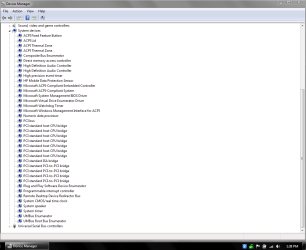
If you've read in my BSOD forum (http://www.sevenforums.com/bsod-help-support/349751-bsod-vacation-cannot-log-windows.html), I had to reinstall Windows in order to fix the problem. Well, I did. However, as I was reinstalling the drivers, I found out that the AMD drivers, which were suppose to allow me to use the USB 3.0 ports on my laptop, didn't do their purpose for me. :huh: I uninstalled and reinstalled the drivers using both auto-detect and manual selection; restarted the PC; reinstalled Windows on my PC once yet again and installed the drivers from driverscollection.com, installed all of the Windows updates, then did the same thing to the AMD drivers and still no joy. I know what I'm doing because I have done it before several months ago and it all worked out okay (until the BSOD occurred while on vacation.
  )
)
I don't know what the deal is because there are 4 USB ports on my laptop and 3 of them are USB 3.0 ports; therefore, I can only use the one USB 2.0 port which I plug my mouse in and have to unplug it if I need to export or import files from a flash drive (or whatever I need to plug in) which is tedious since I'm use more than one! Anybody knows why? Do I need to install another driver so that the AMD drivers work or is there something else out there?
If you've read in my BSOD forum (http://www.sevenforums.com/bsod-help-support/349751-bsod-vacation-cannot-log-windows.html), I had to reinstall Windows in order to fix the problem. Well, I did. However, as I was reinstalling the drivers, I found out that the AMD drivers, which were suppose to allow me to use the USB 3.0 ports on my laptop, didn't do their purpose for me. :huh: I uninstalled and reinstalled the drivers using both auto-detect and manual selection; restarted the PC; reinstalled Windows on my PC once yet again and installed the drivers from driverscollection.com, installed all of the Windows updates, then did the same thing to the AMD drivers and still no joy.
I know what I'm doing because I have done it before several months ago and it all worked out okay (until the BSOD occurred while on vacation. )I don't know what the deal is because there are 4 USB ports on my laptop and 3 of them are USB 3.0 ports; therefore, I can only use the one USB 2.0 port which I plug my mouse in and have to unplug it if I need to export or import files from a flash drive (or whatever I need to plug in) which is tedious since I'm use more than one!
Anybody knows why? Do I need to install another driver so that the AMD drivers work or is there something else out there? My Computer
- Computer type
- Laptop
- Computer Manufacturer/Model Number
- HP Envy Dv7-7223cl
- OS
- Windows 10 Pro 64-Bit
- CPU
- AMD A8-4500M APU
- Motherboard
- I dunno, System Information won't tell me :P
- Memory
- 8 GB
- Graphics Card(s)
- AMD Radeon HD Graphics 1.90 GHz
- Sound Card
- AMD High Definition Audio Device
- Monitor(s) Displays
- AMD Radeon HD 7640G
- Screen Resolution
- 1600x900
- Hard Drives
- Hitachi HTS547575A9E384 ATA Device
- PSU
- HP/Compaq R33030 Charger
- Case
- Swiss Gear 17"
- Cooling
- HP CoolSense
- Keyboard
- Standard PS/2 Keyboard
- Mouse
- Microsoft Basic Optical Mouse v2.0
- Internet Speed
- 135.0 Mbps
- Antivirus
- Microsoft Security Essentials
- Browser
- Internet Explorer 11, Google Chrome, Mozilla Firefox
- Other Info
- My spiritual successor to the Toshiba Satellite L645D-S2025 (my first laptop which died of mismanagement primarily involving food :( )