
rebadurchee
New member
- Local time
- 12:58 PM
- Messages
- 27
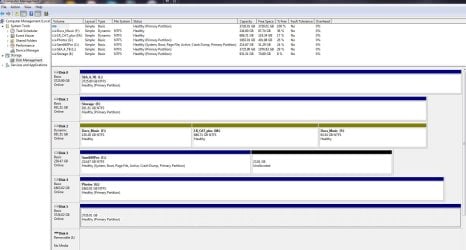
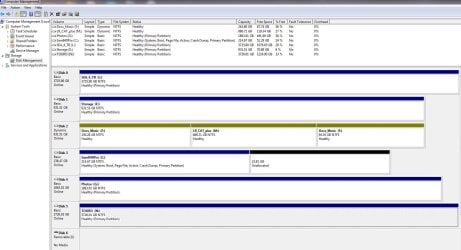
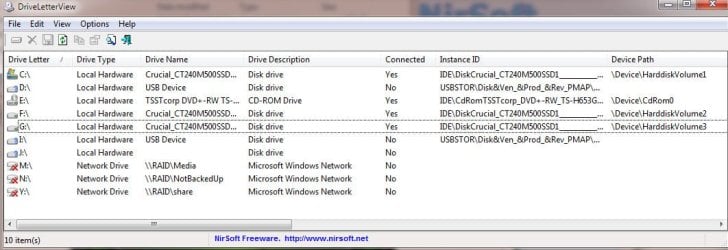
I use an external USB 3.0 4TB Touro (HGST disk) as backup. Lately it does not show up in Explorer. It does show up in Device Manager. I use Partition Magic and find that it does not have a drive letter anymore. Then I assign it to the letter it used to have. And it still does not show up in Explorer.
If I look at the disk in Partition Manager I can see all the directories and files but I can't access it with Explorer.
I have uninstalled it from the system and rebooted and plugged it in again. I used drivecleanup. I get the message that the driver was installed correctly and it is ready for use, but it won't show up in Explorer.
I'm running Win7 Home 64bit.
Help! Thank you.
If I look at the disk in Partition Manager I can see all the directories and files but I can't access it with Explorer.
I have uninstalled it from the system and rebooted and plugged it in again. I used drivecleanup. I get the message that the driver was installed correctly and it is ready for use, but it won't show up in Explorer.
I'm running Win7 Home 64bit.
Help! Thank you.
My Computer
At a glance
Windows 7 64 bit Home Premiumi7-930Corsair 12 GBNvidia 250 GTS
- Computer Manufacturer/Model Number
- AVA Direct
- OS
- Windows 7 64 bit Home Premium
- CPU
- i7-930
- Motherboard
- Asus P6X58D-E
- Memory
- Corsair 12 GB
- Graphics Card(s)
- Nvidia 250 GTS
- Sound Card
- onboard
- Monitor(s) Displays
- NEC 2490
- Screen Resolution
- 1920x 1280
- Hard Drives
- Samsung F3 1TB x2
Seagate 500GB
- PSU
- Seasonic 650
- Case
- Antec 300
- Cooling
- Scythe Mugen Rev B
- Keyboard
- MS Natural Ergonomic 4000 v1.0
- Mouse
- Logitech Wheelman
- Internet Speed
- Cable




 as well as the tip! I'll add Partition Wizard to my tool kit
