Disk 1 Unknown, Not Initialized - Samsung M3 Portable

rafaelvidal

New member
Local time
12:32 PM
Messages
8
I have a Samsung external hard disk drive.
It doesn't detect on Explorer.

System Specifications
OS: Windows 10 - 64 bit
Notebook Model Dell - Inspiron 14 - 5000 series (i7 processor intel)
External HD - Samsung M3 Portable - Model: HX-M101TCB/G - Capacity: 1 tb

DISK MANAGEMENT
Sometimes it appears on diskmgmt.msc, but sometimes does not.
Right now it's appearing as "Disk 1 - Unknown - Not Initialised"
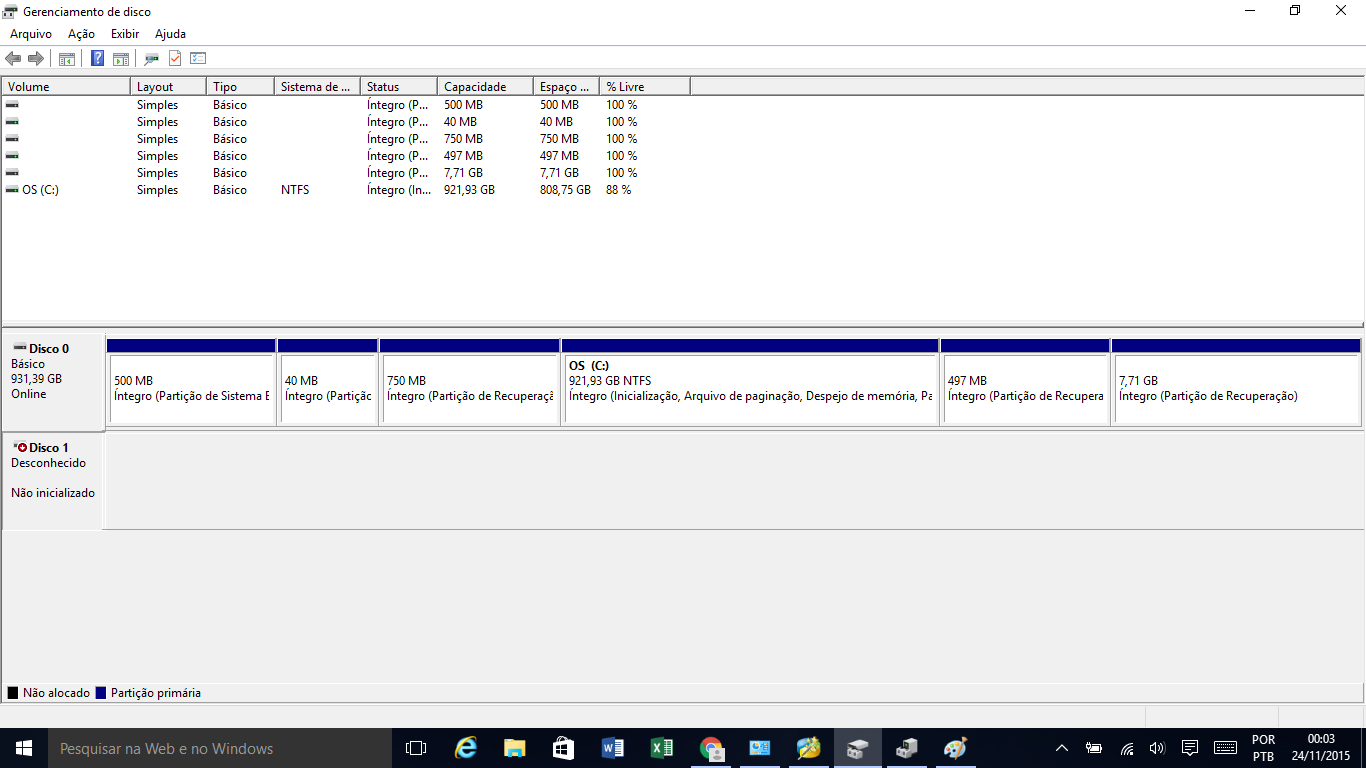
KSf9Y.png


DEVICE MANAGEMENT
I can see my hard disk under "Disk Drives" as "Samsung M3 Portable USB Device".


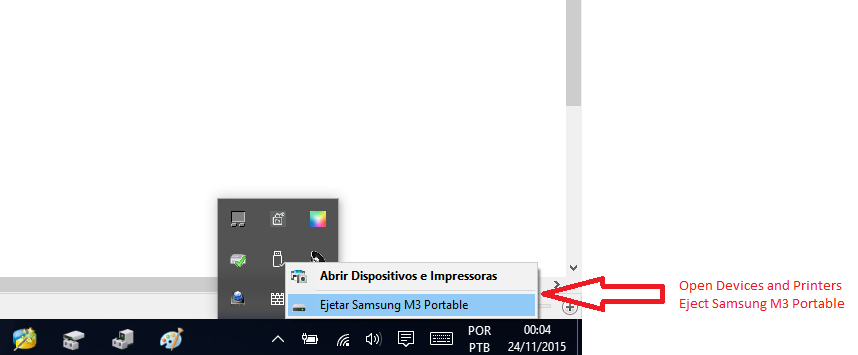
DEVICES AND PRINTERS
My external hd appears in "Devices and Printers" under "Devices".
But cannot be accessed.
su6qT.png


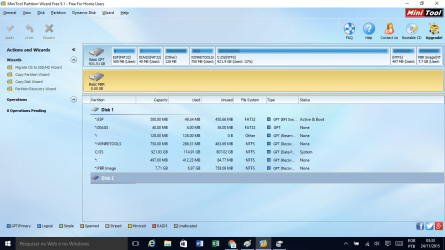
MINITOOL - PARTITION RECOVERY
FIRST SCREEN
minitool-partition-wizard.png

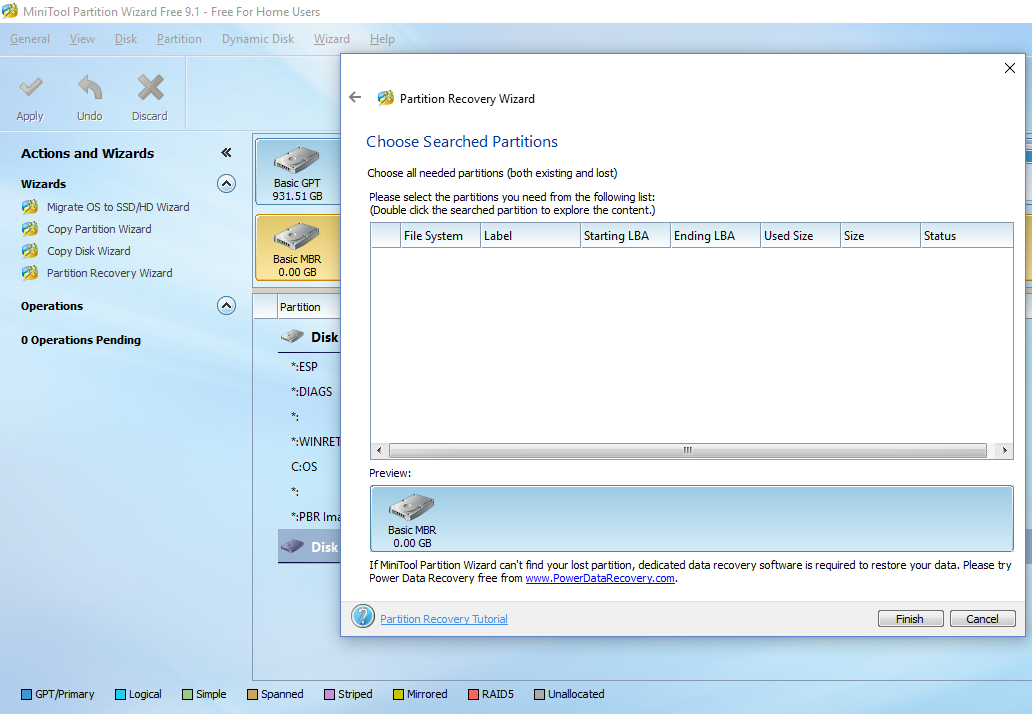
It finds the HDD, but "Partition Recovery Wizard" is not able to recover it.
HnTZv.png


ALREADY TRIED

  • Using another cable;
  • Connecting it in another computer;
  • Restarted computer several times;
  • MiniTool - Partition Wizard Free;
 
Last edited:

My Computer My Computer

At a glance

windows 10 64 bit
Computer type
PC/Desktop
OS
windows 10 64 bit
Hi rafaelvidal,

Welcome to SevenForums,

1. Complete details of your Samsung M3. Model no: ?? Capacity ??
2. Screenshots: http://www.sevenforums.com/tutorials/9733-screenshots-files-upload-post-seven-forums.html
3. No overlapping screenshots. In the Partition Wizard screenshot I can't see what is behind except that it is an MBR drive.

Please redo your post for the folks here to understand and help you. If you are not in the Americas please change the timezone (UserCP) so that we get to know whether you are sleeping or awake. :)
 

My Computer My Computer

At a glance

Windows 7 Home Premium 32 bit
OS
Windows 7 Home Premium 32 bit
Hi, jumanji, I'm glad to see you. I have seen you are very active on this kind of problem. *hopes have raised*

1- Samsung M3 Portable - Model: HX-M101TCB/G - Capacity: 1 tb

2- Screenshots of what?

3- Screenshot updated in #1post.
 
Last edited:

My Computer My Computer

At a glance

windows 10 64 bit
Computer type
PC/Desktop
OS
windows 10 64 bit

My Computer My Computer

At a glance

Windows 10 Pro. 64/ version 1709 Windows 7 Pr...Intel i7-6800K @ 4.3Corsair Platinum 16 gig @2400EVGA GTX 1070 OC
Computer type
PC/Desktop
Computer Manufacturer/Model Number
Home made Desktop
OS
Windows 10 Pro. 64/ version 1709 Windows 7 Pro/64
CPU
Intel i7-6800K @ 4.3
Motherboard
ASUS X-99 Deluxe II
Memory
Corsair Platinum 16 gig @2400
Graphics Card(s)
EVGA GTX 1070 OC
Monitor(s) Displays
Asus 27" LED LCD/VE278Q
Screen Resolution
1920-1080 or 1280-720 HDMI
Hard Drives
INTEL SSD 730-240 Gb Sata 3.0/
PSU
EVGA Platium 1200W
Case
Phanteks Luxe Tempered Glass 8 fans/ one radiator
Cooling
XSPC/ Water Cooled CPU
Keyboard
Das 4 Professional
Mouse
Logitech M705/MX Anywhere 2-S
Internet Speed
100 mbits
Antivirus
Microsoft Security Essentials/ Malwarebytes Premium 3.0/ SAS
Browser
I.E. 11 default/Firefox/ ISP Time Warner Cable/Spectrum
Other Info
LG BluRay Burner/
Sound system-KLipsch-THX/
Icy Dock ssd Hot Swap bays.
Hi, jumanji, I'm glad to see you. I have seen you are very active on this kind of problem. *hopes have raised*

1- Samsung M3 Portable - Model: HX-M101TCB/G - Capacity: 1 tb

2- Screenshots of what?

3- Screenshot updated in #1post.

Yep, I wanted you to upload the screenshots to SevenForums servers. Glad you did it. When it comes to HDDs and Data Recovery I am always a pessimist :). Easy to gulp if things don't work.:D

jumanji does this matter? From post #1
OS: Windows 10 - 64 bit

Shouldn't matter as long as the OP was able to access it on Windows 10 earlier. In any case better the OP clarifies it. 1. Whether it was performing on Windows 10 earlier and 2. Whether he could access other USB HDDs/pendrives on his Windows 10.

@rafael vidal, if your local time shown in your post is correct you can go to sleep. Layback Bear has three brain cells. Me, I am afraid have only one or none :D. Let me mull over your problem and see whether anything fires up my synaptic nerves.

Keep your external HDD under rest till then.
 

My Computer My Computer

At a glance

Windows 7 Home Premium 32 bit
OS
Windows 7 Home Premium 32 bit
Shouldn't matter as long as the OP was able to access it on Windows 10 earlier. In any case better the OP clarifies it. 1. Whether it was performing on Windows 10 earlier and 2. Whether he could access other USB HDDs/pendrives on his Windows 10.

@rafael vidal, if your local time shown in your post is correct you can go to sleep. Layback Bear has three brain cells. Me, I am afraid have only one or none :D. Let me mull over your problem and see whether anything fires up my synaptic nerves.

Keep your external HDD under rest till then.

@jumanji,
1. it was working earlier
2. other HDDs/pendrives are working on this Windows 10 system.

I was on my way to the bed, yes. Thank you for your kindness and attention.
God bless you.

PS: I can give you TeamViewer access if you want
 

My Computer My Computer

At a glance

windows 10 64 bit
Computer type
PC/Desktop
OS
windows 10 64 bit
OK, it is a great relief that your external drive is not being shown as a Bad Disk in Partition Wizard. ( That is what I wanted to see.)

My first thought is that the Interface electronics inside the enclosure - the SATA to USB bridge - must have failed.

Now install bootice - if your Windows is 64 bit, download the 64 bit version. It is just one single executable BOOTICEx64.exe when you extract that .rar file. You can download it on to a pendrive and extract it or extract it to the pendrive and run it from the pendrive.( At the moment I don't know whether it will run on Windows 10, but think it should. Try. No harm.)

Read this post http://www.sevenforums.com/hardware-devices/310295-lost-partitions.html#post2584426 (Download link there.)

Run bootice clicking that .exe file. Check whether it can access your external drive. (Have that plugged in before you run bootice.) If it can access your external, post the second screenshot in that post showing sector 0 and and also the partition structure.

Don't worry if your external is not shown. It will be yet another confirmation of the failure of electronics inside. We shall then go to the next step in analysing the situation.

Make sure to safely remove the drive after this test to rest it.

Also tell me whether your external drive is still under warranty.
 

My Computer My Computer

At a glance

Windows 7 Home Premium 32 bit
OS
Windows 7 Home Premium 32 bit
@jumanji,

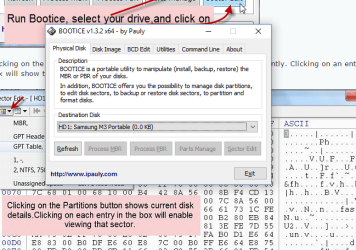
Bootice sees it, but can't do anything on it.

bootice.png
 

My Computer My Computer

At a glance

windows 10 64 bit
Computer type
PC/Desktop
OS
windows 10 64 bit
Ok, never mind.

We shall now go ahead and try to initialise the drive and see what happens. Not to worry. Initialisation only writes the MBR code in sector 0, brings the drive online and Windows writes the MBR code and unique ID in sector 0. It does not affect any of your data which starts at sector 2048.

What you will do now:

When you are asked to initialise in Windows Disk Management , initialise it as an MBR disk.

If initialisation goes through stop with it. Do not create a new volume and do not format.

If it fails to initialise and puts out an error message, post the screenshot of the error message.

After this close everything and safely remove your external drive.

I shall see your post my tomorrow morning, that is after another seven to eight hours from now and we shall continue.
 

My Computer My Computer

At a glance

Windows 7 Home Premium 32 bit
OS
Windows 7 Home Premium 32 bit
Not under warranty.
I'm more concerned about the data than the hard drive itself.
 

My Computer My Computer

At a glance

windows 10 64 bit
Computer type
PC/Desktop
OS
windows 10 64 bit
Ok, never mind.

We shall now go ahead and try to initialise the drive and see what happens. Not to worry. Initialisation only writes the MBR code in sector 0, brings the drive online and Windows writes the MBR code and unique ID in sector 0. It does not affect any of your data which starts at sector 2048.

What you will do now:

When you are asked to initialise in Windows Disk Management , initialise it as an MBR disk.

If initialisation goes through stop with it. Do not create a new volume and do not format.

If it fails to initialise and puts out an error message, post the screenshot of the error message.

After this close everything and safely remove your external drive.

I shall see your post my tomorrow morning, that is after another seven to eight hours from now and we shall continue.

Give me five minutes* and I'll be able to post the result here.
*it's the required time to power on the external hd
 

My Computer My Computer

At a glance

windows 10 64 bit
Computer type
PC/Desktop
OS
windows 10 64 bit
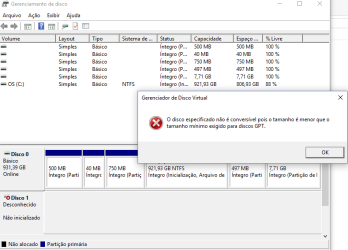
Gpt initialization attempt
GPT-initialization-attempt.png


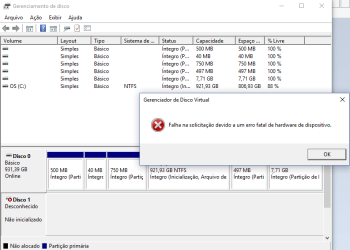
mbr initialization attempt
MBR-initialization-attempt.png
 

My Computer My Computer

At a glance

windows 10 64 bit
Computer type
PC/Desktop
OS
windows 10 64 bit
You are overshooting my instructions.

You should only try to initialise it as an MBR drive. Not a GPT drive.

Anyway no harm done since initialisation attempt failed. I think it says it can't do it due to a fatal hardware fault.

You now have to pry open the case, take the HDD out and hook it up as an internal drive on your desktop.

If your HDD is OK you should be able to access it. *yawns*. Can't hold on anymore. :)
 

My Computer My Computer

At a glance

Windows 7 Home Premium 32 bit
OS
Windows 7 Home Premium 32 bit
I already opened the case, but can't hook it up as slave, because it has no SATA input.
 

My Computer My Computer

At a glance

windows 10 64 bit
Computer type
PC/Desktop
OS
windows 10 64 bit
That is a real road block. If the interface electronics is integrated into the HDD with no possibility of separating the HDD and no SATA connectors to connect it as a secondary drive, bad luck. Only Western Digital was doing that and I am surprised that Samsung also had done that.

I am afraid you may now have to take professional help to resolve the issue ( replace the defective interface card with a new one) and recover the data. No DIY recovery is possible.

Professional data recovery personnel may also have a wherewithal to attach a SATA connector to the HDD, connect the HDD and recover the data.For all I know the HDD is good and all data is there but beyond that helpless.
 
Last edited:

My Computer My Computer

At a glance

Windows 7 Home Premium 32 bit
OS
Windows 7 Home Premium 32 bit
Back
Top