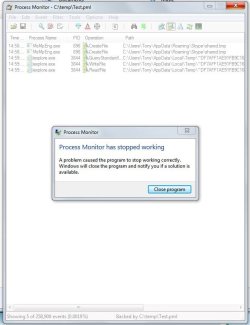
I agree with you, but as the Process Monitor didn't work for me, I still don't know where they came from. Except, insofar as the Microsoft Community link correspondence suggested that an alteration to the way that MSI works may have caused it.
So for that part of the problem, I will keep looking at File Explorer to see if any new empty folders turn up.
The other part of the problem, how to delete so many folders that can't easily be grouped to prevent "Access Denied", I found in that same MS Community a suggestion to use the Puran Utilities 'Delete Empty Folders' app and that worked wonderfully
I am trying all their tools one at a time and like them. The first one I tried rapidly detected 184 empty folders and a few clicks later, they have all gone. Highly recommended and there doesn't seem to be any popup or advertising catches. Puran Software - Quality First Now I must make a donation.
At present I am happy to have achieved my main aim, so thanks for the inputs.
Tony
So for that part of the problem, I will keep looking at File Explorer to see if any new empty folders turn up.
The other part of the problem, how to delete so many folders that can't easily be grouped to prevent "Access Denied", I found in that same MS Community a suggestion to use the Puran Utilities 'Delete Empty Folders' app and that worked wonderfully
I am trying all their tools one at a time and like them. The first one I tried rapidly detected 184 empty folders and a few clicks later, they have all gone. Highly recommended and there doesn't seem to be any popup or advertising catches. Puran Software - Quality First Now I must make a donation.
At present I am happy to have achieved my main aim, so thanks for the inputs.
Tony
I'm beginning to suspect a set of programs and/or a set of utilities running both in the background and in the foregound are causing this mysterious folder and files.
My Computer
At a glance
XP Pro and Win7 Pro both 32 bit plus Win 8.1 ...4 G
- Computer type
- PC/Desktop
- Computer Manufacturer/Model Number
- Acer twice plus Lenovo
- OS
- XP Pro and Win7 Pro both 32 bit plus Win 8.1 64bit
- Memory
- 4 G
- Hard Drives
- 300G and 500 G with 4TB backup drive
- Antivirus
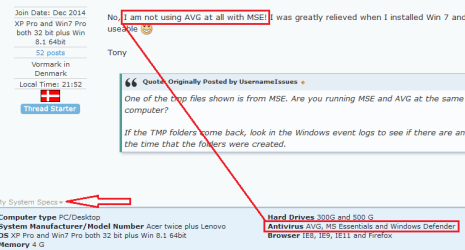
- AVG, MS Essentials and Windows Defender
- Browser
- IE8, IE9, IE11 and Opera.
- Other Info
- The various items listed are NOT all on one PC! But all PCs are connected via a combined LAN/WLAN which also provides connection to a network printer