
SSD Questions on New Computer

Personally, I would have done this.

Transferred Windows 10 or installed Windows 7 (If you really wanted 7) on the new 250 GB SSD, and kept the 1 GB drive in there until you could afford another ssd to replace it.

And it`s not too late to do this, Windows 10 is still on the 32 GB drive :)

Does the new laptop come with a COA with a Windows 10 key ? Or are they doing the bios activation ?

I myself have yet to look at a new store brought PC with windows 10 installed.
 

Attachments
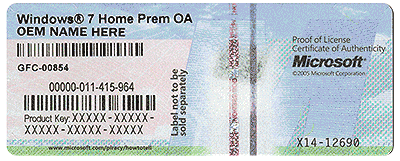
  • COA-Certificate-of-Authenticity.gif
    COA-Certificate-of-Authenticity.gif
    707.8 KB · Views: 11

My Computer My Computer

Computer type
PC/Desktop
Computer Manufacturer/Model Number
Skylake Special #666
OS
Windows 10 Pro x64
CPU
Intel Core i7 6700K
Motherboard
Asus Sabertooth Z170 Mark 1
Memory
GSkill TridentZ RGB 16GB 3600 16-16-16-36
Graphics Card(s)
EVGA GTX 980 Ti SC x2
Sound Card
Realtek High Definition
Monitor(s) Displays
AOC G2460PG
Screen Resolution
1920 x 1080 144Hz
Hard Drives
Samsung 860 Pro 256GB, Seagate Barracuda 4TB x2
PSU
EVGA 1000 P2, EVGA White Custom Braided Cables
Case
Corsair Vengeance C70 Gunmetal Black
Cooling
Corsair H100i v2, Corsair ML120 x2, Thermal Grizzly Kryonaut
Keyboard
Logitech G910 Orion Spectrum
Mouse
Logitech G700s
Internet Speed
Verizon Fios Quantum Gateway 75/75
Antivirus
Windows Defender, Malwarebytes Free 3.8.3
Browser
Chrome
Other Info
Corsair SP120 x4, LG Blu-ray Drive, Durabrand HT-395 100 Watt Dolby Digital Amp, Corsair H2100 Wireless 7.1 Headset
I will post a screen shot of the disk management in a few minutes. So you are telling me that he did this wrong?
 

My Computer My Computer

Computer type
Laptop
OS
Windows 10 Pro
here is it
 

Attachments

  • disk management.png
    disk management.png
    52.4 KB · Views: 8

My Computer My Computer

Computer type
Laptop
OS
Windows 10 Pro
There is no sticker at all in this laptop with windows 10.
 

My Computer My Computer

Computer type
Laptop
OS
Windows 10 Pro
I will post a screen shot of the disk management in a few minutes. So you are telling me that he did this wrong?

Not if he did what you told him to do.

Looks fine to me, he even put the page file on D :)

I would just get rid of that New Volume title, maybe change it to (Storage) anything but New Volume.


The thing is this, 32 GB is way way too small for the Windows partition.

Maybe sometime soon you can go back and have them do what we suggested. Transfer the entire contents of the 32 GB drive over to the new SSD and put the 1 TB drive back in for storage.

And whatever they try to tell you, You DO NOT have to purchase Windows 10, it will automatically self activate. The key is stored in the Bios.
 

My Computer My Computer

Computer type
PC/Desktop
Computer Manufacturer/Model Number
Skylake Special #666
OS
Windows 10 Pro x64
CPU
Intel Core i7 6700K
Motherboard
Asus Sabertooth Z170 Mark 1
Memory
GSkill TridentZ RGB 16GB 3600 16-16-16-36
Graphics Card(s)
EVGA GTX 980 Ti SC x2
Sound Card
Realtek High Definition
Monitor(s) Displays
AOC G2460PG
Screen Resolution
1920 x 1080 144Hz
Hard Drives
Samsung 860 Pro 256GB, Seagate Barracuda 4TB x2
PSU
EVGA 1000 P2, EVGA White Custom Braided Cables
Case
Corsair Vengeance C70 Gunmetal Black
Cooling
Corsair H100i v2, Corsair ML120 x2, Thermal Grizzly Kryonaut
Keyboard
Logitech G910 Orion Spectrum
Mouse
Logitech G700s
Internet Speed
Verizon Fios Quantum Gateway 75/75
Antivirus
Windows Defender, Malwarebytes Free 3.8.3
Browser
Chrome
Other Info
Corsair SP120 x4, LG Blu-ray Drive, Durabrand HT-395 100 Watt Dolby Digital Amp, Corsair H2100 Wireless 7.1 Headset
I can't say for certain, but I believe it is not supposed to be set up that way. I believe it is called Intel Rapid Start Technology Intel Smart Response Technology. It came with a 32 GB SSD and a 5400 RPM Mechanical hard drive. Windows should be installed on the Hard drive. The SSD is set to be a cache for it to make things start up faster and not make the Hard drive seem so slow. Kind of like a SSD Cache instead of a Ram Cache. It is more like the Hybrid Hard Drives that have a small amount of Nand cache (SSD) in them. For those who are familiar, much like Samsung's Rapid Mode, only with an SSD for cache instead of ram. 32 GB is just entirely too small for any OS.

EDITED: https://en.wikipedia.org/wiki/Smart_Response_Technology
 
Last edited:

My Computers My Computers

System One System Two

  • Computer type
    PC/Desktop
    Computer Manufacturer/Model Number
    ALWAYS UNDER CONSTRUCTION
    OS
    Windows 11 Pro
    CPU
    Ryzen 9 5900X
    Motherboard
    Asus X570 Crosshair Viii Hero
    Memory
    32GB G Skill DDR4-3600
    Graphics Card(s)
    EVGA RTX 3080 FTW 3 Ultra
    Sound Card
    On Board/Sennheiser PC37X Headset
    Monitor(s) Displays
    3 X Asus 27"
    Screen Resolution
    2560x1440
    Hard Drives
    2 X 1 TB NVME drives
    PSU
    EVGA 850
    Case
    Phanteks Eclipse P400A
    Cooling
    EVGA 280 AIO
    Keyboard
    Logitech G510s/ Logitech G13
    Mouse
    Logitech G502
    Internet Speed
    24/1
    Antivirus
    ESET/MBAM Pro/SAS Pro
    Browser
    Chrome/ Firefox/ Edge
  • Computer type
    Laptop
    System Manufacturer/Model Number
    Dell 16 Plus
    OS
    Windows 11 Pro
    CPU
    Intel Ultra 9 288V
    Memory
    32 GB LPDDR5X 8533
    Monitor(s) Displays
    16" Mini-LED HDR600 Touch 90 Hz
    Screen Resolution
    2560X1600
    Hard Drives
    1 TB NVME
Okay im very frustrated now. I downloaded a bunch of videos and now my OS C drive is nearly full. Its 3.67mb free of 28.

Of course.

Windows 10 alone takes up somewhere north of 20 GB, so the drive is cramped from the beginning. That's apparently what you ordered.

You are the only person alive who can explain why you apparently told this guy that you wanted to leave the shop with Windows 10 on a tiny 32 GB SSD when you could have told him to put Windows 10 on the 250 GB SSD.

It's hard to say what this guy did, considering your explanation. Maybe he did EXACTLY what you told him to do. We don't know.

Unless you don't really have 2 separate SSDs, which will remain unknown until and unless you post a screen shot of Disk Management.

You can try and struggle with Windows 10 on a 32 GB drive, but you will be regretting it sooner or later. It looks like sooner, considering your frustration.

If you in fact have only one drive total, you can of course enlarge C to maybe 80 or 100 GB to give you some space on C, but you can't go down that road if C is in fact a 32 GB separate SSD, rather than a partition on the 250 GB SSD. I assume you are aware of the difference between partitions and drives.

I'd do it all over.
 

My Computer My Computer

Computer type
PC/Desktop
Computer Manufacturer/Model Number
Ignatz Special; 4 speed manual gearbox; factory air conditioning; one of one
OS
Windows 7 Home Premium SP1, 64-bit
CPU
Intel Skylake i5-6600K, not overclocked
Motherboard
AsRock Z170M Extreme 4, micro ATX
Memory
8 GB HyperX DDR4-2666 (2 x 4 GB)
Graphics Card(s)
none; graphics are integrated on CPU
Sound Card
onboard: Realtek ALC1150; external: USB Behringer UF0-202
Monitor(s) Displays
Dell S2340M 23 inch IPS
Screen Resolution
1600 x 900
Hard Drives
System: Crucial MX100 series SSD, 128 GB;
Data: Samsung Spinpoint 103SJ, 1 TB;
Backup: WD Caviar Green WD30EZRX-00D8PB0, 3 TB
PSU
Rosewill SilentNight 500 watt fanless, semi-modular
Case
Antec Solo II
Cooling
Noctua NH-U12S; Noctua F12 intake, Noctua S12A exhaust
Keyboard
Microsoft 200 6JH-00001 USB
Mouse
Dell or Microsoft optical wired; USB
Antivirus
Microsoft Security Essentials and Malwarebytes Premium
Browser
Pale Moon
Other Info
All fans PWM; speeds at idle: CPU circa 500 rpm; intake circa 600 rpm; exhaust circa 600 rpm; CPU temps 27 idle and 47 C load in a warm room (27 C/81 F) when running Intel Extreme Tuning Utility stress test.
I will post a screen shot of the disk management in a few minutes. So you are telling me that he did this wrong?

Not if he did what you told him to do.

Looks fine to me, he even put the page file on D :)

I would just get rid of that New Volume title, maybe change it to (Storage) anything but New Volume.


Well did I tell him the right thing that I wanted? Basically it was take the 1tb 5400 rpm hard drive out and replace it with the old samsung 250gb ssd. That was all.

Thats why there was no mention of clean install or clone etc. He just did that and then used disk management i believe and wiped out my sager ssd clean. When he first checked it, there was like 115gb free out of 232gb. So thats why after he wiped it clean, i asked you guys did he did clean install or cloning/imaging because i dont think he did any of that, he just swapped hard drives and then wiped my ssd with disk management and thats all.

I already downloaded some videos and programs already to it though. This is so frustrating for someone like me as things like this freak me out a lot which is why i dont like doing these type of things myself.
 

My Computer My Computer

Computer type
Laptop
OS
Windows 10 Pro
I will post a screen shot of the disk management in a few minutes. So you are telling me that he did this wrong?


We can't possibly know the answer to that because we don't know what instructions you gave him.

Maybe you told him to get Windows 10 onto the 250 GB SSD. If you did, he failed.

Maybe you didn't.
 

My Computer My Computer

Computer type
PC/Desktop
Computer Manufacturer/Model Number
Ignatz Special; 4 speed manual gearbox; factory air conditioning; one of one
OS
Windows 7 Home Premium SP1, 64-bit
CPU
Intel Skylake i5-6600K, not overclocked
Motherboard
AsRock Z170M Extreme 4, micro ATX
Memory
8 GB HyperX DDR4-2666 (2 x 4 GB)
Graphics Card(s)
none; graphics are integrated on CPU
Sound Card
onboard: Realtek ALC1150; external: USB Behringer UF0-202
Monitor(s) Displays
Dell S2340M 23 inch IPS
Screen Resolution
1600 x 900
Hard Drives
System: Crucial MX100 series SSD, 128 GB;
Data: Samsung Spinpoint 103SJ, 1 TB;
Backup: WD Caviar Green WD30EZRX-00D8PB0, 3 TB
PSU
Rosewill SilentNight 500 watt fanless, semi-modular
Case
Antec Solo II
Cooling
Noctua NH-U12S; Noctua F12 intake, Noctua S12A exhaust
Keyboard
Microsoft 200 6JH-00001 USB
Mouse
Dell or Microsoft optical wired; USB
Antivirus
Microsoft Security Essentials and Malwarebytes Premium
Browser
Pale Moon
Other Info
All fans PWM; speeds at idle: CPU circa 500 rpm; intake circa 600 rpm; exhaust circa 600 rpm; CPU temps 27 idle and 47 C load in a warm room (27 C/81 F) when running Intel Extreme Tuning Utility stress test.
Then he did exactly what you told him to do.

Steve I don`t think this was the case here, if it were and anything vital was on the 1TB drive, then windows would not boot.
 

My Computer My Computer

Computer type
PC/Desktop
Computer Manufacturer/Model Number
Skylake Special #666
OS
Windows 10 Pro x64
CPU
Intel Core i7 6700K
Motherboard
Asus Sabertooth Z170 Mark 1
Memory
GSkill TridentZ RGB 16GB 3600 16-16-16-36
Graphics Card(s)
EVGA GTX 980 Ti SC x2
Sound Card
Realtek High Definition
Monitor(s) Displays
AOC G2460PG
Screen Resolution
1920 x 1080 144Hz
Hard Drives
Samsung 860 Pro 256GB, Seagate Barracuda 4TB x2
PSU
EVGA 1000 P2, EVGA White Custom Braided Cables
Case
Corsair Vengeance C70 Gunmetal Black
Cooling
Corsair H100i v2, Corsair ML120 x2, Thermal Grizzly Kryonaut
Keyboard
Logitech G910 Orion Spectrum
Mouse
Logitech G700s
Internet Speed
Verizon Fios Quantum Gateway 75/75
Antivirus
Windows Defender, Malwarebytes Free 3.8.3
Browser
Chrome
Other Info
Corsair SP120 x4, LG Blu-ray Drive, Durabrand HT-395 100 Watt Dolby Digital Amp, Corsair H2100 Wireless 7.1 Headset
Okay im very frustrated now. I downloaded a bunch of videos and now my OS C drive is nearly full. Its 3.67mb free of 28.

Of course.

Windows 10 alone takes up somewhere north of 20 GB, so the drive is cramped from the beginning. That's apparently what you ordered.

You are the only person alive who can explain why you apparently told this guy that you wanted to leave the shop with Windows 10 on a tiny 32 GB SSD when you could have told him to put Windows 10 on the 250 GB SSD.

It's hard to say what this guy did, considering your explanation. Maybe he did EXACTLY what you told him to do. We don't know.

Unless you don't really have 2 separate SSDs, which will remain unknown until and unless you post a screen shot of Disk Management.

You can try and struggle with Windows 10 on a 32 GB drive, but you will be regretting it sooner or later. It looks like sooner, considering your frustration.

If you in fact have only one drive total, you can of course enlarge C to maybe 80 or 100 GB to give you some space on C, but you can't go down that road if C is in fact a 32 GB separate SSD, rather than a partition on the 250 GB SSD. I assume you are aware of the difference between partitions and drives.

I'd do it all over.


I posted the screenshot of the disk management. I believe when he did all this, i had 2gb free out of 28.7gb. Then i downloaded a few programs and had very little space left.


Are you telling me that eventually after windows updates, that the 32gb hard drive which is more like 28.7gb will have issues sooner? Does that mean i 100 percent have to go back to the repair shop to get this issue fixed?


Oh man im very frustrated right now if that is true. Well i didn't mention about copying windows 10 to the 250gb ssd. He didn't mention any of this. I had thought when he did the hard drive and ssd swap, that windows 10 is on the 32gb. And anything i download would be either going into that 32gb once it gets full, then anything else goes to the other hard drive... or any downloads i do go straight to the 250gb hard drive. However, i thought it was the first one.


Is there a reason why he didn't mention this was a very bad idea? He did mention why would i want to go from 1tb to a 250gb ssd in storage and i said its b/c its an SSD.


I heard of partition and drive. But i do not understand it. I had tons of issues doing clean reinstall of windows 7 on my old laptops because of the partition issue, not deleting right one etc and computer was never wiped fully.
 

My Computer My Computer

Computer type
Laptop
OS
Windows 10 Pro
There`s no reason to get frustrated, it won`t help anything.

And yes you will eventually run out of room on Disk 0, it`s unavoidable.

I`m sure we were all under the assumption that you were going to put windows on the 250 GB drive, I know I was.

Hey, does anyone know why everynite at this time the Forum bogs down ???


What I don`t understand is why companies even do this type of setup, although Steve explained it very well. It`s just......Silly :confused:


Drive = the entire drive
Partition = a section of the drive

just like a partition in a house divides it into separate rooms.
 

My Computer My Computer

Computer type
PC/Desktop
Computer Manufacturer/Model Number
Skylake Special #666
OS
Windows 10 Pro x64
CPU
Intel Core i7 6700K
Motherboard
Asus Sabertooth Z170 Mark 1
Memory
GSkill TridentZ RGB 16GB 3600 16-16-16-36
Graphics Card(s)
EVGA GTX 980 Ti SC x2
Sound Card
Realtek High Definition
Monitor(s) Displays
AOC G2460PG
Screen Resolution
1920 x 1080 144Hz
Hard Drives
Samsung 860 Pro 256GB, Seagate Barracuda 4TB x2
PSU
EVGA 1000 P2, EVGA White Custom Braided Cables
Case
Corsair Vengeance C70 Gunmetal Black
Cooling
Corsair H100i v2, Corsair ML120 x2, Thermal Grizzly Kryonaut
Keyboard
Logitech G910 Orion Spectrum
Mouse
Logitech G700s
Internet Speed
Verizon Fios Quantum Gateway 75/75
Antivirus
Windows Defender, Malwarebytes Free 3.8.3
Browser
Chrome
Other Info
Corsair SP120 x4, LG Blu-ray Drive, Durabrand HT-395 100 Watt Dolby Digital Amp, Corsair H2100 Wireless 7.1 Headset
I will post a screen shot of the disk management in a few minutes. So you are telling me that he did this wrong?


We can't possibly know the answer to that because we don't know what instructions you gave him.

Maybe you told him to get Windows 10 onto the 250 GB SSD. If you did, he failed.

Maybe you didn't.


This is what i asked.


I like to take out the 1tb 5400 rpm hard drive that came with this computer with my old samsung ssd thats 250gb that isn't clean. He said okay but said i have to get a copy of windows 10 because he is taking out the hard drive. So at that time i was very confused.


When he opened laptop, he did this and noticed there was a 32gb ssd hard drive as well and said because of that, i don't have to buy a copy of windows 10. After he took the 5400 rpm hard drive out and put the ssd in, he restarted laptop and there was 115gb free out of 232gb or so. He then went to disk management and wiped everything and it was 230gb free of 232gb on the SSD. The 32gb... i recalled it was like 2gb free out of 28.7gb when i left the place. The only thing that he asked me was why i wanted to go from 1tb hard drive to 250gb ssd and i said was because of speed... space isn't a big deal.


No I didn't mention to get windows 10 on the 250gb ssd. He told me im set and that was it. I mean from what you guys are discussing, shouldn't he know that i should be having the windows 10 on the 250gb ssd even if i didn't tell him that? Such that it would be ridiculous to have it set this way because the hard drive is going to be full no matter what?


I had thought any information i download etc would either go to that 32gb until its full... then go to the 250gb ssd. Since he mentioned that my laptop is good.


So what are my options now? Yes im very frustrated with this because i needed to get this computer set up by a certain time due to time constraints. I have the worst luck ever.
 

My Computer My Computer

Computer type
Laptop
OS
Windows 10 Pro
Then he did exactly what you told him to do.

Steve I don`t think this was the case here, if it were and anything vital was on the 1TB drive, then windows would not boot.

Sometimes it is easier to go back to square 1. Who, that knows anything about computer configuration, would install the OS on a 32 GB drive and leave a 1 TB drive as spare space. I think it was set up wrong to begin with.

For a couple of years I Ran Windows 7 from a 60 GB SSD. I had moved all of my user folders to another drive. Only the OS and programs were on the SSD. I had to watch it closely to keep it under about 38-40 GB of used space. I do not believe Dell would install the OS to the 32GB drive. They would be swamped with calls from customers.
 

My Computers My Computers

System One System Two

  • Computer type
    PC/Desktop
    Computer Manufacturer/Model Number
    ALWAYS UNDER CONSTRUCTION
    OS
    Windows 11 Pro
    CPU
    Ryzen 9 5900X
    Motherboard
    Asus X570 Crosshair Viii Hero
    Memory
    32GB G Skill DDR4-3600
    Graphics Card(s)
    EVGA RTX 3080 FTW 3 Ultra
    Sound Card
    On Board/Sennheiser PC37X Headset
    Monitor(s) Displays
    3 X Asus 27"
    Screen Resolution
    2560x1440
    Hard Drives
    2 X 1 TB NVME drives
    PSU
    EVGA 850
    Case
    Phanteks Eclipse P400A
    Cooling
    EVGA 280 AIO
    Keyboard
    Logitech G510s/ Logitech G13
    Mouse
    Logitech G502
    Internet Speed
    24/1
    Antivirus
    ESET/MBAM Pro/SAS Pro
    Browser
    Chrome/ Firefox/ Edge
  • Computer type
    Laptop
    System Manufacturer/Model Number
    Dell 16 Plus
    OS
    Windows 11 Pro
    CPU
    Intel Ultra 9 288V
    Memory
    32 GB LPDDR5X 8533
    Monitor(s) Displays
    16" Mini-LED HDR600 Touch 90 Hz
    Screen Resolution
    2560X1600
    Hard Drives
    1 TB NVME
I also like to add, I did not buy this directly from Dell. I mentioned this earlier. I bought it off ebay from a seller that has perfect feedback over thousands of feedback. This was New Dell Outlet.


Can someone tell me what are my options now? I have to get this fixed asap.
 

My Computer My Computer

Computer type
Laptop
OS
Windows 10 Pro
The installer was right to question you, but he`s not gonna go out of his way, when you told him exactly what you wanted.

If you have the money, then just have them transfer the entire contents of Disk 0 onto your 250 GB ssd, and put the 1 TB drive back in.

Or at least tell them that`s what you wanna do.

Then you`ll be set for a long time.


Maybe find a different person and you won`t feel embarrassed :doh: Just kidding :D
 

My Computer My Computer

Computer type
PC/Desktop
Computer Manufacturer/Model Number
Skylake Special #666
OS
Windows 10 Pro x64
CPU
Intel Core i7 6700K
Motherboard
Asus Sabertooth Z170 Mark 1
Memory
GSkill TridentZ RGB 16GB 3600 16-16-16-36
Graphics Card(s)
EVGA GTX 980 Ti SC x2
Sound Card
Realtek High Definition
Monitor(s) Displays
AOC G2460PG
Screen Resolution
1920 x 1080 144Hz
Hard Drives
Samsung 860 Pro 256GB, Seagate Barracuda 4TB x2
PSU
EVGA 1000 P2, EVGA White Custom Braided Cables
Case
Corsair Vengeance C70 Gunmetal Black
Cooling
Corsair H100i v2, Corsair ML120 x2, Thermal Grizzly Kryonaut
Keyboard
Logitech G910 Orion Spectrum
Mouse
Logitech G700s
Internet Speed
Verizon Fios Quantum Gateway 75/75
Antivirus
Windows Defender, Malwarebytes Free 3.8.3
Browser
Chrome
Other Info
Corsair SP120 x4, LG Blu-ray Drive, Durabrand HT-395 100 Watt Dolby Digital Amp, Corsair H2100 Wireless 7.1 Headset
That 32gb SSD is a cache drive, the OS should not be on it.
 

My Computer My Computer

Computer type
PC/Desktop
Computer Manufacturer/Model Number
Self Built
OS
Win 10 Pro x64
CPU
Intel I5-2500K @3.3GHz
Motherboard
Asrock P67 Extreme4
Memory
16GB G.Skill Ripjaws X (4x4GB)
Graphics Card(s)
EVGA GeForce 750 Ti SC 2GB
Sound Card
ASUS Xonar DG 5.1 Channels 24-bit 96KHz PCI Interface Sound
Monitor(s) Displays
auria eq2367
Screen Resolution
1920 x 1080
Hard Drives
250GB Samsung 850 EVO SSD
1TB WD Blue
1TB Hitachi
PSU
SeaSonic X 650W 80 Plus Gold
Case
Corsair Obsidian 750D
Cooling
Corsair H60, Three 140mm case fans
Keyboard
Logitech Wireless Keyboard K520
Mouse
Logitech Wireless Mouse M310
Internet Speed
Wave Broadband ~ 100 dn 5 up
Antivirus
Windows Defender, Malwarebytes Premium
Browser
Edge, IE11, Chrome
Other Info
Laptop specs: HP g7-1365dx /
CPU: AMD A6-3420M APU with Radeon(tm) HD Graphics /
RAM: Crucial 8Gb (2x4Gb) /
SSD: Crucial M4-CT128M4SSD2 ATA Device/ FW 000F /
GFX: AMD Radeon HD 6520G /
OS: Windows 10 Pro x64
see comments

Are you telling me that eventually after windows updates, that the 32gb hard drive which is more like 28.7gb will have issues sooner? Does that mean i 100 percent have to go back to the repair shop to get this issue fixed?

The issue is that the 32 GB SSD is nearly full on the first day. Why you went down that road is known only to you.

You could fiddle around and we could make a few hundred more posts to try to unf...... your situation (and likely fail considering the thousands of words in this thread already that have not done any good), but the best thing you can do is to go back to the shop and pay what you have to pay to do it right.


Oh man im very frustrated right now if that is true. Well i didn't mention about copying windows 10 to the 250gb ssd.

That's on you for not telling him.

I had thought when he did the hard drive and ssd swap, that windows 10 is on the 32gb.

Apparently you were right and didn't tell him to change the location of Windows. We don't know why you took that path. I'm not sure about the original configuration. Maybe he transferred Windows from the 1 TB to the 32 GB, which is not a good idea due to the small space.

And anything i download would be either going into that 32gb once it gets full, then anything else goes to the other hard drive... or any downloads i do go straight to the 250gb hard drive. However, i thought it was the first one.

Never mind downloads. A Windows partition that's over 90% full is a bad way to configure a new machine. But maybe that's exactly what you wanted and/or asked for. We don't know.


Is there a reason why he didn't mention this was a very bad idea? He did mention why would i want to go from 1tb to a 250gb ssd in storage and i said its b/c its an SSD.

Nothing wrong with going to a 250 gb SSD if you don't need the 1 TB storage.

Why he didn't mention it? The customer is always right and I assume he thought you knew what you wanted. I thought maybe you did to after spending hours on this thread yesterday. I was wrong.


I heard of partition and drive. But i do not understand it. I had tons of issues doing clean reinstall of windows 7 on my old laptops because of the partition issue, not deleting right one etc and computer was never wiped fully.

Think of a drive as a cigarette carton containing 10 packs, each containing 20 cigarettes. Think of the 10 packs as 10 partitions. You can delete the packs and still have the carton, but you need the packs to do what you want--smoke. Similarly, you can delete partitions from a drive, but a drive without partitions is pretty useless. You can't use it, just like you can't smoke an empty carton of cigarettes.

If cigarette people wanted, they could put just 1 pack in the carton. A huge pack containing the same 200 cigarettes as 10 packs would. That would be like a hard drive with just one big partition containing all of it's space.
 

My Computer My Computer

Computer type
PC/Desktop
Computer Manufacturer/Model Number
Ignatz Special; 4 speed manual gearbox; factory air conditioning; one of one
OS
Windows 7 Home Premium SP1, 64-bit
CPU
Intel Skylake i5-6600K, not overclocked
Motherboard
AsRock Z170M Extreme 4, micro ATX
Memory
8 GB HyperX DDR4-2666 (2 x 4 GB)
Graphics Card(s)
none; graphics are integrated on CPU
Sound Card
onboard: Realtek ALC1150; external: USB Behringer UF0-202
Monitor(s) Displays
Dell S2340M 23 inch IPS
Screen Resolution
1600 x 900
Hard Drives
System: Crucial MX100 series SSD, 128 GB;
Data: Samsung Spinpoint 103SJ, 1 TB;
Backup: WD Caviar Green WD30EZRX-00D8PB0, 3 TB
PSU
Rosewill SilentNight 500 watt fanless, semi-modular
Case
Antec Solo II
Cooling
Noctua NH-U12S; Noctua F12 intake, Noctua S12A exhaust
Keyboard
Microsoft 200 6JH-00001 USB
Mouse
Dell or Microsoft optical wired; USB
Antivirus
Microsoft Security Essentials and Malwarebytes Premium
Browser
Pale Moon
Other Info
All fans PWM; speeds at idle: CPU circa 500 rpm; intake circa 600 rpm; exhaust circa 600 rpm; CPU temps 27 idle and 47 C load in a warm room (27 C/81 F) when running Intel Extreme Tuning Utility stress test.
Can someone tell me what are my options now? I have to get this fixed asap.

If the shop is competent, go back to him. Walk in with a hand written statement of what you want so there is no confusion. Tell him to do what is written down.

If the shop is not competent, find one that is or find a friend that is.

If that 32 GB thing is removable, I'd get it out of there. It's only confusing you.

You want a plain vanilla Windows 10 installation on the 250 GB SSD. You can split that 250 into more than 1 partition if you want, but there's no real reason to do that considering your overall situation. You should keep things simple. Very simple.
 

My Computer My Computer

Computer type
PC/Desktop
Computer Manufacturer/Model Number
Ignatz Special; 4 speed manual gearbox; factory air conditioning; one of one
OS
Windows 7 Home Premium SP1, 64-bit
CPU
Intel Skylake i5-6600K, not overclocked
Motherboard
AsRock Z170M Extreme 4, micro ATX
Memory
8 GB HyperX DDR4-2666 (2 x 4 GB)
Graphics Card(s)
none; graphics are integrated on CPU
Sound Card
onboard: Realtek ALC1150; external: USB Behringer UF0-202
Monitor(s) Displays
Dell S2340M 23 inch IPS
Screen Resolution
1600 x 900
Hard Drives
System: Crucial MX100 series SSD, 128 GB;
Data: Samsung Spinpoint 103SJ, 1 TB;
Backup: WD Caviar Green WD30EZRX-00D8PB0, 3 TB
PSU
Rosewill SilentNight 500 watt fanless, semi-modular
Case
Antec Solo II
Cooling
Noctua NH-U12S; Noctua F12 intake, Noctua S12A exhaust
Keyboard
Microsoft 200 6JH-00001 USB
Mouse
Dell or Microsoft optical wired; USB
Antivirus
Microsoft Security Essentials and Malwarebytes Premium
Browser
Pale Moon
Other Info
All fans PWM; speeds at idle: CPU circa 500 rpm; intake circa 600 rpm; exhaust circa 600 rpm; CPU temps 27 idle and 47 C load in a warm room (27 C/81 F) when running Intel Extreme Tuning Utility stress test.

My Computers My Computers

System One System Two

  • Computer type
    PC/Desktop
    Computer Manufacturer/Model Number
    ALWAYS UNDER CONSTRUCTION
    OS
    Windows 11 Pro
    CPU
    Ryzen 9 5900X
    Motherboard
    Asus X570 Crosshair Viii Hero
    Memory
    32GB G Skill DDR4-3600
    Graphics Card(s)
    EVGA RTX 3080 FTW 3 Ultra
    Sound Card
    On Board/Sennheiser PC37X Headset
    Monitor(s) Displays
    3 X Asus 27"
    Screen Resolution
    2560x1440
    Hard Drives
    2 X 1 TB NVME drives
    PSU
    EVGA 850
    Case
    Phanteks Eclipse P400A
    Cooling
    EVGA 280 AIO
    Keyboard
    Logitech G510s/ Logitech G13
    Mouse
    Logitech G502
    Internet Speed
    24/1
    Antivirus
    ESET/MBAM Pro/SAS Pro
    Browser
    Chrome/ Firefox/ Edge
  • Computer type
    Laptop
    System Manufacturer/Model Number
    Dell 16 Plus
    OS
    Windows 11 Pro
    CPU
    Intel Ultra 9 288V
    Memory
    32 GB LPDDR5X 8533
    Monitor(s) Displays
    16" Mini-LED HDR600 Touch 90 Hz
    Screen Resolution
    2560X1600
    Hard Drives
    1 TB NVME
Back
Top