- Local time
- 7:12 PM
- Messages
- 555
Can someone advise me a little as to the best way to do this on my Main machine. I suppose I should practice on a different machine, but here it goes.
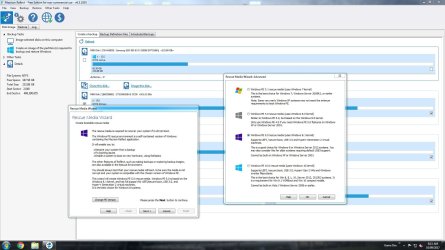
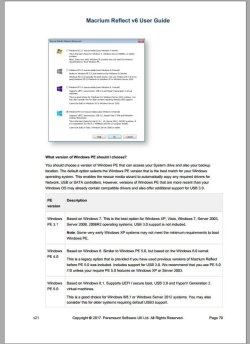
I wonder which choice is better for the "Create a Windows PE Rescue Environment" as seen in this tutorial, the 4.0 or the 3.1?
Create a Windows PE Rescue Environment
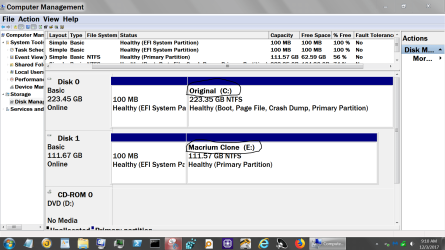
This is a Windows 8 machine with Windows 7 PRO Installed in Legacy Mode I believe, I didn't do anything special during the Install.
Thanks, Nasty7
I wonder which choice is better for the "Create a Windows PE Rescue Environment" as seen in this tutorial, the 4.0 or the 3.1?
Create a Windows PE Rescue Environment
This is a Windows 8 machine with Windows 7 PRO Installed in Legacy Mode I believe, I didn't do anything special during the Install.
Thanks, Nasty7
My Computer
At a glance
Windows 7 Home Premium 64bitAMD A8-3520M6.00GB DDR3 @ 674MHz (9-9-9-24)512MB ATI AMD Radeon HD 6620G
- Computer type
- Laptop
- Computer Manufacturer/Model Number
- HP Pavilion dv7-6c23cl
- OS
- Windows 7 Home Premium 64bit
- CPU
- AMD A8-3520M
- Motherboard
- Hewlett-Packard 180B (Socket FS1)
- Memory
- 6.00GB DDR3 @ 674MHz (9-9-9-24)
- Graphics Card(s)
- 512MB ATI AMD Radeon HD 6620G
- Sound Card
- IDT High Definition Audio CODEC
- Monitor(s) Displays
- Generic PnP Monitor
- Screen Resolution
- (1600x900@60Hz)
- Hard Drives
- Samsung 850 EVO 250GB SSD
- Mouse
- Logitec M525
- Internet Speed
- 30-75Mbps
- Antivirus
- Avast Free, Unfortunately
- Browser
- Google Chrome, Firefox, IE