
Hi,
I have WD My Passport 0820 and it was working without any problem, and it it has been stopped few days ago. I hardly succeeded to remove the security password from it, but I can't open it.
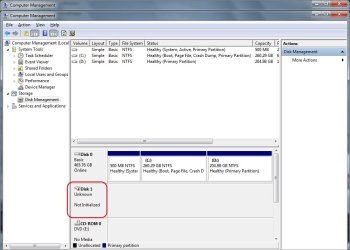
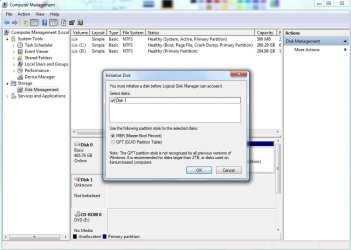
After removing the security password, I found the disk appears in the disk management like this...
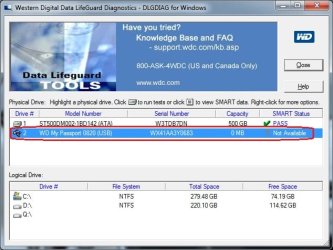
I tried the "WD Data Lifeguard Diagnostic for Windows" and I got the below results.
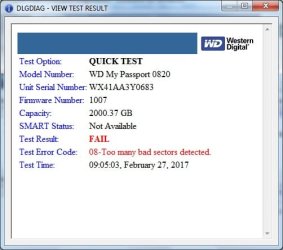
Test Option: QUICK TEST
Model Number: WD My Passport 0820
Unit Serial Number: WX41AA3Y0683
Firmware Number: 1007
Capacity: 2000.37 GB
SMART Status: Not Available
Test Result: FAIL
Test Error Code: 08-Too many bad sectors detected.
Test Time: 09:05:03, February 27, 2017
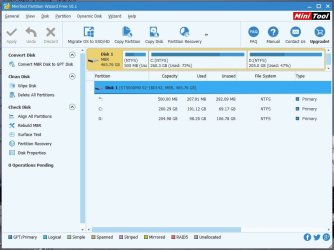
Then I read the thread about using "MiniTool Partition Wizard" but the disk doesn't appear on it!
I found the option of Initialize the disk but I don't know what to do!!

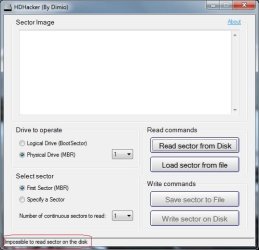
Tried the HDHacker to the read the MBR but it couldn't.
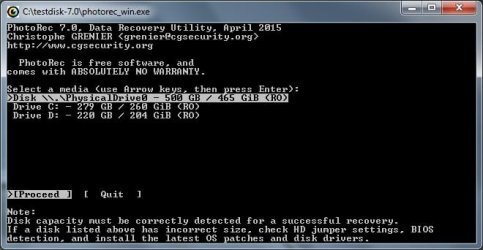
I also, tried the Test Disk and PhotoRec but they couldn't recognize the WD external passport too!

Unfortunately, I have a years of data on it and I can't imagine that I can lose it!
I appreciate your help.
Thanks
I have WD My Passport 0820 and it was working without any problem, and it it has been stopped few days ago. I hardly succeeded to remove the security password from it, but I can't open it.
After removing the security password, I found the disk appears in the disk management like this...
I tried the "WD Data Lifeguard Diagnostic for Windows" and I got the below results.
Test Option: QUICK TEST
Model Number: WD My Passport 0820
Unit Serial Number: WX41AA3Y0683
Firmware Number: 1007
Capacity: 2000.37 GB
SMART Status: Not Available
Test Result: FAIL
Test Error Code: 08-Too many bad sectors detected.
Test Time: 09:05:03, February 27, 2017
Then I read the thread about using "MiniTool Partition Wizard" but the disk doesn't appear on it!
I found the option of Initialize the disk but I don't know what to do!!
Tried the HDHacker to the read the MBR but it couldn't.
I also, tried the Test Disk and PhotoRec but they couldn't recognize the WD external passport too!
Unfortunately, I have a years of data on it and I can't imagine that I can lose it!
I appreciate your help.
Thanks
My Computer
At a glance
Windows 7 Enterprise x64
- Computer type
- PC/Desktop
- OS
- Windows 7 Enterprise x64


