Recover a GPT Partition that became RAW in 3T Internal HDD

OK, i'm back


Here it is the result of the PW Quick Scan...


Eeeehhhh.... :\
 

Attachments

  • PW9.1CDsk.jpg
    PW9.1CDsk.jpg
    113.3 KB · Views: 7

My Computer My Computer

At a glance

Windows 7 Ultimate x64Intel I7 920
Computer type
PC/Desktop
OS
Windows 7 Ultimate x64
CPU
Intel I7 920
Motherboard
Asus P6X58D-E
Hard Drives
1xSamsung 860 EVO 500G
2xWD Blue 1T
1xToshiba P300 3T

OK, that means PW sees only 746GB. And that is not even your full first data partition which is 1TB ( approx 1565565871 sectors.)

Now this 746GB seems to be a magic number :-). If you google 3TB GPT HDD only shows 746GB Raw, you get hundreds of user queries. But they all mean it shows only 746GB in Windows Disk Management. Here it is the reverse. Windows Disk Management shows full 3TB but everything else shows 746 GB. Baffling.

I am now thinking of the following course of action/s.

1. All this started after you reinstalled Windows 7 on a new SSD. The original System HDD is now a secondary drive. Can you go back to the original system? That is take out the SSD, and boot from the HDD as before. See whether all the data partitions on your 3TB disk come alive as before.

2. Use TestDisk for DOS. Make a dos bootable pendrive, boot from it. ( That way Windows does not come into play) If TestDisk sees your full 3TB drive with all 3 data partitions visible, we can possibly recover all data from the first data partition.

Before executing any of this plan, you have to copy all data from the now visible data partitions to another disk. Once we recover the data from the first data partition, you can put the SSD back, wipe the 3TB HDD clean, format it and see whether the full disk is visible without any problems.

Give these propositions a thought and let me know.

I would also elicit dsperber's thoughts on this or any other plan of action since he has been evincing a keen interest on this thread. In yesteryears I had many experts like Slartybart, Anshad Edavana and Kaktussoft chipping in giving valuable support and ideas and many times they made up for my deficiencies but now I am trudging alone. :D

I am retiring soon today and I shall see you here tom.
 
Last edited:

My Computer My Computer

At a glance

Windows 7 Home Premium 32 bit
OS
Windows 7 Home Premium 32 bit
OK, that means PW sees only 746GB. And that is not even your full first data partition which is 1TB ( approx 1565565871 sectors.)

...

I am now thinking of the following course of action/s.

1. All this started after you reinstalled Windows 7 on a new SSD. The original System HDD is now a secondary drive. Can you go back to the original system? That is take out the SSD, and boot from the HDD as before. See whether all the data partitions on your 3TB disk come alive as before.

2. Use TestDisk for DOS. Make a dos bootable pendrive, boot from it. ( That way Windows does not come into play) If TestDisk sees your full 3TB drive with all 3 data partitions visible, we can possibly recover all data from the first data partition.

Before executing any of this plan, you have to copy all data from the now visible data partitions to another disk. Once we recover the data from the first data partition, you can put the SSD back, wipe the 3TB HDD clean, format it and see whether the full disk is visible without any problems.

Give these propositions a thought and let me know.

I would also elicit dsperber's thoughts on this or any other plan of action since he has been evincing a keen interest on this thread. In yesteryears I had many experts like Slartybart, Anshad Edavana and Kaktussoft chipping in giving valuable support and ideas and many times they made up for my deficiencies but now I am tredging alone. :D

I am retiring soon today and I shall see you here tom.


Hello again jumanji, thanks again for give a little bit of your time to take a look at my problem again. I'm not a HDD expert but i can manage myself with the basics of technology...


As for your first request, i've already did that. It was one of my first tests, replug with stable old system is the best way to see if something is really bad and as i still have the old system intact for now, that was one of my 1st ideas. I've unplugged my ssd, changed to the old system with sata hdd drive as primary drive and only with my 3T drive connected and the partition was detected as RAW, exactly the same as it is now. Something weird happened. I am not infected with any virus (ofc i've also made my virus/malware scans and so... all good)


I'll try TestDisk through usb then. i'll return with feedback when i've done it. Also i haven't tried yet an Ubuntu Live Cd, but i will and check with GParted to see what results come from that approach.


I'll get back here to give feedback when i've done it. I'm a bit busy atm too.


Thanks
R
 

My Computer My Computer

At a glance

Windows 7 Ultimate x64Intel I7 920
Computer type
PC/Desktop
OS
Windows 7 Ultimate x64
CPU
Intel I7 920
Motherboard
Asus P6X58D-E
Hard Drives
1xSamsung 860 EVO 500G
2xWD Blue 1T
1xToshiba P300 3T
OK. I'm back again.

Point of situation from my side atm:

+ Backups of the other 2 partitions of the HDD are done.

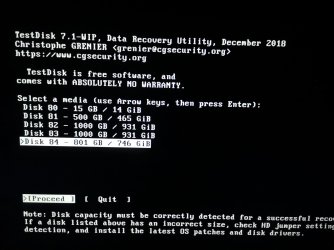
+ As asked, i've made a bootable dos usb and ran testdisk but as i suspected, testdisk from DOS returned the same results as the win version...
I took a screenshot for you...

What do you think of using bootrec /fixboot from win recovery dvd. I could choose repair option during setup, and run Recovery Console. Then run bootrec /FIXBOOT command to try to fix boot sector. I've read about that in the past, but i got the idea that this solution is only used when one want to restore the system partition. Do you think that it will work with a secondary HD partition like mine?
I'll also try Ubuntu later. Need to rest a bit, i'll be around tomorrow again.
Once again, thanks for all the help.
 

Attachments

  • testdisk dos.jpg
    testdisk dos.jpg
    246.4 KB · Views: 0

My Computer My Computer

At a glance

Windows 7 Ultimate x64Intel I7 920
Computer type
PC/Desktop
OS
Windows 7 Ultimate x64
CPU
Intel I7 920
Motherboard
Asus P6X58D-E
Hard Drives
1xSamsung 860 EVO 500G
2xWD Blue 1T
1xToshiba P300 3T
Dunno what happened here at the forum too, but it seems that my permissions to edit my posts were disabled in the forum... Yesterday was all fine with edits... strange... i'll post this reply insted of adding this thought to the previous post.


However as i cant sleep yet, i was thinking that once i dont have any backup of the MBR/Boot Sectors i can't try to restore it from there but what if we could locate the duplicate of Partition Boot Sector and get information from there. If itss not corrupted too, or missing... its possible to rebuild the PBR from there isnt it? (for what i've read that duplicate is located, in most cases, in the last sector of the volume)
I also read that is no advisable to fixmbr because i'm taking the risk of mess with all partitions again and i dont want to do that at this moment.

Tbh this is where i start sinking in my ability to solve this riddle and i have lack of knowledge to do it by myself...


Off for awhile in a bit...
 

My Computer My Computer

At a glance

Windows 7 Ultimate x64Intel I7 920
Computer type
PC/Desktop
OS
Windows 7 Ultimate x64
CPU
Intel I7 920
Motherboard
Asus P6X58D-E
Hard Drives
1xSamsung 860 EVO 500G
2xWD Blue 1T
1xToshiba P300 3T
Hold on for some more time. I shall have my shower, breakfast and return with a response.
 

My Computer My Computer

At a glance

Windows 7 Home Premium 32 bit
OS
Windows 7 Home Premium 32 bit
I see your tiime is 0236hrs. You can go to sleep now. Whenever you wake up you can see my response. There is no need to do anything in a hurry.
 

My Computer My Computer

At a glance

Windows 7 Home Premium 32 bit
OS
Windows 7 Home Premium 32 bit
The devil returns.

"What do you think of using bootrec /fixboot from win recovery dvd."

That is only for fixing the System disk. You can't apply it for non-system disks.

"i was thinking that once i dont have any backup of the MBR/Boot Sectors i can't try to restore it from there but what if we could locate the duplicate of Partition Boot Sector and get information from there."


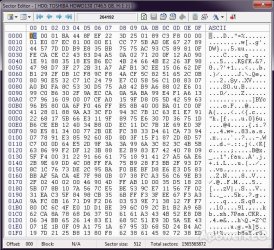
Your 3TB GPT drive has its protective MBR at sector 0. And this protective MBR will be the same for all GPT drives

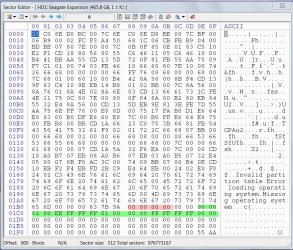
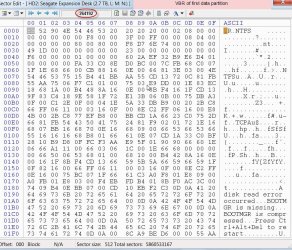
Below is a screenshot of the protective MBR.( This drive was initialised as a GPT drive using Windows Disk Management)

30-03-2019 11-44-10.jpg

The 16byte green highlighted string is the partition table for a 2TB partition. GPT-unaware programs will read the disk as a 2TB MBR drive so that you know " OMG! this program does not recognise my GPT disk and desist doing any disk operations with it that may muckup and corrupt the GPT partition data.

The four bytes orange highlighted string is the unique ID ( disk signature). It can be any four byte hexadecimal like 0A AA FE 09. No need to bother about this unless the system reports a "signature collision"

Check sector 0 of your 3TB drive with bootice. If it is not the same edit the fields as in the above screenshot and save it to disk. Save the sector before editing so that you can restore it if need be.

Using bootice: My post #7 here: Lost partitions!

( I would think that your disk's protective MBR is not corrupted. To my knowledge if the protective MBR is corrupted the whole disk will become RAW.)

Exercise caution to perform this on the correct disk.

To be continued after a break.
 
Last edited:

My Computer My Computer

At a glance

Windows 7 Home Premium 32 bit
OS
Windows 7 Home Premium 32 bit
  • Like
Reactions: RFG
Continuing.......

This morning I was able to fishout a brand new Seagate 3TB Expansion Desktop drive - factory formatted - from my daughter's cupboard and made three 1TB partitions in it.

30-03-2019 13-57-42.jpg

If one is going to use a disk only as a data disk, what all is needed in the protective MBR at sector 0 is the 16byte 2TB partition table and the Boot Record Signature 55 AA at the end. ( The 4byte Unique ID also known as Windows Disk signature can be any hexadecimal number including 00 00 00 00)

But if one is likely to use it as a bootdisk anytime, he will be better off wiping sector 0 and initialising it as a GPT with Windows Disk Management with the resulting Sector 0 as in the screenshot in the previous post.

Now coming to the partition structure and its backup:

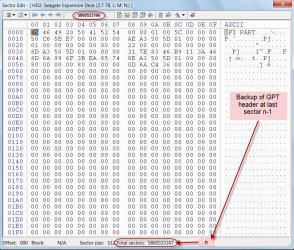
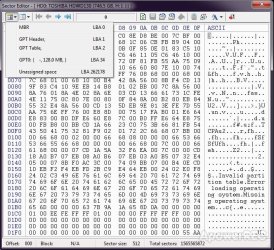
Sector 1 - The GPT header. Its backup is at the last sector n-1. The backup however is not an exact replica of Sector 1 It is recoded to make the system believe it is coming from Sector 1

If I denote the total sectors shown in bootice as n then the backup is at sector n-1. Here n=5860533167 ( If you start counting from 1, the last sector is actually n-1 and accordingly the last sector will be shown as 5860533166 in the bootice sector field on top )

A30-03-2019 16-05-26.jpg

B30-03-2019 16-08-34.jpg

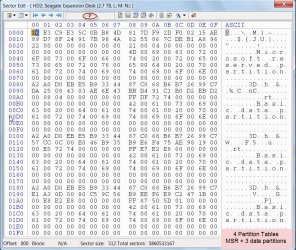
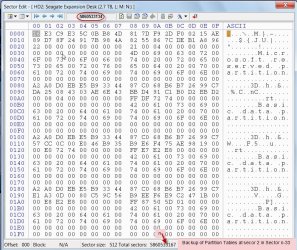
Sector 2 - Partition Tables ( each sector can accomodate 4 partition tables.) Here tables for the 128 MB MSR partition and the three data partitions. Its backup will be at sector n-33 =58605333134. The backup is an exact replica of Sector 2

C30-03-2019 16-15-51.jpg

D30-03-2019 16-25-40.jpg

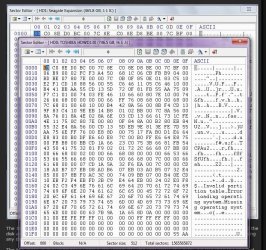
Sector 264192, Sector 1953685504, Sector 3907184640 Volume Boot Records for the three data partitions at its start sector. (MSR is not user accessible and used by the OS to store data when needed. No VBR)

One Data partition VBR sample:

E30-03-2019 16-34-33.jpg


If the GPT Header and the partition tables get corrupted, the system will automatically read from the backup and the disk will continue to perform normally. The user wouldn't even know that some corruption had taken place and the partition data is being read from its backups.

( The corrupted header/Partition Tables will continue to remain as such in their seats. They are not restored with the backups)

Will be continued after a short break
 
Last edited:

My Computer My Computer

At a glance

Windows 7 Home Premium 32 bit
OS
Windows 7 Home Premium 32 bit
OP: "I'll also try Ubuntu later."

That is a good idea.While any Live Linux distro can be used, we in Seven Forums as well as Ten Forums have used Lucid Puppy. So you may give it a try.

1. Download Lucid Puppy (Ubuntu-compatible Build) version 5.2.8 ISO from Long-Term-Supported WaryPuppy (LTS)

2. Create a bootable pendrive with that ISO using Rufus

3. Boot into Linux and check whether it can access your first data partition.

Go to the topic "Recovering files from the non-bootable Internal drive" in this thread ​Lucid Puppy way to recover files from a non-bootable computer

Unfortunately while Windows sees your 3TB disk to the end, the other programs tried including bootice see only 746GB .

So we need to try everything possible and hope for the best.
 

My Computer My Computer

At a glance

Windows 7 Home Premium 32 bit
OS
Windows 7 Home Premium 32 bit
hello jumanji, good afternoon/eve :)


The devil returns.
...

Check sector 0 of your 3TB drive with bootice. If it is not the same edit the fields as in the above screenshot and save it to disk. Save the sector before editing so that you can restore it if need be.

Using bootice: My post #7 here: Lost partitions!

( I would think that your disk's protective MBR is not corrupted. To my knowledge if the protective MBR is corrupted the whole disk will become RAW.)

Exercise caution to perform this on the correct disk.

To be continued after a break.


OK, i've never used bootice or any other software to edit sectors from HDDs so this is gonna take a while. Let me read your topic about it. I'll return here everytime i have a doubt before i make a new move.


Thanks again for all the explanation, things are more clear to me now. Even so, what do you think that could have caused this corruption? :confused:


If this dont work i'll make an approach with a linux distro.


Brb...


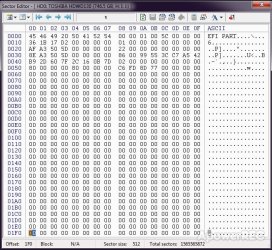
OK so the sector 0 of my drive is the same as yours
 

Attachments

  • bootice.jpg
    bootice.jpg
    165.1 KB · Views: 2
Last edited:

My Computer My Computer

At a glance

Windows 7 Ultimate x64Intel I7 920
Computer type
PC/Desktop
OS
Windows 7 Ultimate x64
CPU
Intel I7 920
Motherboard
Asus P6X58D-E
Hard Drives
1xSamsung 860 EVO 500G
2xWD Blue 1T
1xToshiba P300 3T
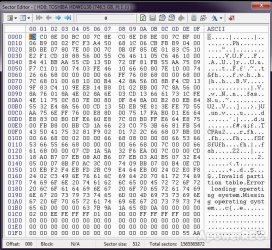
I forgot to mention that bootice only detects my HDD with ~800G... not the full size of 3T


Initial screenshot of Bootice Sector Editor (it's the last pic. of the following uploaded screenshot series)

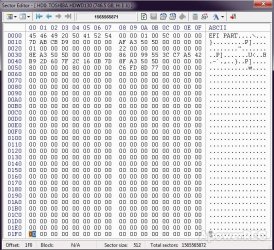
Next i'm posting screenshots of my 1st and last sectors respectively.

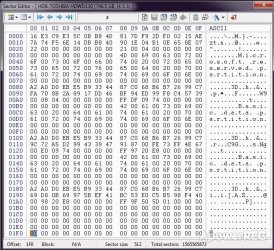
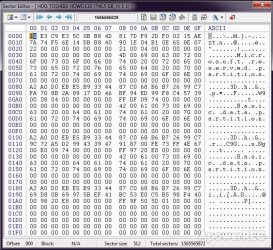
Also the screenshots of my 2nd sector where i can only see MSR Partition table plus 2 data partitions (i cant recognize the 3rd...) and its backup n-33

Then yet the screenshot of sector 264192 that should be the VBR of 1st data partition... but mine looks very different from yours. maybe the size of the disk detected by bootice has some influence in the shown results...

At this stage i am a bit lost... :confused:
 

Attachments

  • bootice_1ST SECTOR.jpg
    bootice_1ST SECTOR.jpg
    126.2 KB · Views: 27
  • bootice_LAST SECTOR.jpg
    bootice_LAST SECTOR.jpg
    129.3 KB · Views: 27
  • bootice_2ND SECTOR Partition Tables.jpg
    bootice_2ND SECTOR Partition Tables.jpg
    129.9 KB · Views: 27
  • bootice_2ND SECTOR Partition Tables backup n-33.jpg
    bootice_2ND SECTOR Partition Tables backup n-33.jpg
    129.4 KB · Views: 27
  • VBR of 1st data partition.jpg
    VBR of 1st data partition.jpg
    136.7 KB · Views: 27
  • bootice1.jpg
    bootice1.jpg
    128.1 KB · Views: 26
Last edited:

My Computer My Computer

At a glance

Windows 7 Ultimate x64Intel I7 920
Computer type
PC/Desktop
OS
Windows 7 Ultimate x64
CPU
Intel I7 920
Motherboard
Asus P6X58D-E
Hard Drives
1xSamsung 860 EVO 500G
2xWD Blue 1T
1xToshiba P300 3T
"Even so, what do you think that could have caused this corruption? " If only I know that I would have resolved the problem in a jiffy :-) In most cases we do not know what caused the problem. :-) I have searched the whole web and haven't come across anyone having the same problem. So no precedent also.
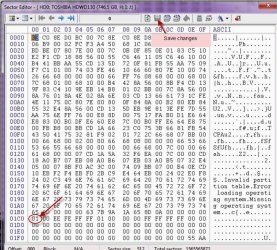
Referring to your post #31 sector 0, the circled field in screenshot is 01.

If you look at my screenshot in post #28 (Initialised with Windows Disk Management) and post #29 ( as initialised in the factory) that field is 02. I don't know how significant it is but let us change it. Make sure you are doing it on the right disk - always, always.

30-03-2019 21-36-52.jpg

So you will change 01 to 02, editing and writing it with bootice Click on that field. If 0 flashes move it to 1 with right arrow key. Now 1 should flash. Type 2 to overwrite 1. Then click on Save changes icon in the top menu bar. Done. Close bootice and then run it again. View sector 0. Do you see 02 now? Close bootice.

Shut down your PC and then restart to stop all disk processes that may be running. ( if it is an external drive we safely remove it and plug it in again)

Now has that made any difference in your situation?

This is my last post for the day. Rest I shall look tom morning. That will also give time for you read my writeup on using bootice.Good day
 

My Computer My Computer

At a glance

Windows 7 Home Premium 32 bit
OS
Windows 7 Home Premium 32 bit
...


So you will change 01 to 02, editing and writing it with bootice Click on that field. If 0 flashes move it to 1 with right arrow key. Now 1 should flash. Type 2 to overwrite 1. Then click on Save changes icon in the top menu bar. Done. Close bootice and then run it again. View sector 0. Do you see 02 now? Close bootice.

Shut down your PC and then restart to stop all disk processes that may be running. ( if it is an external drive we safely remove it and plug it in again)

Now has that made any difference in your situation?

This is my last post for the day. Rest I shall look tom morning. That will also give time for you read my writeup on using bootice.Good day

OK. All done, nothing changed... The problem remains as it was even after change the value from 01 to 02 and reboot.
Should i restore it to the previous state again?

I already have an Ubuntu Live USB distro, i'm going to boot through there and see whats the output from that approach. i'll keep you informed about my results.


Thanks again jumanji for being patient and for all the help
 

Attachments

  • changed sector.jpg
    changed sector.jpg
    135.4 KB · Views: 36
  • dskmng2.jpg
    dskmng2.jpg
    165.7 KB · Views: 3

My Computer My Computer

At a glance

Windows 7 Ultimate x64Intel I7 920
Computer type
PC/Desktop
OS
Windows 7 Ultimate x64
CPU
Intel I7 920
Motherboard
Asus P6X58D-E
Hard Drives
1xSamsung 860 EVO 500G
2xWD Blue 1T
1xToshiba P300 3T
I've comeback with a few more infos...


Finally i've ran Ubuntu Live USB that i already had in a pendrive and it came up with a few errors when running GParted. Meanwhile i'll get the Lucy distro yer suggesting and make the same moves as you suggest. I'll post some shots of that when i've done it.

I had some issues with saving the printscreens so i've took a few shots with my phone, not best quality but i think its enough for the purpose.


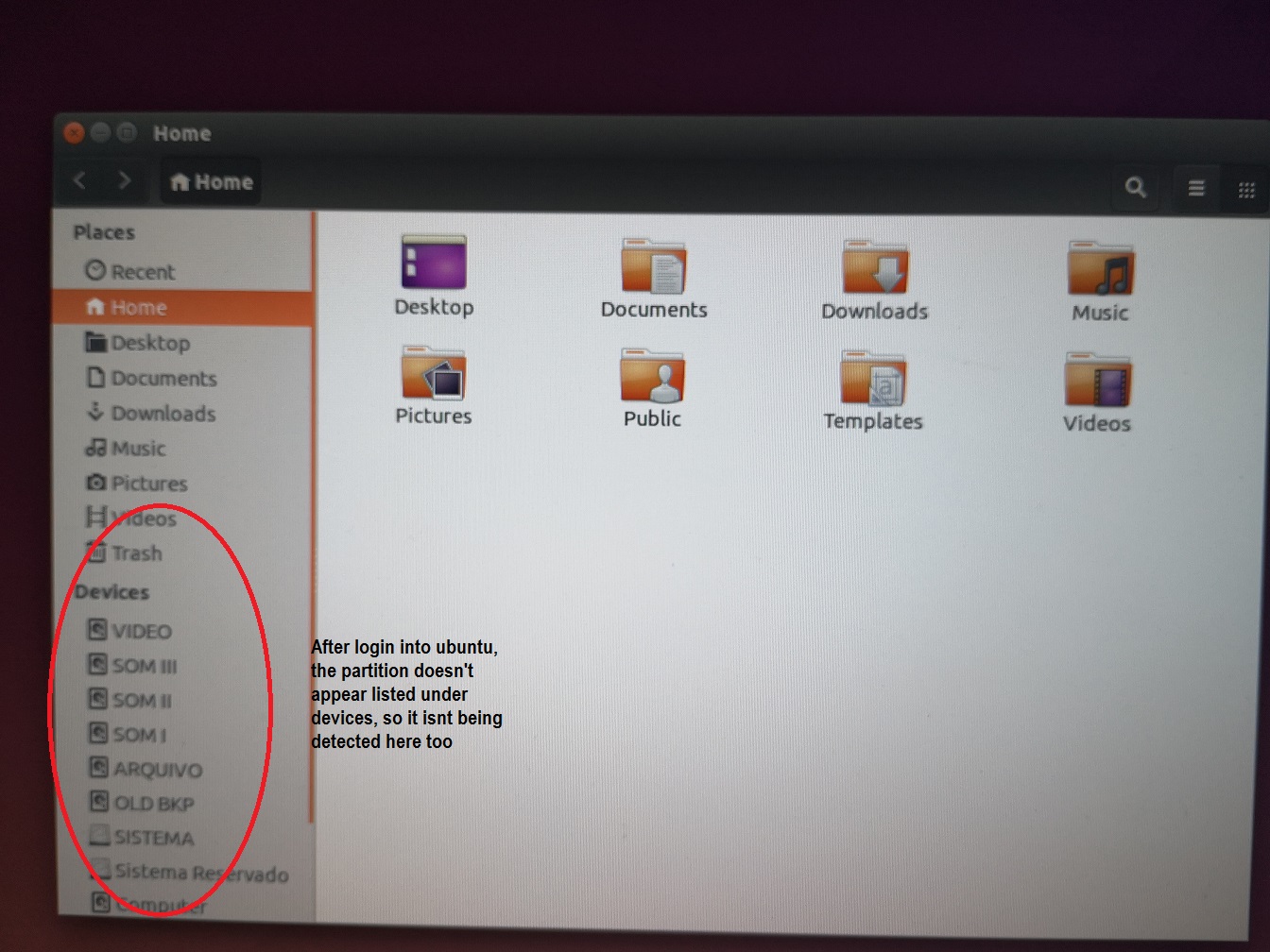
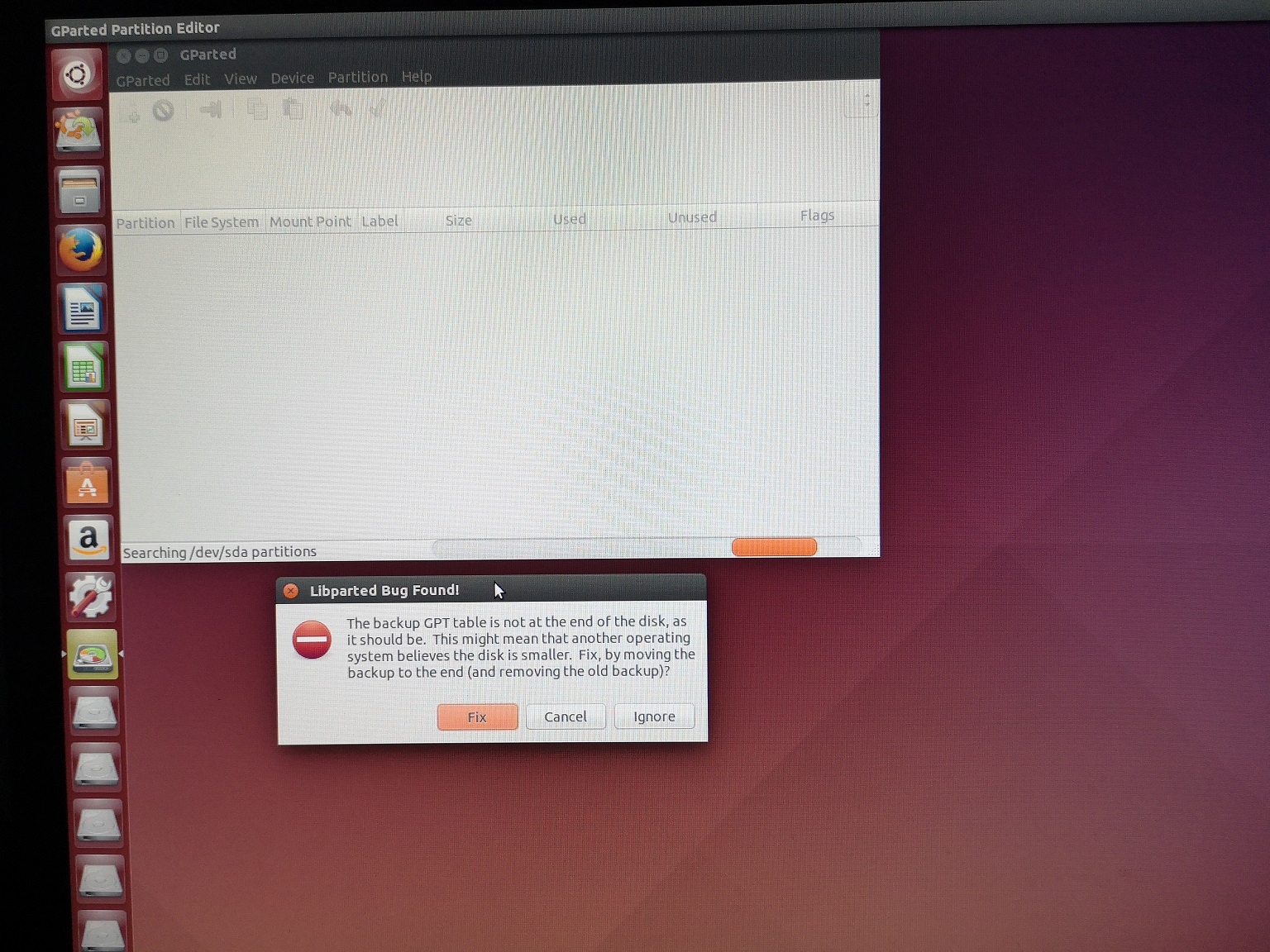
After logon with Ubuntu the 1st thing i noticed was that the partition also wasn't listed under the Devices menu.

RQUOW4a.jpg


Next thing i did was to start GParted to analyse my discs. immediatly after open it a first error message poped up claiming "The backup GPT table is not at the end of the disk as it should be. This might mean that another OS believes the disk is smaller. Fix by moving backup to the end and removing the older?" - At this stage i've selected the Ignore option


nlSlNzT.jpg


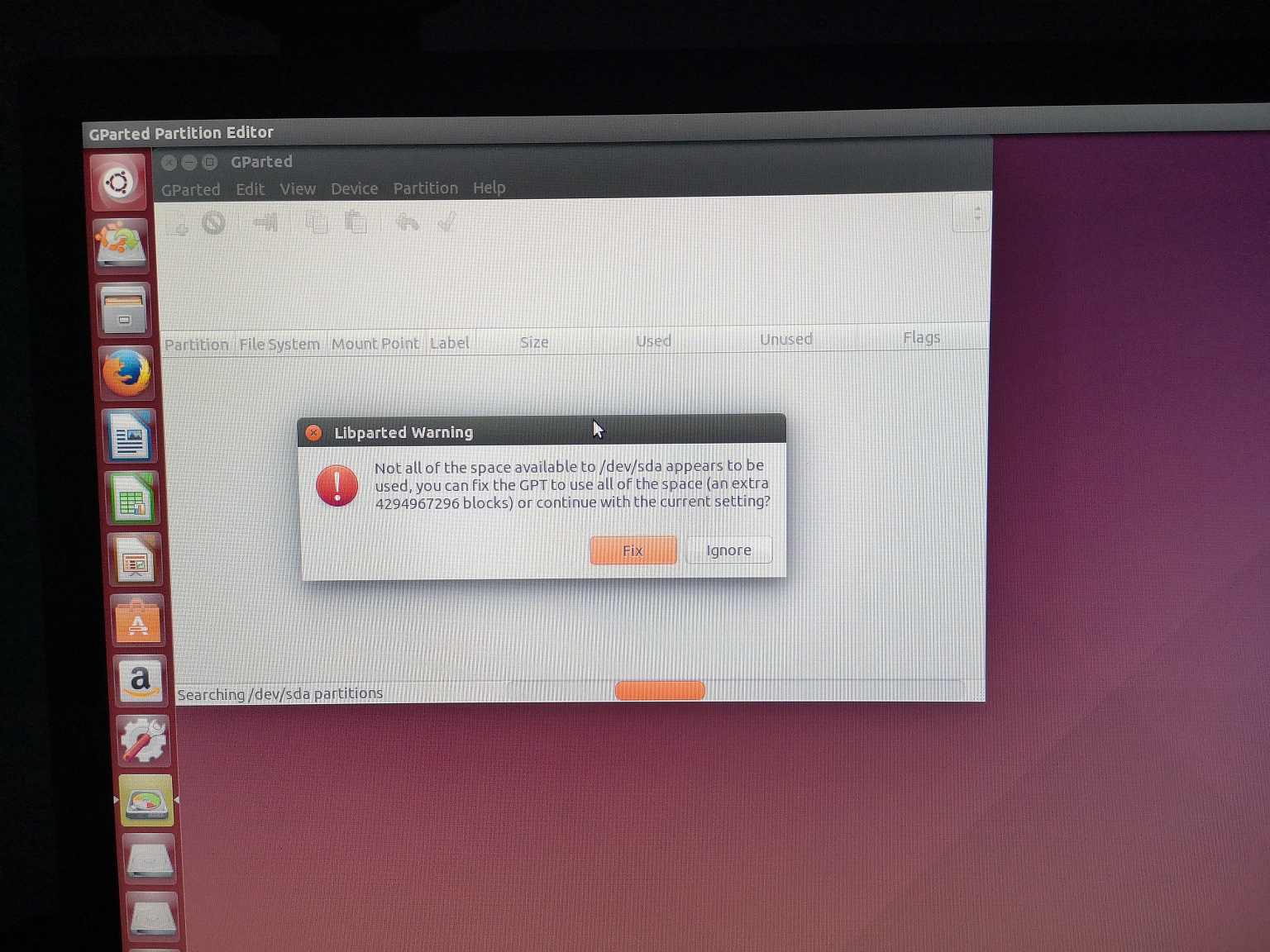
After this, another pop up window show with the message "Not all of the space available to /dev/sda appears to be used, you can fix the GPT to use all the space or continue with the current setting?" - At this stage i've selected the Ignore option again

b3ctJbM.jpg


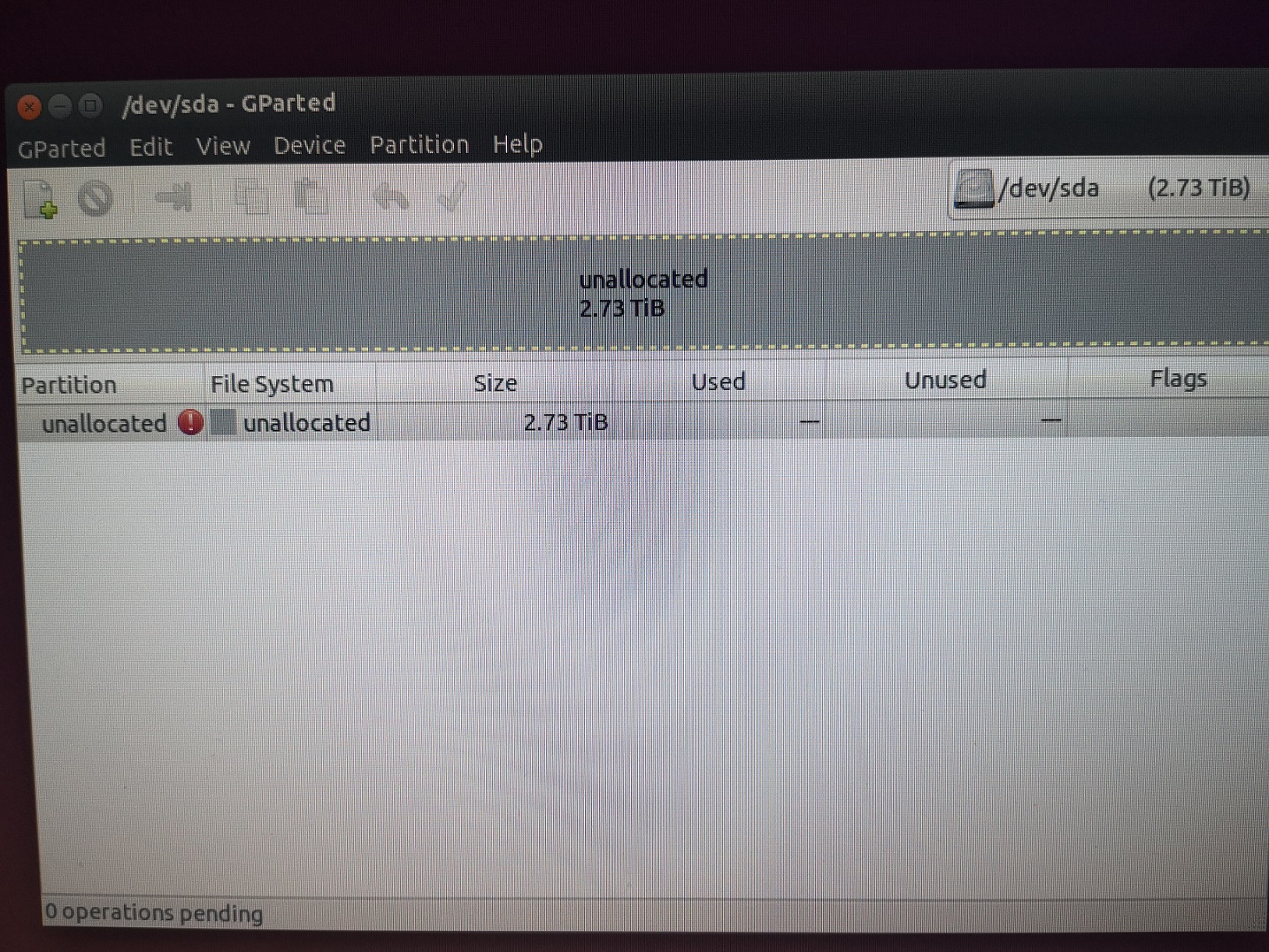
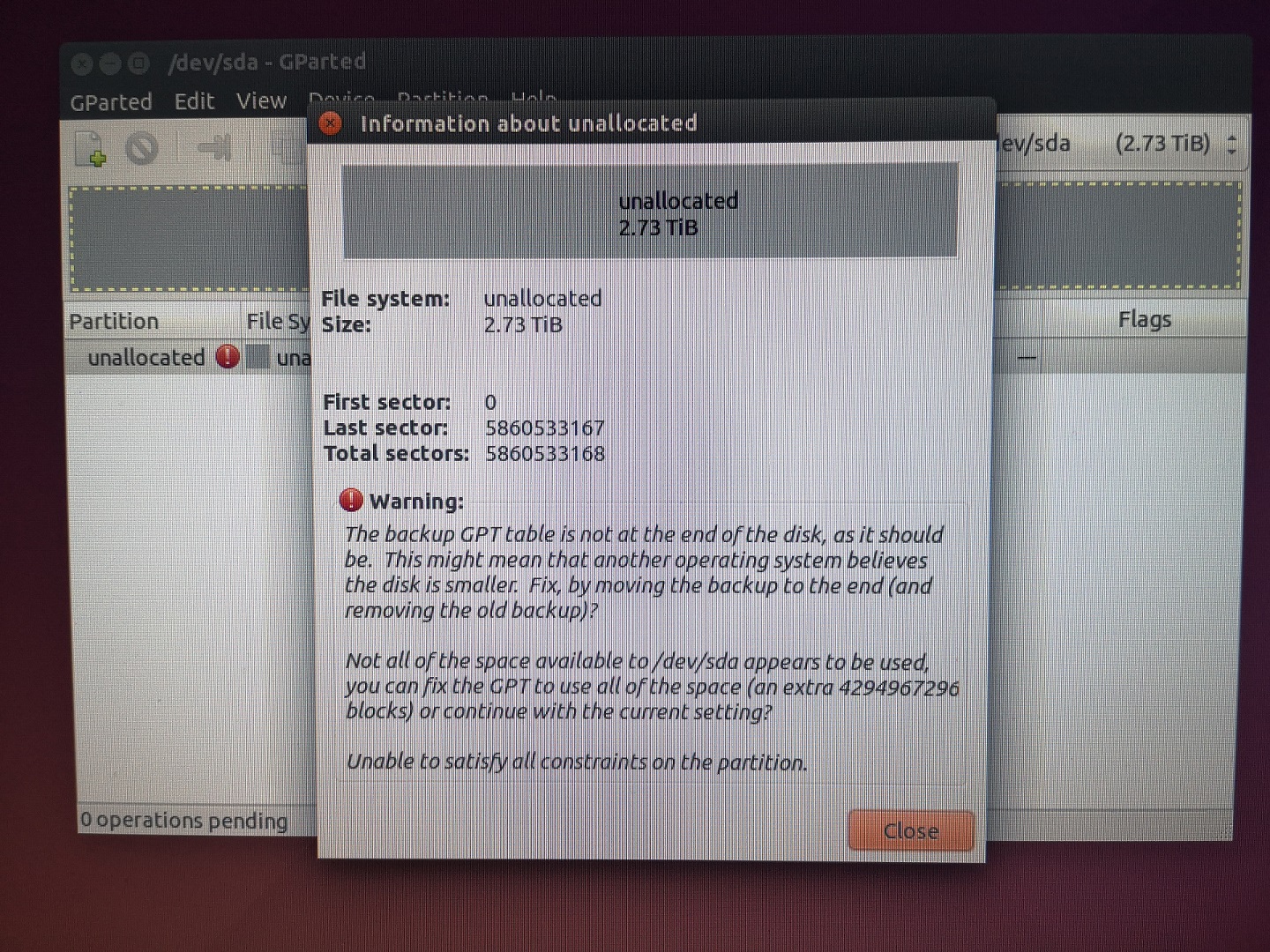
Gparted finally opened and detected all my 3T disk as unallocated space. The partition info makes reference to the previous warning messages.


7zZa7Nq.jpg


JyM0QJF.jpg


At this time i feel that i should give a try with the fixes proposed by GParted, but before i make a move i'll wait for a few opinions more about this...
 

My Computer My Computer

At a glance

Windows 7 Ultimate x64Intel I7 920
Computer type
PC/Desktop
OS
Windows 7 Ultimate x64
CPU
Intel I7 920
Motherboard
Asus P6X58D-E
Hard Drives
1xSamsung 860 EVO 500G
2xWD Blue 1T
1xToshiba P300 3T
"OK. All done, nothing changed... The problem remains as it was even after change the value from 01 to 02 and reboot.
Should i restore it to the previous state again?"


No need to restore Sector 0, where we changed 01 t0 02 for that is the way Sector 0, the protective MBR should be.

Yesterday night, I only examined the Sector 0 screenshot and put off examining the the other screenshots for this morning since it was already time to retire.

This morning I examined the the other Bootice screen shots you had put on your screenshots in post#32

My God! Sector 1565565871 - the last sector in the truncated RAW partition shows the presence of a backup of a new GPT header. How come!!!!

Sector n-32, 15655565839 sector shows the presence of a new backup of the partition tables at sector 2. How come!!!!

I am of the opinion that this couldn't have happened on its own accord. To me it would appear that when your first partition turned RAW, an attempt was made to reinitialise it as a GPT drive.

Yes, when you try to access a RAW partition and it is because sector o is corrupted, it would ask you initialise it as an MBR/GPT drive.And it was initialised as a GPT drive.

If you hadn't done it, then forget my accusation :-)

I shall continue after a short break. I am still responding to post #32. I shall now look into your other posts after the break.
 
Last edited:

My Computer My Computer

At a glance

Windows 7 Home Premium 32 bit
OS
Windows 7 Home Premium 32 bit
I will still take some more time. Do not use Gparted to shift the wrong partition tables backup and wrong Header backup to the end of the drive.That will kill the original correct backups and if that happens or has happened it will be the end of the story.
 

My Computer My Computer

At a glance

Windows 7 Home Premium 32 bit
OS
Windows 7 Home Premium 32 bit
I have gone through your post#35 now.

As stated earlier Bootice showed bakups of the partition tables and the header. As I said it is an anamoly which needs an explanation.

Gparted also saw that anamoly and since the backups are always at the end of the disk, offered to shift them to the end. It also specified that doing so will remove the old backups. Actually the old backups at the end of the drive are the right ones. Since those are the valid ones you were seeing the second and third partitions.

I only hope that you haven't accepted the fix offered by gparted. If you had done that fix my comment in the previous post holds.

If you confirm that you haven't done the fix, only then we can proceed further.

Linux is used only check whether we could see and access a disk/partition when Windows is not able to see, not to make any fix.
 
Last edited:

My Computer My Computer

At a glance

Windows 7 Home Premium 32 bit
OS
Windows 7 Home Premium 32 bit
"OK. All done, nothing changed... The problem remains as it was even after change the value from 01 to 02 and reboot.
Should i restore it to the previous state again?"


No need to restore Sector 0, where we changed 01 t0 02 for that is the way Sector 0, the protective MBR should be.

Yesterday night, I only examined the Sector 0 screenshot and put off examining the the other screenshots for this morning since it was already time to retire.

This morning I examined the the other Bootice screen shots you had put on your screenshots in post#32

My God! Sector 1565565871 - the last sector in the truncated RAW partition shows the presence of a backup of a new GPT header. How come!!!!

Sector n-32, 15655565839 sector shows the presence of a new backup of the partition tables at sector 2. How come!!!!

I am of the opinion that this couldn't have happened on its own accord. To me it would appear that when your first partition turned RAW, an attempt was made to reinitialise it as a GPT drive.

Yes, when you try to access a RAW partition and it is because sector o is corrupted, it would ask you initialise it as an MBR/GPT drive.And it was initialised as a GPT drive.

If you hadn't done it, then forget my accusation :-)

I shall continue after a short break. I am still responding to post #32. I shall now look into your other posts after the break.


Good afternoon jumanji!


OK, as i said, i have ignored the fix options presented by Ubuntu (at least i do think so :) ).

Although when i first noticed this problem, a couple of weeks ago or so, an auto chkdsk was launched by default after a reboot of windows and i haven't stopped it because the pc restarted and i moved away for a bit and when i looked again, chkdsk was already running. The only thing that happened at that ttime was that chkdsk couldnt finnish its task claiming that the disk was full and couldnt write/recover all the data because of lack of space on the drive, which was strange because the partition wasnt even half full... At that point i needed to do a reboot again. Do you think that in the middle of that procedure the PBR got even more corrupted? :confused:


I won't do anything else with linux for now. I've just ran it to check for errors which has only confirmed that something bad messed with my disk.


So, with the actual picture, what should i do next ? Can at least my data be recovered? At this point i'm almost preparing myself to resign... :(
 
Last edited:

My Computer My Computer

At a glance

Windows 7 Ultimate x64Intel I7 920
Computer type
PC/Desktop
OS
Windows 7 Ultimate x64
CPU
Intel I7 920
Motherboard
Asus P6X58D-E
Hard Drives
1xSamsung 860 EVO 500G
2xWD Blue 1T
1xToshiba P300 3T
OK, we don't know what has happened actually that resulted in the new backups at the end of the current RAW partition. It was indeed a jolt for me. Anyway let us see. Worst comes to worst, we can format the entire Disk or only the the RAW partition and attempt data recovery. In such a case the original Master File Table is lost but still Photorec in TestDisk can rebuild the files abinitio. Since MFT is lost you will get only a bunch of files without the original filenames and folder structure if Photorec succeeds in rebuilding the files.that will be the last option.

1. Post a fresh screenshot of Windows Disk Management. ( Just to confirm that we are still in the same condition with which we started.)

2. I am now going back to Partition Wizard - your Post #21 with the screenshot of found partitions after a quick scan.Quick scan did find a valid VBR at sector 264192. ( This VBR could be a new VBR overwriting the original VBR)

Run a quickscan again. When it finds the partitions, please select the second partition by clicking on the square, double click on the second partition (starting LBA 264192 ending LBA 1565565871) that should open the explorer Window showing the files it could see. ( Please refer to image 5 and image 6 in dsperber's
post # 17)

If it shows the folders/files well and good. Post a screenshot. Close the explorer Window. Cancel and close Partiion Wizard.

Do it slowly at your leisure.Absolutely no need to do anything in a hurry. Absolutely no need to keep awake at night.
 

My Computer My Computer

At a glance

Windows 7 Home Premium 32 bit
OS
Windows 7 Home Premium 32 bit
Back
Top