Please help recovering after diskpart clean & format mbr

KorbenDallas

New member
Local time
11:07 PM
Messages
3
Hi everyone,

I tried to format empty space on my SSD to MBR from GPT, because Windows 10 installer wasn't letting me install my partition on the empty space I created from the Disk Management tool in Win7.

I rebooted my PC with the Win10 DVD inside, got to the Win 10 installation menu, opened up CMD, and ran:

(corrected order of commands in response to SIW2's reply below)

-> diskpart
-> list disk
-> select disk 0 (my SSD)
-> select partition 1 (the 120 GB empty partition)
-> clean
-> convert mbr (sorry, I wrote format mbr before)

When I went back to the partition selection window, the entire SSD was one empty partition, except for that System Reserved partition that Win 7 always creates when installing it.

I then booted on another drive and did no other work on the formatted SSD.
I've been running a ton of programs since: MiniTool partition, iBeesoft data recovery, R-Studio, but I can't find almost anything on the drive.

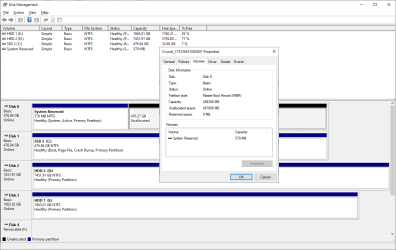
Disk Management displays the partition style as MBR and iBeesoft data recovery tool says it's FAT12.
I've been browsing a lot of threads online, and one I found here is:
Data Recovery after Diskpart cleaned and created new partition

But it's a bit beyond my understanding =\ . Any help would be appreciated :cry:
 
Last edited:

My Computer My Computer

Computer type
PC/Desktop
OS
Win7 64bit

My Computers My Computers

System One System Two

  • Computer type
    PC/Desktop
    OS
    7 X64
    CPU
    i5 8400
    Motherboard
    gigabyte b365m ds3h
    Memory
    2x8gb 3200mhz
    Hard Drives
    various
    PSU
    pure power 11 400w cm
    Case
    Coolermaster
    Cooling
    cryorig m9i
  • Computer type
    PC/Desktop
    OS
    7x64
    CPU
    g5400
    Motherboard
    ga b365m ds3h
    Memory
    8gb ddr4 2400
    PSU
    xfx pro 450w
Hey SIW2, thank you for the quick reply.

I have a 512 GB SSD, and on it I had Win 7 pro. I used the Windows Disk Mgmt tool to shrink my volume and create an unformatted ~120 GB partition.

Then I reboot my PC with my Win10 DVD in the drive, got to the installation screen, and at the part where you select which partition you want to install Win on, the 120 GB partition was listed as unable to install on, since it's in the GPT format.

So I press Shift + F10 (or Ctrl + F10) to open up the CMD, and I ran:

-> diskpart
-> list disk
-> select disk 0 (my SSD)
-> select partition 1 (the 120 GB empty partition)
-> clean
-> convert mbr (sorry, I wrote format mbr before)

Then I closed the cmd, did back in the Win 10 install tool, then forward again to see the changes in the disk screen, and at that point I saw that my entire SSD was on empty partition of ~480 GB, minus the ~500 MB Reserved Partition that Win7 creates when you install it.

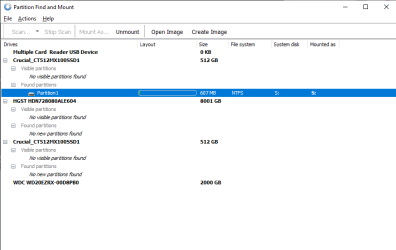
I'm running partition find and mount now with a through scan, it found a 607 MB partition but it's empty when mounted.

Is there a way to revert back from convert MBR maybe? Or when you do that, you lose everything?

Thank you
 

My Computer My Computer

Computer type
PC/Desktop
OS
Win7 64bit
It is worth seeing if another tool can find any partitions. Most 3rd party partitioning programs have that function - though not always on the free versions.

You could try Aomei ( you can get the pro version on free giveaway )
Aomei partition assistant Pro


Or try diskgenius
DiskGenius


If you can't recover partitions then try file recovery.
One of the better ones is Active@ File Recovery and it's less expensive than others.. It will scan, then if it finds your files, you need to buy a key to recover them.

There are also some free file recovery programs.
 

My Computers My Computers

System One System Two

  • Computer type
    PC/Desktop
    OS
    7 X64
    CPU
    i5 8400
    Motherboard
    gigabyte b365m ds3h
    Memory
    2x8gb 3200mhz
    Hard Drives
    various
    PSU
    pure power 11 400w cm
    Case
    Coolermaster
    Cooling
    cryorig m9i
  • Computer type
    PC/Desktop
    OS
    7x64
    CPU
    g5400
    Motherboard
    ga b365m ds3h
    Memory
    8gb ddr4 2400
    PSU
    xfx pro 450w
You never use diskpart unless your an advanced user as it can screw things up using mintool or simliar you can do these things and it does nothing until you commit
 

My Computer My Computer

Computer type
PC/Desktop
OS
win 8 32 bit
It is worth seeing if another tool can find any partitions. Most 3rd party partitioning programs have that function - though not always on the free versions.

You could try Aomei ( you can get the pro version on free giveaway )
Aomei partition assistant Pro


Or try diskgenius
DiskGenius


If you can't recover partitions then try file recovery.
One of the better ones is Active@ File Recovery and it's less expensive than others.. It will scan, then if it finds your files, you need to buy a key to recover them.

There are also some free file recovery programs.

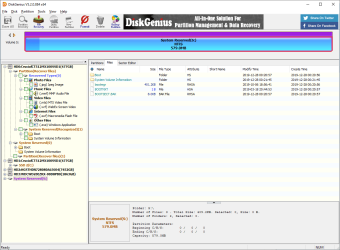
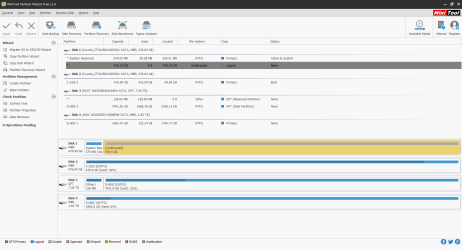
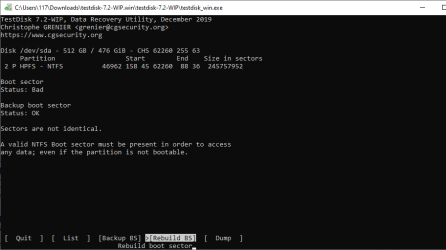
Hey, so these are the results from various tools I've used so far.
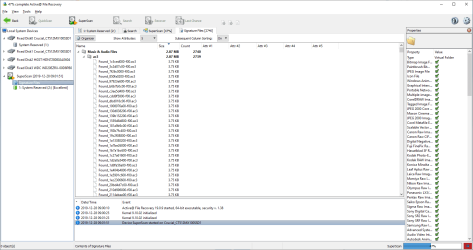
Active@file recovery is still ongoing, but so far it's only found some audio files and it's halfway over.

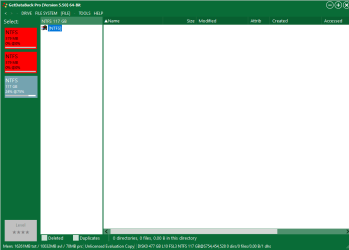
It's strange how GetDataBackPro for example finds the empty 117 GB partition I had prepared from Disk Management for my new Win 10 install, but it doesn't find the rest of the ~350 GB of the Windows 7 partition I had created it from.
 

Attachments

  • Active@file Recovery.png
    Active@file Recovery.png
    48.7 KB · Views: 2
  • DisGenius.png
    DisGenius.png
    48.4 KB · Views: 1
  • diskmgmt.png
    diskmgmt.png
    25.4 KB · Views: 1
  • Findandmount.png
    Findandmount.png
    10.3 KB · Views: 1
  • GetDataBack.png
    GetDataBack.png
    10.5 KB · Views: 1
  • MiniTool.png
    MiniTool.png
    37.9 KB · Views: 2
  • teskdisk.png
    teskdisk.png
    10.8 KB · Views: 1

My Computer My Computer

Computer type
PC/Desktop
OS
Win7 64bit
Back
Top