Thanks for the help and clarifying answers. But I still have questions.
2.
EITHER
Pop the installation dvd/usb in the drive, rt click the dvd/usb drive select copy, then rt click hard disk and select paste
OR
the iso contents ( which can be extracted using EXTRACT-ISO.cmd ).
Not exactly what I was asking but you've cleared up the confusion with your answer.
I was asking if the un-extracted ISO file by itself (not the expanded ISO using EXTRACT or WinRAR, etc.) as downloaded directly from MS was usable, as-is and un-extracted. Or, did I have to expand it myself so that it looked like the actual bootable installation DVD/USB.
In other words, could the unexpanded ISO be read directly (with the process automatically extracting it internally, rather than requiring me to do it)? And apparently the answer is no. So I need to populate the folder required by your command either by (a) expanding the ISO myself into its implied folders/files, or (b) COPY/PASTE an ordinary install DVD/USB, which is really the same folder/file type of structure.
4.
The pics were on the first post initially, but the site no longer seems to support as many attachments per post..
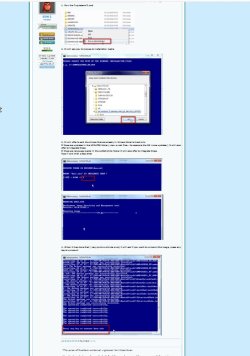
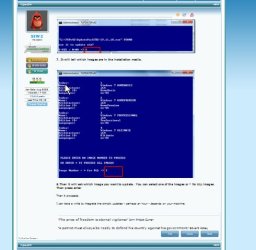
THERE ARE SCREENSHOTS HERE
The only pictures present there are what appear to be for instructions (1) and (3).
There are still no pictures in-line and for (2), (5) - (10). Can you please edit? I'm puzzled about why they all can't be in a single post, as I've certainly had no trouble posting multiple images in a single post.
Anyway, perhaps just a new single "master recipe" with all steps with current names and all images should be built, current as of right now.
The script automates the integration of updates/drivers partly by using the command line tool called dism. It saves the user having to figure out the commands.
I already have multiple versions of DISM.EXE on my system without doing anything, probably different releases?
[NOTE:
The updates are contained in a pack (updatepack7R-
date.exe) maintained by Simplix.
Up to now, the script has offered to download the latest updatepack from Simplix site.
Probably due to high demand, the updatepack is now hosted at MEGA.
The updatepack therefore has to be downloaded separately by the user.
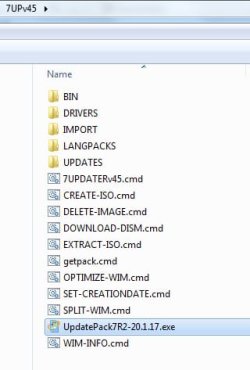
Then placed in the same directory as 7UPDATERv
somenumber.cmd like below:
View attachment 410796
https://mega.nz/#!n1xxlI6L!SuQHev3gClzRywdGteMHyNEHNL2euyL08xKCX-ZOtpE
This change of download has only just happened.
I have no problem doing this, as long as I now see it as an instruction. I assume I need to do it as a new preliminary setup step, which you're suggesting be done say after expanding your ZIP, so that the downloaded service pack can be put into it and thus be available when needed by the script process.
So, seems the only item left for me is to have all of those still-missing pictures get resurrected.
Again, perhaps a new "master recipe" post (including all current file names and all pictures, and the new note about the need to manually download the Simplix pack and where to put it) can be posted, and the first post replaced by a simple link to the newly posted up-to-date complete recipe here at the current end of this thread.
With what you've provided up till now, I think I can try it again. Perhaps those pictures are not necessary if everything is really automatic (once I put the Simplix pack where you show) from the command and prompts. We shall see.