Update your Win 7 installation media

fusilade

Obviously it didnt work for me since SP1 alone is 900mb.

It doesn't integrate SP1 into installation media. ( It can integrate SP1 into a running system )

If you want to update your installation media, it must already include SP1.

Do you have installation media that includes SP1?


I just need whatever the hell the driver is that allows my ssd install to be recognised on isntall - and apparently it doesnt exist anywhere.


There is a firmware update for LITEON_CX2-8B2563
https://www.dell.com/support/home/uk/en/ukbsdt1/drivers/driversdetails?driverid=cwx68

Probably the MS nvme updates are required for win7 - in addition to the Liteon oem driver.
 
Last edited:

My Computers My Computers

System One System Two

  • Computer type
    PC/Desktop
    OS
    7 X64
    CPU
    i5 8400
    Motherboard
    gigabyte b365m ds3h
    Memory
    2x8gb 3200mhz
    Hard Drives
    various
    PSU
    pure power 11 400w cm
    Case
    Coolermaster
    Cooling
    cryorig m9i
  • Computer type
    PC/Desktop
    OS
    7x64
    CPU
    g5400
    Motherboard
    ga b365m ds3h
    Memory
    8gb ddr4 2400
    PSU
    xfx pro 450w
SIW2 and Team...
Again Thanks for the wonderful tool to update Windows 7.
I have had several instances where DISM showed errors when integrating drivers into my Win 7 SP1 install media. Mostly mounting or unmounting errors so I have some questions about alternatives.

I have 8.1ADK installed on my system and wonder if I could use that DISM instead of the one 7Up44 calls without changing a bunch of coding in your command script. I don't want to use Win 10 DISM because I have gotten used to 8.1. unless Win 10 DISM is magnitudes better than 8.1. If it is a simple matter of replacing the DISM you use should I just replace the exe or are there other files that need to go with it. (To the "bin" folder right?)

Because of this occasional problem (once DISM even left a "mount" folder after unmounting an image) I have resorted to updating only one image at a time, running dism to "/Cleanup-wim" then updating the next image. Which I don't mind if it keeps me from having to do over.

I'm curious. When DISM had this trouble with multiple images, it showed errors but 7Up44 kept mounting another image to be updated. Is there an easy way to ask 7Up44 to stop if DISM has trouble with some activity it is supposed to complete? Right now if I hadn't been watching the Command prompt I would not have known of this issue as 7Up44 posted the job as being complete. I guess to me the thing is the mount point could have leftovers from a long time ago even and you might not catch it unless you knew what to look for. Just a curiosity thing mostly.

One of the main things I like about your tool is I can go back later and update another install.wim if I should choose. Also, 7Up44 definitely won't support Simplix integrating SP1. I tried and it doesn't work. But it will work on install media that has had SP1 integrated into it by using the instuction I linked to several pages back.

Anyway, Thanks again.
 

My Computer My Computer

Computer type
PC/Desktop
Computer Manufacturer/Model Number
Leo625`s Amazing Time Killers
OS
Win 7 Ultimate X64
CPU
AMD RYZEN 5 2600
Motherboard
GIGABYTE X470 AORUS Gaming 7 WIFI
Memory
MEM 2Gx8|G.SKILL AEGIS
Graphics Card(s)
NVIDIA 750 Ti
Sound Card
MB
Monitor(s) Displays
LG
Screen Resolution
1920 X 1080
Hard Drives
WD 1TB Black
PSU
Corsair 750
Case
Old and Sturdy
Cooling
3 - 120MM Fans and CoolerMaster Hyper 612 on CPU
Keyboard
Logitech wired and lighted
Mouse
Logitech wireless
Browser
Firefox
Leo625

You could change a line in the script to point at your preferred dism.exe

After line 108 :CLEARUP add SET DISM="your_path_to_dism.exe"

Not sure it would solve your issue with mounts not cleaned. I don't know why you are getting that, it doesn't happen here. Maybe you you have something open on the mount point, explorer perhaps. Or maybe something else - antivirus possibly. Always a good idea to turn av off during the procedure.

Or you could add the extra in red to line 534

Code:
start "Edns" /wait cmd.exe /v/c "@echo off& (for /l %%a in (2,1,%n%) do %DISM% /Mount-Wim /WimFile:%wimdirpath%\sources\$install.wim /Index:"%%a" /MountDir:"%mountN%"& %DISM% /Image:"%mountN%" /Set-Edition:!ned_%%a!&call "%TP%\bin\clean7.cmd" &%DISM% /Unmount-Wim /MountDir:"%mountN%" /Commit [COLOR="Red"]&%DISM% /cleanup-wim[/COLOR])"
 

My Computers My Computers

System One System Two

  • Computer type
    PC/Desktop
    OS
    7 X64
    CPU
    i5 8400
    Motherboard
    gigabyte b365m ds3h
    Memory
    2x8gb 3200mhz
    Hard Drives
    various
    PSU
    pure power 11 400w cm
    Case
    Coolermaster
    Cooling
    cryorig m9i
  • Computer type
    PC/Desktop
    OS
    7x64
    CPU
    g5400
    Motherboard
    ga b365m ds3h
    Memory
    8gb ddr4 2400
    PSU
    xfx pro 450w
Thanks for the help. I'll try changing DISM. This happens very infrequently as it is so it's not really a problem and keeps me on my toes.:-)
 

My Computer My Computer

Computer type
PC/Desktop
Computer Manufacturer/Model Number
Leo625`s Amazing Time Killers
OS
Win 7 Ultimate X64
CPU
AMD RYZEN 5 2600
Motherboard
GIGABYTE X470 AORUS Gaming 7 WIFI
Memory
MEM 2Gx8|G.SKILL AEGIS
Graphics Card(s)
NVIDIA 750 Ti
Sound Card
MB
Monitor(s) Displays
LG
Screen Resolution
1920 X 1080
Hard Drives
WD 1TB Black
PSU
Corsair 750
Case
Old and Sturdy
Cooling
3 - 120MM Fans and CoolerMaster Hyper 612 on CPU
Keyboard
Logitech wired and lighted
Mouse
Logitech wireless
Browser
Firefox
To install on running system:

( it will reboot and cleanup during the process)

a-simplix.jpg


To integrate into installation media:

If you have already downloaded the update pack and want to update installation media, you can copy the update pack to here - 7updater.cmd will find it and will not offer to download because it is already there

place-updatepack.jpg
 
Last edited:

My Computers My Computers

System One System Two

  • Computer type
    PC/Desktop
    OS
    7 X64
    CPU
    i5 8400
    Motherboard
    gigabyte b365m ds3h
    Memory
    2x8gb 3200mhz
    Hard Drives
    various
    PSU
    pure power 11 400w cm
    Case
    Coolermaster
    Cooling
    cryorig m9i
  • Computer type
    PC/Desktop
    OS
    7x64
    CPU
    g5400
    Motherboard
    ga b365m ds3h
    Memory
    8gb ddr4 2400
    PSU
    xfx pro 450w
New version 7UPv45 on first post.
 

My Computers My Computers

System One System Two

  • Computer type
    PC/Desktop
    OS
    7 X64
    CPU
    i5 8400
    Motherboard
    gigabyte b365m ds3h
    Memory
    2x8gb 3200mhz
    Hard Drives
    various
    PSU
    pure power 11 400w cm
    Case
    Coolermaster
    Cooling
    cryorig m9i
  • Computer type
    PC/Desktop
    OS
    7x64
    CPU
    g5400
    Motherboard
    ga b365m ds3h
    Memory
    8gb ddr4 2400
    PSU
    xfx pro 450w
How important is net framework? Also, will I need to uninstall telemetry updates or is that already handled by the simplex pack??
 

My Computer My Computer

Computer type
PC/Desktop
Computer Manufacturer/Model Number
custom
OS
windows 7 Pro 64 Bit
CPU
i5 4670K
Motherboard
Asus Max Hero 1150 socket
Memory
16GB DDR3@933mhz
Graphics Card(s)
Radeon R9 390 8192mb
Monitor(s) Displays
Dell U2415 x3
Screen Resolution
1920 (5760) x 1200 x3
Hard Drives
System: Kingston 128GB SSD

Installing to Samsung 860 EVO 500GB
WD Black 2 TB & 1 TB
PSU
Corsair CX750M
Cooling
Hyper 312
Internet Speed
50mbps
Quite a lot of programs need it. Updates for Nf2 and Nf3.5 are in the pack. Optionally you can put the Nf4.8 next to 7updater and simplix will also integrate it. Some programs expect Nf4.

Otherwise, you can leave it out and get it via windows update after you have installed from the updated media.

Same goes for vc redists.
 

My Computers My Computers

System One System Two

  • Computer type
    PC/Desktop
    OS
    7 X64
    CPU
    i5 8400
    Motherboard
    gigabyte b365m ds3h
    Memory
    2x8gb 3200mhz
    Hard Drives
    various
    PSU
    pure power 11 400w cm
    Case
    Coolermaster
    Cooling
    cryorig m9i
  • Computer type
    PC/Desktop
    OS
    7x64
    CPU
    g5400
    Motherboard
    ga b365m ds3h
    Memory
    8gb ddr4 2400
    PSU
    xfx pro 450w
Thank you. Does NF4.8 incorporate all earlier versions?


Oh, are the telemetry updates removed with the simplex update pack?
 

My Computer My Computer

Computer type
PC/Desktop
Computer Manufacturer/Model Number
custom
OS
windows 7 Pro 64 Bit
CPU
i5 4670K
Motherboard
Asus Max Hero 1150 socket
Memory
16GB DDR3@933mhz
Graphics Card(s)
Radeon R9 390 8192mb
Monitor(s) Displays
Dell U2415 x3
Screen Resolution
1920 (5760) x 1200 x3
Hard Drives
System: Kingston 128GB SSD

Installing to Samsung 860 EVO 500GB
WD Black 2 TB & 1 TB
PSU
Corsair CX750M
Cooling
Hyper 312
Internet Speed
50mbps
are the telemetry updates removed with the simplex update pack
yes

Does NF4.8 incorporate all earlier versions?

It covers earlier version of nf4, but there might be some programs that expect nf3.5.
 

My Computers My Computers

System One System Two

  • Computer type
    PC/Desktop
    OS
    7 X64
    CPU
    i5 8400
    Motherboard
    gigabyte b365m ds3h
    Memory
    2x8gb 3200mhz
    Hard Drives
    various
    PSU
    pure power 11 400w cm
    Case
    Coolermaster
    Cooling
    cryorig m9i
  • Computer type
    PC/Desktop
    OS
    7x64
    CPU
    g5400
    Motherboard
    ga b365m ds3h
    Memory
    8gb ddr4 2400
    PSU
    xfx pro 450w
Thanks for the info. I've successfully updated my win7 iso using your method and used Rufus to make the bootable flash drive. That part of the process went well. However, I'm having trouble with the USB being recognized. This is on new hardware. I'm using a PS/2 KB and a usb mouse (both are recognized). The bios sees the USB drive and I can boot from it to get into windows set up, but once in Setup, windows doesn't see the USB and I get the "Required CD/DVD device driver is missing" dialog. As mentioned, I've integrated every driver I can think of (find), but no luck ( I went through the updater process and added new drivers [extracted via DISM+++]) 3 times. I included the win 7 drivers for this board, although there aren't drivers specific to USB2 on the OEM site. There are USB3.1 & 3.0, but none exclusive to usb2.


Any ideas? This is unrelated to your program/method, but I've been at it for a while and could use some help.


The motherboard is a new Asus TUF Z370-Plus gaming, which has all flavors of USB, including USB2. The mouse I'm using is plugged into the USB port and works fine. The drivers are from the Asus site and are specified for Win 7.


TUF Z370-PLUS GAMING Driver & Tools | Motherboards | ASUS USA


Additional info: The SSD I plan to install to has a Win 7 install on it...one that I never finished as far as getting the apps, etc on it. It was being set up for another machine (I planned to just swap the SSD out).


I can boot into it ^, but it will not recognize the USB stick whether I hot plug it or boot into windows with it plugged in.
 

My Computer My Computer

Computer type
PC/Desktop
Computer Manufacturer/Model Number
custom
OS
windows 7 Pro 64 Bit
CPU
i5 4670K
Motherboard
Asus Max Hero 1150 socket
Memory
16GB DDR3@933mhz
Graphics Card(s)
Radeon R9 390 8192mb
Monitor(s) Displays
Dell U2415 x3
Screen Resolution
1920 (5760) x 1200 x3
Hard Drives
System: Kingston 128GB SSD

Installing to Samsung 860 EVO 500GB
WD Black 2 TB & 1 TB
PSU
Corsair CX750M
Cooling
Hyper 312
Internet Speed
50mbps
You might need to add these drivers using ez-installer if you haven't already https://dlcdnets.asus.com/pub/ASUS/...Installer_W10_64_W7_64_VER10401_20190401R.zip
Select "Update the original Windows 7 OS in the USB storage device" and tick "NVMe" box


The following can be integrated after the OS has been installed:

These irst have worked for other asus z370 boards
https://dlcdnets.asus.com/pub/ASUS/mb/05SATA/RST_15.8.1.1007_20170913_WHQL.zip

these chipset drivers say win10 but work for win7/8 on asus z370 also
https://dlcdnets.asus.com/pub/ASUS/mb/03CHIPSET/Intel_Chipset_Win10_V101144_20170830_7.45.zip
 

My Computers My Computers

System One System Two

  • Computer type
    PC/Desktop
    OS
    7 X64
    CPU
    i5 8400
    Motherboard
    gigabyte b365m ds3h
    Memory
    2x8gb 3200mhz
    Hard Drives
    various
    PSU
    pure power 11 400w cm
    Case
    Coolermaster
    Cooling
    cryorig m9i
  • Computer type
    PC/Desktop
    OS
    7x64
    CPU
    g5400
    Motherboard
    ga b365m ds3h
    Memory
    8gb ddr4 2400
    PSU
    xfx pro 450w
Thanks for the direction. Much appreciated. It's been a long day, so I'll be giving this a shot tomorrow. I'll post back the results.
 

My Computer My Computer

Computer type
PC/Desktop
Computer Manufacturer/Model Number
custom
OS
windows 7 Pro 64 Bit
CPU
i5 4670K
Motherboard
Asus Max Hero 1150 socket
Memory
16GB DDR3@933mhz
Graphics Card(s)
Radeon R9 390 8192mb
Monitor(s) Displays
Dell U2415 x3
Screen Resolution
1920 (5760) x 1200 x3
Hard Drives
System: Kingston 128GB SSD

Installing to Samsung 860 EVO 500GB
WD Black 2 TB & 1 TB
PSU
Corsair CX750M
Cooling
Hyper 312
Internet Speed
50mbps
Consider me a rookie (which I'm not). I am trying to follow your recipe as shown in the very first post on this thread (which you updated in the past few days) so I assume it is supposed to be current and accurate but it doesn't seem to be.

Questions:

(1) Step (1) refers to a folder on the root of C named c:\7UPv41, but the latest ZIP file you posted as of Jan 17 is actually named c:\7UP45. Should the instruction be updated to refer to C:\7UPv45?

(2) Step (2) says to "paste your installation media to a hard drive". Is this the ISO as downloaded from MS, or is it a folder containing the expanded ISO contents?

I assume the latter since I am later prompted to navigate to the folder. So I'm guessing it should be the folder containing the completely expanded ISO contents. Is there a reason you didn't state that? Am I misinterpreting what step (2) is telling me to do?

(3) Step (3) says to run the 7UPv41.cmd, presumably contained in the originally named 7UPv41 folder. In the latest expanded folder produced by the Jan 17 7UPV45.ZIP there is now a differently named command, 7UPDATERv45.cmd. I assume that this should now be specified as the command to run, and that the recipe instruction text should be updated accordingly.

(4) There are presumably instructional and helpful JPG image files provided with instructions (3), (4) and (5). However these JPG images are not viewable. I don't know where they are, but using Firefox and IE they are simply (a) not shown as in-line JPG screenshots, and (b) not usable as active links to an image site.

I am certain these three screenshots are critical and useful and helpful, and almost definitely visually provide a recipe step I am supposed to perform or something important for me to see and know. So I'd definitely like to see them. But as the first post currently stands they are not visible to me. Can you please address this in that first post so that the three pictures are visible?

(5) Throughout the later posts in this thread there are numerous references to DISM. But there is no mention of DISM in this first post, which I thought provided the "complete recipe". So I'm confused.

If I perform steps (2) - (6) as documented in the first post on this thread, is that all I need to do? Or if there are further tasks I additionally have to perform, or other downloads and steps I need to take, can I suggest they should be stated here in the first post so that it can really be used as the complete recipe.

Much of the later discussion in this thread got very complicated and talked about DISM, etc., and I was unable to really follow it "blind" having never actually run this process yet even once. I would very much like to get (a) an up-to-the-minute Win7 Pro installer ISO file (for use in VMWare to install Win7), as well as (b) bootable USB (for use on a physical machine). So I'm really asking for help.

If somebody's already produced one or both of my ultimate finished product goals and can provide a download link for me to simply grab your finished product, there would be no need for me to perform this from-scratch process myself. That would be fabulously convenient, if possible.

But I will be glad to perform the complete process myself, if only I could get the answers to my above questions so that I could actually perform the process correctly. At the moment, as you can tell, I'm baffled... probably mostly because of the missing pictures from steps (3) - (5) that are likely very critical.

Thanks.
 

My Computer My Computer

Computer type
PC/Desktop
Computer Manufacturer/Model Number
Home-built, two systems (1) and (2)
OS
Windows 7 Pro x64 (1), Win7 Pro X64 (2)
CPU
i5-3350p 3.1Ghz/6MB-cache (1); E8400 3.0Ghz/6MB-cache (2)
Motherboard
ASUS P8Z77-V Pro (1); ASUS P5Q3 (2)
Memory
8GB PC3-12800 DDR3 (1); 4GB PC3-10600 DDR3 (2)
Graphics Card(s)
ATI HD7750 (1), (see TV cards); ATI R7 250 (2)
Sound Card
Realtek ALC892 HD Audio (1); Realtek ALC1200 HD Audio (2)
Monitor(s) Displays
Eizo HD2441W LCD, Eizo S2433W (1); Eizo 24" S2433W (2)
Screen Resolution
1920x1200, 1920x1200 (1); 1920x1200 (2)
Hard Drives
(1) 1TB SATA-II (7200RPM), 2x2TB SATA-III (7200RPM), 250GB SATA-III (10000RPM) for OS; 2x2TB external USB 3.0

(2) 320GB SATA-II (7200RPM), 750GB SATA-II (7200RPM), 150GB SATA-II (10000RPM) for OS; 2TB external USB 3.0
PSU
Nesteq ECS-6001 600W (1); Nesteq ECS-5001 500W (2)
Case
Acousti-Case 360 (1) and (2)
Cooling
Noctua NH-U12P SE2 for CPU, 2x120mm case fans (1) and (2)
Keyboard
IBM PS/2 (1) and (2)
Mouse
Logitech MX Revolution wireless (1); Microsoft wired (2)
Internet Speed
100mbps down / 10mbps up
Antivirus
Microsoft Security Essentials; Malwarebyte Anti-Malware Pro
Browser
Firefox
Other Info
Ceton InfiniTV 4-tuner cablecard-enabled TV card as well as Hauppauge HVR-2250 OTA/ATSC 2-tuner TV card in (1), running under Win7 WMC
1.
(1) Step (1) refers to a folder on the root of C named c:\7UPv41, but the latest ZIP file you posted as of Jan 17 is actually named c:\7UP45. Should the instruction be updated to refer to C:\7UPv45?
Yes, obviously the v number will change from time to time

2.
(2) Step (2) says to "paste your installation media to a hard drive". Is this the ISO as downloaded from MS, or is it a folder containing the expanded ISO contents?

EITHER
Pop the installation dvd/usb in the drive, rt click the dvd/usb drive select copy, then rt click hard disk and select paste

OR
the iso contents ( which can be extracted using EXTRACT-ISO.cmd ) .

3.
7UPDATERv45.cmd. I assume that this should now be specified as the command to run
Yes, obviously the version number will change from time to time.

4.
There are presumably instructional and helpful JPG image files provided with instructions
The pics were on the first post initially, but the site no longer seems to support as many attachments per post..

THERE ARE SCREENSHOTS HERE


Throughout the later posts in this thread there are numerous references to DISM. But there is no mention of DISM in this first post, which I thought provided the "complete recipe". So I'm confused.
The script automates the integration of updates/drivers partly by using the command line tool called dism. It saves the user having to figure out the commands.


NOTE:
The updates are contained in a pack (updatepack7R-date.exe) maintained by Simplix.
Up to now, the script has offered to download the latest updatepack from Simplix site.
Probably due to high demand, the updatepack is now hosted at MEGA.
The updatepack therefore has to be downloaded separately by the user.
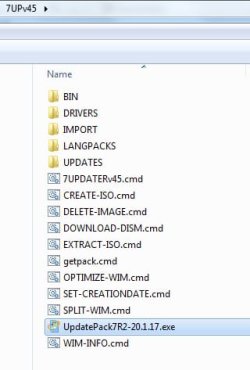
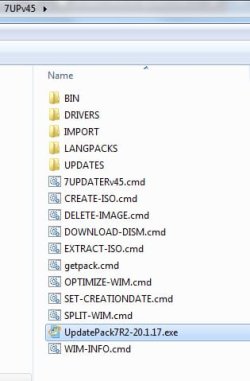
Then placed in the same directory as 7UPDATERvsomenumber.cmd like below:

placeA-updatepack.jpg


https://mega.nz/#!n1xxlI6L!SuQHev3gClzRywdGteMHyNEHNL2euyL08xKCX-ZOtpE

This change of download has only just happened.
 
Last edited:

My Computers My Computers

System One System Two

  • Computer type
    PC/Desktop
    OS
    7 X64
    CPU
    i5 8400
    Motherboard
    gigabyte b365m ds3h
    Memory
    2x8gb 3200mhz
    Hard Drives
    various
    PSU
    pure power 11 400w cm
    Case
    Coolermaster
    Cooling
    cryorig m9i
  • Computer type
    PC/Desktop
    OS
    7x64
    CPU
    g5400
    Motherboard
    ga b365m ds3h
    Memory
    8gb ddr4 2400
    PSU
    xfx pro 450w
Thanks for the help and clarifying answers. But I still have questions.

2.

EITHER
Pop the installation dvd/usb in the drive, rt click the dvd/usb drive select copy, then rt click hard disk and select paste

OR
the iso contents ( which can be extracted using EXTRACT-ISO.cmd ).
Not exactly what I was asking but you've cleared up the confusion with your answer.

I was asking if the un-extracted ISO file by itself (not the expanded ISO using EXTRACT or WinRAR, etc.) as downloaded directly from MS was usable, as-is and un-extracted. Or, did I have to expand it myself so that it looked like the actual bootable installation DVD/USB.

In other words, could the unexpanded ISO be read directly (with the process automatically extracting it internally, rather than requiring me to do it)? And apparently the answer is no. So I need to populate the folder required by your command either by (a) expanding the ISO myself into its implied folders/files, or (b) COPY/PASTE an ordinary install DVD/USB, which is really the same folder/file type of structure.

4.

The pics were on the first post initially, but the site no longer seems to support as many attachments per post..

THERE ARE SCREENSHOTS HERE
The only pictures present there are what appear to be for instructions (1) and (3).

There are still no pictures in-line and for (2), (5) - (10). Can you please edit? I'm puzzled about why they all can't be in a single post, as I've certainly had no trouble posting multiple images in a single post.

Anyway, perhaps just a new single "master recipe" with all steps with current names and all images should be built, current as of right now.

The script automates the integration of updates/drivers partly by using the command line tool called dism. It saves the user having to figure out the commands.
I already have multiple versions of DISM.EXE on my system without doing anything, probably different releases?

[NOTE:
The updates are contained in a pack (updatepack7R-date.exe) maintained by Simplix.
Up to now, the script has offered to download the latest updatepack from Simplix site.
Probably due to high demand, the updatepack is now hosted at MEGA.
The updatepack therefore has to be downloaded separately by the user.
Then placed in the same directory as 7UPDATERvsomenumber.cmd like below:

View attachment 410796


https://mega.nz/#!n1xxlI6L!SuQHev3gClzRywdGteMHyNEHNL2euyL08xKCX-ZOtpE

This change of download has only just happened.
I have no problem doing this, as long as I now see it as an instruction. I assume I need to do it as a new preliminary setup step, which you're suggesting be done say after expanding your ZIP, so that the downloaded service pack can be put into it and thus be available when needed by the script process.

So, seems the only item left for me is to have all of those still-missing pictures get resurrected.

Again, perhaps a new "master recipe" post (including all current file names and all pictures, and the new note about the need to manually download the Simplix pack and where to put it) can be posted, and the first post replaced by a simple link to the newly posted up-to-date complete recipe here at the current end of this thread.

With what you've provided up till now, I think I can try it again. Perhaps those pictures are not necessary if everything is really automatic (once I put the Simplix pack where you show) from the command and prompts. We shall see.

 

My Computer My Computer

Computer type
PC/Desktop
Computer Manufacturer/Model Number
Home-built, two systems (1) and (2)
OS
Windows 7 Pro x64 (1), Win7 Pro X64 (2)
CPU
i5-3350p 3.1Ghz/6MB-cache (1); E8400 3.0Ghz/6MB-cache (2)
Motherboard
ASUS P8Z77-V Pro (1); ASUS P5Q3 (2)
Memory
8GB PC3-12800 DDR3 (1); 4GB PC3-10600 DDR3 (2)
Graphics Card(s)
ATI HD7750 (1), (see TV cards); ATI R7 250 (2)
Sound Card
Realtek ALC892 HD Audio (1); Realtek ALC1200 HD Audio (2)
Monitor(s) Displays
Eizo HD2441W LCD, Eizo S2433W (1); Eizo 24" S2433W (2)
Screen Resolution
1920x1200, 1920x1200 (1); 1920x1200 (2)
Hard Drives
(1) 1TB SATA-II (7200RPM), 2x2TB SATA-III (7200RPM), 250GB SATA-III (10000RPM) for OS; 2x2TB external USB 3.0

(2) 320GB SATA-II (7200RPM), 750GB SATA-II (7200RPM), 150GB SATA-II (10000RPM) for OS; 2TB external USB 3.0
PSU
Nesteq ECS-6001 600W (1); Nesteq ECS-5001 500W (2)
Case
Acousti-Case 360 (1) and (2)
Cooling
Noctua NH-U12P SE2 for CPU, 2x120mm case fans (1) and (2)
Keyboard
IBM PS/2 (1) and (2)
Mouse
Logitech MX Revolution wireless (1); Microsoft wired (2)
Internet Speed
100mbps down / 10mbps up
Antivirus
Microsoft Security Essentials; Malwarebyte Anti-Malware Pro
Browser
Firefox
Other Info
Ceton InfiniTV 4-tuner cablecard-enabled TV card as well as Hauppauge HVR-2250 OTA/ATSC 2-tuner TV card in (1), running under Win7 WMC

My Computers My Computers

System One System Two

  • Computer type
    PC/Desktop
    OS
    7 X64
    CPU
    i5 8400
    Motherboard
    gigabyte b365m ds3h
    Memory
    2x8gb 3200mhz
    Hard Drives
    various
    PSU
    pure power 11 400w cm
    Case
    Coolermaster
    Cooling
    cryorig m9i
  • Computer type
    PC/Desktop
    OS
    7x64
    CPU
    g5400
    Motherboard
    ga b365m ds3h
    Memory
    8gb ddr4 2400
    PSU
    xfx pro 450w
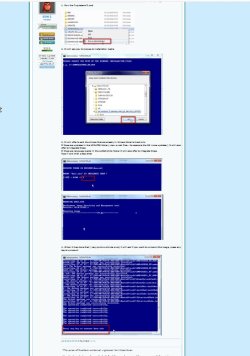
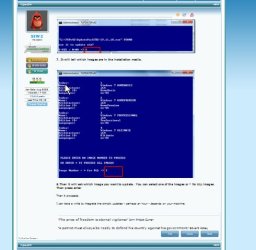
Screenshots start here and continue for the next several posts

The screen shots continue for the next several posts. Did you not think to scroll down?
Did you think I didn't scroll down???

Do you see the pictures in the following screenshot, or do you agree that they are somehow not present or showing for some reason??

wv3jcT.jpg
 

My Computer My Computer

Computer type
PC/Desktop
Computer Manufacturer/Model Number
Home-built, two systems (1) and (2)
OS
Windows 7 Pro x64 (1), Win7 Pro X64 (2)
CPU
i5-3350p 3.1Ghz/6MB-cache (1); E8400 3.0Ghz/6MB-cache (2)
Motherboard
ASUS P8Z77-V Pro (1); ASUS P5Q3 (2)
Memory
8GB PC3-12800 DDR3 (1); 4GB PC3-10600 DDR3 (2)
Graphics Card(s)
ATI HD7750 (1), (see TV cards); ATI R7 250 (2)
Sound Card
Realtek ALC892 HD Audio (1); Realtek ALC1200 HD Audio (2)
Monitor(s) Displays
Eizo HD2441W LCD, Eizo S2433W (1); Eizo 24" S2433W (2)
Screen Resolution
1920x1200, 1920x1200 (1); 1920x1200 (2)
Hard Drives
(1) 1TB SATA-II (7200RPM), 2x2TB SATA-III (7200RPM), 250GB SATA-III (10000RPM) for OS; 2x2TB external USB 3.0

(2) 320GB SATA-II (7200RPM), 750GB SATA-II (7200RPM), 150GB SATA-II (10000RPM) for OS; 2TB external USB 3.0
PSU
Nesteq ECS-6001 600W (1); Nesteq ECS-5001 500W (2)
Case
Acousti-Case 360 (1) and (2)
Cooling
Noctua NH-U12P SE2 for CPU, 2x120mm case fans (1) and (2)
Keyboard
IBM PS/2 (1) and (2)
Mouse
Logitech MX Revolution wireless (1); Microsoft wired (2)
Internet Speed
100mbps down / 10mbps up
Antivirus
Microsoft Security Essentials; Malwarebyte Anti-Malware Pro
Browser
Firefox
Other Info
Ceton InfiniTV 4-tuner cablecard-enabled TV card as well as Hauppauge HVR-2250 OTA/ATSC 2-tuner TV card in (1), running under Win7 WMC
They show for me

1.jpg

2.jpg

3.jpg
 

My Computers My Computers

System One System Two

  • Computer type
    PC/Desktop
    OS
    7 X64
    CPU
    i5 8400
    Motherboard
    gigabyte b365m ds3h
    Memory
    2x8gb 3200mhz
    Hard Drives
    various
    PSU
    pure power 11 400w cm
    Case
    Coolermaster
    Cooling
    cryorig m9i
  • Computer type
    PC/Desktop
    OS
    7x64
    CPU
    g5400
    Motherboard
    ga b365m ds3h
    Memory
    8gb ddr4 2400
    PSU
    xfx pro 450w
Back
Top