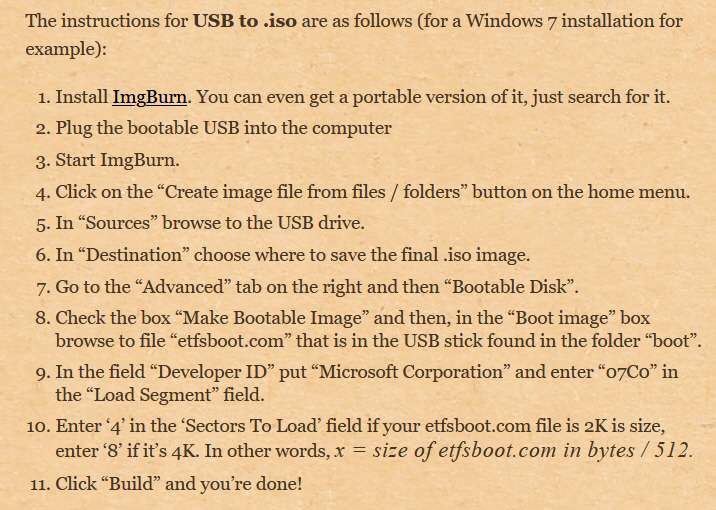
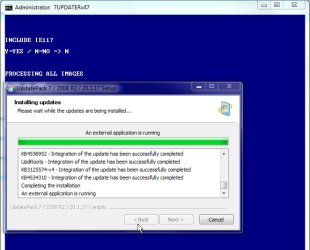
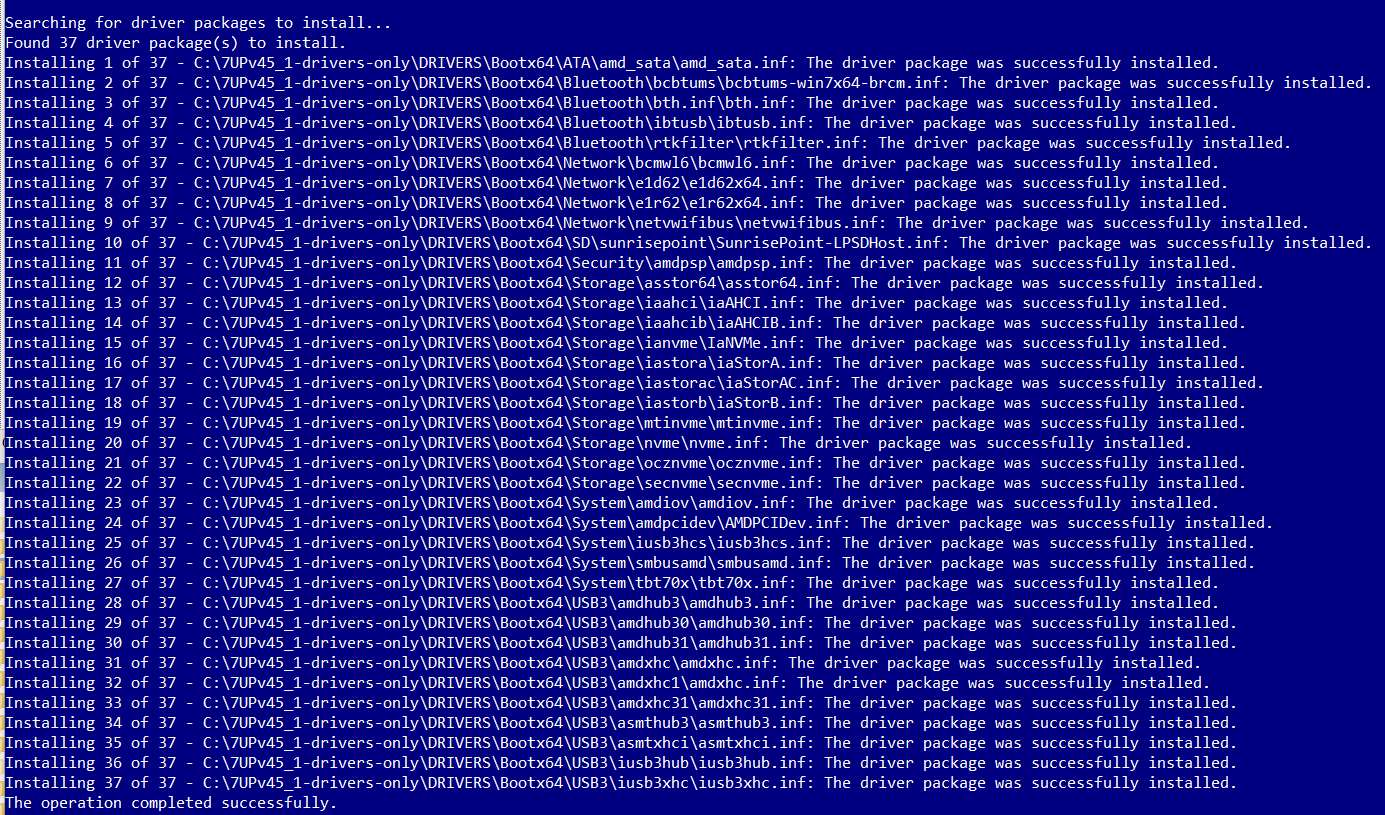
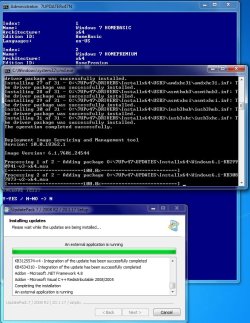
To try and figure out what I'm supposed to be seeing in \FileRepository after running 7UP, I've now run the Gigabyte utility again... which is a similar concept. The difference is that the Gigabyte utility only slipstreams the USB3 and NVMe drivers into the Win7 install media whereas 7UP supports a generalized set of \Drivers and \Updates, along with the SIMPLIX collection of Windows Updates. But otherwise they concept is the same.
Using the very same 4-version Win7 ISO from MS as I used with 7UP, I analyzed \FileRepository before and after the update (looking at INSTALL.WIM before and after with PowerISO). This is the same thing I did for 7UP.
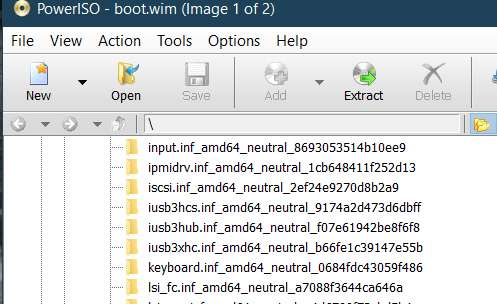
To keep things simple, let's consider just the USB3 drivers, and look at what the original MS ISO has in \FileRepository (around the IUSB3 alphabetically). Note that there is no IUSB3* folder, since USB3 drivers are not present in the MS Win7 ISO.
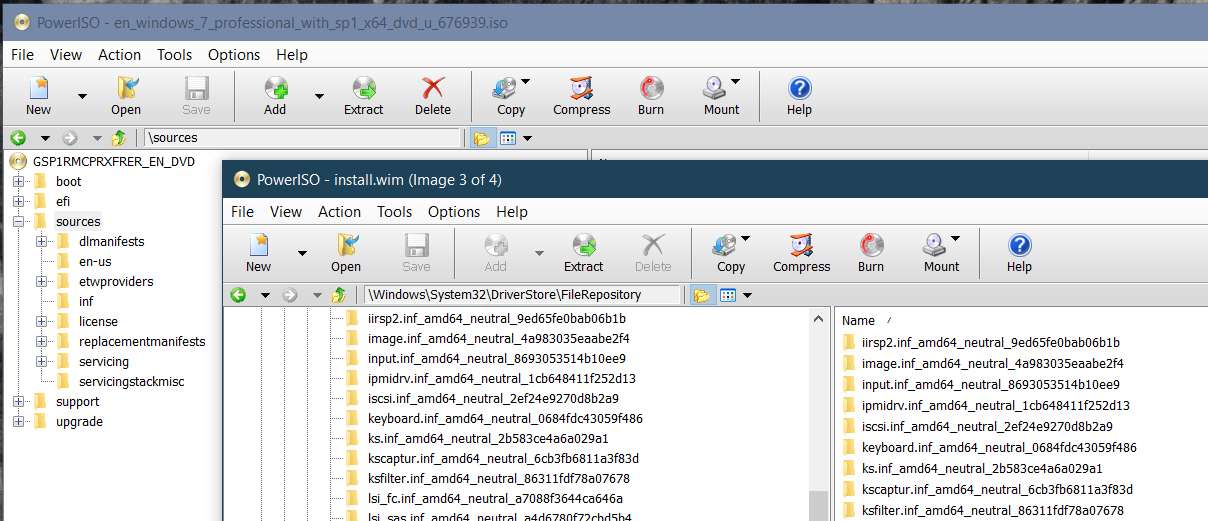
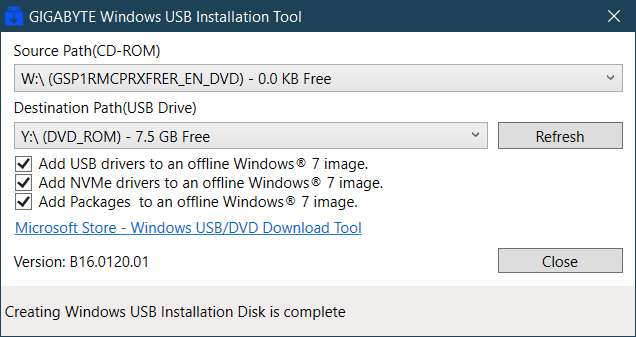
After mounting the MS bootable ISO into a virtual-W drive, I then ran the Gigabyte utility, creating a physical bootable USB on output drive Y:
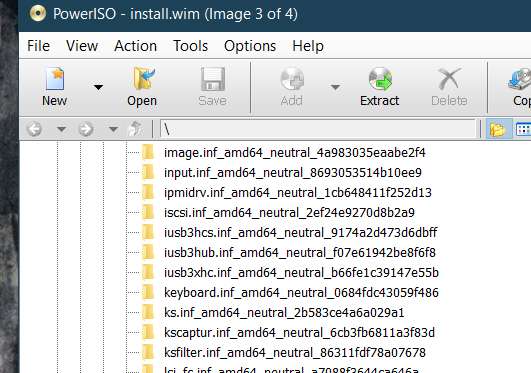
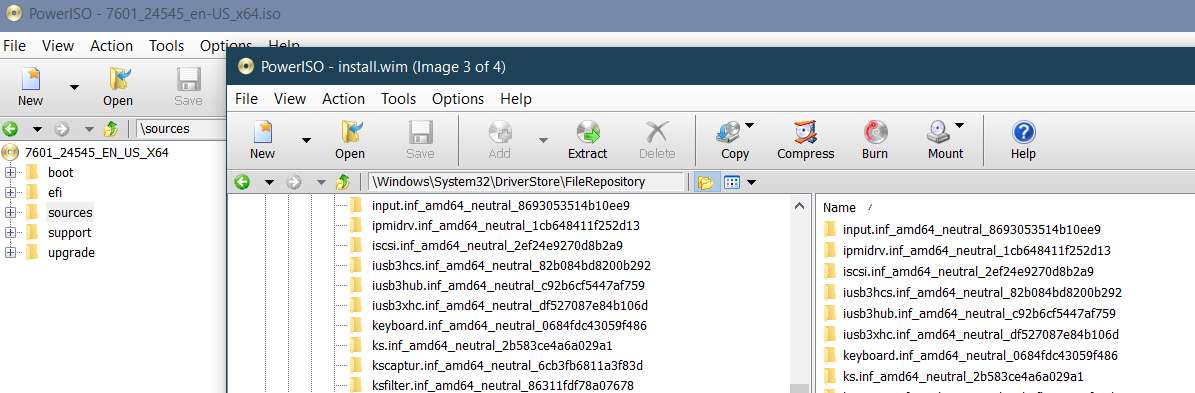
I then used IMGBurn to create a new bootable ISO file from the physical bootable USB I just created with the Gigabyte utility. I then used PowerISO to look at INSTALL.WIM in the ISO, and then further looked at \FileRepository inside of INSTALL.WIM, to examine that same alphabetical section where IUSB3* should appear. And sure enough IT DOES APPEAR!! Note that this INSTALL.WIM is less than 4GB, so that it is retained.
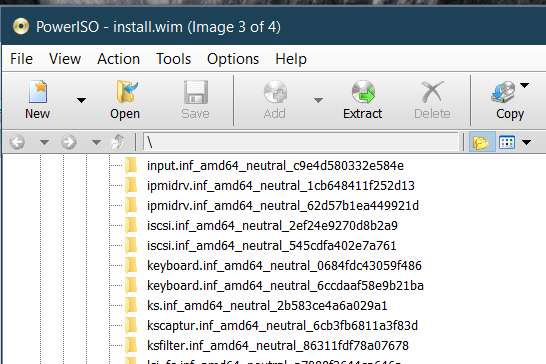
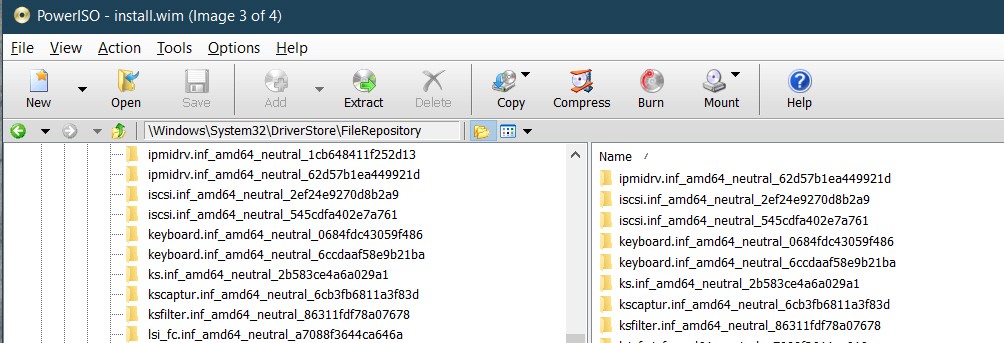
In contrast, as I showed in a previous post, the output of 7UP does NOT have the IUSB3* folders present in \FileRepository inside the originally created 4.8GB INSTALL.WIM (which was split by SPLIT-ISO.CMD into two SWM fractions each smaller than 4GB, which are actually present in \Sources and thus used to do the actual Win7 install into Win7-VM).
So what's going on? All driver folders ARE present in the correct \7UP folders as produced by running 7UPDATERv45.CMD.
Apparently the USB3 drivers DID get installed from \Drivers into the boot media so that the physical Win7 install could be performed since mouse and keyboard were functional.
And yet, these same USB3 drivers DID NOT get incorporated properly to build the proper new IUSB3* folders in \FileRepository inside of INSTALL.WIM.
So what's not right here?
With the possibility that in all of my confusion over the past few days perhaps I've somehow used the "empty" expanded folder (with no drivers in it) instead of the "fully populated" folder (accomplished by running 7UPDATERv45.CMD which expands the 7Z driver files), I am going to repeat the entire 7UP process again being very careful I follow where I am and what's inside of \Drivers.
But for now, there's no question that the large 4.8GB INSTALL.WIM (which must be the output from 7UP, since the input INSTALL.WIM was only 2.8GB) doesn't have IUSB3* folders in it. The only question is did I have proper non-empty \Drivers folders when I started. I don't see how that could possibly have been true, but I'll re-run this whole thing one more time.
Can I ask that you please look inside of your own INSTALL.WIM out of 7UP, to examine \FileRepository ot see if you do or do not have IUSB3* folder? If you do, then the problem I'm having must be my own problem. If you do not, then the problem is with 7UP.
Using the very same 4-version Win7 ISO from MS as I used with 7UP, I analyzed \FileRepository before and after the update (looking at INSTALL.WIM before and after with PowerISO). This is the same thing I did for 7UP.
To keep things simple, let's consider just the USB3 drivers, and look at what the original MS ISO has in \FileRepository (around the IUSB3 alphabetically). Note that there is no IUSB3* folder, since USB3 drivers are not present in the MS Win7 ISO.
After mounting the MS bootable ISO into a virtual-W drive, I then ran the Gigabyte utility, creating a physical bootable USB on output drive Y:
I then used IMGBurn to create a new bootable ISO file from the physical bootable USB I just created with the Gigabyte utility. I then used PowerISO to look at INSTALL.WIM in the ISO, and then further looked at \FileRepository inside of INSTALL.WIM, to examine that same alphabetical section where IUSB3* should appear. And sure enough IT DOES APPEAR!! Note that this INSTALL.WIM is less than 4GB, so that it is retained.
In contrast, as I showed in a previous post, the output of 7UP does NOT have the IUSB3* folders present in \FileRepository inside the originally created 4.8GB INSTALL.WIM (which was split by SPLIT-ISO.CMD into two SWM fractions each smaller than 4GB, which are actually present in \Sources and thus used to do the actual Win7 install into Win7-VM).
So what's going on? All driver folders ARE present in the correct \7UP folders as produced by running 7UPDATERv45.CMD.
Apparently the USB3 drivers DID get installed from \Drivers into the boot media so that the physical Win7 install could be performed since mouse and keyboard were functional.
And yet, these same USB3 drivers DID NOT get incorporated properly to build the proper new IUSB3* folders in \FileRepository inside of INSTALL.WIM.
So what's not right here?
With the possibility that in all of my confusion over the past few days perhaps I've somehow used the "empty" expanded folder (with no drivers in it) instead of the "fully populated" folder (accomplished by running 7UPDATERv45.CMD which expands the 7Z driver files), I am going to repeat the entire 7UP process again being very careful I follow where I am and what's inside of \Drivers.
But for now, there's no question that the large 4.8GB INSTALL.WIM (which must be the output from 7UP, since the input INSTALL.WIM was only 2.8GB) doesn't have IUSB3* folders in it. The only question is did I have proper non-empty \Drivers folders when I started. I don't see how that could possibly have been true, but I'll re-run this whole thing one more time.
Can I ask that you please look inside of your own INSTALL.WIM out of 7UP, to examine \FileRepository ot see if you do or do not have IUSB3* folder? If you do, then the problem I'm having must be my own problem. If you do not, then the problem is with 7UP.
My Computer
- Computer type
- PC/Desktop
- Computer Manufacturer/Model Number
- Home-built, two systems (1) and (2)
- OS
- Windows 7 Pro x64 (1), Win7 Pro X64 (2)
- CPU
- i5-3350p 3.1Ghz/6MB-cache (1); E8400 3.0Ghz/6MB-cache (2)
- Motherboard
- ASUS P8Z77-V Pro (1); ASUS P5Q3 (2)
- Memory
- 8GB PC3-12800 DDR3 (1); 4GB PC3-10600 DDR3 (2)
- Graphics Card(s)
- ATI HD7750 (1), (see TV cards); ATI R7 250 (2)
- Sound Card
- Realtek ALC892 HD Audio (1); Realtek ALC1200 HD Audio (2)
- Monitor(s) Displays
- Eizo HD2441W LCD, Eizo S2433W (1); Eizo 24" S2433W (2)
- Screen Resolution
- 1920x1200, 1920x1200 (1); 1920x1200 (2)
- Hard Drives
- (1) 1TB SATA-II (7200RPM), 2x2TB SATA-III (7200RPM), 250GB SATA-III (10000RPM) for OS; 2x2TB external USB 3.0
(2) 320GB SATA-II (7200RPM), 750GB SATA-II (7200RPM), 150GB SATA-II (10000RPM) for OS; 2TB external USB 3.0
- PSU
- Nesteq ECS-6001 600W (1); Nesteq ECS-5001 500W (2)
- Case
- Acousti-Case 360 (1) and (2)
- Cooling
- Noctua NH-U12P SE2 for CPU, 2x120mm case fans (1) and (2)
- Keyboard
- IBM PS/2 (1) and (2)
- Mouse
- Logitech MX Revolution wireless (1); Microsoft wired (2)
- Internet Speed
- 100mbps down / 10mbps up
- Antivirus
- Microsoft Security Essentials; Malwarebyte Anti-Malware Pro
- Browser
- Firefox
- Other Info
- Ceton InfiniTV 4-tuner cablecard-enabled TV card as well as Hauppauge HVR-2250 OTA/ATSC 2-tuner TV card in (1), running under Win7 WMC