Hey there, this is my first post.
After a very bad experience with W10, I decided I want to go back to W7. So I researched about it across the internet (including this forum) and I understood that the only problem is that my modern computer components don’t have drivers for W7. So I have some questions.
How did you guys overcome this driver problem? If I install the W7 drivers, will it erase my W10 drivers and I won’t be able to go back to W10 if the W7 installation fails? Can I permanently ruin my computer? Is there any other problems I can have based on my specs? Do you have any tutorial you reccomend me to follow?
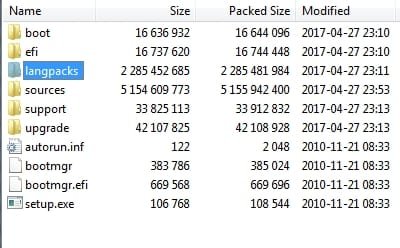
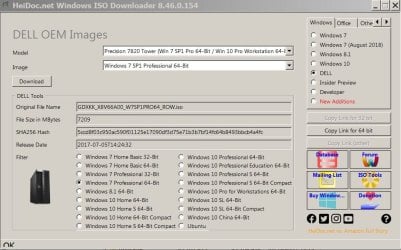
I saw in some threads here that there is this updated windows 7 installation thing, that is a very big file, and it will make ssds and usb3.1 works, but I don't get it, does it have all the drivers I need?
Here are my PC specs:
It’s a Dell Inspiron 15 3583
CPU: Intel core i5 8th gen (i5-8265U)
Motherboard: 0T0MC0. It has 1 USB 2.0 port (that I read that it’s important to install W7) and 2 USB 3.1 ports.
RAM: 8GB
GPU: Intel UHD graphics 620
HDD: toshiba mq04abf100 1tb
I'm *very* noob, so please be patient. Tell me if I forgot to mention any important component of my pc.
And my pc is currently not working, W10 decided to update something and now I can't access the OS or my files, I'm stuck in a dumb blue screen. This is the second time this happens, and thank god I was able to backup my files the 1st time. I don't currently have any important files on my computer. And this kind of thing is among the reasons I'm done with W10 and I rlly hope it's not the only microsoft OS I can run on my computer.
After a very bad experience with W10, I decided I want to go back to W7. So I researched about it across the internet (including this forum) and I understood that the only problem is that my modern computer components don’t have drivers for W7. So I have some questions.
How did you guys overcome this driver problem? If I install the W7 drivers, will it erase my W10 drivers and I won’t be able to go back to W10 if the W7 installation fails? Can I permanently ruin my computer? Is there any other problems I can have based on my specs? Do you have any tutorial you reccomend me to follow?
I saw in some threads here that there is this updated windows 7 installation thing, that is a very big file, and it will make ssds and usb3.1 works, but I don't get it, does it have all the drivers I need?
Here are my PC specs:
It’s a Dell Inspiron 15 3583
CPU: Intel core i5 8th gen (i5-8265U)
Motherboard: 0T0MC0. It has 1 USB 2.0 port (that I read that it’s important to install W7) and 2 USB 3.1 ports.
RAM: 8GB
GPU: Intel UHD graphics 620
HDD: toshiba mq04abf100 1tb
I'm *very* noob, so please be patient. Tell me if I forgot to mention any important component of my pc.
And my pc is currently not working, W10 decided to update something and now I can't access the OS or my files, I'm stuck in a dumb blue screen. This is the second time this happens, and thank god I was able to backup my files the 1st time. I don't currently have any important files on my computer. And this kind of thing is among the reasons I'm done with W10 and I rlly hope it's not the only microsoft OS I can run on my computer.
My Computers
-
At a glance
Windows 10 x64i5-8265U- Computer type
- PC/Desktop
- Computer Manufacturer/Model Number
- Dell
- OS
- Windows 10 x64
- CPU
- i5-8265U
-
- Computer type
- PC/Desktop


 option