

- Local time
- 11:05 AM
- Messages
- 4,527
I've tried to do the reply in your message above hope that works..Ok,
If you can connect the laptop to the Internet via the router using a cable then at a basic level the connection is correctly set-up
The wireless network is in practical terms a special Cable the fact that It works wired should mean it will work wireless
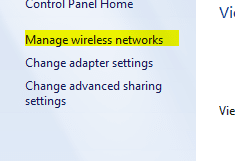
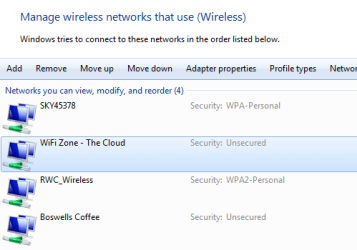
If you open the Network and sharing center and on the left select the Manage wireless networks. Select each item in the list and select remove until there are no entries left
I'm going to reply to you this way today.. so you'll see what I'm doing.
screen shot of the page you ask for above:
View attachment 65742
Hope this is what you wanted to see.. there is nothing on that page I can delete..there are items under Adapter properties..no way to delete those.. so left those nothing else was there..
2nd. Item
Go into the router (using the desktop), and make sure you know the exact name and the password for your SSID (tomatokingdom 2? ), Note that the password will be case sensitive
Screen shot.. as you can see the passowrd worked perfectly.
View attachment 65744
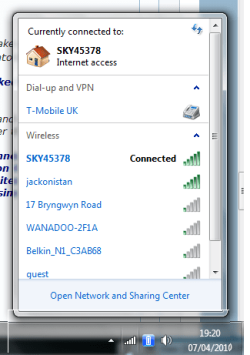
Back on the laptop click on the tray network icon and click on the tomatokingdom 2? entry and select connect - enter the exact password when prompted.
The point of removing any existing entries is to make sure that the security type and encryption type are correct which win7 automatically checks on a new network entry
I hope this is working for you.


Last edited:
My Computer
- Computer type
- Laptop
- Computer Manufacturer/Model Number
- Gateway 17.3" LCD Intel Dual-Core, 8GB RAM 1TB HDD Windows 8 Laptop
- OS
- Windows 8 - 64-bit
- CPU
- 2.2GHz Intel Pentium dual-core B960 processor with 2MB L3 ca
- Memory
- 8GB DDR3
- Graphics Card(s)
- Intel HD Graphics with 128MB of dedicated system memory
- Monitor(s) Displays
- 17.3" Ultrabright HD widescreen LED-backlit LCD
- Screen Resolution
- 1280 X 1024
- Hard Drives
- 1TB hard drive-1000 GB HDD
DVD-Super Multi DL drive
- PSU
- Intel B960 processor
- Case
- XXXXX
- Cooling
- XXXXX
- Keyboard
- Multi Gesture Touchpad
- Mouse
- USB - portable mouse... I added this
- Antivirus
- Avast
- Browser
- I E 10
- Other Info
- I see nothing about Motherboard info.
I'm not sure about Sound Card
Ports :(3) USB 2.0, (1) HDMI, (1) VGA, (1) Headphone out, (1) Microphone in, (1) Ethernet LAN
•Fast Wi-Fi wireless and wired Gigabit Ethernet networking
•HDMI output
•Kensington lock slot
I have no idea what all this actually means

 but congratulations on getting on line


