Help fonts becoming italic or bold

christantoan

New member
Member
Local time
3:38 AM
Messages
55
Location
Sragen, Jawa Tengah
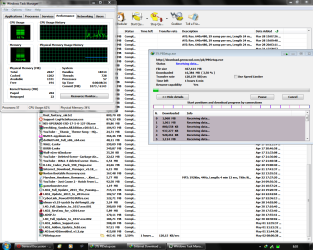
this is just happen this morning, some programs and website almost always using bold or italic fonts while others not. and I didn't do anything related to fonts last time I use my computer
 

Attachments
  • Bold.PNG
    Bold.PNG
    76.5 KB · Views: 464
  • Bold3.PNG
    Bold3.PNG
    106 KB · Views: 317
Last edited:

My Computer My Computer

Computer type
Laptop
Computer Manufacturer/Model Number
ASUS N56VB
OS
Windows 7 Ultimate x64 SP1
CPU
Intel Core i7 3630QM
Motherboard
ASUS N56VB
Memory
8GB
Graphics Card(s)
NVIDIA GeForce 740M 2GB
Sound Card
Realtek
Screen Resolution
1920*1080
Hard Drives
1 Drive 1TB 5400RPM:
C Drive : 149GB
D Drive : 781GB
Mouse
Logitech M325
This happens sometimes after using a PDF reader like adobe or foxit.

You can find out how to change it back in this tutorial.
 

My Computer My Computer

OS
Windows 7 Ultimate X64
CPU
Q6600 @3.6
Motherboard
DFI X38-T2R
Memory
2X2 Mushkin
Graphics Card(s)
XFX 4870X2
Monitor(s) Displays
Philips 240PW
Hard Drives
Intel X25-M 80GB
PSU
PCP&C 750W
Case
Antec 900
Cooling
TRUE 120
This happens sometimes after using a PDF reader like adobe or foxit.

You can find out how to change it back in this tutorial.

Sorry. But it doesn't work. nothing in personalization has bold in it. In regedit it also looks like normal. Thanks anyway
 

My Computer My Computer

Computer type
Laptop
Computer Manufacturer/Model Number
ASUS N56VB
OS
Windows 7 Ultimate x64 SP1
CPU
Intel Core i7 3630QM
Motherboard
ASUS N56VB
Memory
8GB
Graphics Card(s)
NVIDIA GeForce 740M 2GB
Sound Card
Realtek
Screen Resolution
1920*1080
Hard Drives
1 Drive 1TB 5400RPM:
C Drive : 149GB
D Drive : 781GB
Mouse
Logitech M325
This happens sometimes after using a PDF reader like adobe or foxit.

You can find out how to change it back in this tutorial.

Sorry. But it doesn't work. nothing in personalization has bold in it. In regedit it also looks like normal. Thanks anyway

OK. I read the OP again and thought you said that your type of font was changing on you. That is what the PDF readers have done to me in the past. As for font changing to bold or italic, I have not run across this issue yet. I usually adjust the clear type text as part of my system setup, though I do not know if that will help you in this situation.
 

My Computer My Computer

OS
Windows 7 Ultimate X64
CPU
Q6600 @3.6
Motherboard
DFI X38-T2R
Memory
2X2 Mushkin
Graphics Card(s)
XFX 4870X2
Monitor(s) Displays
Philips 240PW
Hard Drives
Intel X25-M 80GB
PSU
PCP&C 750W
Case
Antec 900
Cooling
TRUE 120
Finally!! Solved

Problem : Some fonts are corrupt
Solution :
1. Find a Windows 7 installation disc/image
2. Install PowerISO (I'll use this for solution) or something else that can open WIM file
Note : Evaluation works too
3. Open the WIM file in X:\sources\install.wim with PowerISO
4. Open the first image (I think this is the Ultimate)
5. Browse to Windows\Fonts and extract the folder to desktop for easier access
6. Close PowerISO
7. Install all .ttf and .fon files (except if you're know what's missing since we can't browse to Windows font folder)
8. Complete
 

My Computer My Computer

Computer type
Laptop
Computer Manufacturer/Model Number
ASUS N56VB
OS
Windows 7 Ultimate x64 SP1
CPU
Intel Core i7 3630QM
Motherboard
ASUS N56VB
Memory
8GB
Graphics Card(s)
NVIDIA GeForce 740M 2GB
Sound Card
Realtek
Screen Resolution
1920*1080
Hard Drives
1 Drive 1TB 5400RPM:
C Drive : 149GB
D Drive : 781GB
Mouse
Logitech M325
Back
Top