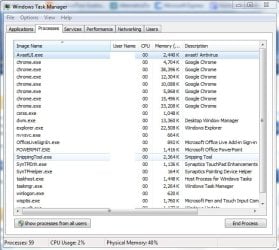
I have an old, crappy Vaio that I installed a free copy of Windows 7 Pro, 32 bit on. It has a 1.6GHz (single core) processor so it can't really handle a lot but does manage pretty well. However, lately I've noticed that out of nowhere it'll start using the Disk (using the taskbar meters and it'll peg the Disk I/O) to the point where I can't actually do anything. I've tried to just let it go, thinking maybe it's doing some necessary processing but when I come back hours later it's still unusable. I've been hard restarting it to get back to using it...
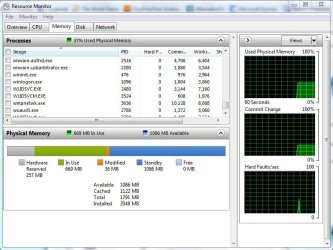
Any way, I once managed to get the task manager open and get into the resource monitor but all I could see was "System" doing all the read/write.
Is there anyway to figure out what's causing this? I know it's not AVG doing scans as I've disabled that. I'm pretty sure I've disabled all scheduled events (eg disk defrag)...so I don't know where to go from here.
Any help would be appreciated
Any way, I once managed to get the task manager open and get into the resource monitor but all I could see was "System" doing all the read/write.
Is there anyway to figure out what's causing this? I know it's not AVG doing scans as I've disabled that. I'm pretty sure I've disabled all scheduled events (eg disk defrag)...so I don't know where to go from here.
Any help would be appreciated
My Computer
At a glance
7 Pro x64Intel Core i7-640M8GBGT330M
- Computer Manufacturer/Model Number
- Sony VPCZ1390X CTO
- OS
- 7 Pro x64
- CPU
- Intel Core i7-640M
- Motherboard
- Sony/Intel
- Memory
- 8GB
- Graphics Card(s)
- GT330M
- Monitor(s) Displays
- Built-in 13" + 24" LG Flatron
- Screen Resolution
- 1920x1080, 1920x1080
- Hard Drives
- Internal-2x128GB SSD (Raid 0), 500GB WD Caviar Green
External- 3TB WD
- Keyboard
- Logitech Illuminated
- Mouse
- Logitech Performance MX
- Internet Speed
- 7 MB -- Sprint Overdrive on 4G
- Other Info
- Sprint EVO 3D (Synergy 2.3.4)