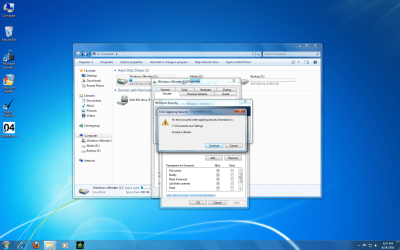
i had a problem before with my files being encrypted and when i reinstall the OS lost all my access to those files because they couldnt be decrypted..
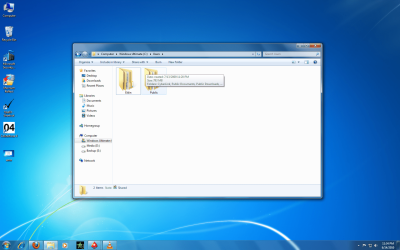
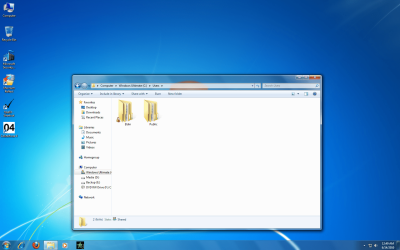
again, for some reason when i go to C Drive> Users> there arel two folders, Eldin and Public.
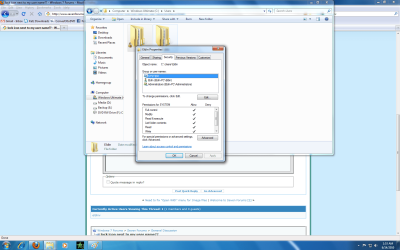
the Eldin folder should be my administrator account cause i dont have any other accounts. for some reason there is a lock next to my user name. i will post screenie at the bottom.
now if i go into the folder and find for instance a picture (jpeg file) and i transfer that file to another partition (secondary hard drive) it shows the file in that drive but also has a lock next to the file.
i dont want a problem with these files somehow being encrypted again and not having access to them if i dont decrpyted them first.
please help i had a nightmare before with this
thanks,
eldin
again, for some reason when i go to C Drive> Users> there arel two folders, Eldin and Public.
the Eldin folder should be my administrator account cause i dont have any other accounts. for some reason there is a lock next to my user name. i will post screenie at the bottom.
now if i go into the folder and find for instance a picture (jpeg file) and i transfer that file to another partition (secondary hard drive) it shows the file in that drive but also has a lock next to the file.
i dont want a problem with these files somehow being encrypted again and not having access to them if i dont decrpyted them first.
please help i had a nightmare before with this
thanks,
eldin
Attachments


Last edited:
My Computers
-
At a glance
WIN10AMD Ryzen 5 3600 6-Core Processor 3.59 GHz16.0 GB- Computer type
- PC/Desktop
- Computer Manufacturer/Model Number
- PowerSpec G164
- OS
- WIN10
- CPU
- AMD Ryzen 5 3600 6-Core Processor 3.59 GHz
- Memory
- 16.0 GB
- Internet Speed
- VERY FAST>>>!!!
-
- Antivirus
- ESET Security Premium