- Local time
- 8:08 AM
- Messages
- 5,599
Hi! Everyone,
I just finished reading a post on processors, and it showed me how to check to see how many processors I have running...
I can click on the Number of processors box, open the drop down menu, and select up to four (4).
My processor stats:
Some benchmarks I can share are:
CPU Voltages:
For now I am not looking to Overclock (though, that may come later), but I paid for multi-core, and I would like to use it.
My questions are....
Thank You for reading, and any help you may have to offer.
Anak
I just finished reading a post on processors, and it showed me how to check to see how many processors I have running...
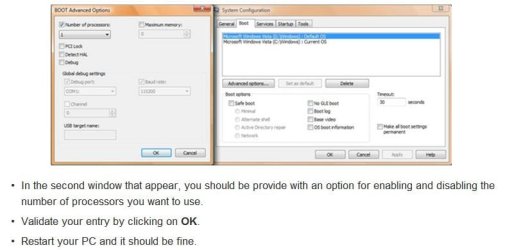
- Start> run> msconfig> Boot tab> Advance options>.
I can click on the Number of processors box, open the drop down menu, and select up to four (4).
My processor stats:
- 2.93 gigahertz Intel Core i3 530 DX4831
- 32 kilobyte primary memory cache
- 64-bit ready
- Multi-core (2 total)
- Hyper-threaded (4 total)
- Other stats are listed in my System Specs
Some benchmarks I can share are:
- Cold start to desktop ready: 1minute 20.82secs
- Warm restart to desktop ready: 1minute 11.74secs
- Shutdown 19.42secs
- American Megatrends Bios 11-17-2009
- CPU temp 32°C - 90° F
- System temp 45°C – 113° F
- CPU fan speed 1056rpm
- No system fan
- Smart fan enabled
CPU Voltages:
- CPU Core 1.136V
- +1.1V – 1.088V
- +3.30 – 3.360V
- +5.00 – 5.026V
- +12.0 – Fluctuates from 11.968 to 12.032V
- 5 VSB – 5.026V
- VBAT – 3.248V
- Not absolutely sure, but I think the + values are the settings, and the figure to the right is the reading.
For now I am not looking to Overclock (though, that may come later), but I paid for multi-core, and I would like to use it.
My questions are....
- What is the best way to experiment with this setting, go up one at a time, and observe the reaction?
- Watch the temps, right?
- Since I only have two am I committed to setting the advance tab number to two or will the hyper-threading allow four?
- Can my experimenting cause any damage?
- The most obvious tip-off that something is wrong would be that the machine won't boot, can you foresee any others?
- If that would happen, how would I get the machine to boot?
- Can you suggest any in-depth links on processors, and how they operate?
- Can you think of anything I may have overlooked?
Thank You for reading, and any help you may have to offer.
Anak
My Computer
- Computer type
- PC/Desktop
- Computer Manufacturer/Model Number
- Gateway DX4831-01e (Mid-Tower Desktop)
- OS
- Originally Win 7 Hm Prem x64 Ver 6.1.7600 Build 7601-SP1 | Upgraded to Windows 10 December 14, 2019
- CPU
- Intel i3 530 2.93GHz, 2933MHz 2 Cores 4 Logical Processors
- Motherboard
- Gateway H57M01 133 megahertz
- Memory
- 6GB of 1,333MHz DDR3 SDRAM
- Graphics Card(s)
- 32MB Intel Graphics Media Accelerator HD IGChip
- Sound Card
- Realtek High Definition Audio
- Monitor(s) Displays
- Gateway HX2000 20inch TFT active matrix TN
- Screen Resolution
- 1600 x 900 x 59 hertz
- Hard Drives
- WDC WD10EADS-00M2B0 [HDD] (1000.20 GB) -- drive 0,
HL-DT-ST DVDRAM GH41N [CD-ROM dr]
Four card readers, and Four USB 2.0
- PSU
- 300watts.
- Case
- Mid-Tower Desktop
- Cooling
- Stock from Gateway
- Keyboard
- Natural Ergonomic Keyboard 4000, see Other Info
- Mouse
- Orig. Gateway wore out now using Insignia USB wired optical
- Internet Speed
- Vz FIOS 10ms png 57.64Mbps down 65.53Mbps up Speedtest.org
- Antivirus
- Zamana Anti-logger with Anti-malware, MSE, Windows Firewall,
- Browser
- IE11.0.9600.19399-Upd ver11.0.135, Firefox 68.0.1 x64
- Other Info
- System Specs by Belarc.
BIOS: American Megatrends Inc. P01-A0 11/17/2009
Replaced the MS 'Natural' Standard PS/2 Enhanced 101-102 Keyboard with a new Natural Ergonomic Keyboard 4000 on August 1st 2014.
Canon Pixma MG3222 Printer.
Updated to IE11 on 12102015 | Fios Quantum Router g1100
Additional AV: SpywareBlaster, manual Mbam, SAS