Hi Gregrocker,
I did run "sfc/ scannow" to check system file integrity as I read this in another thread. The content of the sfc.txt document said :
2009-11-07 01:30:02, Info CSI 0000003d [SR] Verifying 100 (0x00000064) components
2009-11-07 01:30:02, Info CSI 0000003e [SR] Beginning Verify and Repair transaction
2009-11-07 01:30:11, Info CSI 00000040 [SR] Verify complete
2009-11-07 01:30:11, Info CSI 00000041 [SR] Verifying 100 (0x00000064) components
2009-11-07 01:30:11, Info CSI 00000042 [SR] Beginning Verify and Repair transaction
2009-11-07 01:30:18, Info CSI 00000044 [SR] Verify complete
2009-11-07 01:30:18, Info CSI 00000045 [SR] Verifying 100 (0x00000064) components
2009-11-07 01:30:18, Info CSI 00000046 [SR] Beginning Verify and Repair transaction
2009-11-07 01:30:28, Info CSI 00000048 [SR] Verify complete
2009-11-07 01:30:28, Info CSI 00000049 [SR] Verifying 100 (0x00000064) components
2009-11-07 01:30:28, Info CSI 0000004a [SR] Beginning Verify and Repair transaction
2009-11-07 01:30:38, Info CSI 0000004c [SR] Verify complete
2009-11-07 01:30:39, Info CSI 0000004d [SR] Verifying 100 (0x00000064) components
2009-11-07 01:30:39, Info CSI 0000004e [SR] Beginning Verify and Repair transaction
2009-11-07 01:30:45, Info CSI 00000050 [SR] Verify complete
2009-11-07 01:30:45, Info CSI 00000051 [SR] Verifying 100 (0x00000064) components
2009-11-07 01:30:45, Info CSI 00000052 [SR] Beginning Verify and Repair transaction
2009-11-07 01:30:52, Info CSI 00000054 [SR] Verify complete
2009-11-07 01:30:53, Info CSI 00000055 [SR] Verifying 100 (0x00000064) components
2009-11-07 01:30:53, Info CSI 00000056 [SR] Beginning Verify and Repair transaction
2009-11-07 01:30:59, Info CSI 00000058 [SR] Verify complete
2009-11-07 01:30:59, Info CSI 00000059 [SR] Verifying 100 (0x00000064) components
2009-11-07 01:30:59, Info CSI 0000005a [SR] Beginning Verify and Repair transaction
2009-11-07 01:31:02, Info CSI 0000005c [SR] Verify complete
2009-11-07 01:31:02, Info CSI 0000005d [SR] Verifying 100 (0x00000064) components
2009-11-07 01:31:02, Info CSI 0000005e [SR] Beginning Verify and Repair transaction
2009-11-07 01:31:09, Info CSI 00000060 [SR] Verify complete
2009-11-07 01:31:09, Info CSI 00000061 [SR] Verifying 100 (0x00000064) components
2009-11-07 01:31:09, Info CSI 00000062 [SR] Beginning Verify and Repair transaction
2009-11-07 01:31:19, Info CSI 00000064 [SR] Verify complete
2009-11-07 01:31:20, Info CSI 00000065 [SR] Verifying 100 (0x00000064) components
2009-11-07 01:31:20, Info CSI 00000066 [SR] Beginning Verify and Repair transaction
2009-11-07 01:31:28, Info CSI 0000006b [SR] Verify complete
2009-11-07 01:31:28, Info CSI 0000006c [SR] Verifying 100 (0x00000064) components
2009-11-07 01:31:28, Info CSI 0000006d [SR] Beginning Verify and Repair transaction
2009-11-07 01:31:35, Info CSI 00000070 [SR] Verify complete
2009-11-07 01:31:35, Info CSI 00000071 [SR] Verifying 100 (0x00000064) components
2009-11-07 01:31:35, Info CSI 00000072 [SR] Beginning Verify and Repair transaction
2009-11-07 01:31:43, Info CSI 00000076 [SR] Verify complete
2009-11-07 01:31:43, Info CSI 00000077 [SR] Verifying 100 (0x00000064) components
2009-11-07 01:31:43, Info CSI 00000078 [SR] Beginning Verify and Repair transaction
2009-11-07 01:31:57, Info CSI 00000082 [SR] Verify complete
2009-11-07 01:31:57, Info CSI 00000083 [SR] Verifying 100 (0x00000064) components
2009-11-07 01:31:57, Info CSI 00000084 [SR] Beginning Verify and Repair transaction
2009-11-07 01:32:10, Info CSI 00000086 [SR] Verify complete
2009-11-07 01:32:11, Info CSI 00000087 [SR] Verifying 100 (0x00000064) components
2009-11-07 01:32:11, Info CSI 00000088 [SR] Beginning Verify and Repair transaction
2009-11-07 01:32:22, Info CSI 0000008a [SR] Verify complete
2009-11-07 01:32:23, Info CSI 0000008b [SR] Verifying 100 (0x00000064) components
2009-11-07 01:32:23, Info CSI 0000008c [SR] Beginning Verify and Repair transaction
2009-11-07 01:32:38, Info CSI 0000008e [SR] Verify complete
2009-11-07 01:32:39, Info CSI 0000008f [SR] Verifying 100 (0x00000064) components
2009-11-07 01:32:39, Info CSI 00000090 [SR] Beginning Verify and Repair transaction
2009-11-07 01:32:49, Info CSI 00000092 [SR] Verify complete
2009-11-07 01:32:50, Info CSI 00000093 [SR] Verifying 100 (0x00000064) components
2009-11-07 01:32:50, Info CSI 00000094 [SR] Beginning Verify and Repair transaction
2009-11-07 01:33:02, Info CSI 00000096 [SR] Verify complete
2009-11-07 01:33:02, Info CSI 00000097 [SR] Verifying 100 (0x00000064) components
2009-11-07 01:33:02, Info CSI 00000098 [SR] Beginning Verify and Repair transaction
2009-11-07 01:33:20, Info CSI 0000009c [SR] Verify complete
2009-11-07 01:33:20, Info CSI 0000009d [SR] Verifying 100 (0x00000064) components
2009-11-07 01:33:20, Info CSI 0000009e [SR] Beginning Verify and Repair transaction
2009-11-07 01:33:36, Info CSI 000000a0 [SR] Verify complete
2009-11-07 01:33:37, Info CSI 000000a1 [SR] Verifying 100 (0x00000064) components
2009-11-07 01:33:37, Info CSI 000000a2 [SR] Beginning Verify and Repair transaction
2009-11-07 01:34:04, Info CSI 000000a4 [SR] Verify complete
2009-11-07 01:34:05, Info CSI 000000a5 [SR] Verifying 100 (0x00000064) components
2009-11-07 01:34:05, Info CSI 000000a6 [SR] Beginning Verify and Repair transaction
2009-11-07 01:34:21, Info CSI 000000a8 [SR] Verify complete
2009-11-07 01:34:22, Info CSI 000000a9 [SR] Verifying 100 (0x00000064) components
2009-11-07 01:34:22, Info CSI 000000aa [SR] Beginning Verify and Repair transaction
2009-11-07 01:34:28, Info CSI 000000ac [SR] Verify complete
2009-11-07 01:34:28, Info CSI 000000ad [SR] Verifying 100 (0x00000064) components
2009-11-07 01:34:28, Info CSI 000000ae [SR] Beginning Verify and Repair transaction
2009-11-07 01:34:31, Info CSI 000000b0 [SR] Verify complete
2009-11-07 01:34:31, Info CSI 000000b1 [SR] Verifying 100 (0x00000064) components
2009-11-07 01:34:31, Info CSI 000000b2 [SR] Beginning Verify and Repair transaction
2009-11-07 01:34:44, Info CSI 000000b4 [SR] Verify complete
2009-11-07 01:34:44, Info CSI 000000b5 [SR] Verifying 100 (0x00000064) components
2009-11-07 01:34:44, Info CSI 000000b6 [SR] Beginning Verify and Repair transaction
2009-11-07 01:34:58, Info CSI 000000d4 [SR] Verify complete
2009-11-07 01:34:58, Info CSI 000000d5 [SR] Verifying 100 (0x00000064) components
2009-11-07 01:34:58, Info CSI 000000d6 [SR] Beginning Verify and Repair transaction
2009-11-07 01:35:02, Info CSI 000000d8 [SR] Verify complete
2009-11-07 01:35:02, Info CSI 000000d9 [SR] Verifying 100 (0x00000064) components
2009-11-07 01:35:02, Info CSI 000000da [SR] Beginning Verify and Repair transaction
2009-11-07 01:35:09, Info CSI 000000dc [SR] Verify complete
2009-11-07 01:35:09, Info CSI 000000dd [SR] Verifying 100 (0x00000064) components
2009-11-07 01:35:09, Info CSI 000000de [SR] Beginning Verify and Repair transaction
2009-11-07 01:35:12, Info CSI 000000e0 [SR] Verify complete
2009-11-07 01:35:12, Info CSI 000000e1 [SR] Verifying 100 (0x00000064) components
2009-11-07 01:35:12, Info CSI 000000e2 [SR] Beginning Verify and Repair transaction
2009-11-07 01:35:25, Info CSI 000000e4 [SR] Verify complete
2009-11-07 01:35:25, Info CSI 000000e5 [SR] Verifying 100 (0x00000064) components
2009-11-07 01:35:25, Info CSI 000000e6 [SR] Beginning Verify and Repair transaction
2009-11-07 01:35:40, Info CSI 000000e8 [SR] Verify complete
2009-11-07 01:35:40, Info CSI 000000e9 [SR] Verifying 100 (0x00000064) components
2009-11-07 01:35:40, Info CSI 000000ea [SR] Beginning Verify and Repair transaction
2009-11-07 01:35:44, Info CSI 000000ec [SR] Verify complete
2009-11-07 01:35:45, Info CSI 000000ed [SR] Verifying 100 (0x00000064) components
2009-11-07 01:35:45, Info CSI 000000ee [SR] Beginning Verify and Repair transaction
2009-11-07 01:35:48, Info CSI 000000f0 [SR] Verify complete
2009-11-07 01:35:49, Info CSI 000000f1 [SR] Verifying 100 (0x00000064) components
2009-11-07 01:35:49, Info CSI 000000f2 [SR] Beginning Verify and Repair transaction
2009-11-07 01:36:01, Info CSI 000000f4 [SR] Verify complete
2009-11-07 01:36:01, Info CSI 000000f5 [SR] Verifying 100 (0x00000064) components
2009-11-07 01:36:01, Info CSI 000000f6 [SR] Beginning Verify and Repair transaction
2009-11-07 01:36:12, Info CSI 000000f8 [SR] Verify complete
2009-11-07 01:36:12, Info CSI 000000f9 [SR] Verifying 100 (0x00000064) components
2009-11-07 01:36:12, Info CSI 000000fa [SR] Beginning Verify and Repair transaction
2009-11-07 01:36:22, Info CSI 000000fc [SR] Verify complete
2009-11-07 01:36:22, Info CSI 000000fd [SR] Verifying 100 (0x00000064) components
2009-11-07 01:36:22, Info CSI 000000fe [SR] Beginning Verify and Repair transaction
2009-11-07 01:36:46, Info CSI 00000124 [SR] Verify complete
2009-11-07 01:36:47, Info CSI 00000125 [SR] Verifying 100 (0x00000064) components
2009-11-07 01:36:47, Info CSI 00000126 [SR] Beginning Verify and Repair transaction
2009-11-07 01:37:09, Info CSI 00000128 [SR] Verify complete
2009-11-07 01:37:09, Info CSI 00000129 [SR] Verifying 100 (0x00000064) components
2009-11-07 01:37:09, Info CSI 0000012a [SR] Beginning Verify and Repair transaction
2009-11-07 01:37:58, Info CSI 0000012c [SR] Verify complete
2009-11-07 01:37:59, Info CSI 0000012d [SR] Verifying 100 (0x00000064) components
2009-11-07 01:37:59, Info CSI 0000012e [SR] Beginning Verify and Repair transaction
2009-11-07 01:38:21, Info CSI 00000131 [SR] Verify complete
2009-11-07 01:38:21, Info CSI 00000132 [SR] Verifying 100 (0x00000064) components
2009-11-07 01:38:21, Info CSI 00000133 [SR] Beginning Verify and Repair transaction
2009-11-07 01:38:41, Info CSI 00000135 [SR] Verify complete
2009-11-07 01:38:42, Info CSI 00000136 [SR] Verifying 100 (0x00000064) components
2009-11-07 01:38:42, Info CSI 00000137 [SR] Beginning Verify and Repair transaction
2009-11-07 01:38:53, Info CSI 00000139 [SR] Verify complete
2009-11-07 01:38:53, Info CSI 0000013a [SR] Verifying 100 (0x00000064) components
2009-11-07 01:38:53, Info CSI 0000013b [SR] Beginning Verify and Repair transaction
2009-11-07 01:39:04, Info CSI 0000013d [SR] Verify complete
2009-11-07 01:39:04, Info CSI 0000013e [SR] Verifying 100 (0x00000064) components
2009-11-07 01:39:04, Info CSI 0000013f [SR] Beginning Verify and Repair transaction
2009-11-07 01:39:13, Info CSI 00000142 [SR] Verify complete
2009-11-07 01:39:13, Info CSI 00000143 [SR] Verifying 100 (0x00000064) components
2009-11-07 01:39:13, Info CSI 00000144 [SR] Beginning Verify and Repair transaction
2009-11-07 01:39:21, Info CSI 00000146 [SR] Verify complete
2009-11-07 01:39:22, Info CSI 00000147 [SR] Verifying 100 (0x00000064) components
2009-11-07 01:39:22, Info CSI 00000148 [SR] Beginning Verify and Repair transaction
2009-11-07 01:39:41, Info CSI 0000014a [SR] Verify complete
2009-11-07 01:39:42, Info CSI 0000014b [SR] Verifying 100 (0x00000064) components
2009-11-07 01:39:42, Info CSI 0000014c [SR] Beginning Verify and Repair transaction
2009-11-07 01:39:59, Info CSI 0000014f [SR] Verify complete
2009-11-07 01:40:00, Info CSI 00000150 [SR] Verifying 100 (0x00000064) components
2009-11-07 01:40:00, Info CSI 00000151 [SR] Beginning Verify and Repair transaction
2009-11-07 01:40:07, Info CSI 00000153 [SR] Verify complete
2009-11-07 01:40:08, Info CSI 00000154 [SR] Verifying 100 (0x00000064) components
2009-11-07 01:40:08, Info CSI 00000155 [SR] Beginning Verify and Repair transaction
2009-11-07 01:40:20, Info CSI 00000157 [SR] Verify complete
2009-11-07 01:40:21, Info CSI 00000158 [SR] Verifying 100 (0x00000064) components
2009-11-07 01:40:21, Info CSI 00000159 [SR] Beginning Verify and Repair transaction
2009-11-07 01:40:37, Info CSI 0000015c [SR] Verify complete
2009-11-07 01:40:37, Info CSI 0000015d [SR] Verifying 100 (0x00000064) components
2009-11-07 01:40:37, Info CSI 0000015e [SR] Beginning Verify and Repair transaction
2009-11-07 01:40:46, Info CSI 00000160 [SR] Verify complete
2009-11-07 01:40:47, Info CSI 00000161 [SR] Verifying 100 (0x00000064) components
2009-11-07 01:40:47, Info CSI 00000162 [SR] Beginning Verify and Repair transaction
2009-11-07 01:40:58, Info CSI 00000164 [SR] Verify complete
2009-11-07 01:40:59, Info CSI 00000165 [SR] Verifying 100 (0x00000064) components
2009-11-07 01:40:59, Info CSI 00000166 [SR] Beginning Verify and Repair transaction
2009-11-07 01:41:07, Info CSI 00000169 [SR] Verify complete
2009-11-07 01:41:07, Info CSI 0000016a [SR] Verifying 100 (0x00000064) components
2009-11-07 01:41:07, Info CSI 0000016b [SR] Beginning Verify and Repair transaction
2009-11-07 01:41:20, Info CSI 0000016d [SR] Verify complete
2009-11-07 01:41:20, Info CSI 0000016e [SR] Verifying 100 (0x00000064) components
2009-11-07 01:41:20, Info CSI 0000016f [SR] Beginning Verify and Repair transaction
2009-11-07 01:41:29, Info CSI 00000171 [SR] Verify complete
2009-11-07 01:41:29, Info CSI 00000172 [SR] Verifying 100 (0x00000064) components
2009-11-07 01:41:29, Info CSI 00000173 [SR] Beginning Verify and Repair transaction
2009-11-07 01:41:40, Info CSI 00000175 [SR] Verify complete
2009-11-07 01:41:40, Info CSI 00000176 [SR] Verifying 100 (0x00000064) components
2009-11-07 01:41:40, Info CSI 00000177 [SR] Beginning Verify and Repair transaction
2009-11-07 01:41:52, Info CSI 0000017a [SR] Verify complete
2009-11-07 01:41:53, Info CSI 0000017b [SR] Verifying 100 (0x00000064) components
2009-11-07 01:41:53, Info CSI 0000017c [SR] Beginning Verify and Repair transaction
2009-11-07 01:42:08, Info CSI 0000017e [SR] Verify complete
2009-11-07 01:42:08, Info CSI 0000017f [SR] Verifying 100 (0x00000064) components
2009-11-07 01:42:08, Info CSI 00000180 [SR] Beginning Verify and Repair transaction
2009-11-07 01:42:22, Info CSI 00000182 [SR] Verify complete
2009-11-07 01:42:22, Info CSI 00000183 [SR] Verifying 100 (0x00000064) components
2009-11-07 01:42:22, Info CSI 00000184 [SR] Beginning Verify and Repair transaction
2009-11-07 01:42:34, Info CSI 00000186 [SR] Verify complete
2009-11-07 01:42:35, Info CSI 00000187 [SR] Verifying 100 (0x00000064) components
2009-11-07 01:42:35, Info CSI 00000188 [SR] Beginning Verify and Repair transaction
2009-11-07 01:42:38, Info CSI 0000018a [SR] Verify complete
2009-11-07 01:42:38, Info CSI 0000018b [SR] Verifying 100 (0x00000064) components
2009-11-07 01:42:38, Info CSI 0000018c [SR] Beginning Verify and Repair transaction
2009-11-07 01:42:45, Info CSI 0000018e [SR] Verify complete
2009-11-07 01:42:45, Info CSI 0000018f [SR] Verifying 100 (0x00000064) components
2009-11-07 01:42:45, Info CSI 00000190 [SR] Beginning Verify and Repair transaction
2009-11-07 01:42:53, Info CSI 00000192 [SR] Verify complete
2009-11-07 01:42:53, Info CSI 00000193 [SR] Verifying 100 (0x00000064) components
2009-11-07 01:42:53, Info CSI 00000194 [SR] Beginning Verify and Repair transaction
2009-11-07 01:43:01, Info CSI 00000196 [SR] Verify complete
2009-11-07 01:43:01, Info CSI 00000197 [SR] Verifying 100 (0x00000064) components
2009-11-07 01:43:01, Info CSI 00000198 [SR] Beginning Verify and Repair transaction
2009-11-07 01:43:08, Info CSI 0000019a [SR] Verify complete
2009-11-07 01:43:08, Info CSI 0000019b [SR] Verifying 100 (0x00000064) components
2009-11-07 01:43:08, Info CSI 0000019c [SR] Beginning Verify and Repair transaction
2009-11-07 01:43:15, Info CSI 0000019e [SR] Verify complete
2009-11-07 01:43:15, Info CSI 0000019f [SR] Verifying 100 (0x00000064) components
2009-11-07 01:43:15, Info CSI 000001a0 [SR] Beginning Verify and Repair transaction
2009-11-07 01:43:58, Info CSI 000001a2 [SR] Verify complete
2009-11-07 01:43:59, Info CSI 000001a3 [SR] Verifying 100 (0x00000064) components
2009-11-07 01:43:59, Info CSI 000001a4 [SR] Beginning Verify and Repair transaction
2009-11-07 01:45:45, Info CSI 000001a6 [SR] Verify complete
2009-11-07 01:45:50, Info CSI 000001a7 [SR] Verifying 100 (0x00000064) components
2009-11-07 01:45:50, Info CSI 000001a8 [SR] Beginning Verify and Repair transaction
2009-11-07 01:46:30, Info CSI 000001aa [SR] Verify complete
2009-11-07 01:46:31, Info CSI 000001ab [SR] Verifying 100 (0x00000064) components
2009-11-07 01:46:31, Info CSI 000001ac [SR] Beginning Verify and Repair transaction
2009-11-07 01:47:06, Info CSI 000001ae [SR] Verify complete
2009-11-07 01:47:06, Info CSI 000001af [SR] Verifying 100 (0x00000064) components
2009-11-07 01:47:06, Info CSI 000001b0 [SR] Beginning Verify and Repair transaction
2009-11-07 01:47:15, Info CSI 000001b2 [SR] Verify complete
2009-11-07 01:47:16, Info CSI 000001b3 [SR] Verifying 100 (0x00000064) components
2009-11-07 01:47:16, Info CSI 000001b4 [SR] Beginning Verify and Repair transaction
2009-11-07 01:47:41, Info CSI 000001b6 [SR] Verify complete
2009-11-07 01:47:42, Info CSI 000001b7 [SR] Verifying 100 (0x00000064) components
2009-11-07 01:47:42, Info CSI 000001b8 [SR] Beginning Verify and Repair transaction
2009-11-07 01:47:55, Info CSI 000001ba [SR] Verify complete
2009-11-07 01:47:56, Info CSI 000001bb [SR] Verifying 100 (0x00000064) components
2009-11-07 01:47:56, Info CSI 000001bc [SR] Beginning Verify and Repair transaction
2009-11-07 01:48:15, Info CSI 000001be [SR] Verify complete
2009-11-07 01:48:15, Info CSI 000001bf [SR] Verifying 14 (0x0000000e) components
2009-11-07 01:48:15, Info CSI 000001c0 [SR] Beginning Verify and Repair transaction
2009-11-07 01:48:18, Info CSI 000001c2 [SR] Verify complete
2009-11-07 01:48:18, Info CSI 000001c3 [SR] Repairing 0 components
2009-11-07 01:48:18, Info CSI 000001c4 [SR] Beginning Verify and Repair transaction
2009-11-07 01:48:18, Info CSI 000001c6 [SR] Repair complete
I don't know what this all means or if it is what I should be checking out after running sfc /scannow.
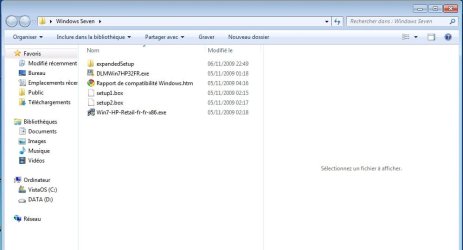
Like you said, I have also decided to reinstall Windows Seven over Windows 7, the install seemed to be going well until the install program ended telling me that the install could not be completed. I'm afraid it may have something to do with the fact that I have already activated Windows 7, thinking that would enable me to use Windows Update...
Cheers !




 ) or should I be confident that all my files and programs will still be installed?
