- Local time
- 5:45 AM
- Messages
- 1,251
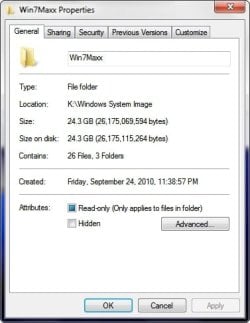
When I created the first System Image with my 6 month old Win 7 x64 computer it finished as a 24 GB image of the C partition. I have created several System Images since and each of them was about 24 GB.
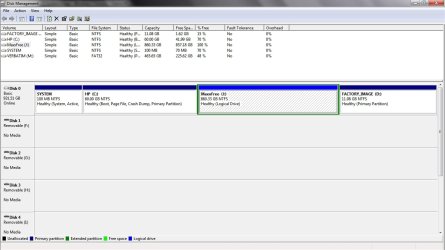
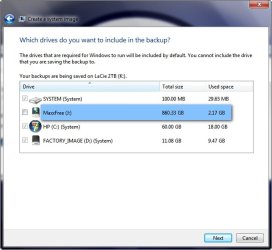
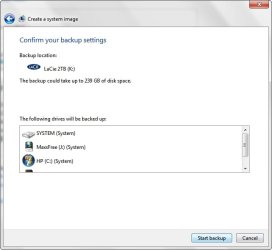
Starting a few weeks ago Windows 7 began to insist on including the D drive as well as another partition which I store Movies and Music named the J drive in the System Image thus increasing its size to over 240 GB!
What has caused this to take place and is there any way of preventing Win 7 from including from including all these drives the System Image?
~Maxx~
.

Starting a few weeks ago Windows 7 began to insist on including the D drive as well as another partition which I store Movies and Music named the J drive in the System Image thus increasing its size to over 240 GB!
What has caused this to take place and is there any way of preventing Win 7 from including from including all these drives the System Image?
~Maxx~
.
Attachments
My Computer
- Computer Manufacturer/Model Number
- HP HPE 270f
- OS
- Windows 7 x64 Home Premium
- CPU
- Intel Core i7 930 @ 2.8 Ghz Socket 1366 LGA
- Motherboard
- Pegatron Truckee v1.04E41
- Memory
- 8 GB 1366 Mhz DDR3 (PC3-10700) RAM
- Graphics Card(s)
- ATI Radeon 5770 1 GB DDR5 RAM
- Sound Card
- Realtech High Definition
- Monitor(s) Displays
- 32" Sony Bravia
- Screen Resolution
- 1366 X 768
- Hard Drives
- Intel 25nm 120 GB Series 320 SSD HD Tune- 265 MBps Read/ 130 MBps Write
LaCie 1TB + 1TB RAID 0 eSATA Drive HD Tune- 160 MBps Read/ 90 MBps Write
- Keyboard
- Logitech Illuminated
- Mouse
- Logitech MX Revolution
- Internet Speed
- 36.4 Mbps Maximum on a 37 Mbps Motorola SB501 Modem