Solved 6 GB RAM (4 GB usable)

check the memory mapping in the bios (not all bios are the same for each machine it is normally in the advanced features)

Exactly, not all BIOS are the same. Mine for instance DOES NOT have any options related to the memory mapping. This is simply not there. That's why it was important for me to get the BIOS update. Can't speak for the OP, though.

well i have given all the advice that he can follow and check i think :D
 

My Computer My Computer

At a glance

Operating System : Windows 7 Home Premium Edi...Processor : Intel Core 2 Quad Q8300 @ 2500 MHzPhysical Memory :8GB Corsair4x 2GB 800MHz C5 ...Video Card : XFX 6700 AMD
Computer Manufacturer/Model Number
packard bell IXTREME M5722
OS
Operating System : Windows 7 Home Premium Edition 6.01.7600 SP1 (x64)
CPU
Processor : Intel Core 2 Quad Q8300 @ 2500 MHz
Motherboard
Mainboard : Packard Bell (Acer EG43M )
Memory
Physical Memory :8GB Corsair4x 2GB 800MHz C5 DDR2
Graphics Card(s)
Video Card : XFX 6700 AMD
Monitor(s) Displays
Maestro 234DL - BenQ V2220 - BenQ VW2420H
Screen Resolution
Current Display :1920x1080p pixels at 60 Hz in HD LED
Hard Drives
Hard Disks : WDC (1000 GB)
Drive C: (Hard Disk) : 428 GB available on 491 GB
Drive D: (Hard Disk) : 426 GB available on 492 GB
SAMSUNG spinpoint HD103SJ 1000.2 GB
(X 2) KINGSTON SSD NOW V 30GB
PSU
XFX ProSeries 550W PSU
Case
PACKARD BELL IXTREME
Cooling
System Blower Current: 150mA Air Flow16CFM ;Akasa 90mm rear
Keyboard
Gigabyte Aivia K8100
Mouse
TRUST-Wireless Laser Mouse - Carbon edition MI-7770C
Internet Speed
TP-LINK > TL-WN951N / AV500 Gigabit Powerline Adapters
Browser
chrome dev
Other Info
EXTRA COOLING>(FAN CONTROLLER) PC Bay Cooler 3 x 40mm fans; Akasa AK-HD-BL Blue hard drive cooler 2 x 40 mm fan 4500 rpm 29.7 dBA
Bios> American Megatrends Inc.
Version : P01-A1
Date : 08/31/2009
Or it is likely that one or more of your memory modules is bad. I would suggest run a memtest on it. I had a similar issue and after replacing the memory modules, all is fine.

You were right. One of the memory modules was bad. G.Skill sent a replacement and the problem is solved. But I don't appreciate having to pay $9 Shipping to send their bad module back to them (it was like 2 months old). Their policy is only to reimburse up to $5 if you have to return something twice! I am not anxious to do business with them again.
 

My Computer My Computer

At a glance

Win64i7-930G.SKILL Ripjaws Series 6GB (3 x 2GB) 240-Pin ...GIGABYTE GV-N250OC-1GI Rev 2.0 GeForce GTS 25...
Computer Manufacturer/Model Number
Self-constructed
OS
Win64
CPU
i7-930
Motherboard
Gigabyte GA-X58A-UD3R
Memory
G.SKILL Ripjaws Series 6GB (3 x 2GB) 240-Pin DDR3 SDRAM
Graphics Card(s)
GIGABYTE GV-N250OC-1GI Rev 2.0 GeForce GTS 250 1GB 256-bit
Monitor(s) Displays
ASUS VB195T Black 19" 5ms LCD Monitor
Screen Resolution
1280 x 1024
Hard Drives
Western Digital Caviar Black WD1001FALS 1TB 7200 RPM SATA 3.0Gb/s 3.5" Internal Hard Drive -Bare Drive
PSU
CORSAIR CMPSU-750TX 750W ATX12V / EPS12V SLI Ready CrossFire
Case
COOLER MASTER HAF 932 Blue RC-932-KKN3-GP Black Steel ATX
Keyboard
Saitek Eclipse II Illuminated Keyboard
Mouse
Logitech Wireless Mouse M510
Internet Speed
5 mbps
Or it is likely that one or more of your memory modules is bad. I would suggest run a memtest on it. I had a similar issue and after replacing the memory modules, all is fine.

You were right. One of the memory modules was bad. G.Skill sent a replacement and the problem is solved. But I don't appreciate having to pay $9 Shipping to send their bad module back to them (it was like 2 months old). Their policy is only to reimburse up to $5 if you have to return something twice! I am not anxious to do business with them again.

Which is why I only buy Kingston or Crucial RAM. Bit late for that now, though.
 

My Computer My Computer

At a glance

Windows 7 Ultimate x64AMD Phenom 965 @ 3.4GHz w/ Thermaltake Contac...Kingston 8GB DDR3 1333MHz 9-9-9-24 (2 x 4GB k...Sapphire 6870 1GB GDDR5 (reference model)
Computer Manufacturer/Model Number
Self-Built
OS
Windows 7 Ultimate x64
CPU
AMD Phenom 965 @ 3.4GHz w/ Thermaltake Contac 29 (updraft)
Motherboard
Gigabyte 790GPT-UD3H w/ F3 BIOS & IGP disabled
Memory
Kingston 8GB DDR3 1333MHz 9-9-9-24 (2 x 4GB kits)
Graphics Card(s)
Sapphire 6870 1GB GDDR5 (reference model)
Sound Card
Onboard Realtek 889A codec
Monitor(s) Displays
BenQ 22" M2200HD
Screen Resolution
1920x1080
Hard Drives
1 x Seagate Barracuda 7200.12 1TB 7200RPM w/32MB cache
PSU
Xigmatek NRP-MC651 650w 80+ bronze certified
Case
Antec Two Hundred
Cooling
1 x 140mm exhaust top, 1 x 120mm exhaust rear
Keyboard
Stock PS/2 model
Mouse
Razer Salmosa
Internet Speed
ADSL2+/ 2MB/s
1. Click Start, type msconfig in the Search programs and files box, and then click msconfig in the Programs list.
2. In the System Configuration window, click Advanced options on the Boot tab.
3. Click to clear the Maximum memory check box, and then click OK.
4. Restart the computer.

See if that clears things up. :)

By the way, your system specifications are incredibly unhelpful.

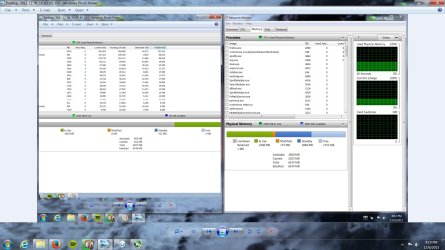
Thanks got my system running back to normal. Thanks again. Heres a screenshot of the difference of ram shown on the right.
 

Attachments

  • Desktop_2013_12_06_16_19_40_863.jpg
    Desktop_2013_12_06_16_19_40_863.jpg
    180 KB · Views: 8

My Computer My Computer

At a glance

Windows 7 Premium 64 bitAMD Phenom // x4 810 (deneb) 2.7 Ghz Quadcore6 GB DDR 2 800 MHZ SamsungNvidia Geforc GTX 550 TI
Computer type
PC/Desktop
Computer Manufacturer/Model Number
Gateway
OS
Windows 7 Premium 64 bit
CPU
AMD Phenom // x4 810 (deneb) 2.7 Ghz Quadcore
Motherboard
Foxconn
Memory
6 GB DDR 2 800 MHZ Samsung
Graphics Card(s)
Nvidia Geforc GTX 550 TI
Monitor(s) Displays
24" HD Gateway
Screen Resolution
1920x1080
Hard Drives
1 TB
PSU
300 Watt
Case
Original Gateway case. Nice case just not enough vents.
Keyboard
Logitech wireless
Mouse
Logitech MX Laser
Other Info
My GPU shows on the box that it needs 400 watts or more but my system runs fine on 300 watt? I have a new Corsair Modular 430 watt in box.
Back
Top