

Hi folks.
I have a USB thumbdrive ("G:"), which picked up an "autorun.inf" when a colleague borrowed it this morning. I already have autoplay disabled (and all the options set to Take no action). So when I saw that file, out of curiosity I tried to open it using Notepad - only to receive an Access Denied error.
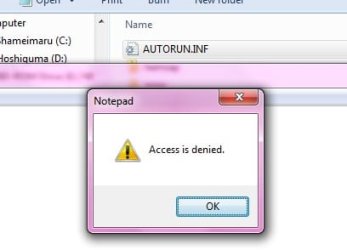
Naturally, being the suspicious type, this immediately changed my casual curiosity to concern. So I tried to simply delete it, which resulted in a "you need permission" error.
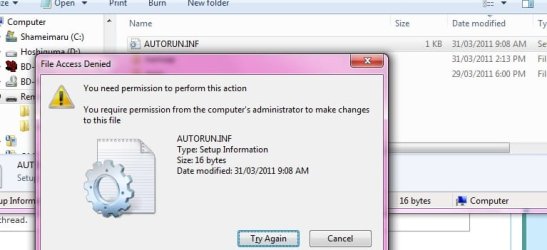
A quick look with google showed that I had to "take ownership" of said file, so I searched the tutorials here and found what I was looking for in this post: http://www.sevenforums.com/tutorials/1911-take-ownership-shortcut.html
Then I right-clicked on the file and used the new Take Ownership context menu entry, and saw the command line window open briefly (too fast to make out whether it worked or not). However, when I tried to delete the file again I still received the same permission error.
A little poking here and there later it seems I should be seeing a "Security" tab in the file/folder options. Hmm, I don't seem to have it. Again, the tutorials section here came to the rescue: http://www.sevenforums.com/tutorials/81727-security-tab-add-remove-properties.html
Bad news: right clicking on the file showed no such tab, nor did right clicking on the thumbdrive ("G:") itself. (On a side note, I do see the Security tab when viewing other folders and files, so the regfix did work. I just don't get why it's not working for this bugger.)

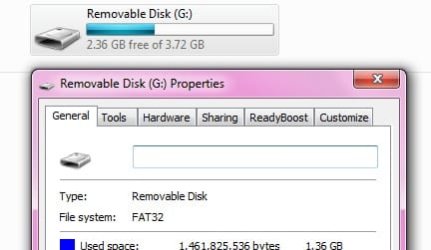
So... I guess the question is, what now? I'd settle for being able to nuke the file, but I don't get why I can't even look at it with Notepad. Suspicious and annoying. I'm already using an administrator-level account for this, and as mentioned above I've tried Taking Ownership of the file.
Help, ideas, comments, all greatly appreciated.
I have a USB thumbdrive ("G:"), which picked up an "autorun.inf" when a colleague borrowed it this morning. I already have autoplay disabled (and all the options set to Take no action). So when I saw that file, out of curiosity I tried to open it using Notepad - only to receive an Access Denied error.
Naturally, being the suspicious type, this immediately changed my casual curiosity to concern. So I tried to simply delete it, which resulted in a "you need permission" error.
A quick look with google showed that I had to "take ownership" of said file, so I searched the tutorials here and found what I was looking for in this post: http://www.sevenforums.com/tutorials/1911-take-ownership-shortcut.html
Then I right-clicked on the file and used the new Take Ownership context menu entry, and saw the command line window open briefly (too fast to make out whether it worked or not). However, when I tried to delete the file again I still received the same permission error.
A little poking here and there later it seems I should be seeing a "Security" tab in the file/folder options. Hmm, I don't seem to have it. Again, the tutorials section here came to the rescue: http://www.sevenforums.com/tutorials/81727-security-tab-add-remove-properties.html
Bad news: right clicking on the file showed no such tab, nor did right clicking on the thumbdrive ("G:") itself. (On a side note, I do see the Security tab when viewing other folders and files, so the regfix did work. I just don't get why it's not working for this bugger.)
So... I guess the question is, what now? I'd settle for being able to nuke the file, but I don't get why I can't even look at it with Notepad. Suspicious and annoying. I'm already using an administrator-level account for this, and as mentioned above I've tried Taking Ownership of the file.
Help, ideas, comments, all greatly appreciated.
My Computer
At a glance
Win7 Pro x64Koa i5-2550K8 GBSapphire ATI 6870 1GB GDDR5
- Computer Manufacturer/Model Number
- Self-built rig
- OS
- Win7 Pro x64
- CPU
- Koa i5-2550K
- Memory
- 8 GB
- Graphics Card(s)
- Sapphire ATI 6870 1GB GDDR5
- Sound Card
- RealTek HD Audio / ATI HDMI Audio
- Monitor(s) Displays
- Samsung HDTV Monitor T23A350
- Screen Resolution
- 1920 x 1080
- Hard Drives
- - SSD (C:)
- HDD (D:)
- BD-ROM (E:)
- Keyboard
- Logitech G110
- Internet Speed
- Unifi home (5mbps)

