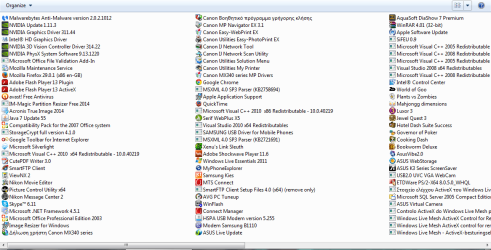
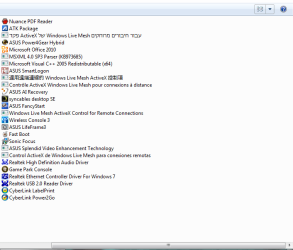
Lately all my browsers crashing randomly and without any pattern. I have try everything but i read on the internet in similar questions but i cannot find solution. Initially i thought problem could be Nvidia, so i remove Nvidia Experience, i updated the drivers, i roll back to a suggested stable version on the driver...nothing. I disable Windows Firewall...nothing. Any suggestion what else i can try?
I run Win7, Nvidia, Avast, Windows Firewall.
Mostly i use IE11 but the crashes happens also to FF & Chrome that i tryied. Average per day can be 10-15 crashes, there is not any freezing screen, the message i get is:
"This page can’t be displayed
Make sure the web address https://example.com is correct.
<LI id=task1-2>Look for the page with your search engine.<LI id=task1-3>Refresh the page in a few minutes. "
When i press refresh the page is load.
I run Win7, Nvidia, Avast, Windows Firewall.
Mostly i use IE11 but the crashes happens also to FF & Chrome that i tryied. Average per day can be 10-15 crashes, there is not any freezing screen, the message i get is:
"This page can’t be displayed
Make sure the web address https://example.com is correct.
<LI id=task1-2>Look for the page with your search engine.<LI id=task1-3>Refresh the page in a few minutes. "
When i press refresh the page is load.
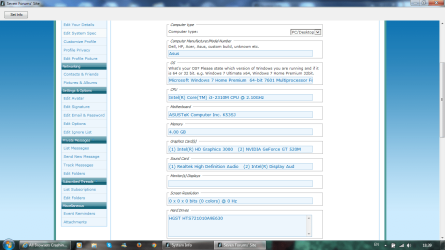
My Computer
- Computer type
- Laptop
- Computer Manufacturer/Model Number
- Asus
- OS
- Microsoft Windows 7 Home Premium 64-bit 7601 Multiprocessor Free Service Pack 1
- CPU
- Intel(R) Core(TM) i3-2310M CPU @ 2.10GHz
- Motherboard
- ASUSTeK Computer Inc. K53SJ
- Memory
- 4.00 GB
- Graphics Card(s)
- (1) Intel(R) HD Graphics 3000 (2) NVIDIA GeForce GT 520M
- Sound Card
- (1) Realtek High Definition Audio (2) Intel(R) Display Aud
- Screen Resolution
- 0 x 0 x 0 bits (0 colors) @ 0 Hz
- Hard Drives
- HGST HTS721010A9E630