- Local time
- 7:25 AM
- Messages
- 46
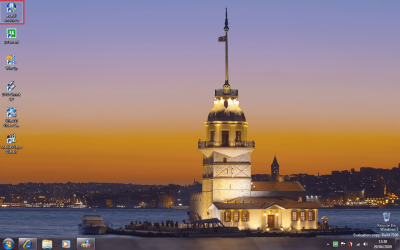
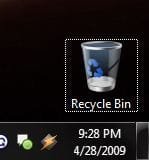
I realize this might be a dumb thing to nitpick about, but it's always been like this for me at least since Windows XP. When I click on the desktop, the icon that was last clicked on or if there's just one icon on the desktop then that one, it gets a little dotted outline around it. There must be a way to keep this from happening? Because I thought it was fixed cuz when I first installed Windows 7, it wouldn't do this, but after a few days, now it's doing it again. 
I can make it go away if I right click on the desktop and choose refresh, but as soon as I click on the taskbar and then click on the desktop again, it comes back.
*edit* okay, so now it's gone away for now, even when I do click on the taskbar and back on the desktop, but still, has anyone else noticed this peculiarity before in Windows, or am I just cursed?
I can make it go away if I right click on the desktop and choose refresh, but as soon as I click on the taskbar and then click on the desktop again, it comes back.
*edit* okay, so now it's gone away for now, even when I do click on the taskbar and back on the desktop, but still, has anyone else noticed this peculiarity before in Windows, or am I just cursed?
Attachments
My Computer
At a glance
Windows 7, of course.
- OS
- Windows 7, of course.