Solved automatic folders

1976kjell

New member
Local time
1:04 AM
Messages
65
Location
Norway
Some days ago I copied mp3-files from my old laptop to my new desktop. Both have win 7. In the old PC , the files and folders were arranged as I wanted. But in my new PC, it had been created many new folders keepin few mp3 files. Most of the new folders has the name of the albums, common to one or two songs. Often there is created one main folder and another folder inside the main folder, and then the original MP#-file. Irritating :D


I want the folders to be in alfabetically order, but its automatically created new folders which also often have subfolders. Often the one and only mp3-file in the folder is in the subfolder. Many folders to explore the get to the file. I dont want that the system automatically creates new folders which I dont recognise ( the names of the new folders is often names of artists or albums, the folders names is based on the files names or information) which I didnt knew I had in my "my music"-folder.I want these mp3-files to be without any extra folders, that they remains open in my "my music"-folder.

So what I have to do to get it as I want is to explore the folders and cut the file and paste it where I want it? Or is it an easier way to do it?
 
Last edited by a moderator:

My Computer

Computer type
PC/Desktop
Computer Manufacturer/Model Number
Unknown
OS
Windows 7 Home Premium 64bit, service pack 1
CPU
Intel(R) Core(TM) i5 760
Memory
4,00 GB
I got a solution, I guess: Reset Folder in Folder Options (open by clicking Organize -> Folder and Search Options and then go to View tab)
 

My Computer

Computer type
PC/Desktop
Computer Manufacturer/Model Number
Unknown
OS
Windows 7 Home Premium 64bit, service pack 1
CPU
Intel(R) Core(TM) i5 760
Memory
4,00 GB
Well, I got wrong

It dont works, the unwanted strange folders which I dont have created by my self is there. To reset the folder dont helps. Only the "ok"-button is possible to "push down" when I have choosed the reset button, the "use"-button is "empty", not posible to push down.

It worked for 1 day or 2, but then the unwanted folders came back. Maybe it comes back each time I switch the PC off and on.

The names on the new folders is based on the mp3-file-names
 

My Computer

Computer type
PC/Desktop
Computer Manufacturer/Model Number
Unknown
OS
Windows 7 Home Premium 64bit, service pack 1
CPU
Intel(R) Core(TM) i5 760
Memory
4,00 GB
Anyone knows a solution? :)
 

My Computer

Computer type
PC/Desktop
Computer Manufacturer/Model Number
Unknown
OS
Windows 7 Home Premium 64bit, service pack 1
CPU
Intel(R) Core(TM) i5 760
Memory
4,00 GB
Can you post a screenshot?
 

My Computer

Computer Manufacturer/Model Number
Toshiba Satellite L500
OS
Windows 7 Home Premium x64 OEM --> RTM clean install
CPU
Intel T4400
Motherboard
? - laptop inbuilt ?
Memory
4Gb
Graphics Card(s)
? - Mobile Intel(R) 4 Series Express Chipset Family ?
Sound Card
Realtek
Monitor(s) Displays
? + extended to a 42" LG55PC plasma tele!
Screen Resolution
1366 * 768
Hard Drives
320Gb 5500rpm
PSU
?
Case
?
Cooling
?
Internet Speed
3Meg, when it works.
Other Info
A LOWLY LAPTOP!
I got the right word for the "empty" buttons, I mean the buttons is inactive

I dont know if that is necessary to send a screenshot. I can do it later, what do you want screenshot of?

Simply said, new folders and subfolders are automatically created, often only for one song. F.ex if I download a song , not only one mp3-file will be saved in "my music"-folder, but it will hide in a folder f.ex named "absolute music 5". The name of the folder is from what album the mp3-file is downloaded from, . Then its difficult to find a specific mp3-file.
 

My Computer

Computer type
PC/Desktop
Computer Manufacturer/Model Number
Unknown
OS
Windows 7 Home Premium 64bit, service pack 1
CPU
Intel(R) Core(TM) i5 760
Memory
4,00 GB
OK, you seem to have 2 problems: appearence of multiple folders, and not being able to find songs.
Then how are you downloading songs? Through a 3rd party app? If you can explain this a little, maybe we can help with that (assuming you don't want all the subfolders).

And being able to find the newly downloaded mp3:
If you have the parent folder indexed, it shouldn't matter if there are 10 sub-folders, songs will show up in the results.

For example, you index the folder C:\Music, then you will be able to find "download.mp3" even if it is located seveal folders deep. If you can't, try rebuilding the index database.

(I wanted a screenshot because it might help clarify what your saying - repectfully, your English is a little confusing) ok?
 
Last edited:

My Computer

Computer Manufacturer/Model Number
Toshiba Satellite L500
OS
Windows 7 Home Premium x64 OEM --> RTM clean install
CPU
Intel T4400
Motherboard
? - laptop inbuilt ?
Memory
4Gb
Graphics Card(s)
? - Mobile Intel(R) 4 Series Express Chipset Family ?
Sound Card
Realtek
Monitor(s) Displays
? + extended to a 42" LG55PC plasma tele!
Screen Resolution
1366 * 768
Hard Drives
320Gb 5500rpm
PSU
?
Case
?
Cooling
?
Internet Speed
3Meg, when it works.
Other Info
A LOWLY LAPTOP!
My english isnt the best, Im from Norway.

A better word for "inactive" buttons is maybe "disabled".

Im able to find songs, but it often takes more time because I have to go through more folders

Dont exaggerate (right english word?) this problem allend66, this problem isnt very very big

I download from DC++ and I choose the folder "my music", so if it works, an mp3-file should be saved in "my music" as a "bare" mp3-file, not hidden in another folder in "my music". In the PC with vista, many mp3-files were hidden in other folders in "my music", which have names based on the albums where to songs was downloaded from. Of course, If i download an album, then its ok that the system automatically creates a folder with the same name as the album, but when I download just one mp3-file, I dont want a new folder

The downloaded mp3 files isnt any problem yet in my new PC with windows 7 yet, but I guess it will come afterwards, because the new folders, who I havent made by my self, already has appeared when I copied mp3-files from another PC with windows 7. I havent begun to download yet, using my new PC. The downloading was just an example.

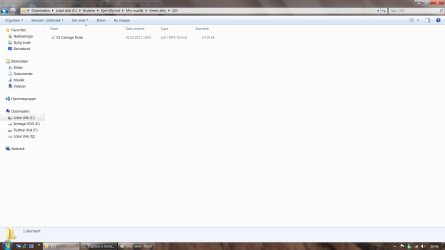
I dont know exact what you need a screenshot of, but I have one here (using norwegian language):

Uten navn.jpg


"01 Carnage Rules" is one mp3-file which I copied from my older PC with windows 7.

But it became hidden under "green jelly" and "333" which is the band and the album.

"01 Carnage Rules" should be saved as a a bare mp3-file in "min musikk" (="my music" in english)
 

My Computer

Computer type
PC/Desktop
Computer Manufacturer/Model Number
Unknown
OS
Windows 7 Home Premium 64bit, service pack 1
CPU
Intel(R) Core(TM) i5 760
Memory
4,00 GB
Sorry if I offended you in any way - absolutely no insult intended!
So no problem finding mp3s then - just multiple folders. Settings in DC++?
 

My Computer

Computer Manufacturer/Model Number
Toshiba Satellite L500
OS
Windows 7 Home Premium x64 OEM --> RTM clean install
CPU
Intel T4400
Motherboard
? - laptop inbuilt ?
Memory
4Gb
Graphics Card(s)
? - Mobile Intel(R) 4 Series Express Chipset Family ?
Sound Card
Realtek
Monitor(s) Displays
? + extended to a 42" LG55PC plasma tele!
Screen Resolution
1366 * 768
Hard Drives
320Gb 5500rpm
PSU
?
Case
?
Cooling
?
Internet Speed
3Meg, when it works.
Other Info
A LOWLY LAPTOP!
Not offended :)

I used dc++ in my older PC with windows 7, and the folders and mp3 files were organized without these automatic folders

Its not every mp3-file which creates folders, just some of them

I think its maybe that some mp3-files have tags or other hidden information that can "command" windows explorer to make new folders

I have used dc++ for many years, also using windows XP. Always with the same settings in dc+.In XP there wasnt any strange new folders.

Just downloaded dc++ in my PC and downloaded a mp3-file. It was saved "bare", without any ekstra folder, as I want it.

I hope this will be common also for the mp3-files I download in the future

I also just discovered that some albums have been splitted to two albums with different names after I copied "my music" from the old PC with windows 7 to the new PC also with windows 7. Each of the new 2 albums contains f.ex half of the mp3-files that were in the original album each. I dont know why this happens. When I cut and paste the files to recreate the orginal album, I get all the mp3-files in one album again.
 
Last edited:

My Computer

Computer type
PC/Desktop
Computer Manufacturer/Model Number
Unknown
OS
Windows 7 Home Premium 64bit, service pack 1
CPU
Intel(R) Core(TM) i5 760
Memory
4,00 GB
This is really annoying!

I tried to fix the problem by cut and paste some files in the folders to get it as I wanted it

Suddenly, after 15 mins or so, a lot of new unwanted folders appeared in "my music" with subfolders and just one mp3-file. The new folders were created just some minutes ago. The numbers of folders in "my music" has increased much.

Some of the albums split, like described in last post from me. One example is that it had been created 2 folders of my "bon jovi"-folder. One of them has the original name "bon jovi" and the new folder has the name "jon bon jovi". Strange behaviour by windows explorer.

Its not from the new mp3-files who I had just downloaded in dc++

My laptop with windows 7 I had earlier hadnt this problem, so it should be possible the get a solution, maybe by changing something in regedit or similar?

It looks like it is a refreshing function which creates unwanted folders. This may be possibel to disabel?

Something has to be very wrong in th windows explorer system!

Sorry for my irritation, its not members here in sevenforum who have caused this problem, its microsoft!!!!
 
Last edited:

My Computer

Computer type
PC/Desktop
Computer Manufacturer/Model Number
Unknown
OS
Windows 7 Home Premium 64bit, service pack 1
CPU
Intel(R) Core(TM) i5 760
Memory
4,00 GB
I guess i got the reason, its the windows media player. I have changed many settings, f.ex I have disabled Windows Media Player Network Sharing Service
 

My Computer

Computer type
PC/Desktop
Computer Manufacturer/Model Number
Unknown
OS
Windows 7 Home Premium 64bit, service pack 1
CPU
Intel(R) Core(TM) i5 760
Memory
4,00 GB
Back
Top