I made the Linux CD and it worked fine -- recognized my USB keyboard/mouse (I did get trapped in the MEM test when I was checking it out). Anyway, I'm downloading the Win PE file now to have both types of recovery CD on hand. I also watched the video -- very informative, thanks whs.
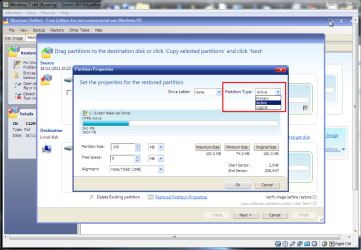
I do have a question about creating a backup of my C drive (pretty much the only thing I'll be using this for). I have a new HP, which has the small, hidden boot partition (active) before my C (primary). The caveat about making sure the C drive isn't marked as active I understand; but I see no way to make sure that that has happened. Does the newer edition of Macrium I installed today take that into account automatically, so I don't have to worry about it?
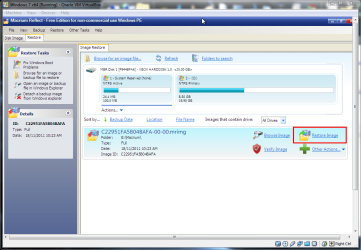
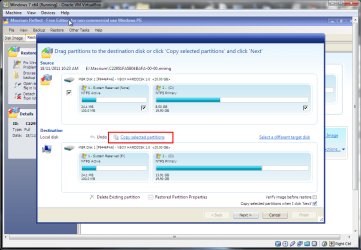
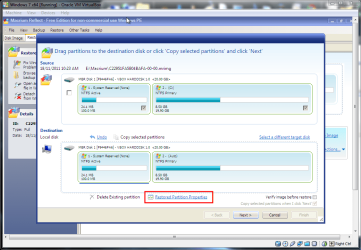
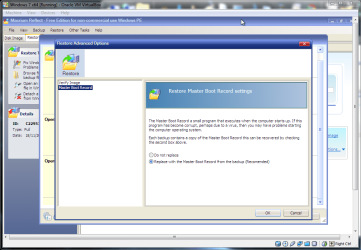
If you image both partitions Macrium 5 will restore them both with the correct attributes and also the mbr by default. You can change this behavior but you have to dig into the options to do it.
My Computer
- Computer type
- Laptop
- Computer Manufacturer/Model Number
- Hewlett-Packard/G62-107SA Notebook
- OS
- Microsoft Windows 7 Home Premium 64-bit Service Pack 1
- CPU
- Intel(R) Core(TM) i3 CPU M 330 @ 2.13GHz
- Motherboard
- Hewlett-Packard 1425
- Memory
- 8 GB DDR3
- Graphics Card(s)
- Intel(R) HD Graphics
- Sound Card
- Realtek High Definition Audio
- Monitor(s) Displays
- Builtin
- Screen Resolution
- 1366 x 768 x 32 bits (4294967296 colors) @ 60 Hz
- Hard Drives
- 250 GB SATA Hard Disk Drive 7200 rpm
2TB Seagate GoFlex USB 2 Drive
1TB Iomega Prestige USB 2 Drive
1.5TB Iomega Prestige USB 2 Drive (Samsung)
2TB WD MyBook Live NAS.
- Mouse
- Logitech Anywhere MX
- Internet Speed
- 152 Mbs download 10 Mbs upload
- Antivirus
- Norton 360
- Browser
- Chrome