

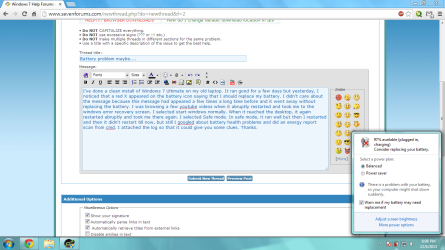
I've done a clean install of Windows 7 Ultimate on my old laptop. It ran good for a few days but yesterday, I noticed that a red X appeared on the battery icon saying that I should replace my battery. I didn't care about the message because this message had appeared a few times a long time before and it went away without replacing the battery. I was browsing a few youtube videos when it abruptly restarted and took me to the windows error recovery screen. I selected start windows normally. When it reached the desktop, it again restarted abruptly and took me there again. I selected Safe mode. In safe mode, it ran well but then I restarted and then it didn't restart till now, but still I googled about battery health problems and did an energy report scan from cmd. I attached the log so that it could give you some clues. Thanks.
Attachments
My Computer
At a glance
Windows 10 Home 64-BitIntel Core i3 380M @ 2.53GHz Arrandale 32nm T...Total RAM = 4.00 GB and Usable RAM = 3.80 GBGeneric PnP Monitor (1366x768@60Hz) Intel HD ...
- Computer type
- Laptop
- Computer Manufacturer/Model Number
- Dell Inspiron N4030
- OS
- Windows 10 Home 64-Bit
- CPU
- Intel Core i3 380M @ 2.53GHz Arrandale 32nm Technology
- Motherboard
- Dell Inc. 0K13WN (CPU 1)
- Memory
- Total RAM = 4.00 GB and Usable RAM = 3.80 GB
- Graphics Card(s)
- Generic PnP Monitor (1366x768@60Hz) Intel HD Graphics (Dell)
- Sound Card
- IDT High Definition Audio CODEC Bluetooth Hands-free Audio
- Monitor(s) Displays
- 1
- Screen Resolution
- 1366 x 768 x 32 bits (4294967296 colors) @ 59 Hz
- Hard Drives
- ATA WDC WD3200BEVT-7 SCSI Disk Device Size = 320.00 GB
- Internet Speed
- 6-14 Mbps Max and 153 Kbps Min
- Antivirus
- MBAM Pro, Windows Defender, SuperAntiSpyware, SpyBot S&D
- Browser
- Microsoft Edge, IE11, Google Chrome, Firefox
- Other Info
- Your dude.


