Solved BIOS BootUP Warning Message (Pic) After New graphics card installation

Brado11

New member
Local time
8:20 AM
Messages
7
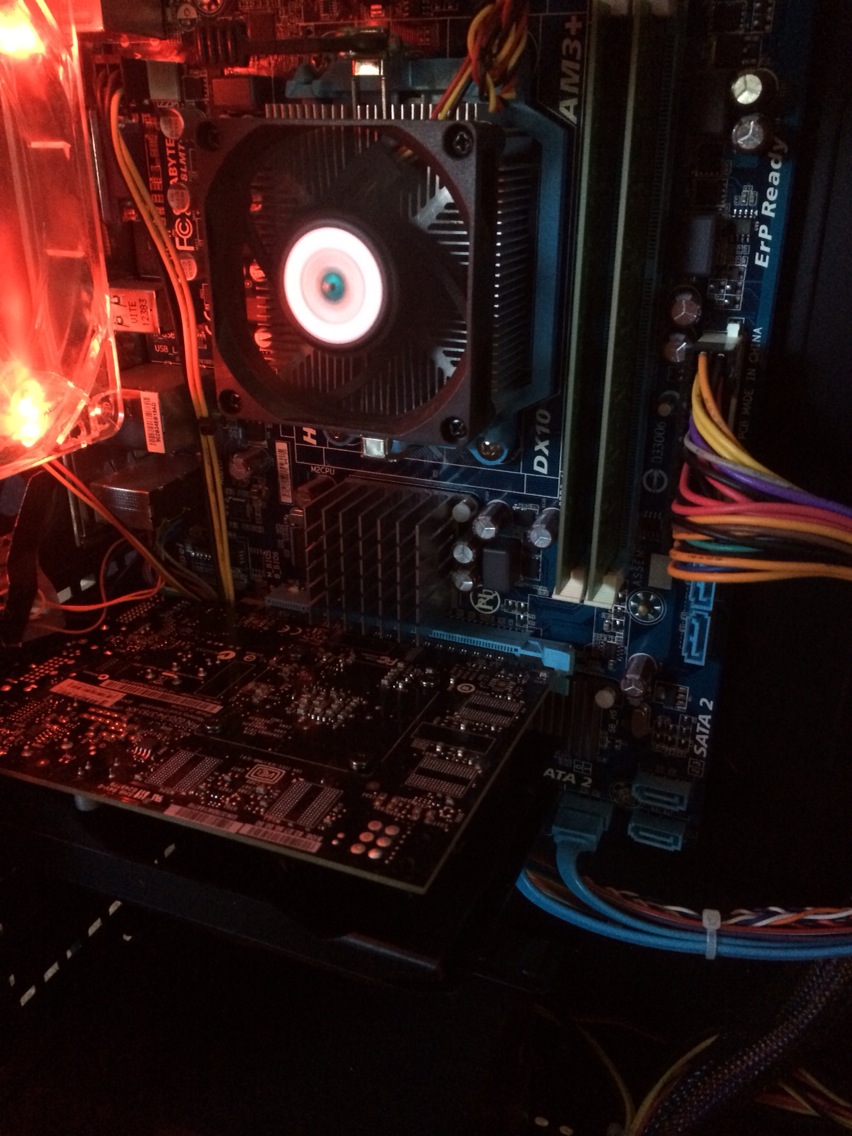
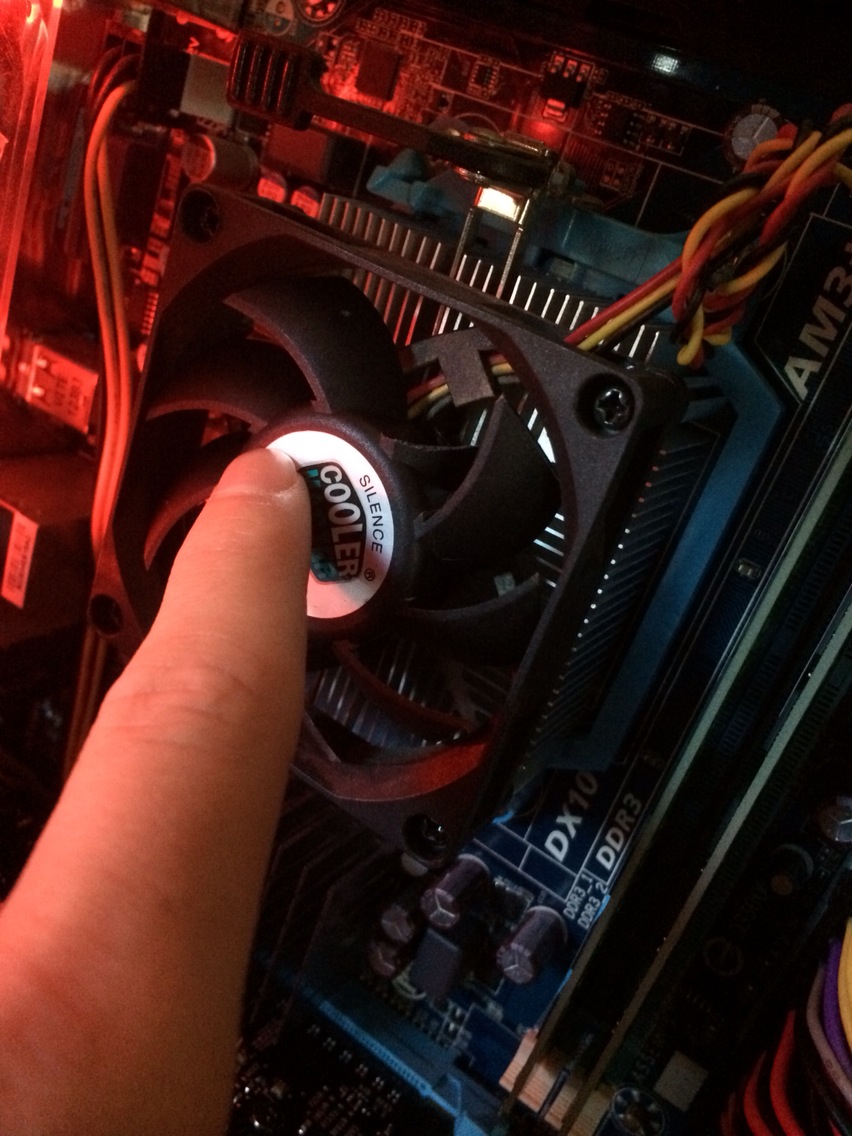
First off I recently Installed a new graphics card, the EVGA GTX 750 ti (SC edition) and I loved it but shortly after I broke one blade on my CPU fan because it was hitting its plastic case and making an incredibly loud noise.

Then after a few days I noticed a decrease in performance with slower load speeds and applications crashing if I had too many open etc. (on the brightside gaming graphics and FPS went way up =D) until this morning I received this message on bootup.


Now there are 2 issues that come to mind - not having enough power for the new graphics card or the CPU over heating from one fan blade breaking. I would rather not find out my PC is slowly dying from the recent changes because I cannot afford a new one. Are there maybe some fan setting or overheat warnings i can configure in BIOS?

Here is my Power Supply, CPU fan and full specs:


Motherboard: GA-78LMT-S2
CPU: AMD FX 4100 Zambezi (Max TDP 95 W)
Graphics: Nvidia Geforce Gtx 750 ti SC
Ram : DDR3 2x4GB stick (dunno what brand)
Power Supply: [In Image]
Optical Drive: TSSTcorp CDDVDW SH-224BB SATA CdRom Device
Hard Drive: 1TB TOSHIBA DT01ACA100 SATA Disk Device (dont know rpm)
Fans: no idea cooler master i believe
64-bit Win7
 

My Computer My Computer

At a glance

Windows 7 Home Premium 64-bitAMD FX-41002 x4GB DDR3Nvidia GTX 750 ti SC
Computer type
PC/Desktop
Computer Manufacturer/Model Number
Custom
OS
Windows 7 Home Premium 64-bit
CPU
AMD FX-4100
Motherboard
GA-78LMT-S2
Memory
2 x4GB DDR3
Graphics Card(s)
Nvidia GTX 750 ti SC
Hard Drives
1 TB
Antivirus
McAfee
Browser
Chrome
What temperatures are you seeing for the CPU?
 

My Computer My Computer

At a glance

Main - Windows 7 Pro SP1 64-Bit; 2nd - Window...Main - Core i7 2600K; 2nd - Core i7 920Main - 16GB Corsair Vengeance; 2nd - 12GB Cor...Main - XFX Radeon 6870 1GB; 2nd - XFX Radeon ...
Computer Manufacturer/Model Number
Self
OS
Main - Windows 7 Pro SP1 64-Bit; 2nd - Windows Server 2008 R2
CPU
Main - Core i7 2600K; 2nd - Core i7 920
Motherboard
Main - Asus P8Z68-V Pro/Gen3; 2nd - Gigabyte GA-EX58-UDR3
Memory
Main - 16GB Corsair Vengeance; 2nd - 12GB Corsair Vengeance
Graphics Card(s)
Main - XFX Radeon 6870 1GB; 2nd - XFX Radeon 4870 1GB
Sound Card
Both: Onboard Realtek Azalia
Monitor(s) Displays
Main - Hann 25" + I-INC 25" + Acer 23"; 2nd - Upgrading Soon
Screen Resolution
Main - 1920x1080 (All Three Monitors); 2nd - Upgrading Soon
Hard Drives
Main - (1) Crucial M4 128GB (Boot)
Main - (1) Seagate 2TB 64MB Cache (Data)
Main - (1) Seagate 2TB 64MB Cache (Data Backup)
2nd - (1) Intel X25-M SSD 80GB (Boot)
2nd - (3) Seagate 1TB 32MB Cache (Data Backup)
2nd - (1) Seagate 320GB (Because)
PSU
Main - OCZ 600W Modular; 2nd - OCZ 600W
Case
Main - Thermaltake Element G; 2nd - NZXT something or other
Cooling
Main - Corsair H80; 2nd - Prolimatech Megahalems
Keyboard
Main - Razer Reclusa; 2nd - Old MS Keyboard
Mouse
Main - Logitech MX Revolution; 2nd - Old MS Mouse
Internet Speed
20Mbps Time-Warner Cable
Ok i downloaded core temp and will let it run under some stress to see my maximum temp
 

My Computer My Computer

At a glance

Windows 7 Home Premium 64-bitAMD FX-41002 x4GB DDR3Nvidia GTX 750 ti SC
Computer type
PC/Desktop
Computer Manufacturer/Model Number
Custom
OS
Windows 7 Home Premium 64-bit
CPU
AMD FX-4100
Motherboard
GA-78LMT-S2
Memory
2 x4GB DDR3
Graphics Card(s)
Nvidia GTX 750 ti SC
Hard Drives
1 TB
Antivirus
McAfee
Browser
Chrome
Not much more than ~35 degrees C
 

My Computer My Computer

At a glance

Windows 7 Home Premium 64-bitAMD FX-41002 x4GB DDR3Nvidia GTX 750 ti SC
Computer type
PC/Desktop
Computer Manufacturer/Model Number
Custom
OS
Windows 7 Home Premium 64-bit
CPU
AMD FX-4100
Motherboard
GA-78LMT-S2
Memory
2 x4GB DDR3
Graphics Card(s)
Nvidia GTX 750 ti SC
Hard Drives
1 TB
Antivirus
McAfee
Browser
Chrome
In no particular order:

That temp is alright.
Your video card is not a huge power draw, as far as those go.
Your PSU is a bargain brand and the amperage on the 12V rails is mighty low.

The BIOS warning you are getting is a standard response to an incomplete boot on a system with something running perhaps a little out of spec. Probably anyone who has ever overclocked (even mildly) has seen that at some point. If you were not getting that repeatedly, especially at stock speeds, I would not be too concerned. It might be just a one-off occurrence.

In any event, I would replace that fan. Running out of balance like that it's not going to last long anyway.

As for the computer slowdown, I would recommend making sure the hardware is sound and running properly for a few days before tackling that. If everything looks good we can get into that next. :)
 

My Computer My Computer

At a glance

Main - Windows 7 Pro SP1 64-Bit; 2nd - Window...Main - Core i7 2600K; 2nd - Core i7 920Main - 16GB Corsair Vengeance; 2nd - 12GB Cor...Main - XFX Radeon 6870 1GB; 2nd - XFX Radeon ...
Computer Manufacturer/Model Number
Self
OS
Main - Windows 7 Pro SP1 64-Bit; 2nd - Windows Server 2008 R2
CPU
Main - Core i7 2600K; 2nd - Core i7 920
Motherboard
Main - Asus P8Z68-V Pro/Gen3; 2nd - Gigabyte GA-EX58-UDR3
Memory
Main - 16GB Corsair Vengeance; 2nd - 12GB Corsair Vengeance
Graphics Card(s)
Main - XFX Radeon 6870 1GB; 2nd - XFX Radeon 4870 1GB
Sound Card
Both: Onboard Realtek Azalia
Monitor(s) Displays
Main - Hann 25" + I-INC 25" + Acer 23"; 2nd - Upgrading Soon
Screen Resolution
Main - 1920x1080 (All Three Monitors); 2nd - Upgrading Soon
Hard Drives
Main - (1) Crucial M4 128GB (Boot)
Main - (1) Seagate 2TB 64MB Cache (Data)
Main - (1) Seagate 2TB 64MB Cache (Data Backup)
2nd - (1) Intel X25-M SSD 80GB (Boot)
2nd - (3) Seagate 1TB 32MB Cache (Data Backup)
2nd - (1) Seagate 320GB (Because)
PSU
Main - OCZ 600W Modular; 2nd - OCZ 600W
Case
Main - Thermaltake Element G; 2nd - NZXT something or other
Cooling
Main - Corsair H80; 2nd - Prolimatech Megahalems
Keyboard
Main - Razer Reclusa; 2nd - Old MS Keyboard
Mouse
Main - Logitech MX Revolution; 2nd - Old MS Mouse
Internet Speed
20Mbps Time-Warner Cable
Sorry about the late reply went out of town for a few days hope you still see this, on another forum someone replied

"First I would replace the CPU fan. Second that card takes 25 watts on a 12v+ rail.
Your psu has dual rails at 14watts each now here is the kicker Two 12v rails at 14 watts does not equal 28 watts on the 12v rail.
If you have two rails at 14 amps each you are pushing the same as 20 watts on a single rail.

So to make your computer last longer and not burn anything up replace the cpu fan and get a single rail PSU with at least 30 amps on the 12v rail. And that is still a bit low to me because you have to figure in the hard drives, fans, ram, dvd drives when in use, and CPU.

The CORSAIR CX series CX430 430W is cheap and has a single rail at 32 amps.
and the CORSAIR CX series CX500 500W cost a bit more but carries 38 AMPs on the 12v rail."

Which agrees with your opinion but since im rather short on money right now is it vital to upgrade my PSU? I will be replacing the fan though. And also to further report I haven't gotten anymore overclock warnings but my PC did blue-screen once and a desktop.ini file appeared on my desktop out of nowhere. Hope none of this is too serious because I really could not afford a new PC right now.
 

My Computer My Computer

At a glance

Windows 7 Home Premium 64-bitAMD FX-41002 x4GB DDR3Nvidia GTX 750 ti SC
Computer type
PC/Desktop
Computer Manufacturer/Model Number
Custom
OS
Windows 7 Home Premium 64-bit
CPU
AMD FX-4100
Motherboard
GA-78LMT-S2
Memory
2 x4GB DDR3
Graphics Card(s)
Nvidia GTX 750 ti SC
Hard Drives
1 TB
Antivirus
McAfee
Browser
Chrome
"First I would replace the CPU fan. Second that card takes 25 watts on a 12v+ rail.
Your psu has dual rails at 14watts each now here is the kicker Two 12v rails at 14 watts does not equal 28 watts on the 12v rail.
If you have two rails at 14 amps each you are pushing the same as 20 watts on a single rail.

So to make your computer last longer and not burn anything up replace the cpu fan and get a single rail PSU with at least 30 amps on the 12v rail. And that is still a bit low to me because you have to figure in the hard drives, fans, ram, dvd drives when in use, and CPU.

The CORSAIR CX series CX430 430W is cheap and has a single rail at 32 amps.
and the CORSAIR CX series CX500 500W cost a bit more but carries 38 AMPs on the 12v rail."

Also could you explain some of these numbers to me as I don't know that much about electricity PSU's etc. Thank you so much in advance @profdlp
 

My Computer My Computer

At a glance

Windows 7 Home Premium 64-bitAMD FX-41002 x4GB DDR3Nvidia GTX 750 ti SC
Computer type
PC/Desktop
Computer Manufacturer/Model Number
Custom
OS
Windows 7 Home Premium 64-bit
CPU
AMD FX-4100
Motherboard
GA-78LMT-S2
Memory
2 x4GB DDR3
Graphics Card(s)
Nvidia GTX 750 ti SC
Hard Drives
1 TB
Antivirus
McAfee
Browser
Chrome
Sorry, had a 400 mile trip today and am just checking my email.

In a nutshell, PSUs vary in how much current they can supply, with the higher rated ones costing more due to having better components. Some PSUs take a shortcut and put a pair of cheaper components in there instead of one really super-duper one. In your case, it means you have a puny 14A main feed (rail) and to try and make up for it they threw in a second one.

This is an imperfect analogy, but think of it like a guy trying to win the Indy 500 who couldn't afford a real Indy car which could go 180mph. Suppose he tried to make up for it by buying two midrange sports cars which could each hit 90mph. 2 x 90 = 180, right? Trouble is he can only drive one of them at a time. The second car might be handy for his friend to run to the store in and buy him some beer to console himself after he loses the race, but it's not going to help him with his main task.

Video cards are typically the highest users of power in a computer and they need a quality PSU to deliver it. You can postpone it if you must, but your best bet is to start saving and keep your eye on sales so you can hopefully get a good price.

As for the desktop.ini file, that's always "there" but is usually hidden. Check and see if somehow you have managed to get the "Hide Protected Operating System Files (Recommended)" box unchecked. (See bottom of attached picture.) If it is, put the check back and that should take care of it.
 

My Computer My Computer

At a glance

Main - Windows 7 Pro SP1 64-Bit; 2nd - Window...Main - Core i7 2600K; 2nd - Core i7 920Main - 16GB Corsair Vengeance; 2nd - 12GB Cor...Main - XFX Radeon 6870 1GB; 2nd - XFX Radeon ...
Computer Manufacturer/Model Number
Self
OS
Main - Windows 7 Pro SP1 64-Bit; 2nd - Windows Server 2008 R2
CPU
Main - Core i7 2600K; 2nd - Core i7 920
Motherboard
Main - Asus P8Z68-V Pro/Gen3; 2nd - Gigabyte GA-EX58-UDR3
Memory
Main - 16GB Corsair Vengeance; 2nd - 12GB Corsair Vengeance
Graphics Card(s)
Main - XFX Radeon 6870 1GB; 2nd - XFX Radeon 4870 1GB
Sound Card
Both: Onboard Realtek Azalia
Monitor(s) Displays
Main - Hann 25" + I-INC 25" + Acer 23"; 2nd - Upgrading Soon
Screen Resolution
Main - 1920x1080 (All Three Monitors); 2nd - Upgrading Soon
Hard Drives
Main - (1) Crucial M4 128GB (Boot)
Main - (1) Seagate 2TB 64MB Cache (Data)
Main - (1) Seagate 2TB 64MB Cache (Data Backup)
2nd - (1) Intel X25-M SSD 80GB (Boot)
2nd - (3) Seagate 1TB 32MB Cache (Data Backup)
2nd - (1) Seagate 320GB (Because)
PSU
Main - OCZ 600W Modular; 2nd - OCZ 600W
Case
Main - Thermaltake Element G; 2nd - NZXT something or other
Cooling
Main - Corsair H80; 2nd - Prolimatech Megahalems
Keyboard
Main - Razer Reclusa; 2nd - Old MS Keyboard
Mouse
Main - Logitech MX Revolution; 2nd - Old MS Mouse
Internet Speed
20Mbps Time-Warner Cable
Just checking....are any components overclocked? From the BIOS screen that appears to be the case. Reset all overclocks to stock settings. The system may stay stable until you can afford fixes/replacements.
 

My Computer My Computer

At a glance

Windows 10 Pro x64 ; Xubuntu x64Intel i7 860 @ 2.80 GHz O/C'ed to 4.0GHz16GB Corsair Vengance DDR3 @ 661 MHz Dual Cha...EVGA NVidia GTX 560 1024MB
Computer type
PC/Desktop
Computer Manufacturer/Model Number
Golden Mk. I.4
OS
Windows 10 Pro x64 ; Xubuntu x64
CPU
Intel i7 860 @ 2.80 GHz O/C'ed to 4.0GHz
Motherboard
Gigabyte P55A-UD3R Rev.1. Award BIOS F13
Memory
16GB Corsair Vengance DDR3 @ 661 MHz Dual Channel (9-9-9-24)
Graphics Card(s)
EVGA NVidia GTX 560 1024MB
Sound Card
Realtek Integrated
Monitor(s) Displays
Dual Samsung SyncMaster 2494HS
Screen Resolution
1920*1080 and 1920*1080
Hard Drives
1*Samsung 840 EVO 120GB SSD;
1*OCZ Vertex 2 60GB SSD;
2*Samsung F3 SpinPoint 1TB in RAID0;
1*Samsung F1 SpinPoint 1TB;
2*Western Digital 1TB External USB 3.0
1*Western Digital 500GB External USB 3.0
1*Seagate 500GB External USB 2.0
PSU
Thermaltake ToughPower QFan 750W
Case
Thermaltake Element S VK60001W2Z
Cooling
Corsair H60 Water Cooling, 2*230mm and 2*80mm case fans
Keyboard
Logitech G110
Mouse
Logitech MX518
I'm also a believer that it is a power supply problem.

Search Results


  1. Requirements
    • Minimum of a 550 Watt power supply. (Minimum recommended power supply with +12 Volt current rating of 38 Amps.)
    • An available 6-pin PCI-E power connector and an available 8 pin PCI-E power connector.
  2. EVGA GeForce GTX 570 HD Classified Video Card Review ...

    evga-geforce-gtx-570-hd-classified-video-card-revi...
 

My Computer My Computer

At a glance

Windows 10 Pro. 64/ version 1709 Windows 7 Pr...Intel i7-6800K @ 4.3Corsair Platinum 16 gig @2400EVGA GTX 1070 OC
Computer type
PC/Desktop
Computer Manufacturer/Model Number
Home made Desktop
OS
Windows 10 Pro. 64/ version 1709 Windows 7 Pro/64
CPU
Intel i7-6800K @ 4.3
Motherboard
ASUS X-99 Deluxe II
Memory
Corsair Platinum 16 gig @2400
Graphics Card(s)
EVGA GTX 1070 OC
Monitor(s) Displays
Asus 27" LED LCD/VE278Q
Screen Resolution
1920-1080 or 1280-720 HDMI
Hard Drives
INTEL SSD 730-240 Gb Sata 3.0/
PSU
EVGA Platium 1200W
Case
Phanteks Luxe Tempered Glass 8 fans/ one radiator
Cooling
XSPC/ Water Cooled CPU
Keyboard
Das 4 Professional
Mouse
Logitech M705/MX Anywhere 2-S
Internet Speed
100 mbits
Antivirus
Microsoft Security Essentials/ Malwarebytes Premium 3.0/ SAS
Browser
I.E. 11 default/Firefox/ ISP Time Warner Cable/Spectrum
Other Info
LG BluRay Burner/
Sound system-KLipsch-THX/
Icy Dock ssd Hot Swap bays.
Thank you so much for all the help to anyone who replied to this thread, seeing as how on 3 other forums I did not get a reply and even though this was not a super-urgent question I still appreciate it.

1. I will now definitely upgrade to a bigger PSU and most likely will try to reuse the same one in my next build two years down the road from now so I'll be looking for something that can handle future hardware. Any suggestions?

2. I'll leave the broken fan in until it actually stops working seeing as how my temp is stable.

3. The folder options worked and I am no longer seeing desktop.ini
 

My Computer My Computer

At a glance

Windows 7 Home Premium 64-bitAMD FX-41002 x4GB DDR3Nvidia GTX 750 ti SC
Computer type
PC/Desktop
Computer Manufacturer/Model Number
Custom
OS
Windows 7 Home Premium 64-bit
CPU
AMD FX-4100
Motherboard
GA-78LMT-S2
Memory
2 x4GB DDR3
Graphics Card(s)
Nvidia GTX 750 ti SC
Hard Drives
1 TB
Antivirus
McAfee
Browser
Chrome
Thank you so much for all the help to anyone who replied to this thread, seeing as how on 3 other forums I did not get a reply and even though this was not a super-urgent question I still appreciate it.

1. I will now definitely upgrade to a bigger PSU and most likely will try to reuse the same one in my next build two years down the road from now so I'll be looking for something that can handle future hardware. Any suggestions?

2. I'll leave the broken fan in until it actually stops working seeing as how my temp is stable.

3. The folder options worked and I am no longer seeing desktop.ini =D
 

My Computer My Computer

At a glance

Windows 7 Home Premium 64-bitAMD FX-41002 x4GB DDR3Nvidia GTX 750 ti SC
Computer type
PC/Desktop
Computer Manufacturer/Model Number
Custom
OS
Windows 7 Home Premium 64-bit
CPU
AMD FX-4100
Motherboard
GA-78LMT-S2
Memory
2 x4GB DDR3
Graphics Card(s)
Nvidia GTX 750 ti SC
Hard Drives
1 TB
Antivirus
McAfee
Browser
Chrome
Back
Top