Solved Bios help

carlos7859

New member
Member
Local time
8:11 AM
Messages
45
Location
Ponce
Hi guys, I'm sorry if I'm posting in the wrong place. I need some help!! I have a gateway m-2414u laptop, i reinstalled windows 7 and i restarted and now it's stuck in bios boot :/ it turns on and all the indicators come on but it doesn't boot :/ HELP!! I'm scared of putting a new bios flash because i can't find it on the official bios on their webpage cause it's all messy :/ can someone help me find it please? i just don't wanna kill my computer :( thanks
 

My Computer

Computer Manufacturer/Model Number
Gateway M-2414U
OS
Windows 7 Ultimate 32bit/x86
CPU
AMD Athlon X2 Dual-Core QL60 1.9Ghz
Motherboard
SA8 W370X015
Memory
4GB DDR2
Graphics Card(s)
ATI Readon HD 3200 Graphics
Sound Card
Conexant High Defintion Smartaudio 221
Monitor(s) Displays
15.4-inch WXGA Ultrabright™ TFT Active Matrix
Screen Resolution
1280x800
Hard Drives
1 Sata 250GB
Case
Portable
Cooling
Normal laptop fan
Keyboard
Standard PS/2 Keyboard
Mouse
Touch Pad
Internet Speed
3 Mbps
Let's see if we can understand what is going on a little better:


  • You reinstalled Windows. How? Clean install? Repair install?
  • When you typically install Windows the system must re-start twice. Did it do that successfully? If so, when did it first freeze on boot?
  • Can you get into the BIOS settings? (Do not change anything - just, can you get in?) The start-up process on a PC is a two stage process. The BIOS "boots" and then the OS "starts". There is a BIG difference between a PC that will not "boot" and one that will not "start".
Don't flash your BIOS. Please. You could make things much worse.

Let's see what we can do with more info.
 

My Computer

Computer type
PC/Desktop
Computer Manufacturer/Model Number
Home Built - Jan 2013
OS
Windows 7 64 Bit Home Premium SP1
CPU
i7-3820
Motherboard
Asus P9X79-PRO - Bios 4608
Memory
GSkill F3-14900CL9Q - 16GB
Graphics Card(s)
EVGA GeForce GTX660 - Driver 352.86
Sound Card
On board Realtek ALC898
Monitor(s) Displays
Acer S271HL
Screen Resolution
1920 x 1080
Hard Drives
#1- Samsung 840 Pro Series
#2- Western Digital WD1002FAEX Sata3 Black
#3- Western Digital WD1002FAEX Sata3 Black
PSU
Corsair CMPSU-850TX-V2 - 850 watt (by Seasonic)
Case
Corsair Obsidian 550D
Cooling
Standard 3 120mm case fans, Cooler Master Hyper 212 EVO
Keyboard
MS KC-0405
Mouse
Intellimouse 5-button
Internet Speed
56 Mbits/Sec (on a good day)
Antivirus
Avast & Malwarebytes
Browser
Firefox
Other Info
Asus DVD - DRW-24B1ST 24X
There's a possibility the default boot device in the BIOS is set to your optical drive, not your hard drive, based upon a command entered during Windows Setup.
 

My Computer

Computer Manufacturer/Model Number
Custom built machine
OS
W7 x64
CPU
Intel Q9300 2.5Ghz Quad LGA775 (Would like Q9650)
Motherboard
Gigabyte GA-EP45T-UD3R (F6 Bios)
Memory
4Gb OCZ Gold 1,333Mhz
Graphics Card(s)
Palit HD4850 O/C Sonic 512Mb DDR3, Dual DViD's
Sound Card
Azalia to twin Samson 50w Studio Monitors
Monitor(s) Displays
Twin Dell (E-IPS) U2311H 23.6" Screens
Screen Resolution
1920 x 1080 @ 60Hz
Hard Drives
Crucial M4 SSD, archives on twin Western Digital Caviar Black WD2002FAEX, 2TB, 7200rpm HDD's, Samsung Ritemaster CD/DVD Burner...
PSU
OCZ 600w
Case
Lian-Li PC8 acoustifoamed' aluminium tower
Cooling
Scythe 140mm Zipang
Keyboard
Cherry PS/2 custom model
Mouse
Lenovo USB laser "Thinkpad" Mouse
Internet Speed
ADSL2+ @14Mbps downstream & Cat6 Gigabit Ethernet
Antivirus
NOD32
Browser
Opera
Other Info
Silicon Dust HD Homerun Dual FTA (Ethernet) TV Tuners, Dray Tek Vigor 2850Vn router and 8x HP Gigabit Switch. Lian-Li CR26 Card Reader, Canon MF4430 iSensys laser printer/scanner.
Ok guys. Clean install of windows 7 pro. Windows installed normally and I got to the desktop then it installed 105 updates and it asked to restart so i restarted and it turned on but it didn't do anything nor show the gateway logo and no bios menu nothing pitch black :( The lights turn on but don't turn off like always (wifi, caps lock, num lock) are always on. The fan runs and the hard drive spins. I have no clue whats wrong cause it was running normal before the restart. :/ help :( PS. I look up info on google and it could be a bad bios battery... but i don't know. (Laptop year 2008)
 

My Computer

Computer Manufacturer/Model Number
Gateway M-2414U
OS
Windows 7 Ultimate 32bit/x86
CPU
AMD Athlon X2 Dual-Core QL60 1.9Ghz
Motherboard
SA8 W370X015
Memory
4GB DDR2
Graphics Card(s)
ATI Readon HD 3200 Graphics
Sound Card
Conexant High Defintion Smartaudio 221
Monitor(s) Displays
15.4-inch WXGA Ultrabright™ TFT Active Matrix
Screen Resolution
1280x800
Hard Drives
1 Sata 250GB
Case
Portable
Cooling
Normal laptop fan
Keyboard
Standard PS/2 Keyboard
Mouse
Touch Pad
Internet Speed
3 Mbps
Huh - wait - what?
If I understand this correctly, you clean installed W7 and all was good. Correct?

Then you installed all 105 updates - at once - and when it restarted it froze? Is that right?

If the above is true, then you will need to go through all 105 updates to try and find the one, or combinations of updates, that is trashing your install.
or
Do another clean install, then install the updates in batches by date (all updates from the same week or month, starting with the oldest ones), and no more than 5 to 10 at a time.

Do not install any updates that show up unchecked along with other updates. That is why they are unchecked: they are supposed to be installed alone.

By doing the updates in small groups you can isolate an update that causes problems easier.

But installing them all at once is just looking for trouble.

Tip: IIRC, during the install process there is a place where you can select whether to have Windows automatically install updates. DECLINE!
 

My Computer

Computer type
PC/Desktop
Computer Manufacturer/Model Number
Home Built - Jan 2013
OS
Windows 7 64 Bit Home Premium SP1
CPU
i7-3820
Motherboard
Asus P9X79-PRO - Bios 4608
Memory
GSkill F3-14900CL9Q - 16GB
Graphics Card(s)
EVGA GeForce GTX660 - Driver 352.86
Sound Card
On board Realtek ALC898
Monitor(s) Displays
Acer S271HL
Screen Resolution
1920 x 1080
Hard Drives
#1- Samsung 840 Pro Series
#2- Western Digital WD1002FAEX Sata3 Black
#3- Western Digital WD1002FAEX Sata3 Black
PSU
Corsair CMPSU-850TX-V2 - 850 watt (by Seasonic)
Case
Corsair Obsidian 550D
Cooling
Standard 3 120mm case fans, Cooler Master Hyper 212 EVO
Keyboard
MS KC-0405
Mouse
Intellimouse 5-button
Internet Speed
56 Mbits/Sec (on a good day)
Antivirus
Avast & Malwarebytes
Browser
Firefox
Other Info
Asus DVD - DRW-24B1ST 24X
OK, let's try this. Unplug the power coard and remove the battery and hold the power button down for 30 seconds. Put the battery back in, plug the power cord back in and start it up. If the computer posts 9you get to the Gateway screen) go straight to bios. Load optimized defaults, set your boot order with the CD/DVD 1st and the hard drive 2nd. Save the changes and exit. If it does not boot, try to boot into the installation DVD, on the 2nd screen in the bottom left corner you will see, repair my computer. Click there. Try to find a restore point to before you installed the updates. Windows should have created one before installing them.
 

My Computers

System One System Two

  • Computer type
    PC/Desktop
    Computer Manufacturer/Model Number
    ALWAYS UNDER CONSTRUCTION
    OS
    Windows 11 Pro
    CPU
    Ryzen 9 5900X
    Motherboard
    Asus X570 Crosshair Viii Hero
    Memory
    32GB G Skill DDR4-3600
    Graphics Card(s)
    EVGA RTX 3080 FTW 3 Ultra
    Sound Card
    On Board/Sennheiser PC37X Headset
    Monitor(s) Displays
    3 X Asus 27"
    Screen Resolution
    2560x1440
    Hard Drives
    2 X 1 TB NVME drives
    PSU
    EVGA 850
    Case
    Phanteks Eclipse P400A
    Cooling
    EVGA 280 AIO
    Keyboard
    Logitech G510s/ Logitech G13
    Mouse
    Logitech G502
    Internet Speed
    24/1
    Antivirus
    ESET/MBAM Pro/SAS Pro
    Browser
    Chrome/ Firefox/ Edge
  • Computer type
    Laptop
    System Manufacturer/Model Number
    Dell 16 Plus
    OS
    Windows 11 Pro
    CPU
    Intel Ultra 9 288V
    Memory
    32 GB LPDDR5X 8533
    Monitor(s) Displays
    16" Mini-LED HDR600 Touch 90 Hz
    Screen Resolution
    2560X1600
    Hard Drives
    1 TB NVME
TVelben types faster than me. And in addition to what he said, do not install SP1 until all other updates are installed and you check for updates and find none. Install SP1 by itself.
 

My Computers

System One System Two

  • Computer type
    PC/Desktop
    Computer Manufacturer/Model Number
    ALWAYS UNDER CONSTRUCTION
    OS
    Windows 11 Pro
    CPU
    Ryzen 9 5900X
    Motherboard
    Asus X570 Crosshair Viii Hero
    Memory
    32GB G Skill DDR4-3600
    Graphics Card(s)
    EVGA RTX 3080 FTW 3 Ultra
    Sound Card
    On Board/Sennheiser PC37X Headset
    Monitor(s) Displays
    3 X Asus 27"
    Screen Resolution
    2560x1440
    Hard Drives
    2 X 1 TB NVME drives
    PSU
    EVGA 850
    Case
    Phanteks Eclipse P400A
    Cooling
    EVGA 280 AIO
    Keyboard
    Logitech G510s/ Logitech G13
    Mouse
    Logitech G502
    Internet Speed
    24/1
    Antivirus
    ESET/MBAM Pro/SAS Pro
    Browser
    Chrome/ Firefox/ Edge
  • Computer type
    Laptop
    System Manufacturer/Model Number
    Dell 16 Plus
    OS
    Windows 11 Pro
    CPU
    Intel Ultra 9 288V
    Memory
    32 GB LPDDR5X 8533
    Monitor(s) Displays
    16" Mini-LED HDR600 Touch 90 Hz
    Screen Resolution
    2560X1600
    Hard Drives
    1 TB NVME
Good point! Nice catch essenbe!
 

My Computer

Computer type
PC/Desktop
Computer Manufacturer/Model Number
Home Built - Jan 2013
OS
Windows 7 64 Bit Home Premium SP1
CPU
i7-3820
Motherboard
Asus P9X79-PRO - Bios 4608
Memory
GSkill F3-14900CL9Q - 16GB
Graphics Card(s)
EVGA GeForce GTX660 - Driver 352.86
Sound Card
On board Realtek ALC898
Monitor(s) Displays
Acer S271HL
Screen Resolution
1920 x 1080
Hard Drives
#1- Samsung 840 Pro Series
#2- Western Digital WD1002FAEX Sata3 Black
#3- Western Digital WD1002FAEX Sata3 Black
PSU
Corsair CMPSU-850TX-V2 - 850 watt (by Seasonic)
Case
Corsair Obsidian 550D
Cooling
Standard 3 120mm case fans, Cooler Master Hyper 212 EVO
Keyboard
MS KC-0405
Mouse
Intellimouse 5-button
Internet Speed
56 Mbits/Sec (on a good day)
Antivirus
Avast & Malwarebytes
Browser
Firefox
Other Info
Asus DVD - DRW-24B1ST 24X
Thanks. But, am I understanding correctly that he can't post? If that is true, that is the first thing that needs attention. He can't reinstall or use a restore point or startup repair if no post.
 

My Computers

System One System Two

  • Computer type
    PC/Desktop
    Computer Manufacturer/Model Number
    ALWAYS UNDER CONSTRUCTION
    OS
    Windows 11 Pro
    CPU
    Ryzen 9 5900X
    Motherboard
    Asus X570 Crosshair Viii Hero
    Memory
    32GB G Skill DDR4-3600
    Graphics Card(s)
    EVGA RTX 3080 FTW 3 Ultra
    Sound Card
    On Board/Sennheiser PC37X Headset
    Monitor(s) Displays
    3 X Asus 27"
    Screen Resolution
    2560x1440
    Hard Drives
    2 X 1 TB NVME drives
    PSU
    EVGA 850
    Case
    Phanteks Eclipse P400A
    Cooling
    EVGA 280 AIO
    Keyboard
    Logitech G510s/ Logitech G13
    Mouse
    Logitech G502
    Internet Speed
    24/1
    Antivirus
    ESET/MBAM Pro/SAS Pro
    Browser
    Chrome/ Firefox/ Edge
  • Computer type
    Laptop
    System Manufacturer/Model Number
    Dell 16 Plus
    OS
    Windows 11 Pro
    CPU
    Intel Ultra 9 288V
    Memory
    32 GB LPDDR5X 8533
    Monitor(s) Displays
    16" Mini-LED HDR600 Touch 90 Hz
    Screen Resolution
    2560X1600
    Hard Drives
    1 TB NVME
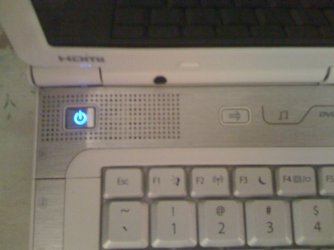
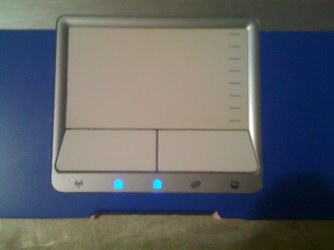
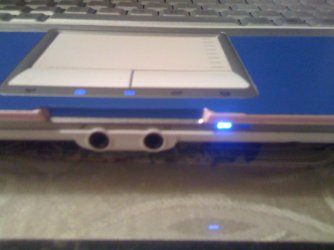
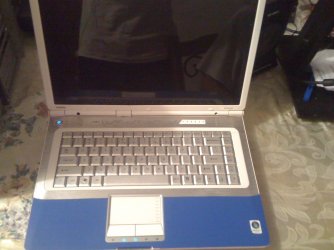
I can't! The laptop just turns on but it doesn't do anything just dead no windows, no bios, no gateway logo, nothing at all i removed the battery and did the process and nothing... She turns on but dead :/ The battery light turns on when adapter is plugged in, the turning on button turns on blue like always, the wifi and other lights stay on but nothing.. I can turn the lights off with FN+F1 but nothing else :confused:
 

My Computer

Computer Manufacturer/Model Number
Gateway M-2414U
OS
Windows 7 Ultimate 32bit/x86
CPU
AMD Athlon X2 Dual-Core QL60 1.9Ghz
Motherboard
SA8 W370X015
Memory
4GB DDR2
Graphics Card(s)
ATI Readon HD 3200 Graphics
Sound Card
Conexant High Defintion Smartaudio 221
Monitor(s) Displays
15.4-inch WXGA Ultrabright™ TFT Active Matrix
Screen Resolution
1280x800
Hard Drives
1 Sata 250GB
Case
Portable
Cooling
Normal laptop fan
Keyboard
Standard PS/2 Keyboard
Mouse
Touch Pad
Internet Speed
3 Mbps
IMG_0012.JPG

IMG_0013.JPG

IMG_0014.JPG

IMG_0015.JPG

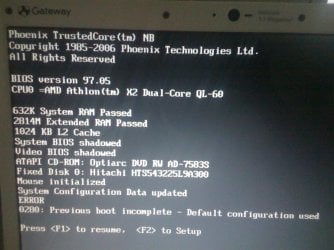
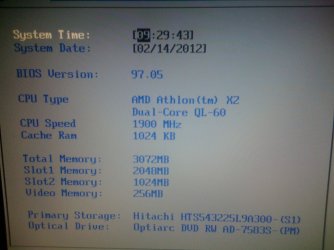
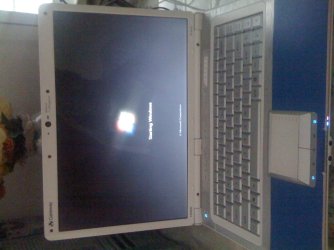
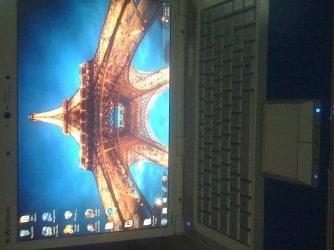
These are pictures of my laptop :( it would help to figure out what's wrong
 

My Computer

Computer Manufacturer/Model Number
Gateway M-2414U
OS
Windows 7 Ultimate 32bit/x86
CPU
AMD Athlon X2 Dual-Core QL60 1.9Ghz
Motherboard
SA8 W370X015
Memory
4GB DDR2
Graphics Card(s)
ATI Readon HD 3200 Graphics
Sound Card
Conexant High Defintion Smartaudio 221
Monitor(s) Displays
15.4-inch WXGA Ultrabright™ TFT Active Matrix
Screen Resolution
1280x800
Hard Drives
1 Sata 250GB
Case
Portable
Cooling
Normal laptop fan
Keyboard
Standard PS/2 Keyboard
Mouse
Touch Pad
Internet Speed
3 Mbps
Did you perform both procedures in essenbe's post #6?
 

My Computer

Computer type
PC/Desktop
Computer Manufacturer/Model Number
Home Built - Jan 2013
OS
Windows 7 64 Bit Home Premium SP1
CPU
i7-3820
Motherboard
Asus P9X79-PRO - Bios 4608
Memory
GSkill F3-14900CL9Q - 16GB
Graphics Card(s)
EVGA GeForce GTX660 - Driver 352.86
Sound Card
On board Realtek ALC898
Monitor(s) Displays
Acer S271HL
Screen Resolution
1920 x 1080
Hard Drives
#1- Samsung 840 Pro Series
#2- Western Digital WD1002FAEX Sata3 Black
#3- Western Digital WD1002FAEX Sata3 Black
PSU
Corsair CMPSU-850TX-V2 - 850 watt (by Seasonic)
Case
Corsair Obsidian 550D
Cooling
Standard 3 120mm case fans, Cooler Master Hyper 212 EVO
Keyboard
MS KC-0405
Mouse
Intellimouse 5-button
Internet Speed
56 Mbits/Sec (on a good day)
Antivirus
Avast & Malwarebytes
Browser
Firefox
Other Info
Asus DVD - DRW-24B1ST 24X
I could only try the first one with the power because i can't do anything else on the pc only turn it on or off, it doesn't do anything else. I inserted the installation disc but nothing happened just pure black. I took out the rams to see if it beeps and no beeps.
 
Last edited:

My Computer

Computer Manufacturer/Model Number
Gateway M-2414U
OS
Windows 7 Ultimate 32bit/x86
CPU
AMD Athlon X2 Dual-Core QL60 1.9Ghz
Motherboard
SA8 W370X015
Memory
4GB DDR2
Graphics Card(s)
ATI Readon HD 3200 Graphics
Sound Card
Conexant High Defintion Smartaudio 221
Monitor(s) Displays
15.4-inch WXGA Ultrabright™ TFT Active Matrix
Screen Resolution
1280x800
Hard Drives
1 Sata 250GB
Case
Portable
Cooling
Normal laptop fan
Keyboard
Standard PS/2 Keyboard
Mouse
Touch Pad
Internet Speed
3 Mbps
I would remove the battery just in case its dead/shorted out. Leave one stick of RAM in but take the hard drive out just in case it has failed and is locking the system up. Unplug everything and anything external except the power pack and see what happens. If no change put the battery back in and unplug the power pack, they do fail sometimes, and try again. I think this happening on the reboot after doing windows updates is just a coincidence. Removing the hard drive will tell you one way or the other anyway. Just bad luck in my opinion.
 

My Computer

Computer type
PC/Desktop
Computer Manufacturer/Model Number
Home Built
OS
Windows 10 Education 64 bit
CPU
AMD Phenom II X4 980 Black Edition Deneb 3.7GHz
Motherboard
Asus M4N68T-M V2 µATX Motherboard
Memory
8GB 4GBx2 Kingston PC10600 DDR3 1333 Memory
Graphics Card(s)
Zotac NVIDIA Geforce GT640 2 Gig DDR3 PCIe
Sound Card
VIA VT1708s High Definition Audio 8-channel Onboard
Monitor(s) Displays
22" LG E2242 1080p and 2 19" I-INC AG191D
Screen Resolution
1280x1024 - 1920x1080 - 1280x1024
Hard Drives
Crucial M100 256 GB SSD and 500 GB WD Blue SATA
PSU
Thermaltake TR 620
Case
Power Up Black ATX Mid-Tower Case
Cooling
Stock heatsink and fan
Keyboard
Logitech Wireless K350 Wave
Mouse
Logitech Wireless M570 Trackman Wheel
Internet Speed
80 Mbps Down 30 Mbps Up
Antivirus
Windows Defender
Browser
Internet Explorer 11
Other Info
HP DVD1040e Lightscribe - External USB2
Ok, i have no clue with the laptop!!! i opened her did everything even checked with a tester xD and i turned on and off for 1 hour and got 2 times into bios but it was a rush enter so i couldn't f2 but i left her on all night and i entered and loaded default! this is crazy! :confused: but when i shut down she does it again!! i noticed i need to overheat her to get on :( just block the vent for a while and turn her off and on and she works :/ the images talk by themselves! Does anyone know why she is doing this??? Thanks!
IMG_0017.JPG

IMG_0018.JPG

IMG_0019.JPG

IMG_0020.JPG
 

My Computer

Computer Manufacturer/Model Number
Gateway M-2414U
OS
Windows 7 Ultimate 32bit/x86
CPU
AMD Athlon X2 Dual-Core QL60 1.9Ghz
Motherboard
SA8 W370X015
Memory
4GB DDR2
Graphics Card(s)
ATI Readon HD 3200 Graphics
Sound Card
Conexant High Defintion Smartaudio 221
Monitor(s) Displays
15.4-inch WXGA Ultrabright™ TFT Active Matrix
Screen Resolution
1280x800
Hard Drives
1 Sata 250GB
Case
Portable
Cooling
Normal laptop fan
Keyboard
Standard PS/2 Keyboard
Mouse
Touch Pad
Internet Speed
3 Mbps
My guess, and it is only a guess, is there is a motherboard fault. Heat causes things to expand, so something is making a good connection when hot but a poor or no connection when cold. Maybe a poor solder joint on a component on the motherboard. If I'm right, you'd have to strip it down and go over it with a magnifying glass to find it. No easy feat even if you know what to look for. I'd try any and all recommendations any body else has to offer though before I'd commit to this diagnosis. It is just an educated guess on my part.
 

My Computer

Computer type
PC/Desktop
Computer Manufacturer/Model Number
Home Built
OS
Windows 10 Education 64 bit
CPU
AMD Phenom II X4 980 Black Edition Deneb 3.7GHz
Motherboard
Asus M4N68T-M V2 µATX Motherboard
Memory
8GB 4GBx2 Kingston PC10600 DDR3 1333 Memory
Graphics Card(s)
Zotac NVIDIA Geforce GT640 2 Gig DDR3 PCIe
Sound Card
VIA VT1708s High Definition Audio 8-channel Onboard
Monitor(s) Displays
22" LG E2242 1080p and 2 19" I-INC AG191D
Screen Resolution
1280x1024 - 1920x1080 - 1280x1024
Hard Drives
Crucial M100 256 GB SSD and 500 GB WD Blue SATA
PSU
Thermaltake TR 620
Case
Power Up Black ATX Mid-Tower Case
Cooling
Stock heatsink and fan
Keyboard
Logitech Wireless K350 Wave
Mouse
Logitech Wireless M570 Trackman Wheel
Internet Speed
80 Mbps Down 30 Mbps Up
Antivirus
Windows Defender
Browser
Internet Explorer 11
Other Info
HP DVD1040e Lightscribe - External USB2
That is truly weird. Normally it is the other way around: it gets too hot and shuts down.

I like alpha's idea: take it apart and check it out. One WAG that occurred to me is that there is some large clump of dust, hair, or debris inside the laptop that is causing some kind of short circuit. You block the vent, it changes the air flow, and the clump moves.
 

My Computer

Computer type
PC/Desktop
Computer Manufacturer/Model Number
Home Built - Jan 2013
OS
Windows 7 64 Bit Home Premium SP1
CPU
i7-3820
Motherboard
Asus P9X79-PRO - Bios 4608
Memory
GSkill F3-14900CL9Q - 16GB
Graphics Card(s)
EVGA GeForce GTX660 - Driver 352.86
Sound Card
On board Realtek ALC898
Monitor(s) Displays
Acer S271HL
Screen Resolution
1920 x 1080
Hard Drives
#1- Samsung 840 Pro Series
#2- Western Digital WD1002FAEX Sata3 Black
#3- Western Digital WD1002FAEX Sata3 Black
PSU
Corsair CMPSU-850TX-V2 - 850 watt (by Seasonic)
Case
Corsair Obsidian 550D
Cooling
Standard 3 120mm case fans, Cooler Master Hyper 212 EVO
Keyboard
MS KC-0405
Mouse
Intellimouse 5-button
Internet Speed
56 Mbits/Sec (on a good day)
Antivirus
Avast & Malwarebytes
Browser
Firefox
Other Info
Asus DVD - DRW-24B1ST 24X
Sounds like a gremlin... :p
 

My Computer

Computer Manufacturer/Model Number
Custom built machine
OS
W7 x64
CPU
Intel Q9300 2.5Ghz Quad LGA775 (Would like Q9650)
Motherboard
Gigabyte GA-EP45T-UD3R (F6 Bios)
Memory
4Gb OCZ Gold 1,333Mhz
Graphics Card(s)
Palit HD4850 O/C Sonic 512Mb DDR3, Dual DViD's
Sound Card
Azalia to twin Samson 50w Studio Monitors
Monitor(s) Displays
Twin Dell (E-IPS) U2311H 23.6" Screens
Screen Resolution
1920 x 1080 @ 60Hz
Hard Drives
Crucial M4 SSD, archives on twin Western Digital Caviar Black WD2002FAEX, 2TB, 7200rpm HDD's, Samsung Ritemaster CD/DVD Burner...
PSU
OCZ 600w
Case
Lian-Li PC8 acoustifoamed' aluminium tower
Cooling
Scythe 140mm Zipang
Keyboard
Cherry PS/2 custom model
Mouse
Lenovo USB laser "Thinkpad" Mouse
Internet Speed
ADSL2+ @14Mbps downstream & Cat6 Gigabit Ethernet
Antivirus
NOD32
Browser
Opera
Other Info
Silicon Dust HD Homerun Dual FTA (Ethernet) TV Tuners, Dray Tek Vigor 2850Vn router and 8x HP Gigabit Switch. Lian-Li CR26 Card Reader, Canon MF4430 iSensys laser printer/scanner.
Ok i'll open her and take a good look to see whats wrong, but i've been using her for some hours now and she's normal sometimes if i restart she turns on normal or sometimes do it again but all i do is cover the vents and she turns on lol! I'll be posting results at night time when it's easier for me and if i see something wrong i'll post pic Thanks guys!
 

My Computer

Computer Manufacturer/Model Number
Gateway M-2414U
OS
Windows 7 Ultimate 32bit/x86
CPU
AMD Athlon X2 Dual-Core QL60 1.9Ghz
Motherboard
SA8 W370X015
Memory
4GB DDR2
Graphics Card(s)
ATI Readon HD 3200 Graphics
Sound Card
Conexant High Defintion Smartaudio 221
Monitor(s) Displays
15.4-inch WXGA Ultrabright™ TFT Active Matrix
Screen Resolution
1280x800
Hard Drives
1 Sata 250GB
Case
Portable
Cooling
Normal laptop fan
Keyboard
Standard PS/2 Keyboard
Mouse
Touch Pad
Internet Speed
3 Mbps
Don't force it if it won't come apart. You may have to look for hidden screws under the rubber feet on the bottom. Keep track of where you remove the screws from. Sometimes some of them are of different lengths and bad things can happen if you mix them up and put a long screw where a short one is supposed to go. Sometimes they are even hidden under the stickers and labels. I highly recommend you search online for a service manual, it may save you some aggravation.
 

My Computer

Computer type
PC/Desktop
Computer Manufacturer/Model Number
Home Built
OS
Windows 10 Education 64 bit
CPU
AMD Phenom II X4 980 Black Edition Deneb 3.7GHz
Motherboard
Asus M4N68T-M V2 µATX Motherboard
Memory
8GB 4GBx2 Kingston PC10600 DDR3 1333 Memory
Graphics Card(s)
Zotac NVIDIA Geforce GT640 2 Gig DDR3 PCIe
Sound Card
VIA VT1708s High Definition Audio 8-channel Onboard
Monitor(s) Displays
22" LG E2242 1080p and 2 19" I-INC AG191D
Screen Resolution
1280x1024 - 1920x1080 - 1280x1024
Hard Drives
Crucial M100 256 GB SSD and 500 GB WD Blue SATA
PSU
Thermaltake TR 620
Case
Power Up Black ATX Mid-Tower Case
Cooling
Stock heatsink and fan
Keyboard
Logitech Wireless K350 Wave
Mouse
Logitech Wireless M570 Trackman Wheel
Internet Speed
80 Mbps Down 30 Mbps Up
Antivirus
Windows Defender
Browser
Internet Explorer 11
Other Info
HP DVD1040e Lightscribe - External USB2
Back
Top