
Bootmgr - Copy to C:\ with EasyBCD
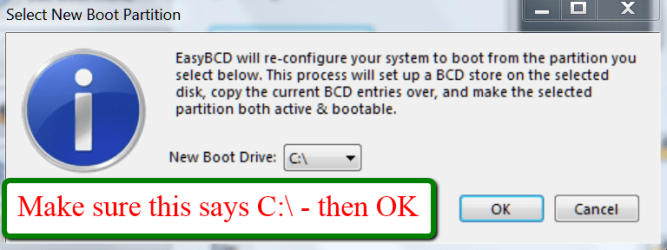
The steps to take are very simple and explained in the 2 pictures. The first screen you get after starting EasyBCD and the second screen after step3 of the first screen. That is really all you need to know.

Information
Copying the bootmgr from the 100MB active partition or the recovery partition to C:\ is extremely simple with EasyBCD. You can download a free EasyBCD from this website.
The bootmgr will not be moved from the original location - it will only be copied to the C:\ partition. The C:\ partition will be activated and the 100MB partition will be deactivated.
NOTE: The free version download of EasyBCD is at the bottom under "Download free for limited, non-commercial use". Registration is not required to download.
The bootmgr will not be moved from the original location - it will only be copied to the C:\ partition. The C:\ partition will be activated and the 100MB partition will be deactivated.
NOTE: The free version download of EasyBCD is at the bottom under "Download free for limited, non-commercial use". Registration is not required to download.
The steps to take are very simple and explained in the 2 pictures. The first screen you get after starting EasyBCD and the second screen after step3 of the first screen. That is really all you need to know.
Last edited:


