- Local time
- 10:52 PM
- Messages
- 16,796
You can install them with Dism++
Direct Download Dism++ x86/x64
1. Make sure your operating system is highlighted in blue ( your currently running OS it will be highlighted blue automatically ). If not, click on it to highlight it.
2. Click Drivers in left panel
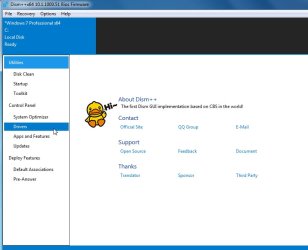
3. Click ADD button
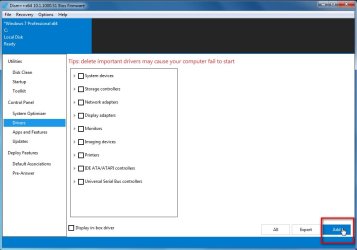
4. Browse to the C:\DELL folder containing your extracted drivers.
Applicable drivers will be installed for you.
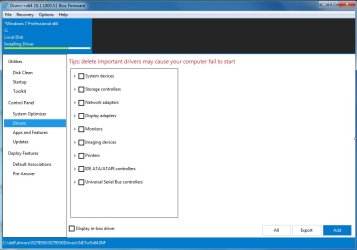
Direct Download Dism++ x86/x64
1. Make sure your operating system is highlighted in blue ( your currently running OS it will be highlighted blue automatically ). If not, click on it to highlight it.
2. Click Drivers in left panel
3. Click ADD button
4. Browse to the C:\DELL folder containing your extracted drivers.
Applicable drivers will be installed for you.
Last edited:
My Computers
-
At a glance
7 X64i5 84002x8gb 3200mhz- Computer type
- PC/Desktop
- OS
- 7 X64
- CPU
- i5 8400
- Motherboard
- gigabyte b365m ds3h
- Memory
- 2x8gb 3200mhz
- Hard Drives
- various
- PSU
- pure power 11 400w cm
- Case
- Coolermaster
- Cooling
- cryorig m9i
-
At a glance
7x64g54008gb ddr4 2400- Computer type
- PC/Desktop
- OS
- 7x64
- CPU
- g5400
- Motherboard
- ga b365m ds3h
- Memory
- 8gb ddr4 2400
- PSU
- xfx pro 450w