
Can't rename folder because it's open

rowanbradley

New member
Member
Local time
12:57 PM
Messages
49
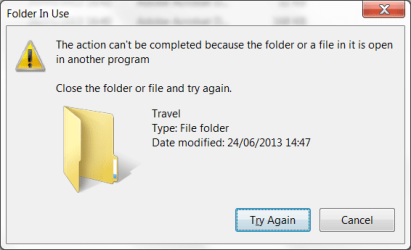
In Windows 7 when I try to rename a folder I quite often get the error:

attachment.php


I can't find any file or folder that is open. It still does it even if the folder is completely empty. Often it seems that if I wait for 15 or 30 minutes it then is possible to rename the folder.

Why does this happen?

When it does happen, what can I do so that I can immediately rename the folder?

Thanks - Rowan
 

Attachments
  • FolderInUse.png
    FolderInUse.png
    13.6 KB · Views: 28

My Computer

OS
Windows 7 Pro
Hi there .... When the folder is open ... Right click on it then Property's /General Rename it at the top
 

My Computer

Computer Manufacturer/Model Number
W530-3630QM1
OS
windows 7 home 64bit
CPU
INTEL-CORE I7
Memory
16GB
Hard Drives
750GB
Browser
Chrome
i think there's some program still accessing the folders automatically. it maybe a scheduled task, see if you can find which program is set to run in the background at certain time.
 

My Computer

Computer type
PC/Desktop
OS
Windows 7 Ultimate x86
Is folder totally empty? No files and folder in it? Did you display hidden files and system files as well?
 

My Computer

Computer type
Laptop
Computer Manufacturer/Model Number
ACER ASPIRE 5742G
OS
Microsoft Windows 7 Home Premium 64-bits 7601 Multiprocessor Free Service Pack 1
CPU
Intel(R) Core(TM) i3 CPU M 370 @ 2.40GHz
Motherboard
Acer Aspire 5742G
Memory
4,00 GB
Graphics Card(s)
ATI Mobility Radeon HD 5400 Series
Sound Card
(1) AMD High Definition Audio Device (2) Realtek High Defi
Screen Resolution
1366 x 768 x 32 bits (4294967296 colors) @ 60 Hz
Hard Drives
WDC WD5000BEVT-22ZAT0
Back
Top