I apologize ahead of time if this is in the wrong forum. I debated putting this into the system and security forum but I didn't know if it would fit.
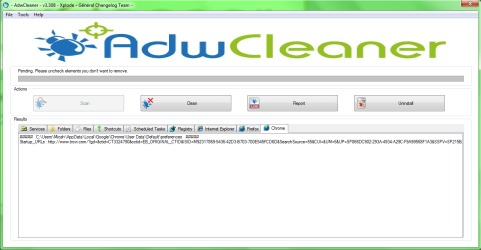
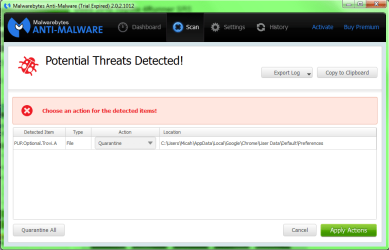
Whenever I try to download any form of media, lately I am constantly confronted with a "failed - network error" message. I have run Trend Micro and Malwarebytes, and it has come up with alerting me I still have remnants of the Trovi virus in my Chrome preferences. I got rid of the Trovi, but it is still there, even after multiple quarantined and quarantined to deletes.
I have tried resetting my setting to factory setting on Chrome, but I still get this issue.
My question is; how do I get rid of this? If I uninstall and reinstall Chrome will that get rid of it? Or will it still be in my settings once I do?
Thanks for your help.
Whenever I try to download any form of media, lately I am constantly confronted with a "failed - network error" message. I have run Trend Micro and Malwarebytes, and it has come up with alerting me I still have remnants of the Trovi virus in my Chrome preferences. I got rid of the Trovi, but it is still there, even after multiple quarantined and quarantined to deletes.
I have tried resetting my setting to factory setting on Chrome, but I still get this issue.
My question is; how do I get rid of this? If I uninstall and reinstall Chrome will that get rid of it? Or will it still be in my settings once I do?
Thanks for your help.
My Computer
- Computer type
- PC/Desktop
- Computer Manufacturer/Model Number
- Custom Build
- OS
- Windows 7 Professional
- CPU
- GenuineIntel Intel(R) Core(TM) i7-3770K CPU @ 3.50GHz
- Motherboard
- ASRock, Z77 Extreme4
- Memory
- 16.0 GB
- Graphics Card(s)
- NVIDIA GeForce GTX 1070
- Monitor(s) Displays
- Viewsonic VX2450WM-LED 24-Inch
- Screen Resolution
- 1080
- Hard Drives
- 1TB WD Black
250 GB 850 EVO
- PSU
- HX 650
- Antivirus
- MSE
- Browser
- Brave