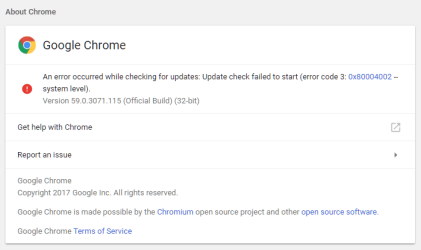
So I read somewhere about "GoogleUpdate.exe" having to do with this issue.
On my machine, it is located in "C:\Program Files (x86)\Google\Update".
Note that I am using Chrome x64 and this is where it installed by default, not the usual "C:\Program Files" as with other x64 apps.
I had previously tried overwriting this file with one from another working machine, but no luck.
Today, I decided to copy and overwrite the entire "Update" folder with the same folder from a working machine. Here are the steps I performed:
- Close Chrome (if open)
- Kill any Google tasks in Task Manager
- Copy the "Update" folder from a working machine
- Paste into the "C:\Program Files (x86)\Google" folder and completely overwrite the existing "Update" folder.
Afterwards I launched Chrome, hit Help > About and while I was already up-to-date from running the latest standalone installer, it checked successfully and the error was gone. I had success on a second non-working machine as well.
However, I haven't a clue why a complete uninstall (total removal of this folder) and a fresh install does not solve the problem. There is a folder named "1.3.33.5" under "Update" which contains a bunch of DLL's and EXE's, so I imagine one or more of those files are the culprit. Since it is now working, I haven't taken the time to narrow things down any further. I probably will if this happens again (file compare between working & non-working Update folders), but for now I am able to check for updates with no errors again.
Hope this helps. If you don't have a working machine to copy from, I could probably zip my "Update" folder, as there doesn't appear to be any personal info in this directory. However, if the file is too large to post here, I'll have to put it somewhere else.