hey buddy, I guess i know what is your problem , you see i have an acer with the same specs of your laptop except that mine has originally 4GB ram that i upgraded later to 8GB .
there are some stuff that i do once my computer get slow :
1- you're browser, now using a light and good browser (such as chrome or firefox) can make your system run comfortably while safari for example take a lot of memory even if you had plenty of it, also toolbars , they destroy your browser and pc because each one of them is like normal applciation that autoruns when the browser runs therefore make sure you uninstall all of them from all the browsers
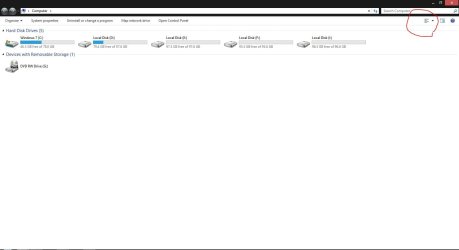
2-Go to computer > uninstall or a change program, now a list will appear of all the programs and toolbars as well that are installed on your pc so take a look at them and see what you need and uninstall the others but make sure you don't delete any drivers or any Microsoft thing cuz these are important, however delete any thing you don't know or don't use , and by that you have not only made your computer no less than 200% faster but you probably freed a lot of space from you're hard drive
3- now the third solution is not as good as the previous tow but it is a must , make sure to store your personal files on a different partition that the system is installed for example use the F driver instead of c
4-let the system update it is important thing for good security and performance
after doing these steps restart your system and see if any thing have changed which I'm sure you will see a huge difference , however if non of this worked all you can do is to format you laptop and reinstall the OS .