- Local time
- 7:00 AM
- Messages
- 1,363
That's not an SSD, its an SSHD - which is a combination of a tiny SSD plus a normal spinning drive. I have no experience with them but the theory sounds good. Hopefully someone else can comment on how they compare in the real world to an SSD.
The i7-7700 will be a million times faster than your current core 2 duo.
Since that system comes with win10 you would need to transfer over your existing win7 license, clone your existing drive onto the new drive, then install win7 drivers to support all the new hardware. I am pretty sure win7 drivers exist for everything except maybe the wireless card. Intel 9xxx wireless cards will not run on win7. For $15 you can always just stick a new pci-e wireless card in there if you need to, like this one. Hopefully you can figure out exactly what wireless card is in there before you buy it.
Amazon.com: TP-Link TL-WN881ND N300 PCI-E Wireless WiFi network Adapter card for pc: Gateway
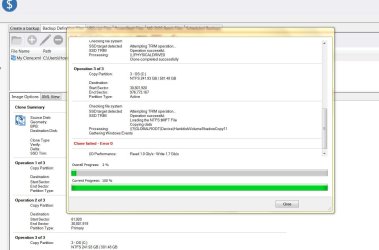
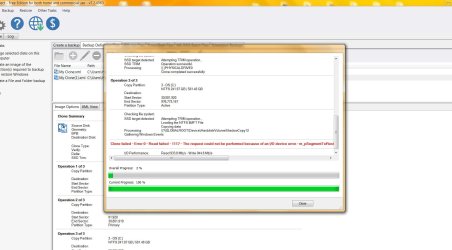
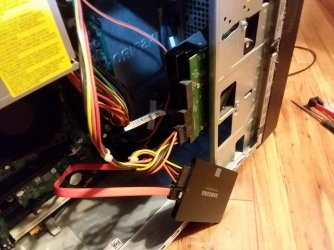
Because the new system comes with win10, you have a not-trivial amount of effort to go through to get your cloned win7 running on it. The steps to do so are: on your old machine change the disk controller driver to the standard ahci driver, then shut down, then physically move its boot drive over to the new machine, boot from it on the new machine (telling bios to boot from it), use macrium (or whatever) to clone it onto the new SSHD, shut down, physically remove the old drive, boot from the newly cloned new drive, then install all the relevant win7 drivers. That CPU does not officially have a win7 support but it does work fine if you download the right driver version (I've got that cpu on my machine). Windows update won't work because you'll be using a 7700 on win7 but you can fix that by installing the wufuc utility written by zeffy.
To do this job requires that you have a fair amount of technical aptitude or at least patience and persistence.
the above process is given in detail in this thread....
Create a "Generic" Win7 Boot Drive?
The i7-7700 will be a million times faster than your current core 2 duo.
Since that system comes with win10 you would need to transfer over your existing win7 license, clone your existing drive onto the new drive, then install win7 drivers to support all the new hardware. I am pretty sure win7 drivers exist for everything except maybe the wireless card. Intel 9xxx wireless cards will not run on win7. For $15 you can always just stick a new pci-e wireless card in there if you need to, like this one. Hopefully you can figure out exactly what wireless card is in there before you buy it.
Amazon.com: TP-Link TL-WN881ND N300 PCI-E Wireless WiFi network Adapter card for pc: Gateway
Because the new system comes with win10, you have a not-trivial amount of effort to go through to get your cloned win7 running on it. The steps to do so are: on your old machine change the disk controller driver to the standard ahci driver, then shut down, then physically move its boot drive over to the new machine, boot from it on the new machine (telling bios to boot from it), use macrium (or whatever) to clone it onto the new SSHD, shut down, physically remove the old drive, boot from the newly cloned new drive, then install all the relevant win7 drivers. That CPU does not officially have a win7 support but it does work fine if you download the right driver version (I've got that cpu on my machine). Windows update won't work because you'll be using a 7700 on win7 but you can fix that by installing the wufuc utility written by zeffy.
To do this job requires that you have a fair amount of technical aptitude or at least patience and persistence.
the above process is given in detail in this thread....
Create a "Generic" Win7 Boot Drive?
My Computer
At a glance
Win7 pro x64stock i7 7700kCorsair Vengeance LPX 16GB (2x8GB) DDR4 @ 320...integrated Intel HD 630
- Computer type
- PC/Desktop
- Computer Manufacturer/Model Number
- diy
- OS
- Win7 pro x64
- CPU
- stock i7 7700k
- Motherboard
- Gigabyte Z270N-WIFI mini-ITX
- Memory
- Corsair Vengeance LPX 16GB (2x8GB) DDR4 @ 3200MHz
- Graphics Card(s)
- integrated Intel HD 630
- Sound Card
- onboard Realtek ALC1220
- Monitor(s) Displays
- two vertically mounted samsung 55" 4k un55mu8000
- Screen Resolution
- 1920x1280
- Hard Drives
- 256GB Samsung EVO 960 M.2 pci-e NVMe SSD
- PSU
- SilverStone Nightjar ST45NF 450Watt Fanless
- Case
- No case. Motherboard is mounted directly onto power supply
- Cooling
- Evercool low profile 815EP with Panaflow 12L fan at 7v
- Keyboard
- Ortek MCK-86 mini
- Mouse
- Belkin 5-button USB
- Internet Speed
- spectrum 400mbps