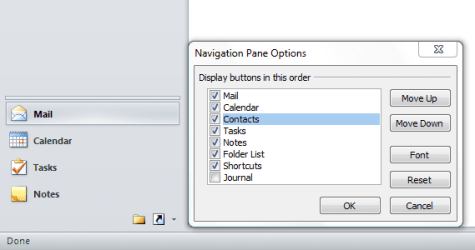
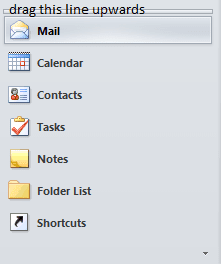
I don't need to access my Contacts list in Office 2010 very often. I just noticed today that the text entry for Contacts was missing from the Navigation pane. Instead, there was a small icon in the lower right corner of the pane for Contacts. On all my other machines the text entry is present. I've no idea when the text was replace by the icon or why -- it could have been weeks ago.
Will someone please tell me how to get the text entry back?
Thank you very much
Will someone please tell me how to get the text entry back?
Thank you very much
Last edited:
My Computer
- Computer type
- PC/Desktop
- Computer Manufacturer/Model Number
- Dell XPS-8500
- OS
- Windows 7 Home Premium (Retail) Full version - With SP1
- CPU
- 3.10 Gig Intel Core i5-3350P
- Motherboard
- Dell 0NW73C A00
- Memory
- 8192 Megabytes Usable Installed Memory
- Monitor(s) Displays
- Samsung SyncMaster [Monitor] (19.1"vis, s/n HVELA10194, Octo
- Screen Resolution
- 1024 X 768
- Hard Drives
- INTEL SSDSA2CW120G3 ATA Device [Hard drive] (120.03 GB)
INTEL SSDSA2CW080G3 ATA Device [Hard drive] (80.02 GB)
- Keyboard
- HID Keyboard Device (HP)
- Mouse
- Dell (came with computer)
- Internet Speed
- cox high speed
- Other Info
- The above taken with Bel Arc Advisor