- Local time
- 2:52 PM
- Messages
- 1,258
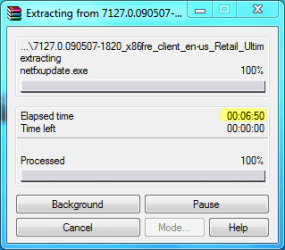
I don't use the built in compression features (besides NTFS compression) if I can help it, because the performance and lack of features is horrific. I've already found that out by messing around with archives. I immediately installed 7-zip and WinRAR and now much happier. So, I think my test is valid (no doubt most people will be using these same tools).
LOL, neither do I. I use WinZip 11.2.
I just feel that an accurate benchmark comparing Windows XP to Windows 7 should be performed using the built-in tools and features, as far as can be done.
The one area that cannot be tested using built-in features is video encodiing to DivX, as Windows XP does not support DivX at all without the aid of 3rd-party codecs, and Windows 7 only supports DivX playback OOB.
I don't have any accurate benchmark results to give, and I have no intention of tarnishing my rig by installing XP on it for the sake of a benchmark test.
But since you appear to have both XP and Windows 7 on your machine, try this: Download and install Handbrake to both XP and Windows 7, then convert the same video file to xVid using the same settings. Chances are high that the conversion on Windows 7 will go much quicker. My record so far is a 02:15:00 movie converting in 00:57:00, using 2-pass encoding. I haven't used XP on any of my own machines for nearly 3 years, so the best I can do is say that I remember doing similar tasks in about 8 hours!
My Computer
- Computer type
- PC/Desktop
- Computer Manufacturer/Model Number
- Virtual Machine
- OS
- Windows 7 Professional 32-bit SP1
- CPU
- AMD A4/A6
- Motherboard
- Intel Corporation 440BX Desktop Reference Platform
- Memory
- 3.00GB EDO
- Graphics Card(s)
- VMware SVGA 3D
- Sound Card
- High Definition Audio Device
- Monitor(s) Displays
- Generic Non-PnP Monitor on VMware SVGA 3D
- Screen Resolution
- 1440x900
- Hard Drives
- 1 x 60GB VMware Virtual SATA Hard Drive ATA Device
- Antivirus
- Kaspersky Total Security