

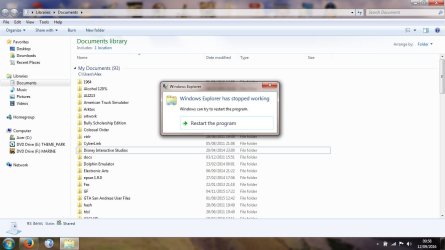
Hi whenever i copy and paste a file or folder to anywhere else like another folder or USB stick windows explorer has stopped working message appears and it tries to restart explorer which it does is there a way to fix this so i can copy and paste files and folders without this happening here is a screenshot of the message
Also is this the right area for this thread as it might be a software problem but i am not sure if it is a software problem can it be moved to the software threads thanks
Also is this the right area for this thread as it might be a software problem but i am not sure if it is a software problem can it be moved to the software threads thanks
Attachments
My Computer
- Computer type
- Laptop
- Computer Manufacturer/Model Number
- Acer
- OS
- Windows 7 Home Premium 64bit
- CPU
- Intel Pentium T4400
- Motherboard
- Acer Aspire 5732Z
- Memory
- 3 GBytes
- Graphics Card(s)
- ATI Mobility Radeon HD 4500/5100 Series
- Sound Card
- Realtek High Definition Audio
- Monitor(s) Displays
- Generic PnP Monitor
- Screen Resolution
- 1366 X 768
- Keyboard
- Launch Manager
- Mouse
- USB Optical Mouse
- Internet Speed
- 130.0 MBps
- Antivirus
- BT Virus Protect, Spybot Search and Destroy
- Browser
- Firefox


