Criminal Forensics

It is in the browsing history of the browser used to make that search, and the saved forms. It is in different places for different browsers.

Then again, Google, Bing and others are probably storing your searches elsewhere on the internet, so there's nowhere to hide. Unless...

You could anonymize your browsing using a service that makes your internet activity appear to come from a different IP address than your own like the Tor project, using a live linux cd installation, then, unless your CSI caught you redhanded, and stopped you shutting down your session before they seized your machine, there'd be no evidence tying you to the searches.
 

My Computer

Computer Manufacturer/Model Number
Acer 7520, Packard Bell dot se, Acer travelmate 2423
OS
Win 7 Ult + Starter, XP Pro +Home, 2kAS, Linux Mint 8, SuperOS
CPU
AMD 64 Athlon X2 , Intel Atom N450, Intel Celeron M 1.50 Ghz
Motherboard
Acer Fuquene
Memory
2.5GB ; 1GB; 2GB
Graphics Card(s)
Nvidia GeForce7000m; Intel; Intel
Sound Card
Realtek AC57
Monitor(s) Displays
17" ;10.1"; 19"
Screen Resolution
1440x900;1024x600;1440x900;
Hard Drives
WD 80, WD 320;
PSU
19v
Case
Laptop
Cooling
Air
Internet Speed
9.7Mb/s down 0.99Mb/s up
Other Info
ISP VIRGINMEDIA 10M cable broadband - D-Link DIR615 wireless router, 3Com OfficeConnect ASDL router used as wireless extender switch
On shows like CSI, the misinformation is so stupendous, it is laughable.


They are laughable because it is a television show.


I think you are confusing 'reality crime shows' with 'factually ambiguous styleized crime shows'.


Your answer as to how data is recovered has been answered.


The simple truth is that it is possible to varying degrees, to recover data as previously mentioned, but not in the manner that is portrayed on shows like CSI.

There is no single 'delete me properly and your safe file/location' that can be uncovered.

It's a case of methodical and often time consuming effort - not 5 sec tappity-tap 'got it!' by some TV uber-geek.


Does law enforcement look in particular folders on the hard drive for search strings? If so, what folders?

Temp folders, browser data folders that contain information about internet history etc


From reading this thread, I don't see any answers on the point.

Then I'm afraid you didn't look hard enough.

But I found nothing in the article regarding folders, locations, wiping, overwriting, etc.

The article you read but saw no mention of the above said:
Find every file on the computer system, including files that are encrypted, protected by passwords, hidden or deleted, but not yet overwritten

The original system should remain preserved and intact. *No chance for overwriting data*

Recover as much deleted information as possible using applications that can detect and retrieve deleted data.

Analyze special areas of the computer's disks, including parts that are normally inaccessible. (In computer terms, unused space on a computer's drive is called unallocated space. That space could contain files or parts of files that are relevant to the case.) *IE After being formatted*
 

My Computer

Computer type
PC/Desktop
Computer Manufacturer/Model Number
Systems by SmartEyeball
OS
8 Pro x64
CPU
i7 3770K 4.6GHz
Motherboard
ASUS P8Z77 WS
Memory
16GB G.Skill Trident X 2666mhz
Graphics Card(s)
x2 EVGA 780 Ti Superclocked SLI
Sound Card
SB X-FI Surround 5.1 PRO USB / ATH-AD900 Headphones
Monitor(s) Displays
x3 Dell U2410 / 58" Samsung
Screen Resolution
5760*1200/ 1920*1200
Hard Drives
2x Intel 520 240GB (RAID 0) * 2x WD Caviar Blacks 2TB (RAID 0) * 2TB WD Caviar Black * Sony Optirac DVD
PSU
Silverstone Strider Evolution 1200W
Case
Thermaltake Level 10 GT Snow Edition
Cooling
Noctua NH-D14
Keyboard
Topre Realforce // Ducky Shine MX Black // Filco Ninja TKL
Mouse
Thermaltake Theron (Highly Recommended) + Razer Imperator
Antivirus
MSE
Browser
IE, FF, WaterFox
Other Info
GT Extreme V2 Sim Racing Cockpit + 40" LCD and K/B Mouse stand ▼
Fanatec CSR Elite Wheel + Clubsport V1 Pedals + CSR shifter/7G-H ▼Saitek X52 Pro ▼ TrackIR 5 Pro
Buttkicker v2 Seat Rumbler with Dedicated 5.1 and Sub Woofer attached to frame ▼
=
Bloody Big Grin
No one has answered my question. Where are search data strings stored? I can erase anything on my disks. That is not a problem. My question is out of curiosity. In most reality crime shows, what you see is what you get. On shows like CSI, the misinformation is so stupendous, it is laughable.

Although not what you are looking for, this is interesting to the general computer forensics topic and illustrates that complex tools are available to Law Enforcement personnel: Digital Evidence Analysis: Data Carving and Search String Tools | National Institute of Justice

It isn't necessarily search strings per se that would be stored on the computer, other than in the browser history. Law enforcement personnel would look at bookmarks/favorites, cookies, history, supercookies, flash cookies, browser cache, java cache, IndexDat. As already mentioned, with IP Address, additional tracking could be obtained, not just from Google or other sites, but from the ISP.
 

My Computer

OS
Windows 7 & Windows Vista Ultimate
The only sure 100% way to make data unrecoverable is total physical destruction of the drive....
 

My Computer

Computer type
PC/Desktop
Computer Manufacturer/Model Number
Custom
OS
windows 10 pro 64 bit
CPU
i5 4690K@4500 COOLER MASTER Seidon 120M water cooler
Motherboard
ASUS SABERTOOTH Z87 LGA 1150 Intel
Memory
16gb Kingston HyperX DDR3 1600
Graphics Card(s)
EVGA GTX 1070 sc
Monitor(s) Displays
BenQ GL2760H Black 27" 2ms HDMI Widescreen LED 1920X1080
Screen Resolution
DSR 2103X1183
Hard Drives
ADATA 256 gig SSD + 4 junk
PSU
EVGA supernova 750
Case
coolermaster
Cooling
many...
Keyboard
z merc
Mouse
Logitech wireless G602
Internet Speed
2.5mbs cable
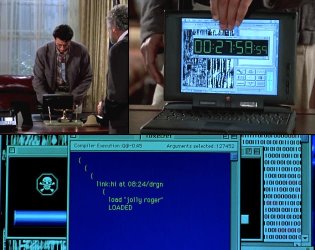
What I want to know is how Jeff Goldblum hacked into that alien computer with a Mac in Independence Day. I mean, what OS were the aliens running on that thing?

Is there something Steve Jobs isn't telling us? :sarc:
 

Attachments

  • ID Goldblum.jpg
    ID Goldblum.jpg
    54.8 KB · Views: 7

My Computer

Computer Manufacturer/Model Number
Self
OS
Main - Windows 7 Pro SP1 64-Bit; 2nd - Windows Server 2008 R2
CPU
Main - Core i7 2600K; 2nd - Core i7 920
Motherboard
Main - Asus P8Z68-V Pro/Gen3; 2nd - Gigabyte GA-EX58-UDR3
Memory
Main - 16GB Corsair Vengeance; 2nd - 12GB Corsair Vengeance
Graphics Card(s)
Main - XFX Radeon 6870 1GB; 2nd - XFX Radeon 4870 1GB
Sound Card
Both: Onboard Realtek Azalia
Monitor(s) Displays
Main - Hann 25" + I-INC 25" + Acer 23"; 2nd - Upgrading Soon
Screen Resolution
Main - 1920x1080 (All Three Monitors); 2nd - Upgrading Soon
Hard Drives
Main - (1) Crucial M4 128GB (Boot)
Main - (1) Seagate 2TB 64MB Cache (Data)
Main - (1) Seagate 2TB 64MB Cache (Data Backup)
2nd - (1) Intel X25-M SSD 80GB (Boot)
2nd - (3) Seagate 1TB 32MB Cache (Data Backup)
2nd - (1) Seagate 320GB (Because)
PSU
Main - OCZ 600W Modular; 2nd - OCZ 600W
Case
Main - Thermaltake Element G; 2nd - NZXT something or other
Cooling
Main - Corsair H80; 2nd - Prolimatech Megahalems
Keyboard
Main - Razer Reclusa; 2nd - Old MS Keyboard
Mouse
Main - Logitech MX Revolution; 2nd - Old MS Mouse
Internet Speed
20Mbps Time-Warner Cable
Back
Top