PThomasOK
New member
Hello, I work with my companies IT department. Over the past year or so I have had the same problem as listed below. Sometimes uninstalling, deleting the softwares folder and re-installing the program takes care of the problem. Other times (like this one) it does not.
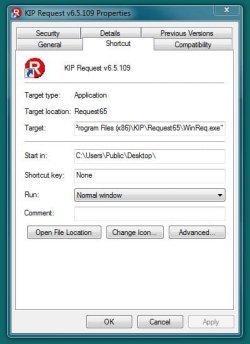
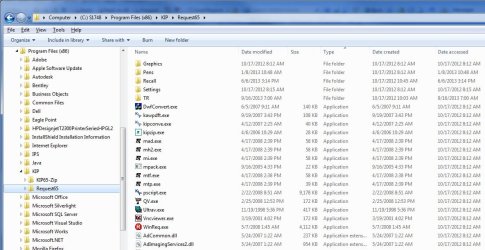
I have a user who has a desktop icon that when double clicked tries to open an install for another program already installed on the computer. It is looking for the location folder for what to install. If I click "OK" it will give an "Error 1706" and then repeats. If I cancel it then it comes up again. If I cancel it a second time it will actually open the intended program for the icon.
How can I get this icon to open the program without going through the install it is asking for?
I have a user who has a desktop icon that when double clicked tries to open an install for another program already installed on the computer. It is looking for the location folder for what to install. If I click "OK" it will give an "Error 1706" and then repeats. If I cancel it then it comes up again. If I cancel it a second time it will actually open the intended program for the icon.
How can I get this icon to open the program without going through the install it is asking for?
My Computer
At a glance
Windows 7 Pro x64Intel Core 2 Quad CPU Q830016 GBNvidia GeForce 9500 GT
- Computer type
- PC/Desktop
- Computer Manufacturer/Model Number
- Custom build
- OS
- Windows 7 Pro x64
- CPU
- Intel Core 2 Quad CPU Q8300
- Motherboard
- Gigabyte EP43-UD3l
- Memory
- 16 GB
- Graphics Card(s)
- Nvidia GeForce 9500 GT
- Hard Drives
- NTFS 500 GB
- Antivirus
- Sophos
- Browser
- Internet Explorer 9