fishman1015
New member
- Local time
- 12:01 PM
- Messages
- 2
device settings tab missing — Windows 7
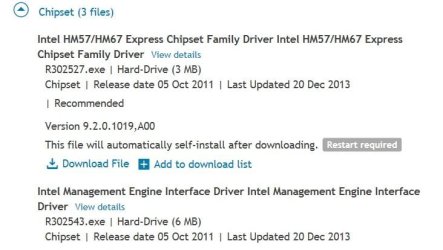
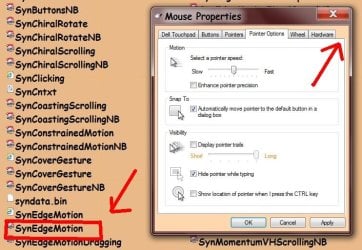
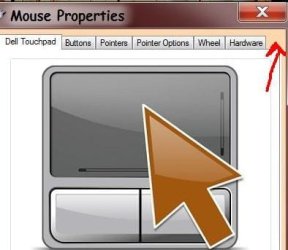
Hi all. I'm trying to make an adjustment to my mouse properties settings which requires going into the "device settings" tab, which seems to be missing. I've included a screenshot showing where the device settings tab should be and a screenshot of 'my' mouse properties showing that the device settings tab is missing.
Does anyone know of a solution to this problem. Preferably a link to a driver that restores this option (and the correct procedure for installing it).
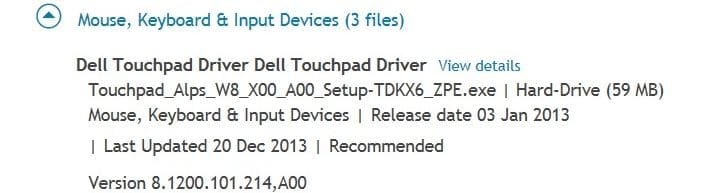
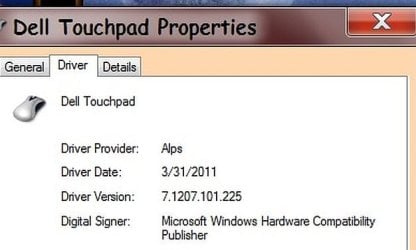
I'm running Windows 7 home premium on a Dell n5050 laptop with an Alps pointing device.I believe I have the latest driver already installed (screenshot) .
I need the tab to make adjustments to my touchpad, not an external mouse. Any help would be greatly appreciated. Thanks, Jim
Hi all. I'm trying to make an adjustment to my mouse properties settings which requires going into the "device settings" tab, which seems to be missing. I've included a screenshot showing where the device settings tab should be and a screenshot of 'my' mouse properties showing that the device settings tab is missing.
Does anyone know of a solution to this problem. Preferably a link to a driver that restores this option (and the correct procedure for installing it).
I'm running Windows 7 home premium on a Dell n5050 laptop with an Alps pointing device.I believe I have the latest driver already installed (screenshot) .
I need the tab to make adjustments to my touchpad, not an external mouse. Any help would be greatly appreciated. Thanks, Jim
Attachments

My Computer
At a glance
Windows 7 Home Premium 64 bit
- Computer type
- Laptop
- Computer Manufacturer/Model Number
- dell n5050
- OS
- Windows 7 Home Premium 64 bit
- Hard Drives
- 1
- Antivirus
- avg