
I am experiencing the same issue as with jenny123 but with an additional problem. I am troubleshooting a Seagate FreeAgent GoFlex 1TB external hard drive for my buddy. It is previously working but one day, it is not detected anymore by any device. It is found in the Disk Management however, it is listed as Unknown, Not Initialized, and not showing the partition as shown in the screenshot.
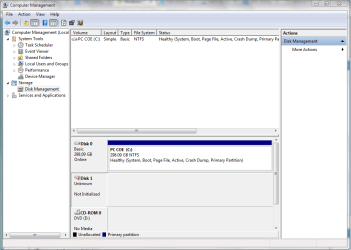
When I try to change it from Offline to Online, I am encountering the error:
"Virtual Disk Manager: The system cannot find the file specified"
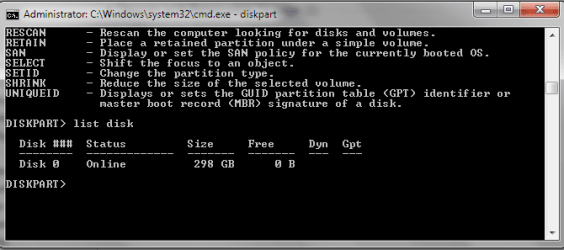
I also used the DISKPART in cmd but it is not showing Disk 1 as shown below.
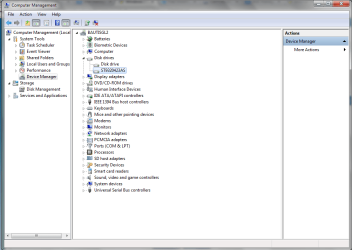
The external hard drive is found in disk drives but it is not showing it's model name.
I tried all the recommended software (partition wizard, testdisk, icare) but still no luck. I also tried searching online for an answer but there's no closure to their issues as well. Hope someone can help on this as he need a) the drive and b) recover the files in the external drive. Thanks!
EDIT: The drive can be seen in the Devices and Printers as shown below.

When I try to change it from Offline to Online, I am encountering the error:
"Virtual Disk Manager: The system cannot find the file specified"
I also used the DISKPART in cmd but it is not showing Disk 1 as shown below.
The external hard drive is found in disk drives but it is not showing it's model name.
I tried all the recommended software (partition wizard, testdisk, icare) but still no luck. I also tried searching online for an answer but there's no closure to their issues as well. Hope someone can help on this as he need a) the drive and b) recover the files in the external drive. Thanks!
EDIT: The drive can be seen in the Devices and Printers as shown below.
Last edited:
My Computer
- Computer type
- Laptop
- Computer Manufacturer/Model Number
- HP
- OS
- Windows 7 Enterprise 64bit


