Removing the hard drives is a pinch as it turns out. What I suspect to be the D: drive slides out exactly like removing a window. C: drive, has a screw to remove first and slides out exactly the same way. I did it this morning with both and I didn't need to "dig for them" under other stuff. If that really is the easier way to go (and that's the impression I got from your earlier posts) I can totally do it.
You said:
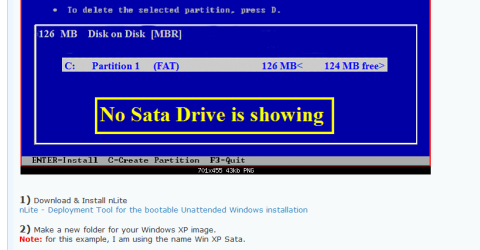
For the slipstream you want the XP AHCI and/or SATA drivers added to the image, that's all. If it clearly provides AHCI then use that mode in BIOS under SATA controller.
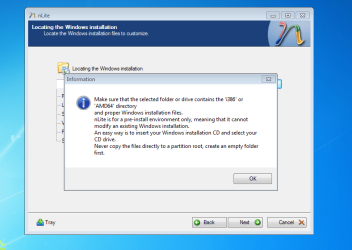
In the first sentence you've told me what I need to add to the image. Okay..... Sort of. From Kaktussoft's post #12 on this thread, it sounds like he Googled online for these drivers specific for my make and model laptop and has them on hand for when we get to step #8, (he said: "I already found the correct WINXP sata drivers btw. I'll post them later in the process"). I am then to use these drivers for the Copy & Paste in step #10. That's been my understanding from posts so far regarding drivers. I think the most relevant specific questions I need to ask are - where do I need to go to get these drivers AND how do I get them?
The second sentence of yours "if it clearly provides AHCI then use that mode in BIOS under SATA controller". I can't grasp what you are saying or asking me to do. Would you mind restating this a different way, please. Sorry, I'm not trying to be obtuse, I'm just trying to be clear so that all goes well.
You said:
For the slipstream you want the XP AHCI and/or SATA drivers added to the image, that's all. If it clearly provides AHCI then use that mode in BIOS under SATA controller.
In the first sentence you've told me what I need to add to the image. Okay..... Sort of. From Kaktussoft's post #12 on this thread, it sounds like he Googled online for these drivers specific for my make and model laptop and has them on hand for when we get to step #8, (he said: "I already found the correct WINXP sata drivers btw. I'll post them later in the process"). I am then to use these drivers for the Copy & Paste in step #10. That's been my understanding from posts so far regarding drivers. I think the most relevant specific questions I need to ask are - where do I need to go to get these drivers AND how do I get them?
The second sentence of yours "if it clearly provides AHCI then use that mode in BIOS under SATA controller". I can't grasp what you are saying or asking me to do. Would you mind restating this a different way, please. Sorry, I'm not trying to be obtuse, I'm just trying to be clear so that all goes well.
My Computer
At a glance
Windows 7 Home Premium 64 bitIntel(R) Core(TM)2 Duo CPU T6400 @ 2.00 GHz4.00 GBNVIDIA GeForce 9600M GT
- Computer type
- Laptop
- Computer Manufacturer/Model Number
- Acer Aspire 8730
- OS
- Windows 7 Home Premium 64 bit
- CPU
- Intel(R) Core(TM)2 Duo CPU T6400 @ 2.00 GHz
- Motherboard
- ?
- Memory
- 4.00 GB
- Graphics Card(s)
- NVIDIA GeForce 9600M GT
- Hard Drives
- Disk partition (C:) 282 GB
Disk partition (D:) 298 GB
these are separate disk drives and not a case of 1 drive being partitioned.
- Antivirus
- none yet
- Browser
- Internet Explorer 9